



Skip to content

wheel offset?

Featured Replies

I have been looking into replacing the alloys on the rapid and have found some 17inch wheels with the correct 5x100 off a polo but with an offset of et35. 


I think the rapid is et43 or 46 but not sure.


Does anybody know if they will cause problems?


Thanks

Lower ET means it will stick out further. Your current wheels should have the offset stamped on the back of them.

Sent from my Nexus 4 using Tapatalk

PM nookiebear, he knows the factory numbers and the ones of the rims he put on which widen the track.

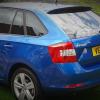
No problem at all. Look at my project. Just put on some polo wheels and will even put some larger ones later.

  • Author

Thanks everyone.


No problem at all. Look at my project. Just put on some polo wheels and will even put some larger ones later.


Those are the exact wheels I was looking at too! Looks good, although they definitely need the lowering springs after bigger wheels.

Glad I could help :-)

Standard on all 17's specified on the current Rapid range (liftback & Spaceback) is ET46 on a 7J rim as far as I'm aware.


ET35's will fit fine and give you 11mm wider track per side on a 7J wheel and 17.35mm on a 7.5J rim.


Many aftermarket suppliers seem to be showing 8Jx17 ET35 rims as suitable for the Rapid range (increased track of 23.71mm per side), but beware of this rim width if using lowering springs as this does place the tyre marginally beyond the front arch which may cause the sidewall to foul the inner arch (particularly what I think are studs securing the wheel arch liner) when the suspension is under compression.

Create an account or sign in to comment

Recently Browsing 0

  • No registered users viewing this page.

Important Information

Welcome to BRISKODA. Please note the following important links Terms of Use. We have a comprehensive Privacy Policy. We have placed cookies on your device to help make this website better. You can adjust your cookie settings, otherwise we'll assume you're okay to continue.

Account

Navigation

Configure browser push notifications

Chrome (Android)
  1. Tap the lock icon next to the address bar.
  2. Tap Permissions → Notifications.
  3. Adjust your preference.
Chrome (Desktop)
  1. Click the padlock icon in the address bar.
  2. Select Site settings.
  3. Find Notifications and adjust your preference.
