



Skip to content

2015 Name That Bike Game
Featured Replies

Sorry, nope

  • Replies 297
  • Views 15.2k
  • Created
  • Last Reply

Top Posters In This Topic

Most Popular Posts

Posted Images

1990 Kawasaki Ninja 750?

Closer........

Hmm i struggle abit with bikes that are actually older than me haha.

Cant help thinkin its a Kawasaki though and most likely a ninja of some sort

Yes and yes :)

1990 (ish) Kawasaki Ninja 600?

That's very close, it would be pedantic to say no so over to you :thumbup: . The picture was of the GPz600R, it was known as the ninja outside the UK when launched in1985 it ran until ~89 by which time it was being badged ninja here too. The GPX600R was launched about 88/89 which was known as the ninja also :zzz: sorry, rambling on...........

Edited by Fatbloke

Ah i was rather close wasnt i aha.

150cc's out tbf. I mean, that alone is barely 17bhp!! Haa.

Id like to think i put him on the right track ;) haha

Definitely :D

1990 (ish) Kawasaki Ninja 600?

Your turn then (:

Come on fella. You cant stop the game :(.

I fink he just did!!!

Oops


Does it have to be a certain age? or any age?

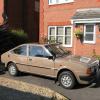
Briskoda Picture

Will try and pay attention now...when someone gets the right answer

Yamaha tenere xt660?

Triumph Tiger 1050?

Triumph Tiger 1050?

Yerp, the sport to be exact.

Over to you :-)

post-963-0-35514700-1433315255_thumb.jpg

Orange says, KTM or Laverda, but the casing does not seem right.


Back to the drawing board then.

MZ 660 Bhagira ?

Not with a fairing that low.

Might need a clue that's hard

post-963-0-70873900-1433707801_thumb.jpg


The colour was a total red (orange) herring. Think small.......

Edited by Fatbloke

Gotta be a ped with a disc that small but just can place it

Create an account or sign in to comment

Recently Browsing 0

  • No registered users viewing this page.

Important Information

Welcome to BRISKODA. Please note the following important links Terms of Use. We have a comprehensive Privacy Policy. We have placed cookies on your device to help make this website better. You can adjust your cookie settings, otherwise we'll assume you're okay to continue.

Account

Navigation

Configure browser push notifications

Chrome (Android)
  1. Tap the lock icon next to the address bar.
  2. Tap Permissions → Notifications.
  3. Adjust your preference.
Chrome (Desktop)
  1. Click the padlock icon in the address bar.
  2. Select Site settings.
  3. Find Notifications and adjust your preference.
