



Skip to content

Would these fit my octavia 2010? Et?
Featured Replies

  • Author

Horrible, horrible, horrible --- please don't!

Hahaha... I'd obviously get rid of the red whatever it is.. Or you referring to to wheels in general?

Also as I have the tyre pressure doo daa so what's the crack with wheels.. Does it need to be anything specific? And any wheels you could recommend Mike?

Edited by MrTacoSWFC

Should be fine at that.

Mine are 8.5 x 18 et25 ;)

  • Author

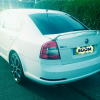
Ok so I got some new alloys... And they are standard. Mk3 octavia vrs xtreme alloys. Hopefully they will look nice on a mk2 FL.

Ok so I got some new alloys... And they are standard. Mk3 octavia vrs xtreme alloys. Hopefully they will look nice on a mk2 FL.

Interesting, I have never seen Xtremes on a Mk2 FL! Imo 19" suits lowered cars only. So little rubber must be combined with small distance to the fender arches. But, thats me (I may be wrong, show your new wheels....)

PICTURES!

  • Author

Interesting, I have never seen Xtremes on a Mk2 FL! Imo 19" suits lowered cars only. So little rubber must be combined with small distance to the fender arches. But, thats me (I may be wrong, show your new wheels....)

PICTURES!

Well it's interesting you say that... I have just posted on the wanted forum hoping for someone with some springs or coilovers as I agree with you. But yes, once I have the tyres fitted and alloys on pictures will be posted.

  • 3 weeks later...
  • Author
sketch-1460569340350_zpsbhyx5d7y.png

I've seen these wheels in black on a new seat ibiza in white and honestly they just don't look right

Granted it's a different car

I kind of like them on your Mk2. They aren't too bad, but the picture angle doesn't tell much! A more straight side view will be better.

Is your car standard Vrs height at the picture?

  • Author

IMG_20160419_090929_zps5x9m6ken.jpg

Here's more of a side view.. Car standard height at the moment but looking to lower it to get rid of the 'gap'.

image_zpsalifsvej.jpeg

19's std height gone now though :(

Create an account or sign in to comment

Recently Browsing 0

  • No registered users viewing this page.

Important Information

Welcome to BRISKODA. Please note the following important links Terms of Use. We have a comprehensive Privacy Policy. We have placed cookies on your device to help make this website better. You can adjust your cookie settings, otherwise we'll assume you're okay to continue.

Account

Navigation

Configure browser push notifications

Chrome (Android)
  1. Tap the lock icon next to the address bar.
  2. Tap Permissions → Notifications.
  3. Adjust your preference.
Chrome (Desktop)
  1. Click the padlock icon in the address bar.
  2. Select Site settings.
  3. Find Notifications and adjust your preference.
