



Skip to content

Skoda Octavia mk2 1,9 TDi Fault code 17055
Featured Replies

Hi, I hope to find some help with an ongoing issue with the car I own at the moment.

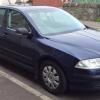
There car is a Skoda Octavia Classic Mk 2 1.9 TDi from December 2004 with BJB engine.

The issue is a yellow steering wheel light.

Reading codes I use the Autel Max scan 405.

The light appeared just a couple of weeks ago, did the steering wheel reset, turning to the right, left and back to the centre, and it worked, for then.

Now the light came back and nothing what ever i do will make it disappear.

I bought a new battery, although there was no problem with the battery and alternator with the test done by Halfords, although, the battery was already about 6 years old.

Decided to buy a new battery.

Issue remains.

Fault only fault code which I found is 17055.

Obviously this relates to Glow Plug/Heater Cylinder 1 (Q10)    electrical Fault in Circuit.


Question is, the yellow steering light, can this also light up if a glow plug is old or not completely functional?

Is someone able to answer this question?

I did replace the original interior with the 2006/2007 VRS interior, including the steering wheel, can it be that this can be the cause of the light being there?

Edited by dennis3258

There'll be a fault code present. It's most likely the reader you used hasn't got the capability to read all the controllers hence no fault code showing.

Create an account or sign in to comment

Recently Browsing 0

  • No registered users viewing this page.

Important Information

Welcome to BRISKODA. Please note the following important links Terms of Use. We have a comprehensive Privacy Policy. We have placed cookies on your device to help make this website better. You can adjust your cookie settings, otherwise we'll assume you're okay to continue.

Account

Navigation

Configure browser push notifications

Chrome (Android)
  1. Tap the lock icon next to the address bar.
  2. Tap Permissions → Notifications.
  3. Adjust your preference.
Chrome (Desktop)
  1. Click the padlock icon in the address bar.
  2. Select Site settings.
  3. Find Notifications and adjust your preference.
