



Skip to content

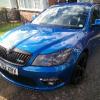
13 plate mk2 fl ecu

Featured Replies

Hi,just wondered if the ecu on my vrs TDI is tricore locked looking into getting it remapped and I'm curious about it 

  • Author

wow,im overwhelmed at the info i have received

Quote

Hi,

Is it the 184ps engine.

If so It seems revo can do it so I would imagine others have similar tools:


http://www.revotechnik.com/product-details/software/skoda/octavia-mk3-2013-/200/stage-1/


We waited patiently for the new CR 184 to be released, working on the ECU technology before we started the calibration allowed us to complete our development on ‘port flashing’ meaning no ECU removal is required to install performance software on these vehicles.

Many comparisons are made between this 184 diesel engine and its petrol counterparts with the majority of reviews saying the petrol is the one to go for if you really want to enjoy your drive. Maybe that’s true in standard form but if you have our Stage1 software it’s a different story. The midrange punch lasts for longer, you don’t need to drop a gear or two to make the most of the engine but it can be get fun if you do work the engine hard. We give this engine more than enough performance for you to have fun, retaining the stock refinement and maximized power delivery and efficiency. With Stage1 on your diesel, the petrol doesn’t remain king you have a genuinely rapid diesel.


Shark performance also:


http://www.sharkperformance.co.uk/skoda/octavia/octavia-iii/2-0-tdi-cr-rs-184-bhp/remaps-5359

Edited by Guest

It won't be a 184ps in a MK2 FL.


I would imagine a 2013 would need the ECU unlocking.


It's a common enough protection that most tuners should be able to remove the ECU to unlock it easily enough. Your best bet is to ring a tuning company such as Shark Performance and ask.


  • Author

Thanks lads,will give shark a call 

Create an account or sign in to comment

Recently Browsing 0

  • No registered users viewing this page.

Important Information

Welcome to BRISKODA. Please note the following important links Terms of Use. We have a comprehensive Privacy Policy. We have placed cookies on your device to help make this website better. You can adjust your cookie settings, otherwise we'll assume you're okay to continue.

Account

Navigation

Configure browser push notifications

Chrome (Android)
  1. Tap the lock icon next to the address bar.
  2. Tap Permissions → Notifications.
  3. Adjust your preference.
Chrome (Desktop)
  1. Click the padlock icon in the address bar.
  2. Select Site settings.
  3. Find Notifications and adjust your preference.
