



Skip to content

Plasti-Dipped vRS front grille
Featured Replies

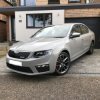
Had a bit of spare time this morning so decided to have a go at my front grille. Masked it all off, then sprayed a light coat each time to build it up. Spray, leave for 15mins, repeat. I did 6 coats which helped with peeling the edges away after. I'm satisfied with the result given it was my first time with Plasti-Dip, but I've learned a few lessons. 


1. Prep the surface really well. Use proper solvent to get any crud off the chrome or the dip won't stick. 

2. Leave a 5mm gap between the chrome and the tape. This will give you enough space to pull it away cleanly.

3. Keep the can warm or the spray is lumpy. My first spray wasn't warm so everything after now has a texture. 


A few areas came up when removing the tape, and it's a bit tatty close up, so I may redo it. But it's shown me that I definitely want it black anyway! I would get the factory part and swap it over, but that's gloss and I really want it matte like this as there's no other gloss black on the car. Food for thought definitely.  

IMG_6395.JPG

IMG_6396.JPG

IMG_6397.JPG

That looks really nice on the MK3, as there is less chrome to cover, so not too much black once sprayed. Did my MK2 VRS a couple of weeks ago and although it's an improvement over all that bling bling chrome, now I think there is too much black., There is an awful lot of chrome on the MK2 fl grill to plastidip. Going to buy a new chrome surround for mine and get it colour coded to the car, then swap them over.   

Looks great on mk3 rubbish on mk2.

Great job

5 minutes ago, tubbytommy said:

Looks great on mk3 rubbish on mk2.

Great job

tubbytommy you are just rubbing it in now mate.:D

  • Author

Well, after a couple of days I can confirm:


1. I love having the black grille 

2. I'm not happy with the finish 

3. I don't think it'll get much better


So I managed to pick up a black grille frame on eBay for £30 so will remove most of the skin from my fingers changing them over soon. 

Create an account or sign in to comment

Recently Browsing 0

  • No registered users viewing this page.

Important Information

Welcome to BRISKODA. Please note the following important links Terms of Use. We have a comprehensive Privacy Policy. We have placed cookies on your device to help make this website better. You can adjust your cookie settings, otherwise we'll assume you're okay to continue.

Account

Navigation

Configure browser push notifications

Chrome (Android)
  1. Tap the lock icon next to the address bar.
  2. Tap Permissions → Notifications.
  3. Adjust your preference.
Chrome (Desktop)
  1. Click the padlock icon in the address bar.
  2. Select Site settings.
  3. Find Notifications and adjust your preference.
