



Skip to content

Must be a good alarm
Featured Replies

Well last night my car was broken into car alarm must have scared them off 

They took nothing at all ...

1st time in over 20 years driving ... 

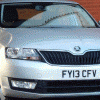
Car is 13 skoda rapid 

20171129_234122.jpg

20171129_234146.jpg

Sorry to see that. Happened to our daughters car a few months back - and all for a 10 year old satnav.


Hope you can get it fixed quickly.

It could be mindless vandals rather than a break in, it happens.

Only last week in our area a youth on a bike kicked in someone's rear light unit, just for the hell of it, caught on CCTV and posted up on the local police FB page.


Anyways hope you get it sorted quickly, having something like this happening to ruin your day.

Edited by MickA

I reckon they were after the baby seat - easy item to sell on for a few quid to then buy drugs with.


I hope there was no other damage other than the broken window (which is an easy fix and a bit of hoovering to recover from)? Last time I had a car broken into (a long time ago), rather than break the window (it was only a Metro with no alarm and before deadlocks were a thing on small cars, not exactly hard to get into), they forced both the drivers door and passenger door locks, breaking the locks and denting both doors in the process. All to steal a £30 Kenwood stereo that was already second-hand when I bought it off a mate and an empty CD jewel case.

  • Author

There was more damage . Noticed when I was cleaning up but its all sorted now ...

20171130_141005.jpg

Ouch - I guess we know where they attacked the window from then.


Glad it's all sorted now, hopefully you can get back to enjoying the car.

Create an account or sign in to comment

Recently Browsing 0

  • No registered users viewing this page.

Important Information

Welcome to BRISKODA. Please note the following important links Terms of Use. We have a comprehensive Privacy Policy. We have placed cookies on your device to help make this website better. You can adjust your cookie settings, otherwise we'll assume you're okay to continue.

Account

Navigation

Configure browser push notifications

Chrome (Android)
  1. Tap the lock icon next to the address bar.
  2. Tap Permissions → Notifications.
  3. Adjust your preference.
Chrome (Desktop)
  1. Click the padlock icon in the address bar.
  2. Select Site settings.
  3. Find Notifications and adjust your preference.
