



Skip to content

Electric Boot Opening - Whilst Moving
Featured Replies

Hiya,


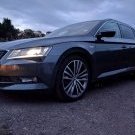
I've read and commented on the various quirks of the mk3 electric boot and its sensors and its in inability to detect pressure unless it is nearly closed but to my horror when I was driving along at approx 20 mph in traffic today I accidentally knocked the boot release when my phone decided to slide away from its usual position of perched  ontop of the ashtray/front storage compartment...(Reflex reaction which after reflection was a daft thing to try and catch it)... 


To my disbelief the boot opened and then the car started bonging as if it was saying 'Hey your boot is open and your moving...are you sure you want to continue ? ''


Should the boot opening whilst in motion ?..     I do not know...It doesn't mention it in the handbook, just states to use the boot release whilst stationary...


I have dogs (who weren't in the boot at the time) but it does scare me a little if u accidentally knock the button there isn't some safety system that detect you are in motion and gives a warning of ' Boot opening not available whilst in motion' or something to that effect....  


Strange..!!!!!

Edited by Zenbasses

:notme: Hehe, couldn't possibly be a software bug?


Cue: software expert who says software is complex and these things are to be expected.....;)


Lets call it a "feature" instead :dry:


· Whatever you do, don't press that button. ... 


Edited by xman

  • Author
1 hour ago, xman said:

Lets call it a "feature" instead :dry:


What do they call it on Range Rovers?... Auditorium / Balcony/ Stadium  seating ?....lol...Just need a couple of 5 quid folding chairs from Wilko to complete the image... :D

Create an account or sign in to comment

Recently Browsing 0

  • No registered users viewing this page.

Important Information

Welcome to BRISKODA. Please note the following important links Terms of Use. We have a comprehensive Privacy Policy. We have placed cookies on your device to help make this website better. You can adjust your cookie settings, otherwise we'll assume you're okay to continue.

Account

Navigation

Configure browser push notifications

Chrome (Android)
  1. Tap the lock icon next to the address bar.
  2. Tap Permissions → Notifications.
  3. Adjust your preference.
Chrome (Desktop)
  1. Click the padlock icon in the address bar.
  2. Select Site settings.
  3. Find Notifications and adjust your preference.
