



Skip to content

Cracked my front fogs...
Featured Replies

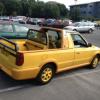
Hi Guys. First Post on here, hope someone has the answer to my question. Came off the road today n hit a snow drift at the side of the road, cracked both my front fog lights. I was wondering if anyone knew where to get replacements? Are they only from a felicia fun or do they fit from hatchback models and/or vw caddys? TIA

  • 1 month later...

There like rocking horse poo in uk

Best bet is probably a breakers, or keep an eye on ebay for people breaking a Felicia. In the past I have seen bumpers listed, with no mention of fogs in the description, but they were in the pictures (the descriptions were almost "a Felicia bumper" ;) )

What did you hit in the snow to crack them? The glass is pretty thick.

  • 2 weeks later...

If I recall correctly FL Felicia ones are different from the Fun.  They are round.  

The FL for Felicia 1 (1994-1997) are rectangular.

22 hours ago, RicardoM said:

The FL for Felicia 1 (1994-1997) are rectangular.


By FL I meant facelift....the later Felicias with the radiator grille. They are definitely round on those. 


Dunno if the pre FL fogs fit the Fun, the front bumper is definitely different.  

Edited by juan27

Part numbers for the fogs on pre FL Felicia and the standard pickup


Left: 6U0941701

Right 6U0941702


Interestingly the lens were/are available as separate items. Same part numbers with a 'C' on the end   


Maybe check for a part number  on the broken lights see if the Fun is the same? 

  • 3 weeks later...

Lenses on the Felicia MK1 are not tempered glass. They break easy when in contact with water since inside become very hot with the halogen bulb.

Are the same for Felicia Fun.


FL Felicias use the round ones but i dont really know if they are tempered glass.

image.thumb.png.efd4180b62a45c9c3b18246871753c8d.png


Create an account or sign in to comment

Recently Browsing 0

  • No registered users viewing this page.

Important Information

Welcome to BRISKODA. Please note the following important links Terms of Use. We have a comprehensive Privacy Policy. We have placed cookies on your device to help make this website better. You can adjust your cookie settings, otherwise we'll assume you're okay to continue.

Account

Navigation

Configure browser push notifications

Chrome (Android)
  1. Tap the lock icon next to the address bar.
  2. Tap Permissions → Notifications.
  3. Adjust your preference.
Chrome (Desktop)
  1. Click the padlock icon in the address bar.
  2. Select Site settings.
  3. Find Notifications and adjust your preference.
