



Skip to content

Project Vlad

Featured Replies

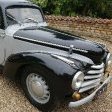
Here's my new little toy, just a run about while I strip and restore the Tudor and to put less miles on the Battleship. plan is to completely restore this once the Tudor is done and maybe get a Triumph triple engine in him, once the current one dies

Vlad 1.jpg

vlad 2.jpg

That is a Tudor! :) And I think in good original condition based on your photos.

  • Author

No, that is a Trabant 601 Special, this is the Tudor :) 

18557097_10212632875638236_4157828681742608092_n.jpg

18557222_10212632875958244_8501836346953119289_n.jpg

18620378_10212632874798215_7737357476992578056_n.jpg

18664383_10212632875238226_5720079966677909274_n.jpg

10 hours ago, tempra007 said:

No, that is a Trabant 601 Special, this is the Tudor

Er "tudor" is also an USianised misspelling (or mispronunciation) of "two door".

3 bullet holes in each front wing on escape from East Germany!!

I live the mph-kph cheat sheet sticker in the Tudor :D


and the little leather and stainless steel buckles for holding the bonnet down are exactly what my buddy needs to do to his mk2 focus (he has twice been invited into the NCT centre inspection area (normally off limits to owners) to open the bonnet for them... as the release is knackered.. :D just cant decide on what he wants to buy instead of it.)


i love its pure simplicty - a seat to sit on, some pedals abd wheel to make it go where you want, and a window winder if it gets too hot.

Create an account or sign in to comment

Recently Browsing 0

  • No registered users viewing this page.

Important Information

Welcome to BRISKODA. Please note the following important links Terms of Use. We have a comprehensive Privacy Policy. We have placed cookies on your device to help make this website better. You can adjust your cookie settings, otherwise we'll assume you're okay to continue.

Account

Navigation

Configure browser push notifications

Chrome (Android)
  1. Tap the lock icon next to the address bar.
  2. Tap Permissions → Notifications.
  3. Adjust your preference.
Chrome (Desktop)
  1. Click the padlock icon in the address bar.
  2. Select Site settings.
  3. Find Notifications and adjust your preference.
