



Skip to content

Side mirror switch lost in the the void
Featured Replies

So the other day I went on spending a good 4 hr for a much wanted in and out cleaning, but literally 5min before I finish, as I was wiping the interior cleaner's haze off the door panels, I probably was more enthusiastic than I needed to, and the mirror switch with its little position panel (L-0-R, Heating, Close mirrors) which apparently is a separate unit from the rest of the panel, fell inside.

IMG_20200203_165856.thumb.jpg.b06638ca0fcfd7a91c5996291f2d8ca1.jpg 


I can see it and pull it back up but it won't seat properly unless I pull with more force than feels right and I thought I better not rip the knob off, that would be an uglier mess than the current one. So I clearly must remove the entire windows panel and seat it properly from below, then install the entire panel back. If I read the workshop manual right. the entire panel with windows and mirror switches can be lifted up but there are no grip points and even mine that I can lift through the hole doesn't seem to budge so I don't want to force it to much. Any ideas to do this nice?


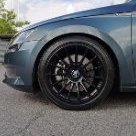
On the upside the car was looking great after washing :tongueout:


IMG_20200202_150256.thumb.jpg.a9949f384d51c5368c0d0a4d8079cc0d.jpg
 

Bad luck 😞


The whole panel can be removed fairly easily with trim remover tools. IIRC the best place to get the tool underneath is from the front but move the tool towards the centre/rear when you apply a bit of pressure. It will eventually lift up. There’s a bit of flex to it so just take your time and apply steady/even pressure when prying it up.  The connecter for the switches is long enough too, shouldn’t need to touch that I don’t think. 


Hope this helps. 


Car is looking good 😀:thumbup:

Edited by penguin17

  • Author

Ah... trim remover tools yes, that's something i'd never bought before and was about time I added to my toolbox, thanks for the tip Penguin!

Create an account or sign in to comment

Recently Browsing 0

  • No registered users viewing this page.

Important Information

Welcome to BRISKODA. Please note the following important links Terms of Use. We have a comprehensive Privacy Policy. We have placed cookies on your device to help make this website better. You can adjust your cookie settings, otherwise we'll assume you're okay to continue.

Account

Navigation

Configure browser push notifications

Chrome (Android)
  1. Tap the lock icon next to the address bar.
  2. Tap Permissions → Notifications.
  3. Adjust your preference.
Chrome (Desktop)
  1. Click the padlock icon in the address bar.
  2. Select Site settings.
  3. Find Notifications and adjust your preference.
