



Skip to content

Lets see your Non VRS Octys!
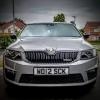
Featured Replies

I noticed a thread in the Fabia section for people to post pics of their non-VRS Fabias, so here is one for the non-VRS Octy owners. Mk I and MK II Octys both welcome.

Here's mine to get things moving.....

CarFeb07-34A.jpg

CarFeb07-14A.jpg

Here's mine...

Rob.

13346.attach

I don't have many pics of mine but here's one I have to hand:

11461d1161131197-side-sheffield-meet.jpg

Nice colour that Andy.

13354.attach

Found these two on my computer & worked out how to get them on here.

Think that should bring a BAFTA nomination :rofl:

.

13355.attach

my last one

Here's mine.

13357.attach

Heres mine, about time us non vrs owners got a look in:rofl:

13361.attach

13362.attach

13363.attach

heres a couple of mine

DSCF0025large.jpg

DSCF0024large.jpg

here`s mine

13389.attach

13390.attach

Mine

rideheight.jpg

010406front.jpg

I don't have many pics of mine but here's one I have to hand:

11461d1161131197-side-sheffield-meet.jpg

I like that alot.

Heres mine, about time us non vrs owners got a look in:rofl:

Are they vRS bumpers fitted to your's and Shorty's car Chris?

Are they vRS bumpers fitted to your's and Shorty's car Chris?

Shorty has the original Sport bumpers on his.

Mine has a vrs bumper on the rear. I crunched the Sport bumper on mine a while back and was lucky enough to find a black vrs one on E-Bay for a ton:D

There is only a subtle difference between the two so it didnt look out of place and saved me nearly £500.

Not very exciting, but does an excellent job.

Even the mother-in-law likes travelling in it - is that good?

2.0L TDI Ambient Estate DSG + reverse sensors and cruise control.

(Picture by White Dove Cardiff)

13405.attach

My baby @ the recent SVAG mega meet :)

100_1878.jpg

Golf GTI wheels?

Looks nice mate:thumbup: Always wondered what those wheels would look like on an Octy.

Create an account or sign in to comment

Recently Browsing 0

  • No registered users viewing this page.

Important Information

Welcome to BRISKODA. Please note the following important links Terms of Use. We have a comprehensive Privacy Policy. We have placed cookies on your device to help make this website better. You can adjust your cookie settings, otherwise we'll assume you're okay to continue.

Account

Navigation

Configure browser push notifications

Chrome (Android)
  1. Tap the lock icon next to the address bar.
  2. Tap Permissions → Notifications.
  3. Adjust your preference.
Chrome (Desktop)
  1. Click the padlock icon in the address bar.
  2. Select Site settings.
  3. Find Notifications and adjust your preference.
