



Skip to content

Anyone good at Photoshop?
Featured Replies

got my chrome surround but the dealers bodyshop wouldnt spray it as they said it just wouldnt last and would flake off if it got chipped.

have been investigating getting the chrome off myself and have decided to have a go with some oven cleaner we have in the house. Left a blob on the inner surface last night and forgot to check this morning if it had lifted any :doh:

ive seen the bleach method on the link above but I havent got a container big enough to hold the bleach and the surround. will report back any findings.

  • Replies 54
  • Views 4.8k
  • Created
  • Last Reply

Top Posters In This Topic

Posted Images

Eventually got my colour-coded grille on over the weekend.

Actually got it fitted in quick time thanks to the guide on Octavia-vrs.com (many thanks to VRStu and Davew), details here;- Octavia-vRS.com - Colour Coded Grille

I was able to keep the Protective Film on but whilst the outer edge was wrapped around the grille surround, I found that the fit on the inner edge (grille surround to grille) was very tight and I had to trim the film for a precise fit. It is not perfect, but having got the film on it may as well do its job.

Here are a couple of pics of the finished article;-

OctaviavRS033.jpg

OctaviavRS035.jpg

IMHO it looks a lot better than with the standard chrome surround (well I suppose I would say that after the work that I have done).

]

Must say, that looks absolutely fantastic!

Just shows that taking time and preparation pays of. Top job

  • 3 weeks later...
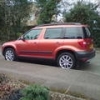
I have a RED Octavia vRS and and fancy having the chrome radiator grill sprayed black to give the car a more purposeful look.

Before I do so; is there anyone who could photoshop up an example (pic of my car can suppiled by e-mail)?

I could do something with it, if it is just the grill, it will not be too big a job, I'll give it a go. Send it to: - [email protected]

Go the whole hog.

  • Author
Go the whole hog.

Sorry but that's not for me.

Create an account or sign in to comment

Recently Browsing 0

  • No registered users viewing this page.

Important Information

Welcome to BRISKODA. Please note the following important links Terms of Use. We have a comprehensive Privacy Policy. We have placed cookies on your device to help make this website better. You can adjust your cookie settings, otherwise we'll assume you're okay to continue.

Account

Navigation

Configure browser push notifications

Chrome (Android)
  1. Tap the lock icon next to the address bar.
  2. Tap Permissions → Notifications.
  3. Adjust your preference.
Chrome (Desktop)
  1. Click the padlock icon in the address bar.
  2. Select Site settings.
  3. Find Notifications and adjust your preference.
