



Skip to content

Door mirror casings - easy to change?
Featured Replies

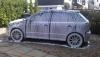
I have been thinking about making a couple of little styling changes to my vRS to make it sand out that wee bit.

One is fitting black door mirror covers instead of the yellow - seems to be a popular mod with the VW brigade and I think it may go well with a black b-pillar mod as well.

Rather than get mine resprayed, is it easier to source some black ones from a breakers and fit them instead?

Do the plastic painted bits come off or is it the whole unit/wiring/etc? In which case a respray is probably easier and I may just give it a miss :lol:

I have been thinking about making a couple of little styling changes to my vRS to make it sand out that wee bit.

One is fitting black door mirror covers instead of the yellow - seems to be a popular mod with the VW brigade and I think it may go well with a black b-pillar mod as well.

Rather than get mine resprayed, is it easier to source some black ones from a breakers and fit them instead?

Do the plastic painted bits come off or is it the whole unit/wiring/etc? In which case a respray is probably easier and I may just give it a miss :lol:

I had to replace mine thanks to some kind sole who smashed the drivers side one. The casing is in 3 parts. The coloured bit a black bit underneath and a black trim that runs around the inside of the coloured bit. There are a couple of torque head screws underneath to remove the bottom black bit. Then remove the glass (careful if I remember right a replacement is about

The casing can be changed, but I cant think why you would want to make your vRS look like a base spec classic which come with black as standard.

Dont do it man, get your scrub strips and chrome grill surround colour coded instead! Just my opinion of course.

Black B pillar trims only work with pimp tints imho.

Create an account or sign in to comment

Recently Browsing 0

  • No registered users viewing this page.

Important Information

Welcome to BRISKODA. Please note the following important links Terms of Use. We have a comprehensive Privacy Policy. We have placed cookies on your device to help make this website better. You can adjust your cookie settings, otherwise we'll assume you're okay to continue.

Account

Navigation

Configure browser push notifications

Chrome (Android)
  1. Tap the lock icon next to the address bar.
  2. Tap Permissions → Notifications.
  3. Adjust your preference.
Chrome (Desktop)
  1. Click the padlock icon in the address bar.
  2. Select Site settings.
  3. Find Notifications and adjust your preference.
