Leaderboard
-
Phil-E
Resident Member7Points12,217Posts -
Lady Elanore
FREEDOM6Points25,050Posts -
MikeTheThinker
FREEDOM5Points8,525Posts -
varaderoguy
Resident Member5Points2,848Posts




Popular Content
Showing content with the highest reputation on 30/06/20 in Posts
-
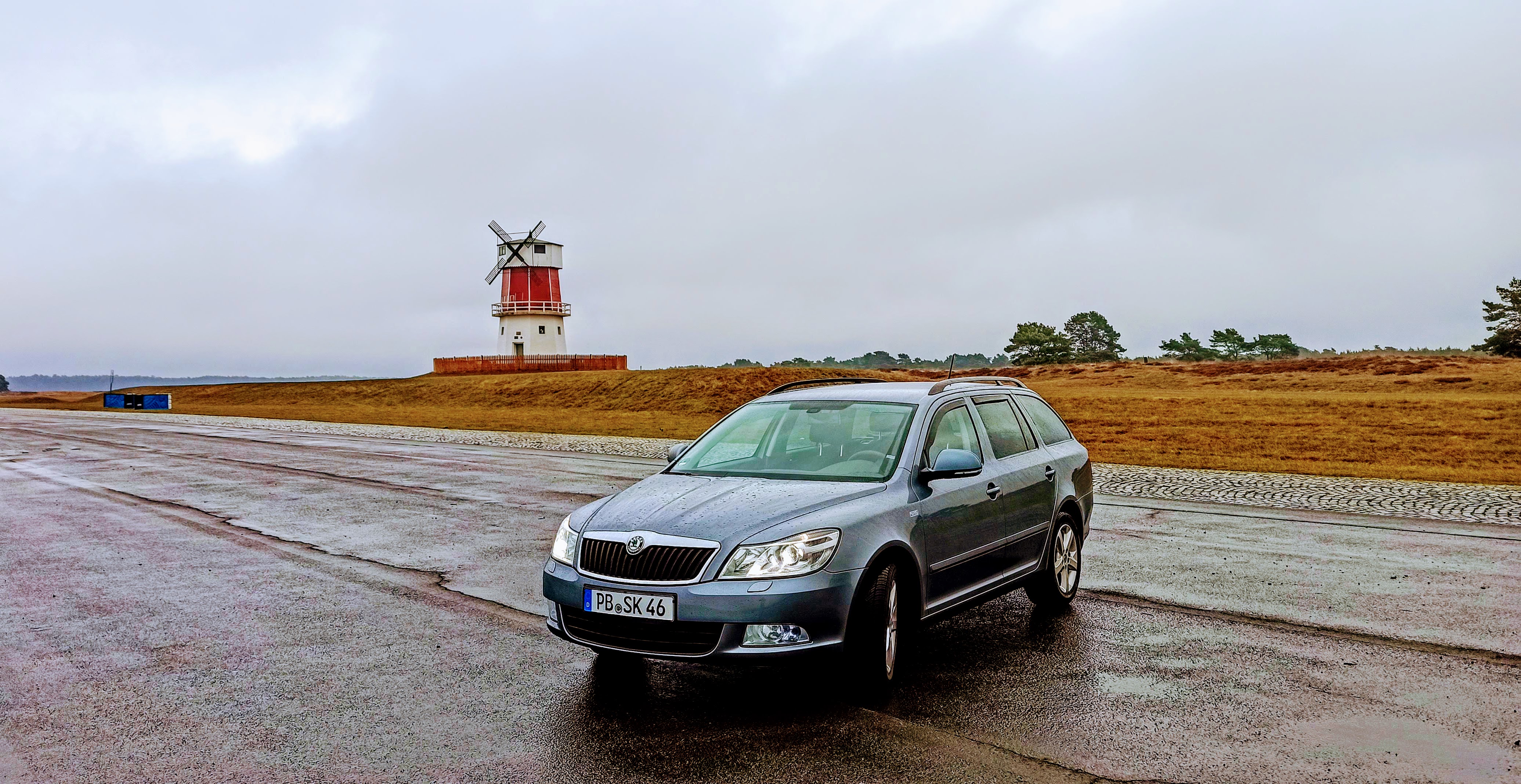
2 pointsSo I'm back in a Skoda finally. 1.4 TSI 122 DSG Family. 1 owner from new with full Skoda service history (apart from the last service done at the dealer we bought from). Specs are: AFS II Xenons Dual zone climate with heated seats Rain sensor Auto lights Cruise control Maxidot Factory tinted rear windows 4 electric windows Variable load surface in boot (not sure what it's called in English) Swing radio (ugh) Factory fitted removebale tow bar Stuff I've done: Rear LED number plate lights (the full replacement housing with built in LEDs) LED sidelight bulbs (although don't think they're canbus as the warning is on- they're Osram) Cheap bluetooth kit plugged into the Aux socket for now VCDS: AFS II enabled (yeah, it appears this isn't actually enabled fully from factory) Refuel quantity CH/LH via fogs XDS Differential enabled Cruise display (didn't work 😔) To-do: Full set of interior LEDs ordered from ebay LEDs for the DRL ordered Canbus sidelights Rear boot trim protector in silver ordered Heko wind deflectors ordered A few scratches to touch up (touch up pen set ordered) Android stereo/sat-nav at some point Gave her a wash and polish today (washed, washed again with clay mitt, autoglym paint restorer, poorboys black hole, meguires tech wax 2.0) Had a maiden voyage down to the Mosel region last week. 3 adults, dog, boot full and 3 bikes on the tow bar. Performed well. Did just over 40mpg which wasn't too bad especially considering the higher (or no) speed limit here. IMG_20200627_110400 by Philip Embleton, auf Flickr IMG_20200627_104056 by Philip Embleton, auf Flickr IMG_20200627_104129 by Philip Embleton, auf Flickr IMG_20200627_104117 by Philip Embleton, auf Flickr IMG_20200627_104159 by Philip Embleton, auf Flickr2 points
-
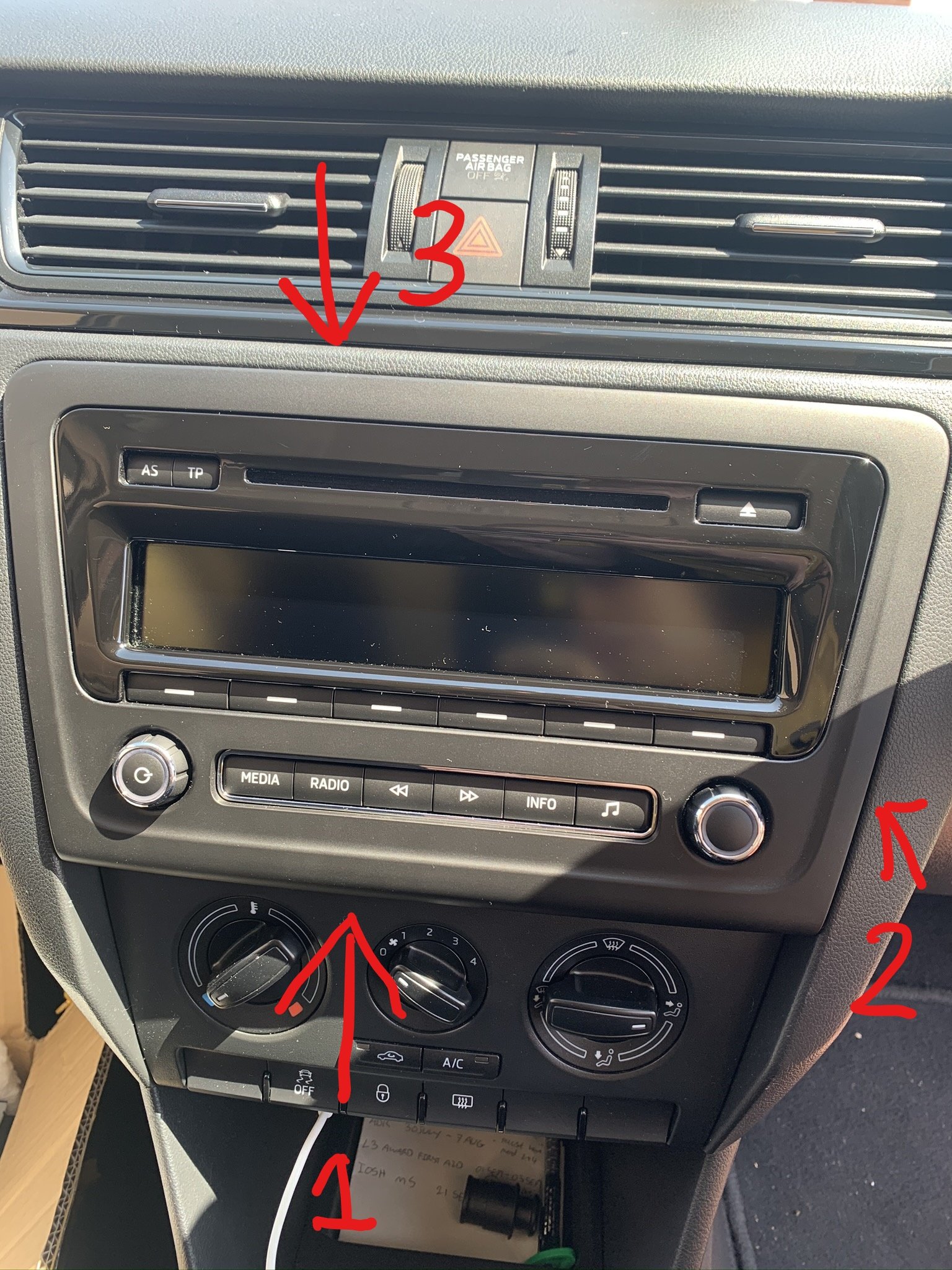
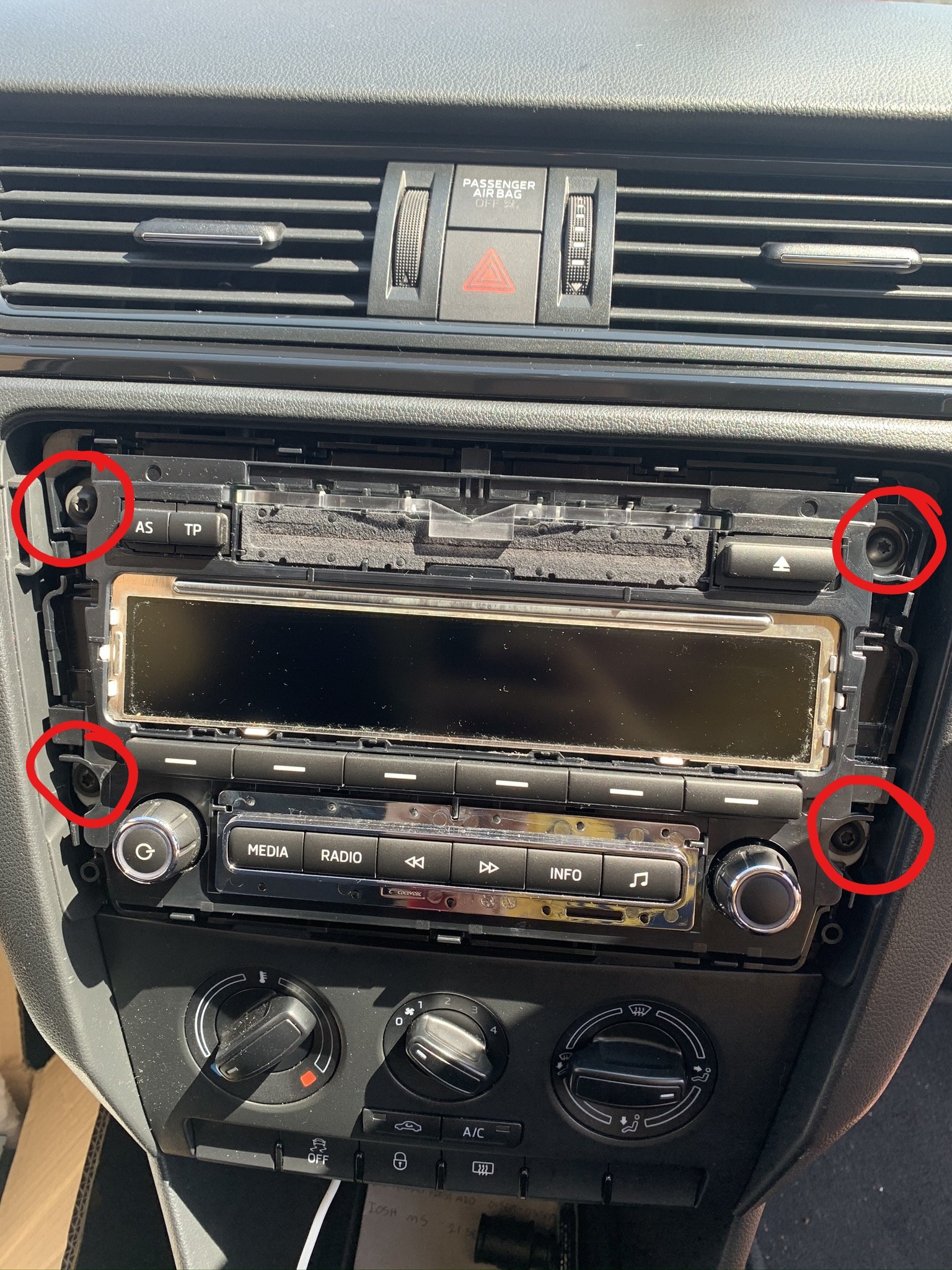
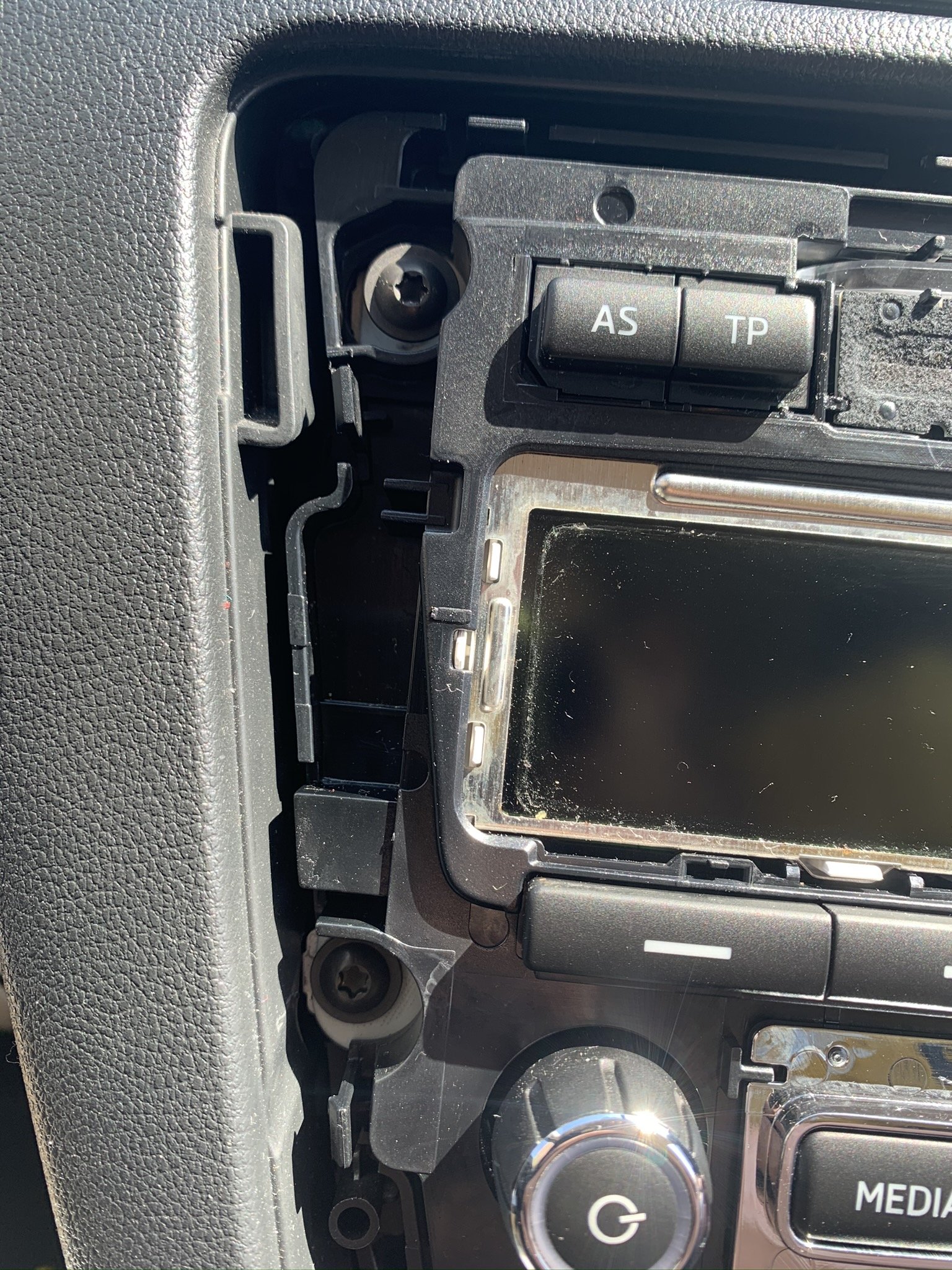
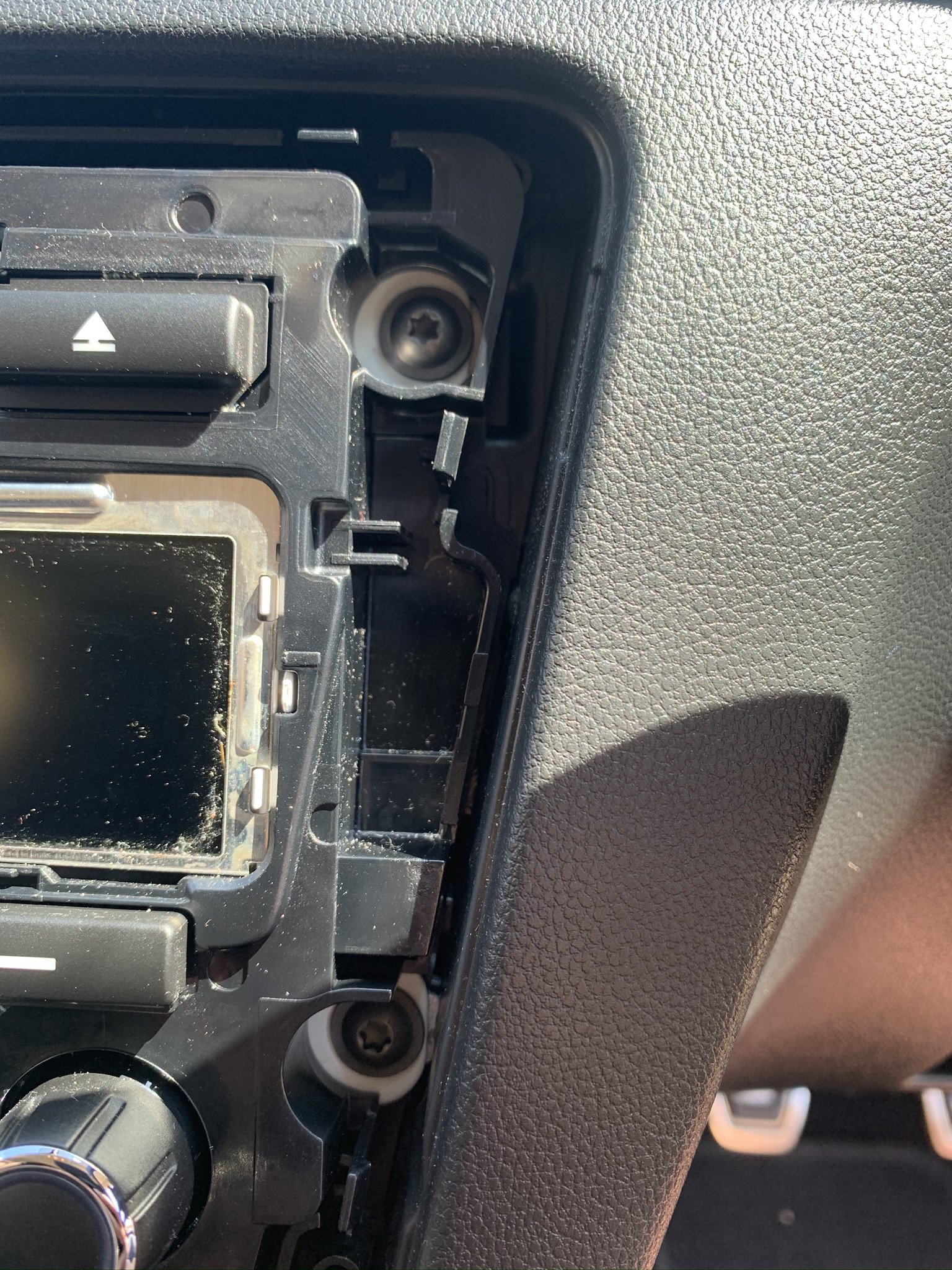
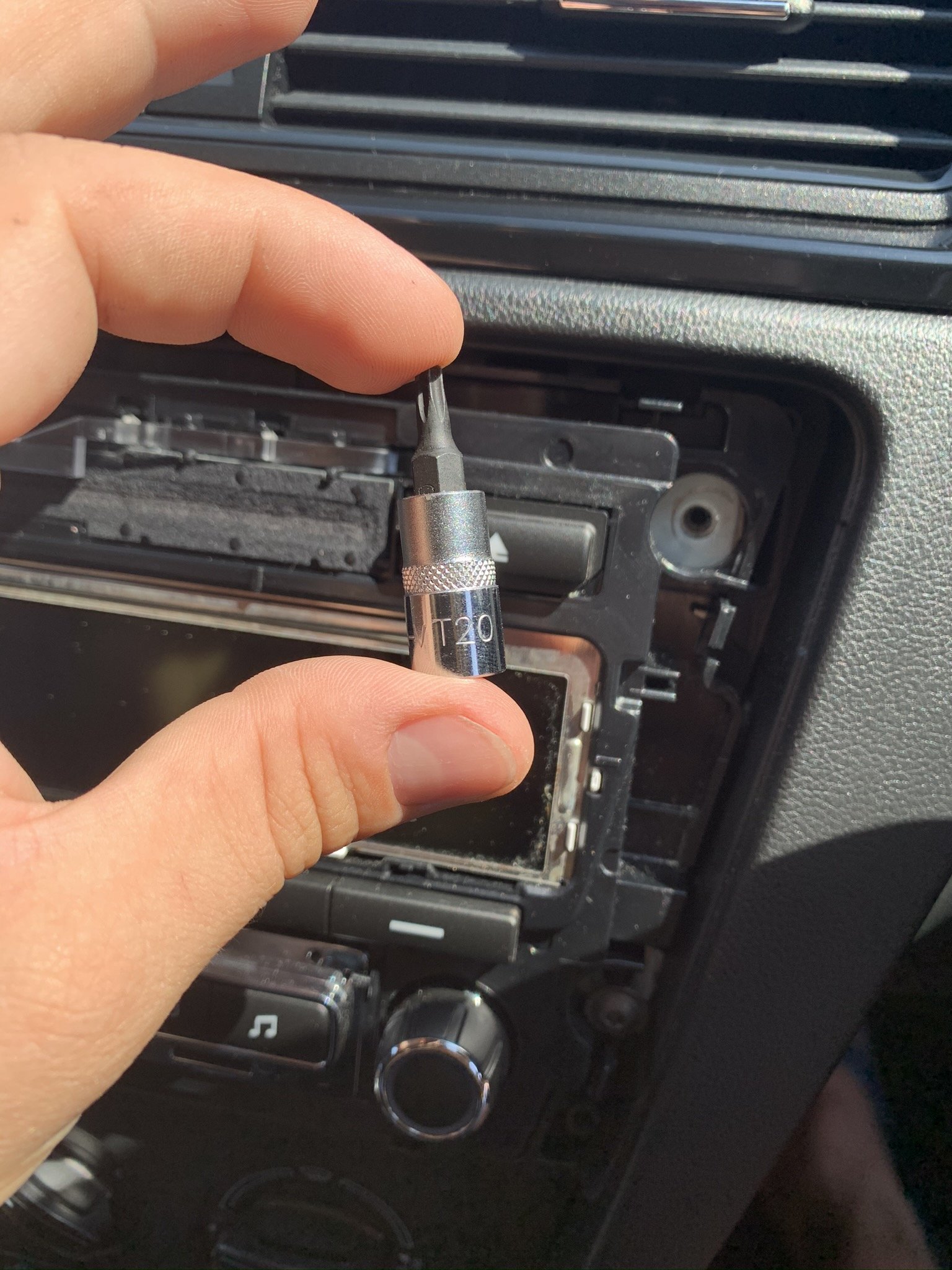
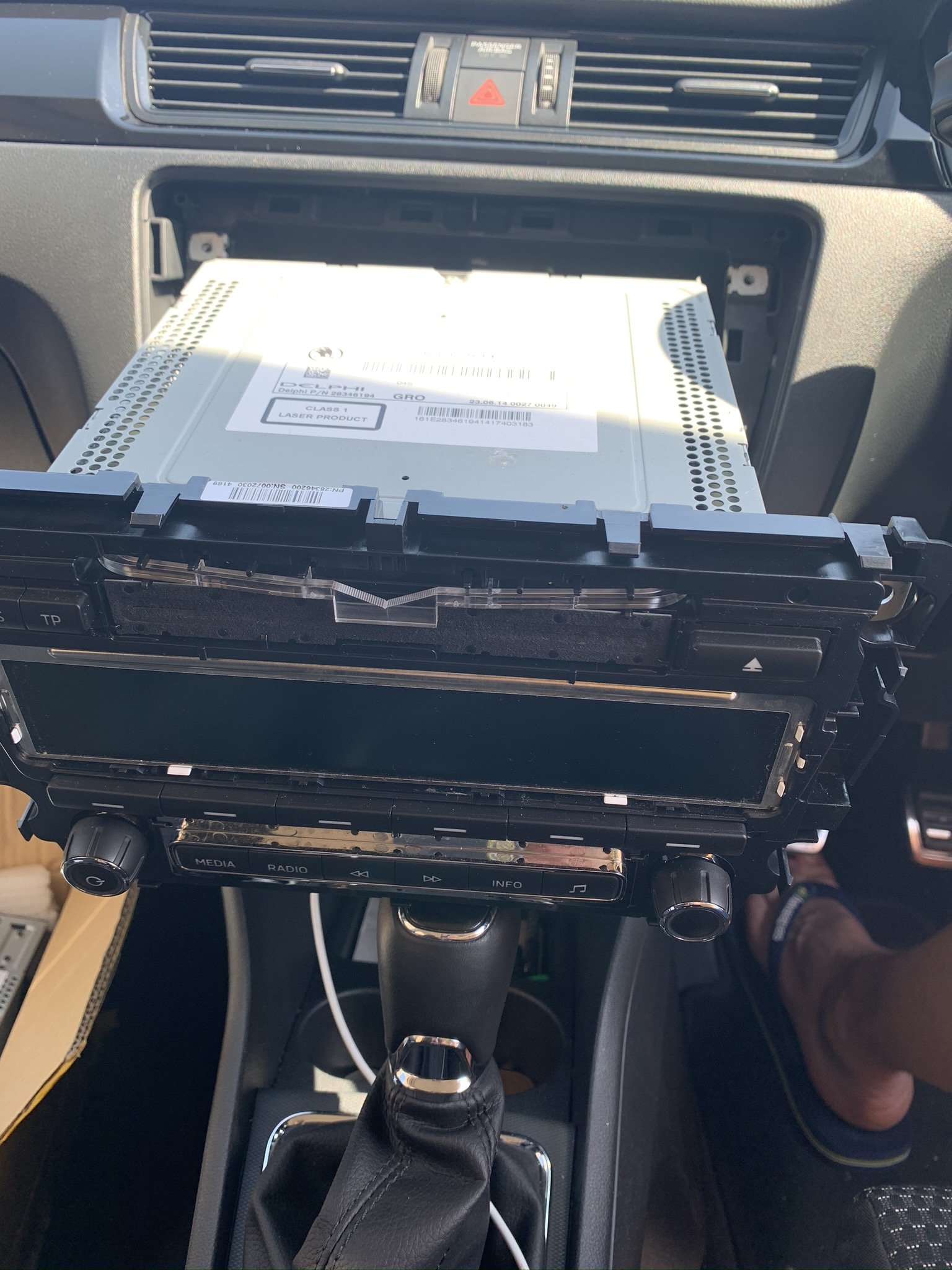
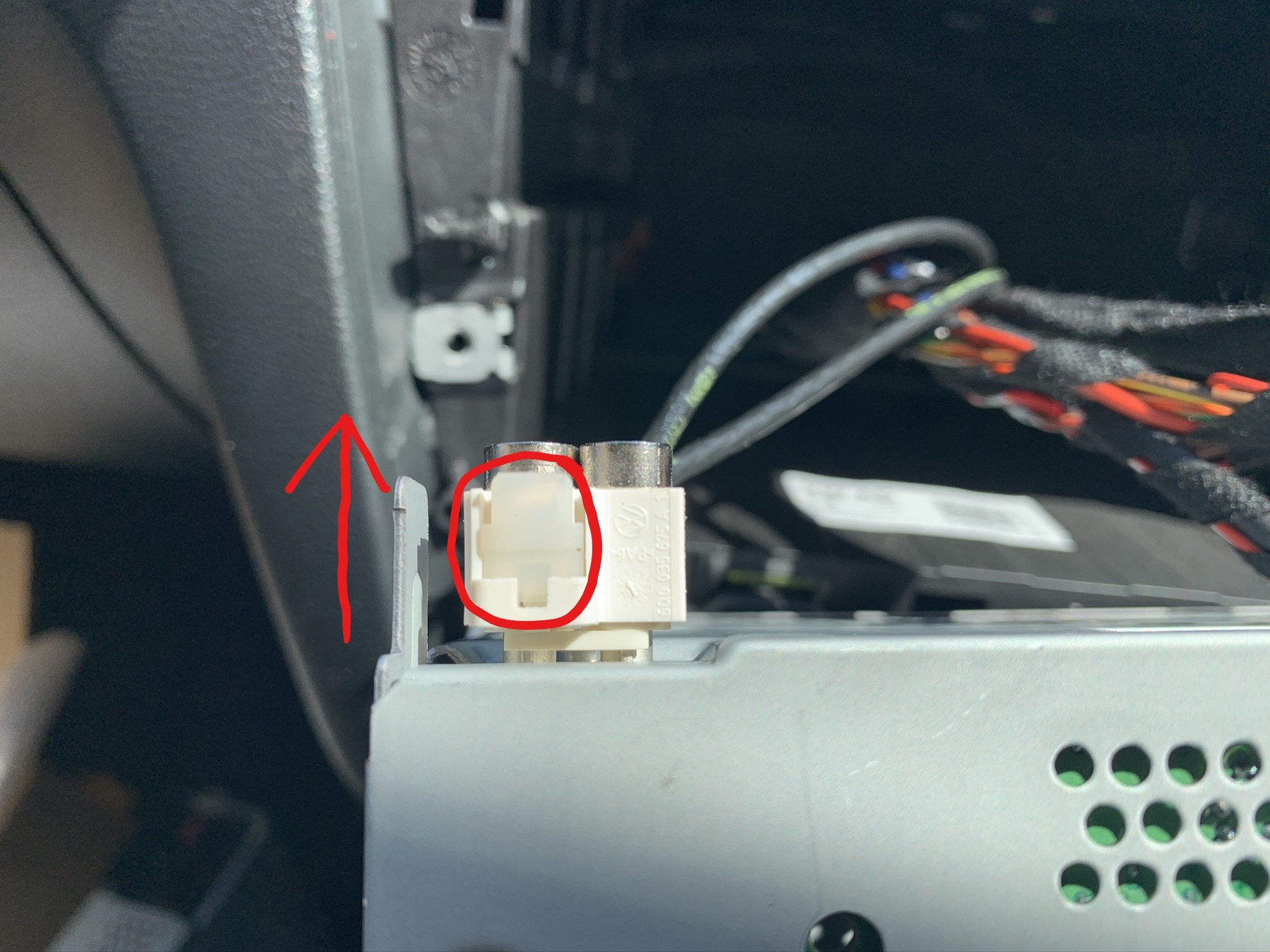
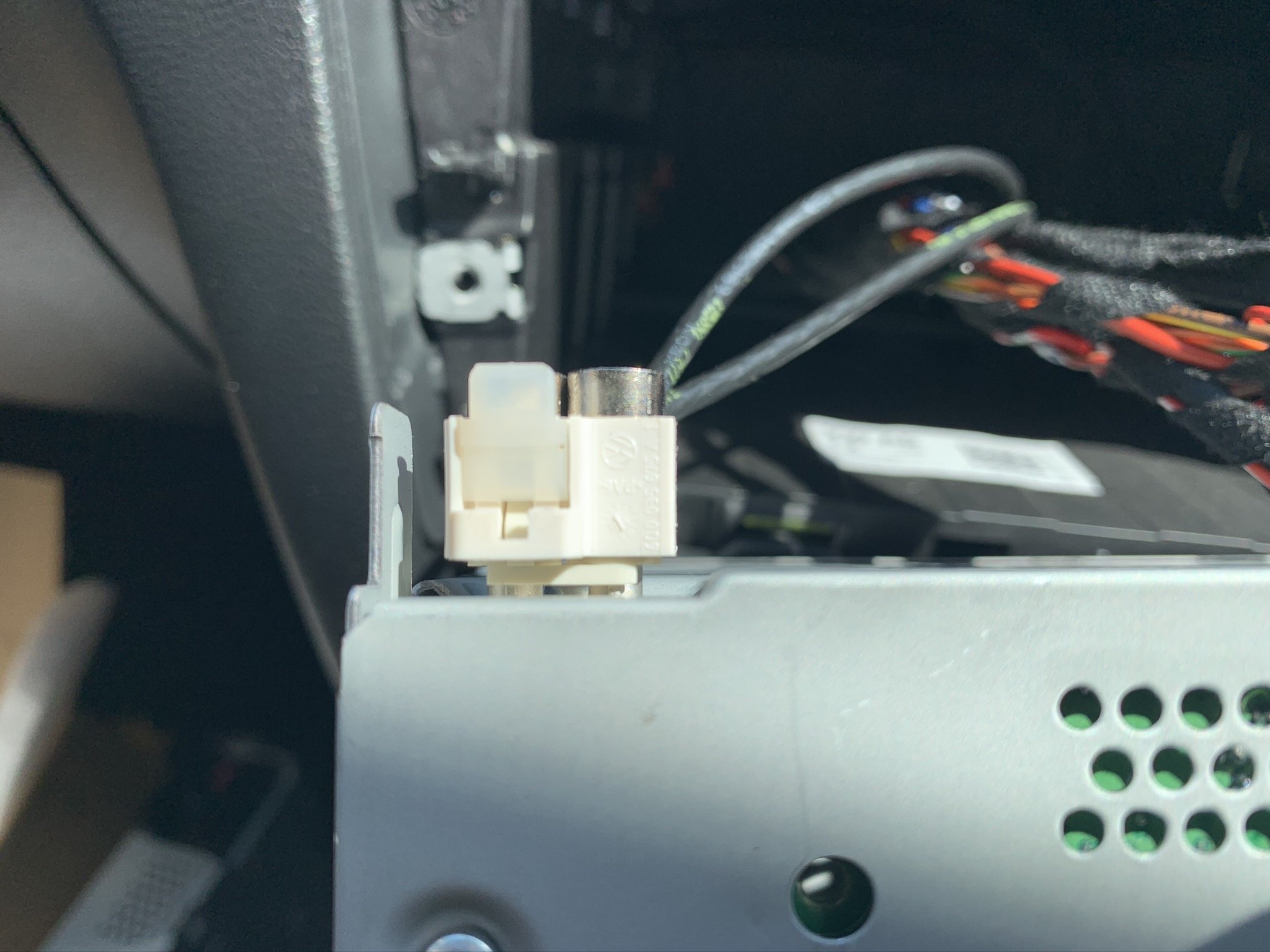
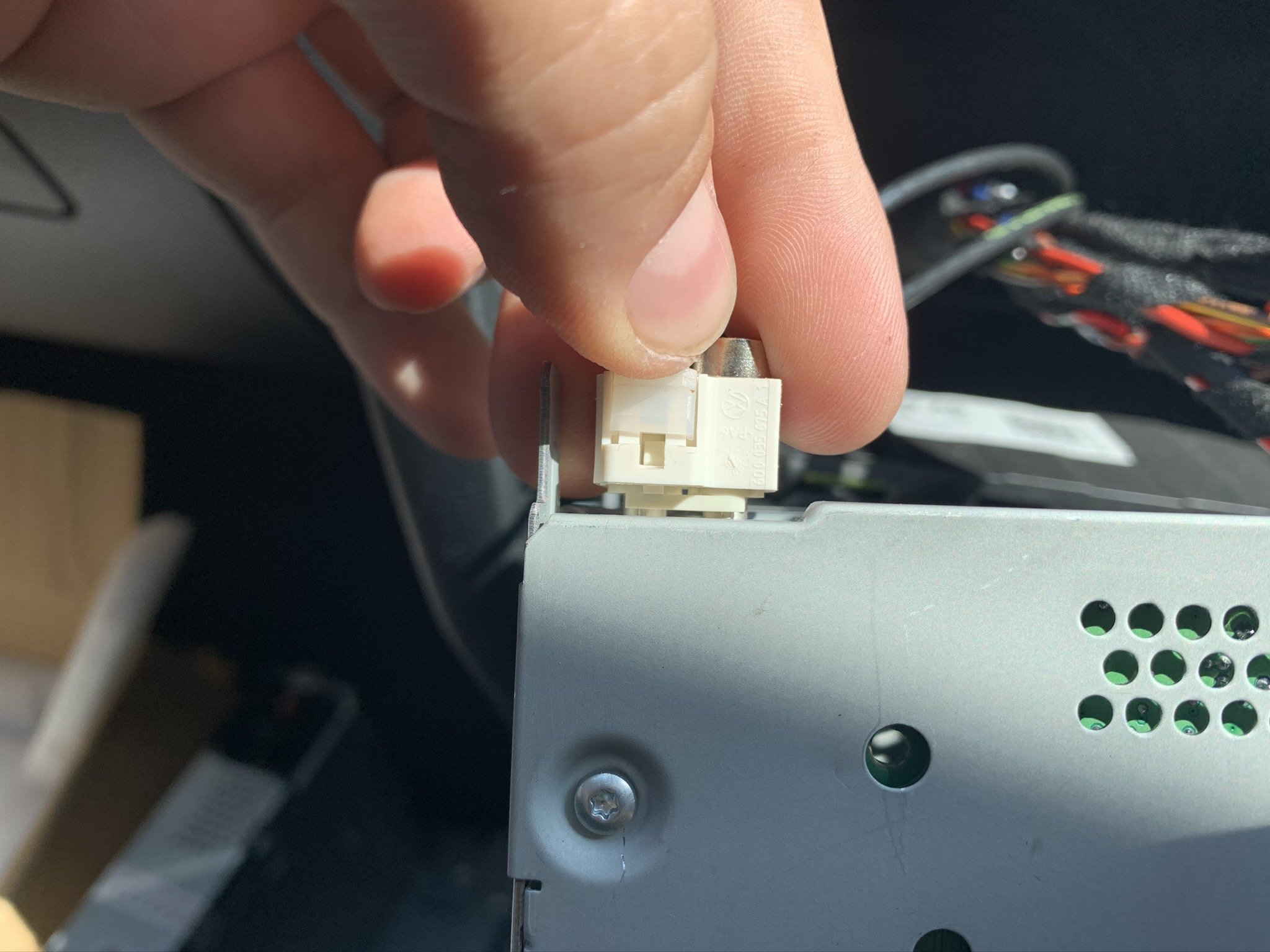
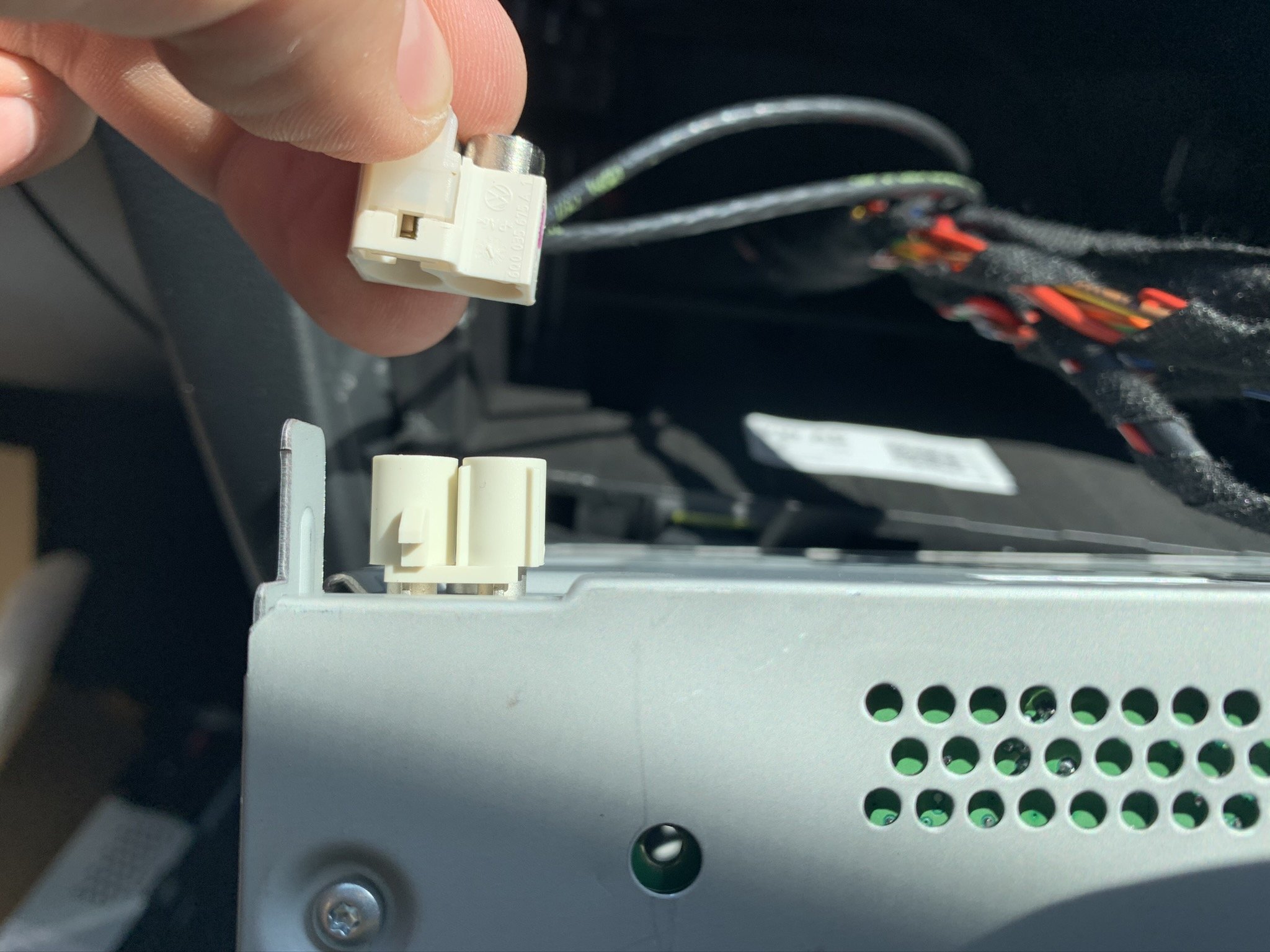
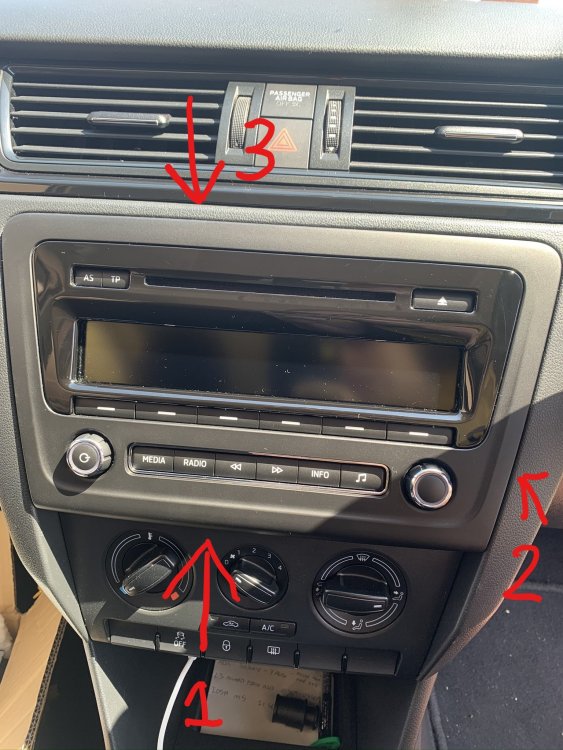
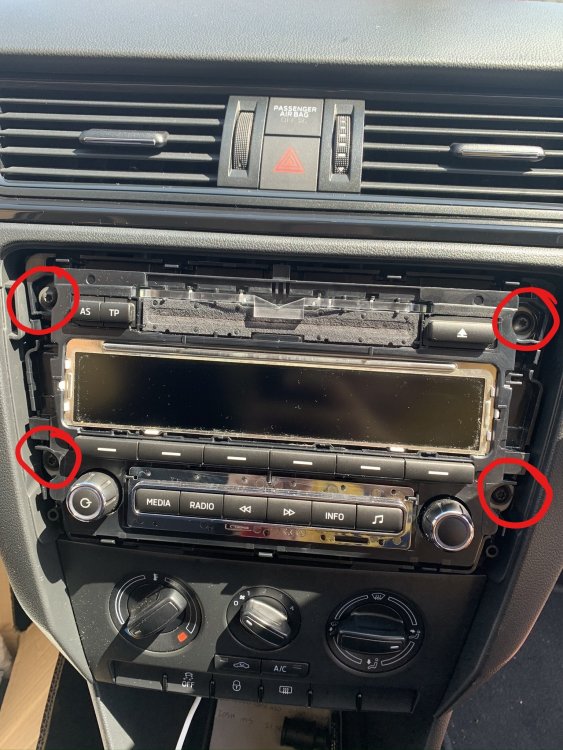
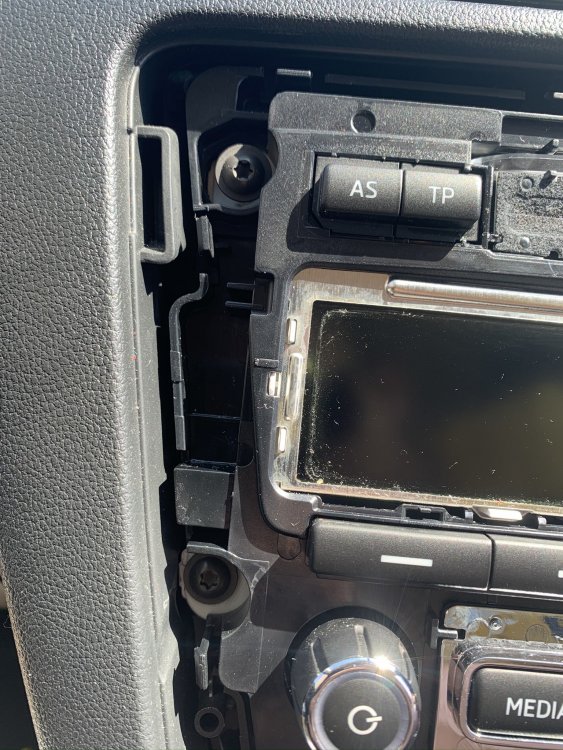
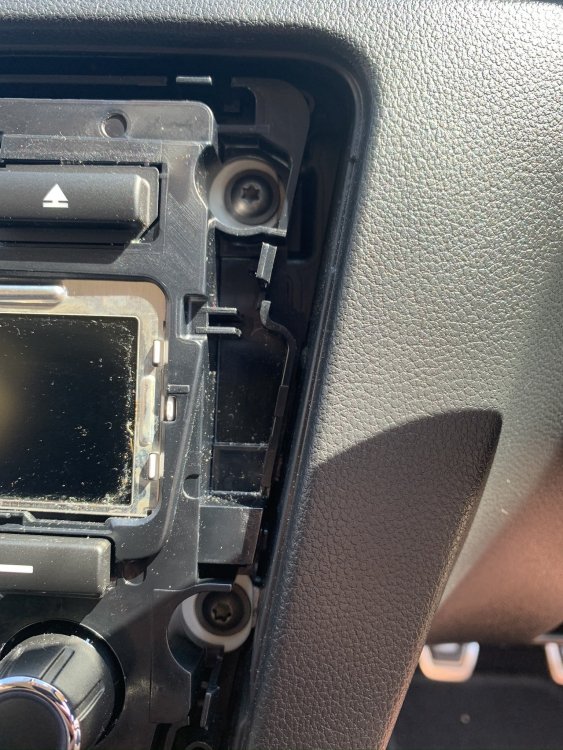
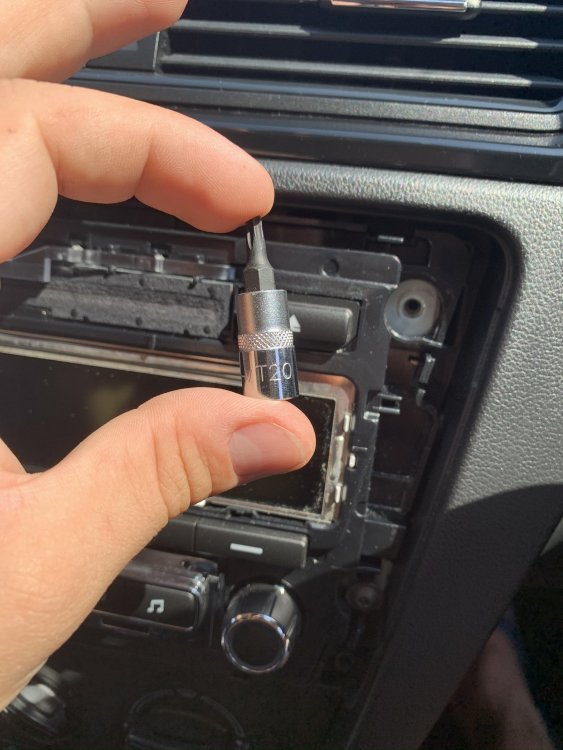
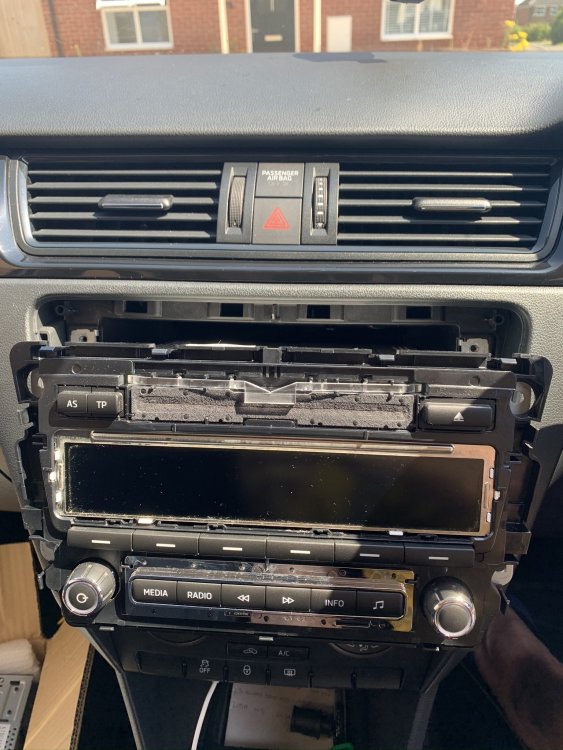
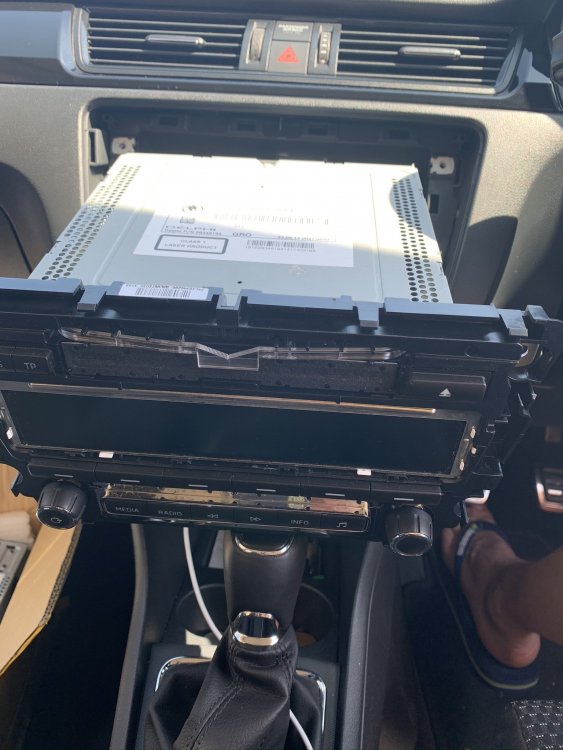
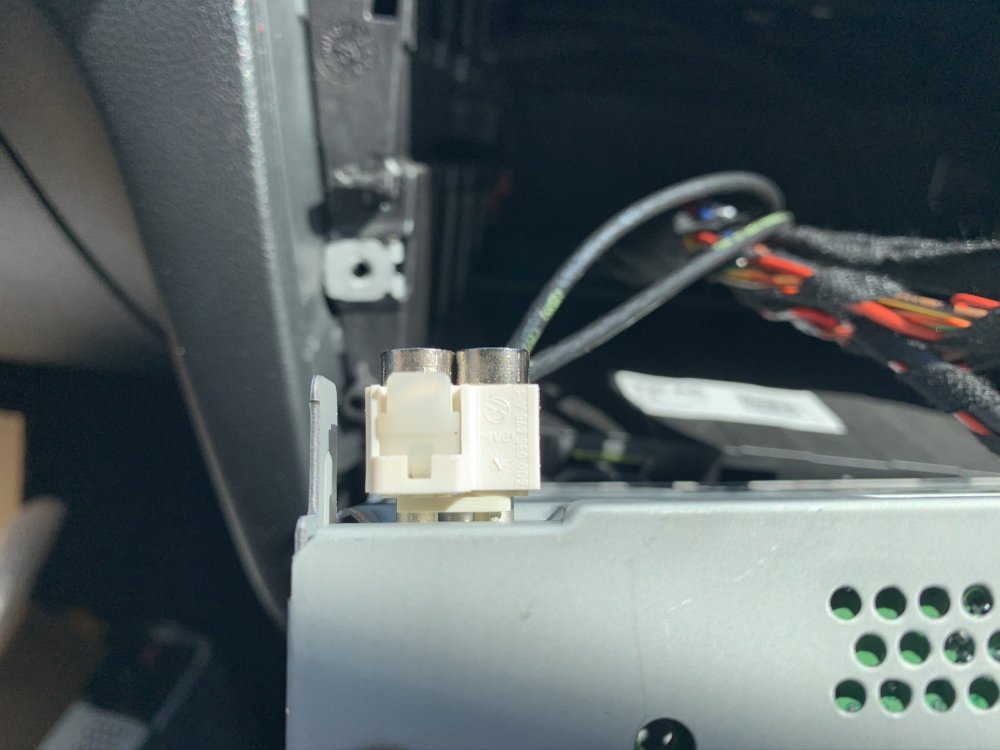
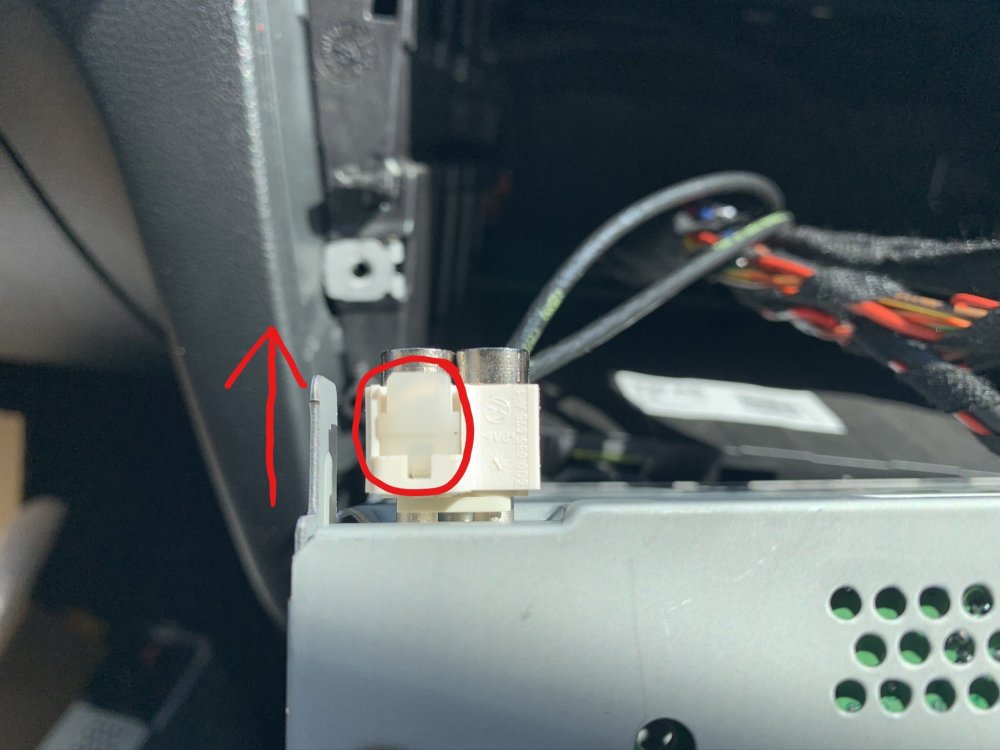
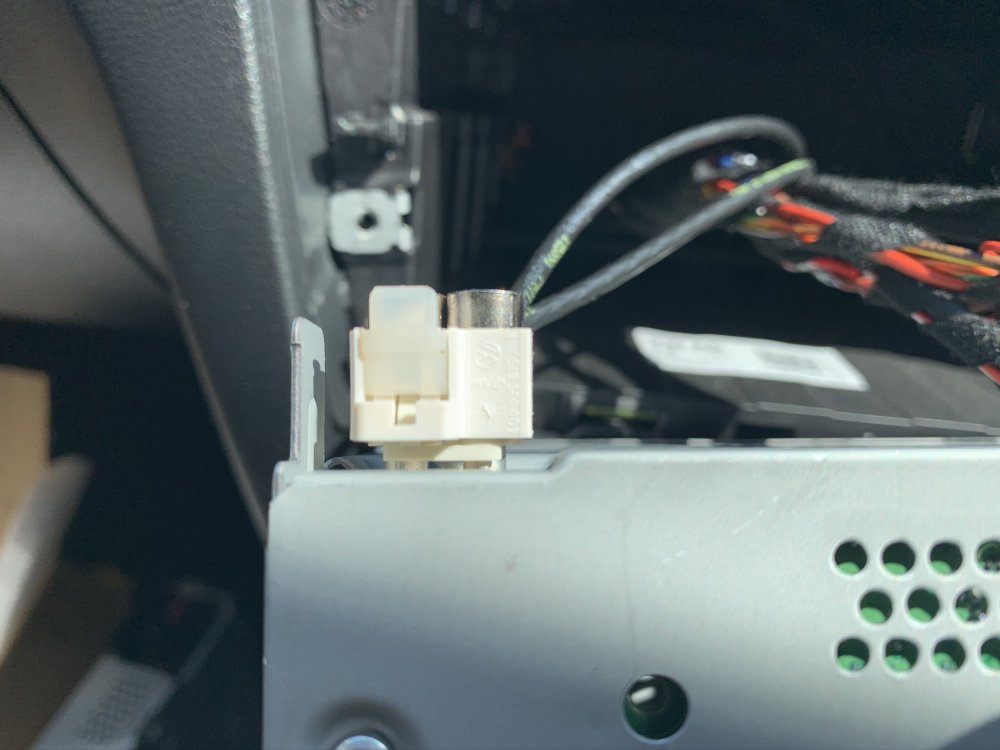
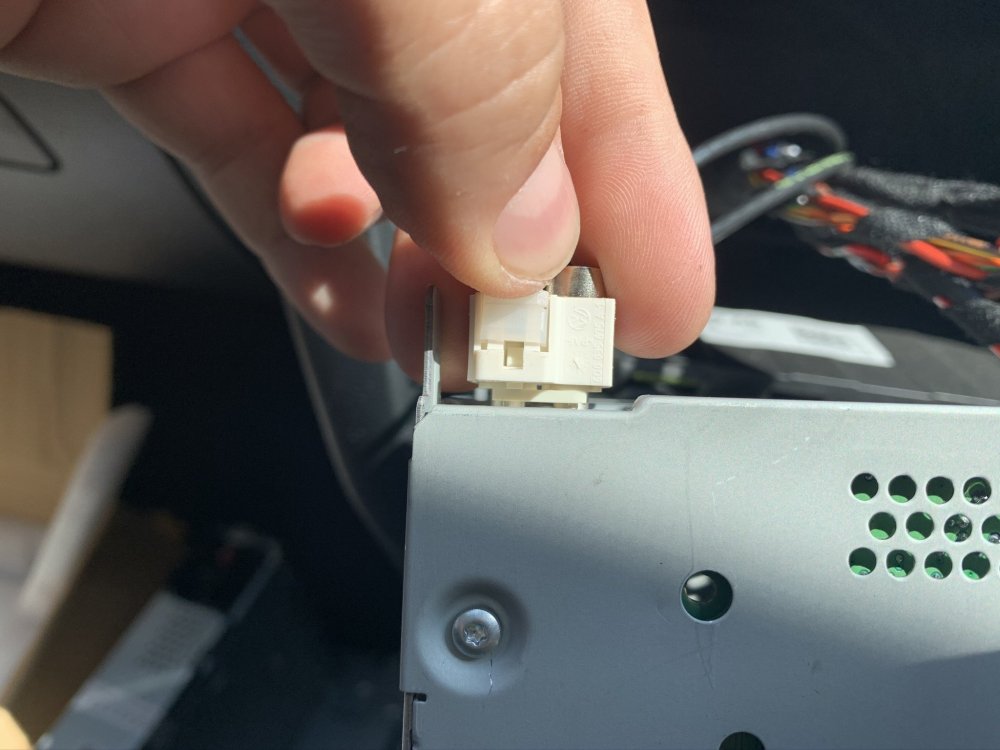
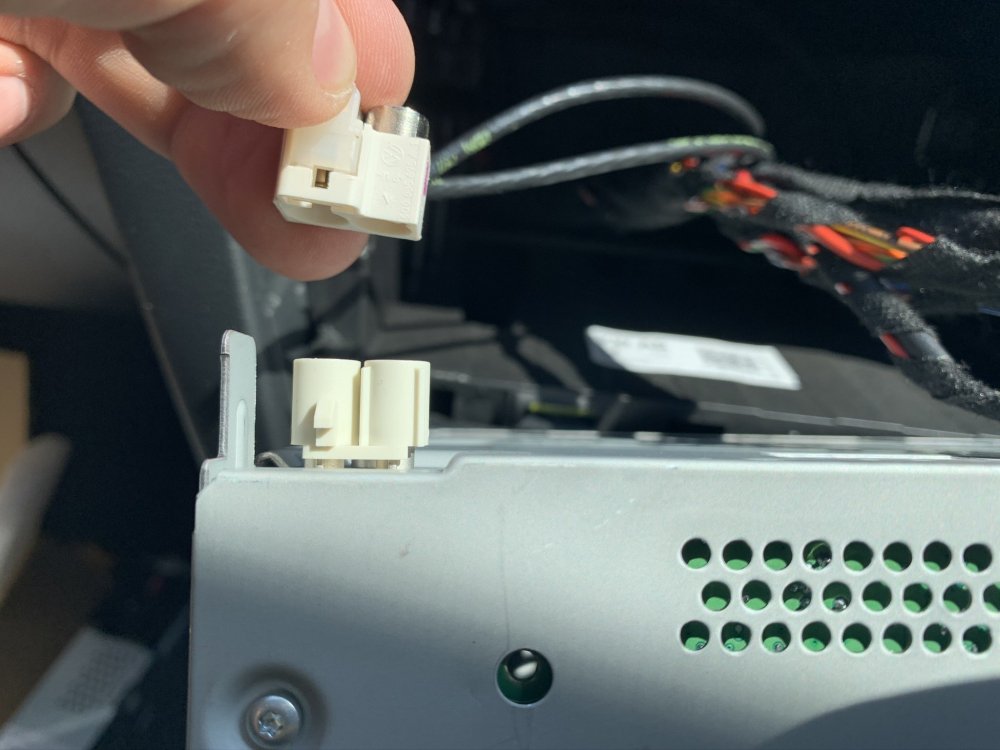
This is a guide on how to change the Skoda Rapid Swing headunit with the RCD 330 +, including links and pictures. This is a very simple and straight forward plug and play process but will hopefully help those make up their minds about making the swap/change. And help those who are not as technically astute. Purchasing a RCD 330 or RCD 330 + Before I go into the how to guide, here are a few details to consider before purchasing the RCD 330 + and where you can purchase them from. So I bought mine from Aliexpress and used a seller called Aidu Auto Technology Co., LTD (RCD 330 + Green Backlight LINK) Total cost including shipping - £201.29 (May 2020) There are others available on the store for less but these are the early models and don't include the green backlight to match in with the rest of the Skoda interior. Beware of customs duty! If your item is sent via Exped delivery such as TNT or DHL, then they will likely hand the item over to customs and will request proof of purchase value for tax purposes. Luckily i didn't have to pay anything but its just something to be aware of. However if you use the standard delivery method this is less likely to be intercepted by the customs team. (I'm not telling your to avoid paying any tax or customs that is rightfully owed by you) You will also need a Fascias for the new unit. Here are a few links depending on how much you want to spend but they range from £9.60 to £40.00. https://audiotechdirect.com/carav-11-455-rns-shape-2-din-fascia-for-skoda-rapid-2013-on/ Ebay Aliexpress Things to consider DAB - The RCD 330(+) are not DAB ready but you can get around this by downloading an app on your phone called "RadioPlayer". However clearly this will only work in areas with good signal and will depend on your phone contracts mobile data limit. You will also need to have your phone plugged in for AppleCarplay or mirrorlink to work. Navigation - This will only work whilst your phone is plugged in via either the iPhone lightening cable or android equivalent. Again this will use your mobile data initially and to provide you with real time traffic reports via maps. This will only be a problem if you end your journey in an area with no signal and require a new route to be planned. RCD 330 or 330 + - There isn't much difference in performance but if you want the full OEM look then paying a little bit extra to have the green backlight is something to consider. Plug & Play - If you're swapping the standard swing radio with ISO harness connector then you will have no trouble fitting this item. It literally plugs in and is ready to go, much less hassle then having to pay various amounts for different manufactures harness and adapters. This unit may fit other models which use the standard ISO harness but functionality maybe affected so please do your research first. (If you don't know what the ISO connector looks like, scroll down and look at the images and see if they match up) Size Comparison - How to Guide What you need: T20 Torx bit/socket/screwdriver Trim Pry Kit or just your hands (Use a screwdriver at your own risk and carefully) Step One Remove the fascia trim. Do this by prying the trim from the bottom first (1) and then both sides (2), finishing at the top(3). Step Two With the fascia now removed, you should be able to see the four torx screws holding the unit in, in each corner. You need to remove these, remember lefty loosey, righty tighty. Step Three Keep all the screws in a safe place as you'll need them to refit the new unit. With all the screws removed, you will now be able to pull the unit out of the dashboard. It may take a little bit of force and the trim pry tools are especially handy here if you have sausage fingers like me. I put the gear stick into 3rd gear and this allowed me to rest the unit before disconnecting the connections at the rear. Be careful to ensure the unit does not drop as this may damaged the connectors at the rear and/ or damage the unit if you wish to keep it or sell it. Step Four Look to the back of the unit and you will now see the ISO connector and aerial connection. These both need to be removed, so first the aerial: On the white aerial connector you'll see there is a opaque tab that is also circled in red. This needs to be pushed up, and then pressed inwards to release it from the unit. Step Five Remove the ISO Connector. Simply lift the locking lever and this will draw the connector out. Step Six Remove the original headunit out from the dashboard and place to one side. You should now have something like this. Step Seven Fit the Aerial adapter to the original aerial cable. Ensure the clip circled in red is lined up with the side with the tab. Push together and then push the tab down to lock together. Step Eight Fit the new Aerial cable to the RCD 330 or RCD 330+ unit by pushing it firmly onto the connector until it clicks in place. Step Nine Fit the ISO Connector to the RCD 330 or RCD 330+ unit The connector will only fit on one way but have a look to make sure all the pins on the plug line up with the pins on the unit. Press into place and use the locking lever to help the connector into place, ensuring the locking lever is fully down. Step 10 Fit the RCD 330 (+) into the hole in the dashboard, ensuring the four screw holes all line up. Fit the four screws a few turns each at first. This will give you some wiggle room to allow all four screws to be fitted easily. Once all in place, they can then be tightened just enough so they secure the unit in place. Don't over tighten them! Step Eleven With the unit now in place, turn the unit ON and check all the functions work as they should. If you find any problems with the unit, now is the time to rectify this with the seller. Step Twelve If you're happy the the unit is 100% working the final step is to fit the fascia which i've included links to. Put the fascia in place and gently push home all round until you hear all the clips click into place and the fascia is secure.
 1 point