
chrisgreen
FREEDOM
-
Joined
-
Last visited
Everything posted by chrisgreen
-
Finally got hold of a set of genuine Superb III hatchback roof bars! Found a chap via Facebook that had sold his Superb, still had the genuine bars, only very lightly used (carried a roof box a few times). In perfect condition and complete with both keys. T-channel rubbers not cut and in good condition too (just a few indents from where the roof box was pressing down on the rubbers). Might replace the rubbers at some point, but not urgent. Overall, a significant saving over buying a brand new set, even with the cost of driving round to the other side of London and back to get them (was actually a nice late evening drive, no traffic). That was the last accessory I was after really so the car is now equipped exactly as I want it. Now I can get back to messing about with virtual cockpit options in Carista.
-
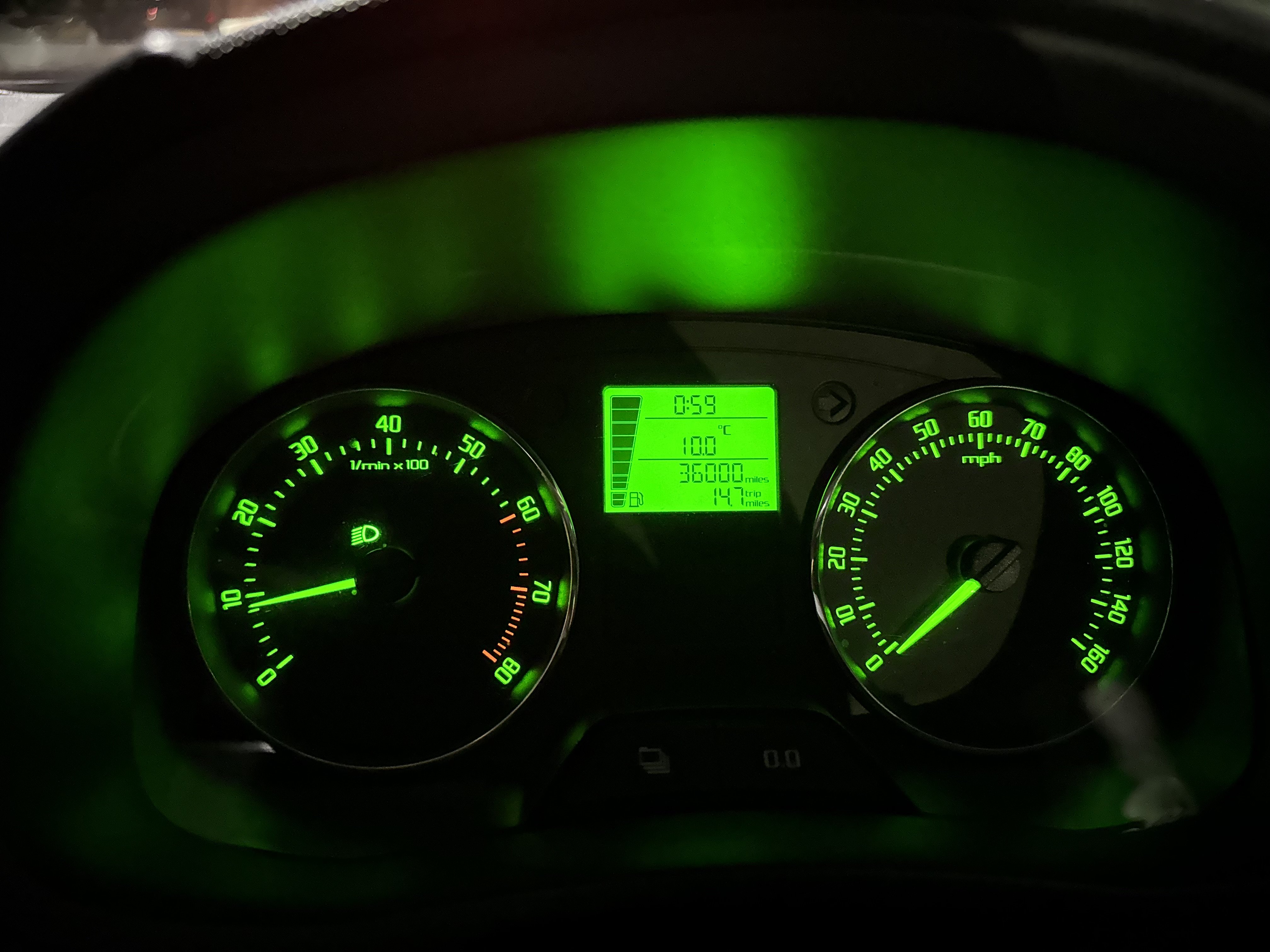
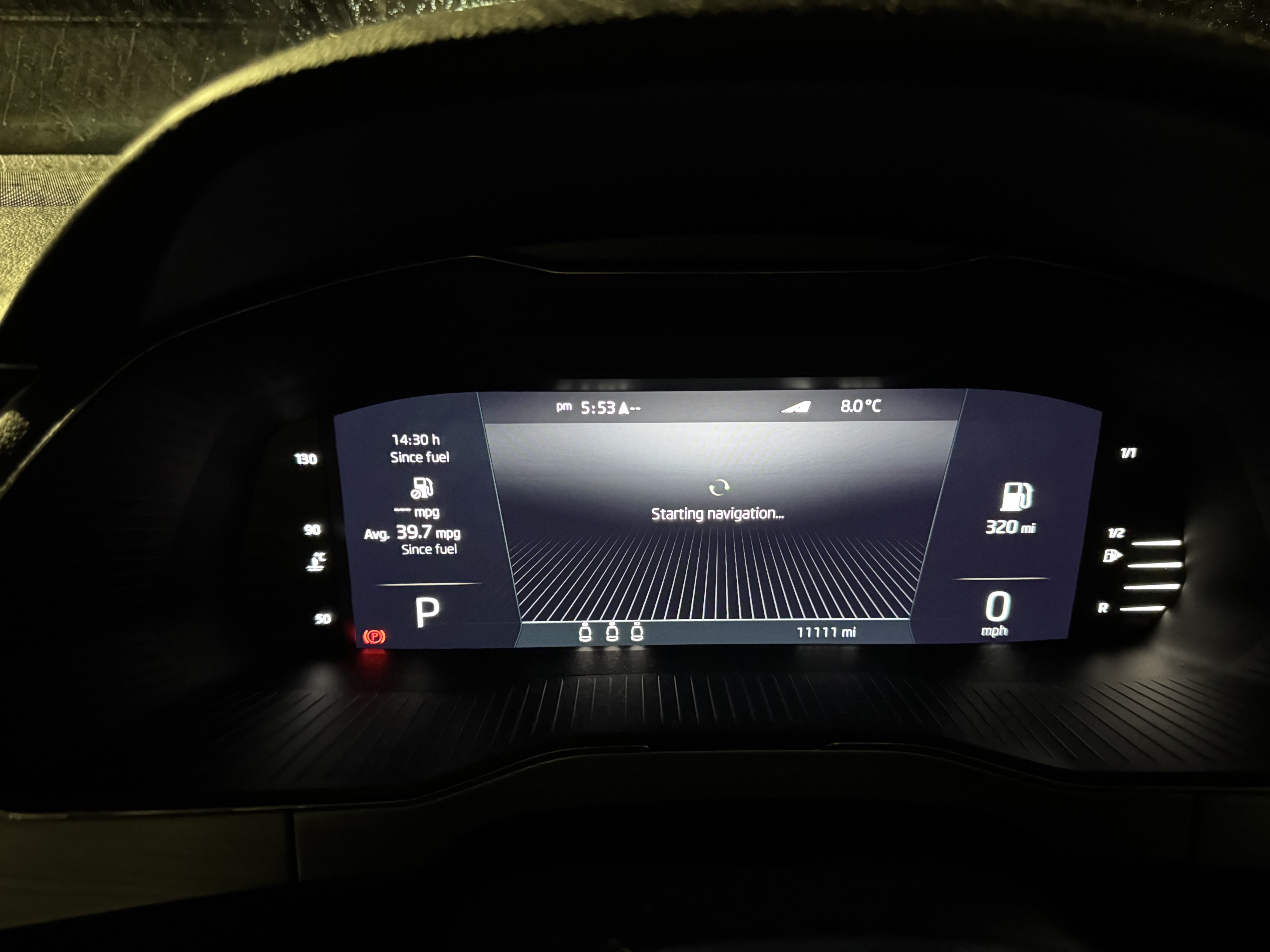
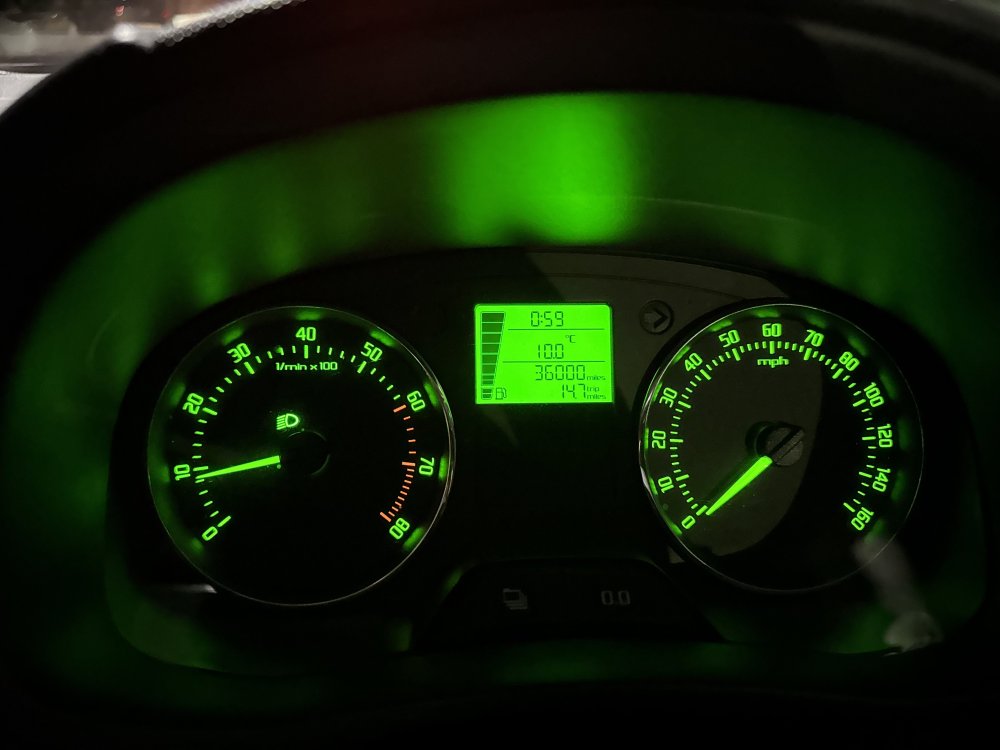
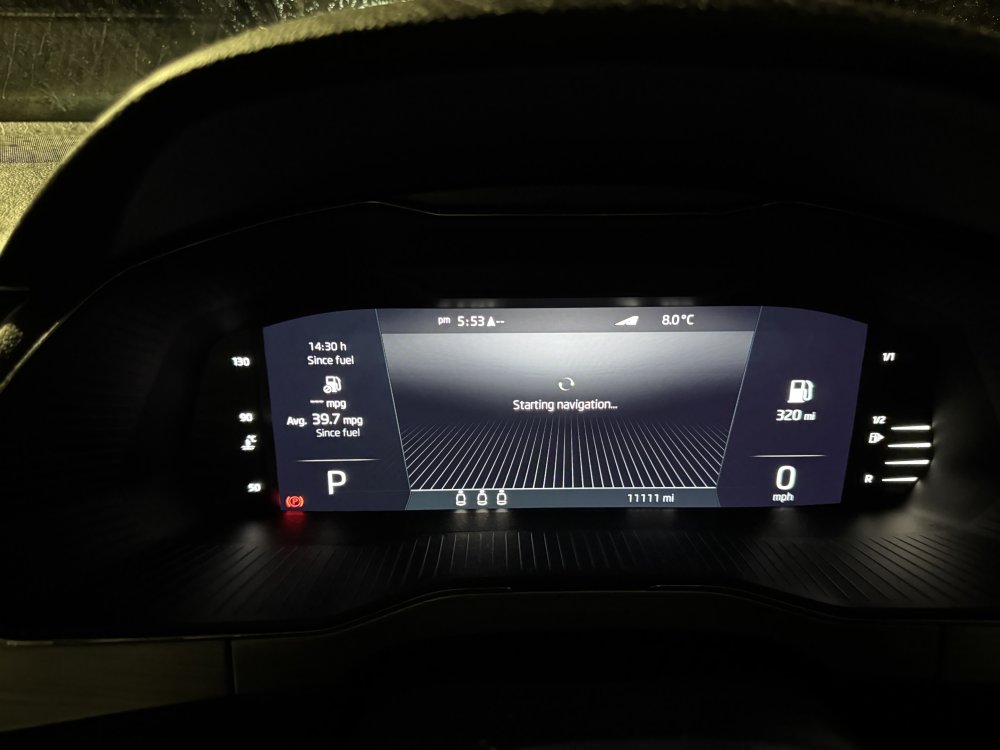
Most recent ones from my two. Milestone moment on the Fabia. This is a 62-plate. My mum bought it with 15,000 on the clock. This was taken a few days ago: Meanwhile, hit this a few weeks ago on the Superb III - a July 2023 car, I bought it in May last year with 5,000 on the clock:
-
Hmmm - major work done and the car is being sold 5,000 miles later. That’s a huge red flag for me. Avoid. Find a different one.
-
Your call. But if I were in your shoes, especially without knowing the history of the car (oh and the tyres don’t actually fit on those rims. Look at the sidewalls), I would walk away. Plenty more out there in better condition.
-
What did the report say - is the car history clean or has it been ragged by a taxi driver or had a hard life as a motorbility car etc?
-
I normally use motorscan.co.uk. They provide a lot of info for free, but a full report on the car’s history is £9.99. Money well spent IMHO. Chris
-
Also, glass scratches are very hard to fix without damaging the actual glass itself. Very very fine scratches can be dulled down with an aggressive glass polish and some tedious hand polishing, but anything deeper is very hard to do anything with. Machine polishing glass risks distorting the surface.
-
The new pics of the wheels is showing up the paint job to be even worse than I initially thought. Done badly by someone who didn’t know what they were doing. Those wheels are supposed be silver, not black. The roof scratches concern me, suggests a hard life at a minimum and worse case scenario that it’s carried things on the roof (not using a proper roof rack). Have you looked into the full previous history of the car. Was it previously a taxi or on Motorbility?
-
There’s a few things there that are throwing up red flags. If the car is mechanically sound, personally I would be looking to knock about a grand off if I were buying it for the bodywork issues and the cost of having all four rims refurbished properly (and put back for the correct colour).
-
You are roughly the same as me (I'm 5'11"). You really need to physically get into the car (or any Rapid) and try it to make sure 1) it fits you and 2) that you can get in and out comfortably.
-
I had a Rapid Spaceback, albeit with the 1.2 TSI engine that was replaced with the 1.0 engine that's in the car you are looking at. No issues with oomph. Very nippy, no issues getting up to or holding motorway speeds, even with a car full of people or other stuff. My only issues with the car, which is why after over 8 years of happy ownership I eventually traded it in, was that the seats were extremely uncomfortable (which was addressed with new seats with more padded upholstery in the facelift model that you are looking at) and was a bit low down, so it's a bit of a drop getting into it depending on how tall you are.
-
Yes, they will bring the car back! Repatriation to the UK is very specifically stated as included in the Ts and Cs I posted above.
-
I have just gone back and looked at the Ts and Cs for All In. Your post above @SteveMcK is incorrect. All In breakdown cover IS THE SAME level as the regular £120 a year Škoda Assist and DOES include European coverage. Section 5 covers the European elements of the cover:
-
See follow-up post below.
-
Isn’t you car able to use the data connection from your phone via CarPlay/Android auto. Mine does?
-
Based on dealer/VWFS pricing, it is definitely a saving. Annual extended warranty is in the £200/250 a year range (I know this as I did it for several years back when I had my Rapid Spaceback), AA cover has gone up to £120 a year (just had the renewal for my Fabia on that), so over two years, that alone is nearly £750 if you do it separately, add in another £110 for two years of MOTs and we are up to £860 and that's before servicing. Also, I noticed there's no premium for paying monthly, so £38 a month to know everything is covered is very tempting. If Skoda is still offering it in 18 months when my Superb is out of both warranty and service plan, I would definitely buy into it.
-
Get Michelin EasyGrip snow chains. Rather than metal chains, these are tough nylon rope-based. They fit 18-inch wheels, and as they are a snug fit, clearance and wheel arch damage isn't a problem. I switched from metal chains to these 15 years ago and have bought them for every car since. I have a set of the correct 17-inch ones for my Superb in the boot at this very moment.
-
Yes, they are for driving with the window open a bit. Also stop rain from blowing or dripping in. Plus they look good on the car.
-
Some interior and exterior pics would be helpful, so we can get a better idea of what you have and haven't got. But, the immediate things to consider would be: Mudflaps Boot liner (essential for an estate) Boot nets Wind deflectors Short Right angle USB-C cable so you can charge your phone in the cubby in front of the gearstick with the cover closed) Interior mats (rubber for winter, carbet for summer) There are other accessories to consider like the comfort pack, which adds the Skoda universal headrest fitment and a range of plug-ins like a hanger, hooks and a tablet/phone holder. I find the coat hanger is extremely useful as I still have to wear people clothes occasionally for work and the odd social occasion). Also consider upgrading your boot lights and puddle lights. The factory fitted ones, while LED, are still a bit feeble. There are much brighter alternatives available from places like Kopaeck or, if you feel brave, AliExpress.
-
Although I have yet to pluck up the courage to try and remove the trim around the windscreen sensor, my belief is still that you should only need either 5E3035954 or 5E3035954E (still not clear on the parts difference), and this should just plug onto the loom in that area. I've been looking at some Russian sites where someone has done just such a retro fit on a Kodiaq that has the same setup as the Superb, and it seems to be both straightforward, and the power connector for the USB adapter is present.
-
SOLD
-
I’ll send you a DM to sort out details. Chris
-
Hi - yes, I still have them. Thanks Chris
-
Just replaced the battery in my Fabia as the previous one was knackered due to the low mileage the car does - went for a Bosch S5 005 - obviously, depends on the spec of your existing battery.
-
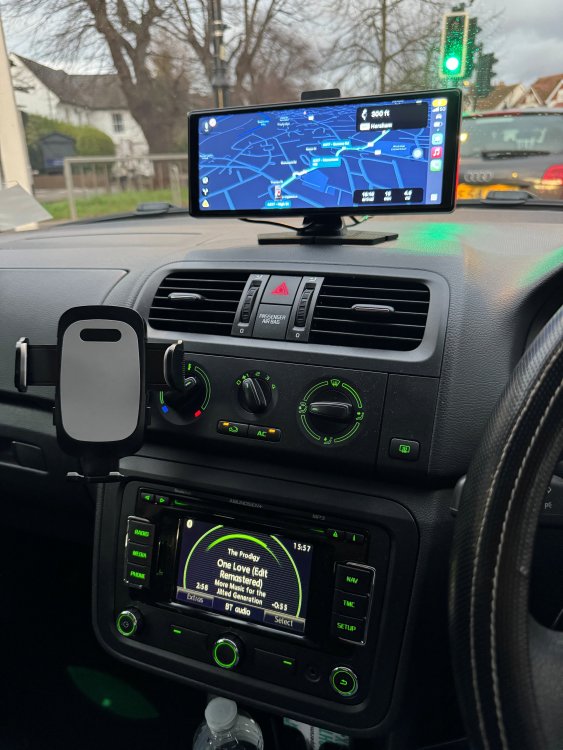
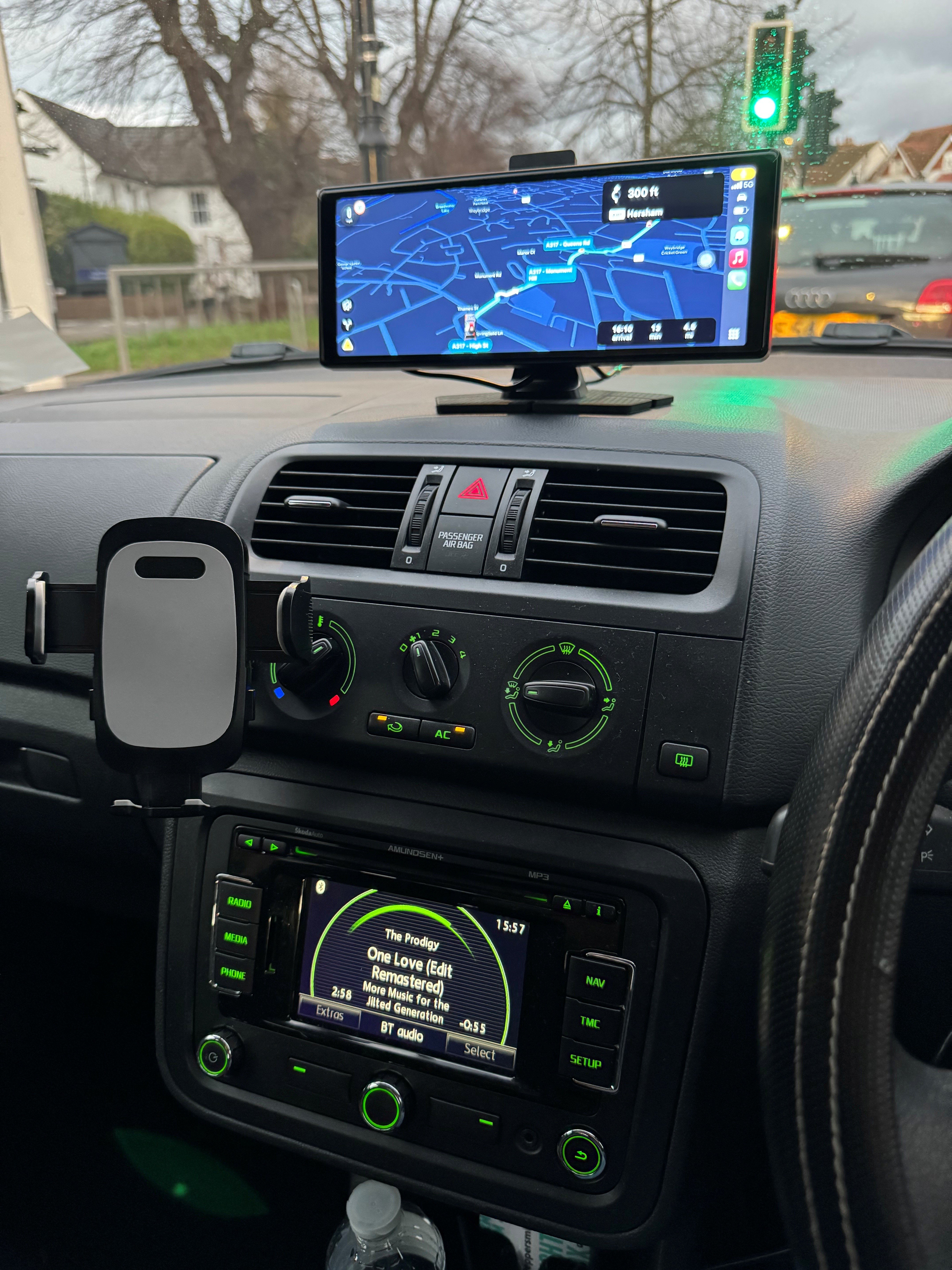
Evening all Many of you will have seen adverts all over social media of late promoting these 10-inch widescreen CarPlay/Android Auto display screens that are being marketed as a low-cost and neat way of adding modern connectivity to an older car, or to a car where it's difficult (or where you simply don't want to) replace the factory-fitted head unit. Well, I bought one. After shopping around, I actually found one on Amazon that in the end only ended up costing me £50, and it even doubles as a dash cam. Backstory: The Fabia II Combi I now have (which I inherited from my mum when she passed away earlier this year) originally came with a Swing radio. I retrofitted an Admumdsen+ to it (having already done the same retrofit on the Rapid Spaceback I owned at the time) not long after mum bought it, as this not only added nav, but also Bluetooth (I also retrofitted the genuine mic into the roof courtesy light cluster). Mostly because it's my mum's car and I don't want to do anything that might dmagae it or that can't be reversed later, I was reluctant to buy an aftermarket Android headunit. I was tempted by the RCD330, but trying to find a reasonably priced real one (there's a lot of crap clones out there) was proving to be too much ard work. So I decided to go down a different route. The CarPlay display comes with a choice of stick-on or windscreen mounts. I used the stick on mount, which very securely stuck to the top of the dash directly above the centre air vents (I cleaned the surface with an IPA wipe first and allowed to air dry). It's powered via a USB-C port, and a USB-C to 12v power cable is supplied. It does draw up to 3amps, so doesn't seem to play well with using a USB-C cable and a 12v accessory socket USB adapter (as these tend to only output up to 2.4amps per port). I've wired in a hidden 12v accessory socket behind the dashboard, piggybacking off the rear wiper fuse, with the power cable running straight out the back of the display and down the back of the dash below the windscreen. I've secured the hidden 12v socket and the excess cable in the void space at the end of the dashboard on the drivers side, next to the fuse box. The amount of visible cable is minimal (just over a foot coming from the back of the display and heading straiught to the gap between the end of the dash and the windscreen before disappearing from view). I also did one loop around the stand, to act as a stress support so that any pulling on the cable while I was pushing it down the back fo the dash (it's beyond the windscreen vents so not blocking or interfering with those) wouldn't tug on the display. Connection to the phone is very simple. After doing the initial connection via Bluetooth, the screen then sets up the CarPlay connection using Wi-Fi. Audio options are to either use the built in speakers on the CarPlay display (I wouldn't), connect the CarPlay display to the 3.5mm input socket on the Amundsen using the supplied 3.5mm to 3.5mm cable (too messy, can't hide the cable) or - and this is the option I went for - allow your phone to connect to the car's own bluetooth as normal, and connect to the CarPlay screen for display only. This works really well. While you still get full CarPlay control on the new display (including calls control), all the sound, as well as track data and caller data, goes to the Amundsen. You can see in the pic above that I've got Waze running on the CarPlay display, but the audio (and track info) from Apple Music are going via the Amundsen (but controllable from both the CarPlay screen as well as the Amundsen screen. And as mentioned earlier, on the back of the display is a 4k Dashcam (whether it really is 4K remains to be proven, but the camera output is clear and sharp, and copes well with low light. The height and angle of the camera can be adjusted independently of the angle of the screen. It also came supplied with a 64GB MicroSD card. A 1080P wired rear/reversing camera is also included. I decided not to fit this, but have kept it in case I change my mind in the future. Anyway - all in all - I highly recommend these screens if you want to add modern CarPlay/Android Auto capabilities to your Fabia, but don't want to do a full head unit replacement. The one I purchased (https://www.amazon.co.uk/dp/B0DHSDG63B) has now gone back up to £90 (£130 with a £40 discount voucher on the page. Worth keeping an eye on it (or shopping around on Amazon, eBay, AliExpress etc. for alternative models) in case it comes down again, as things often do on Amazon.