Alexsus
Finding my way
-
Joined
-
Last visited
-
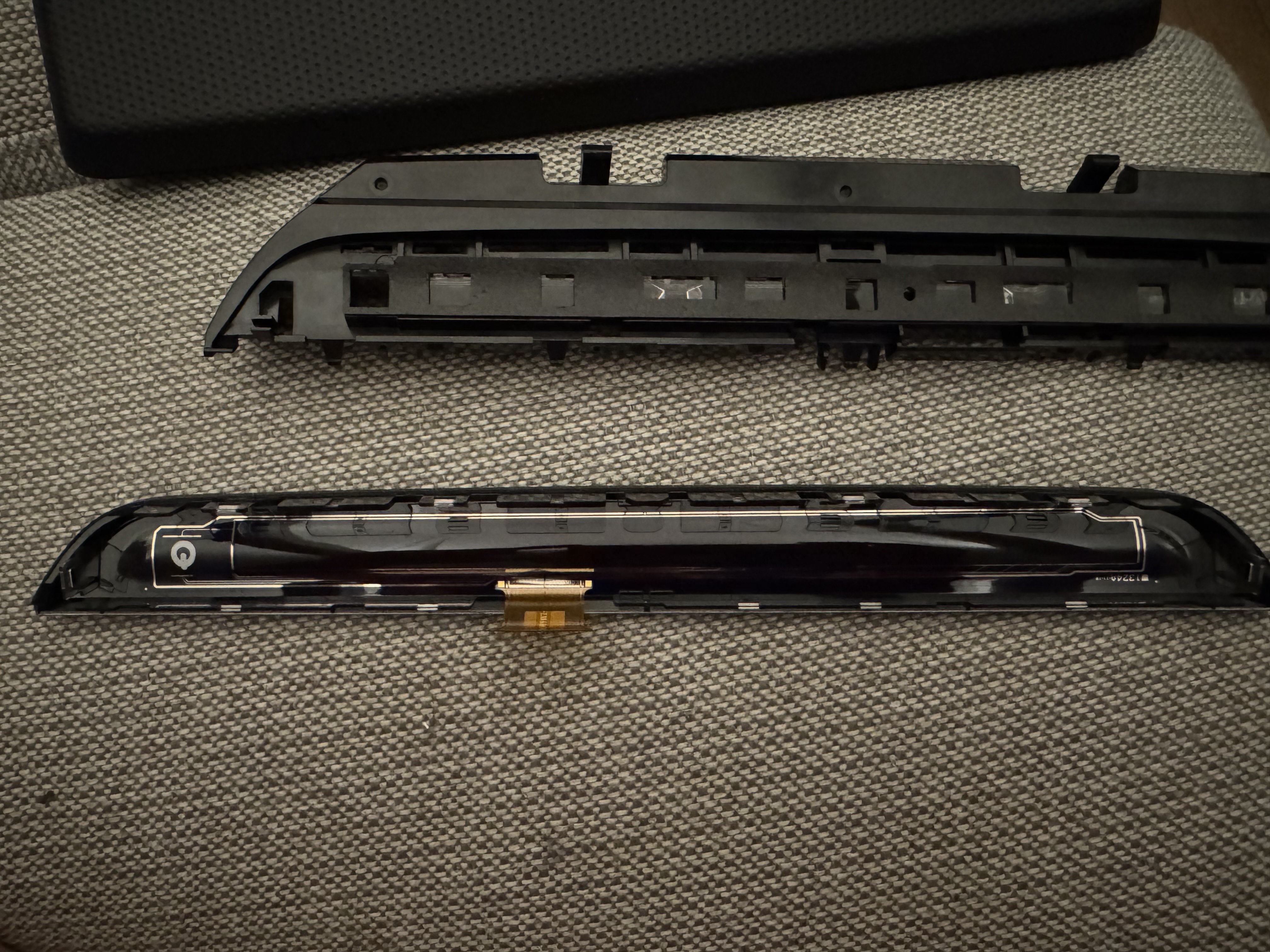
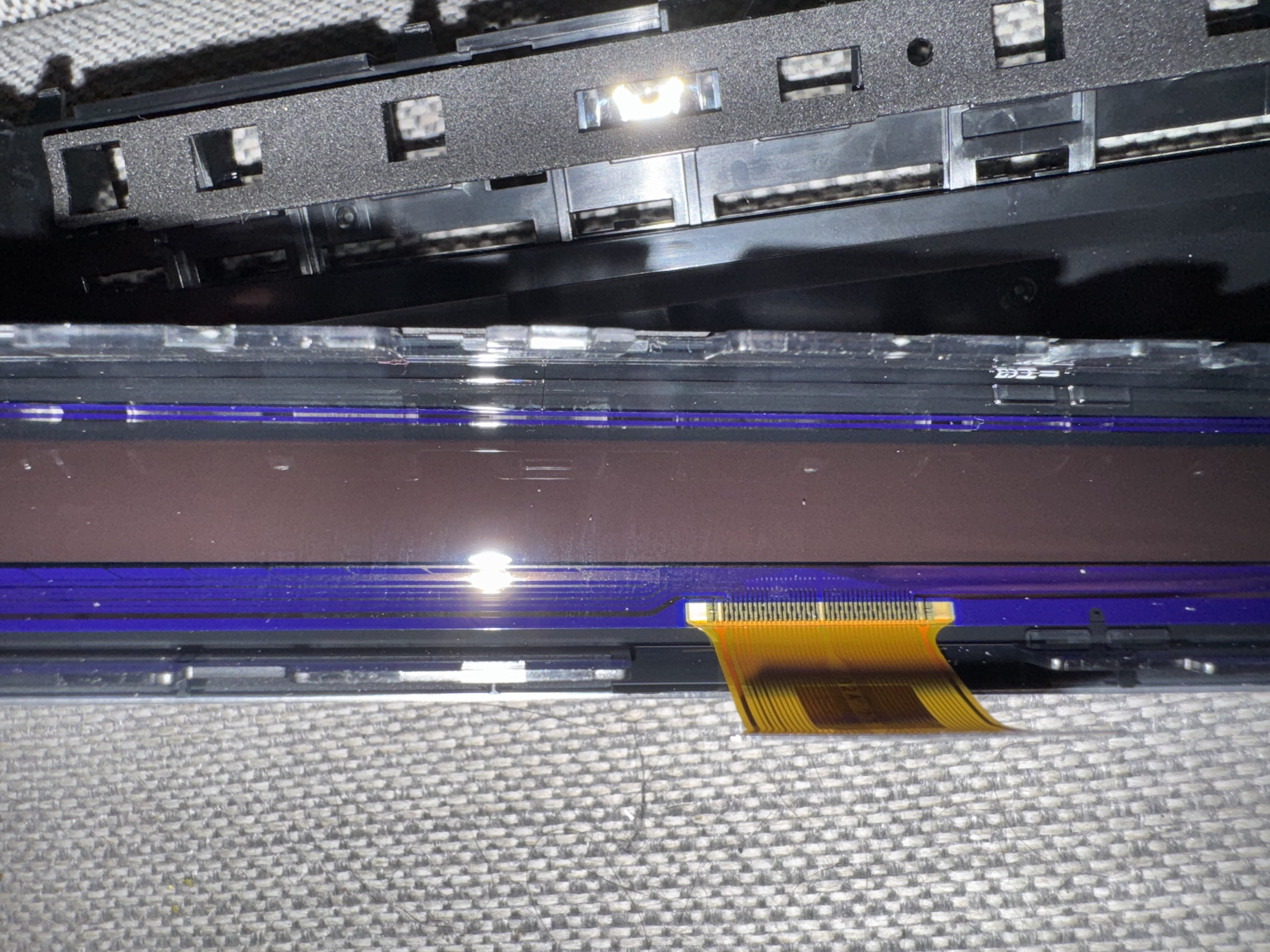
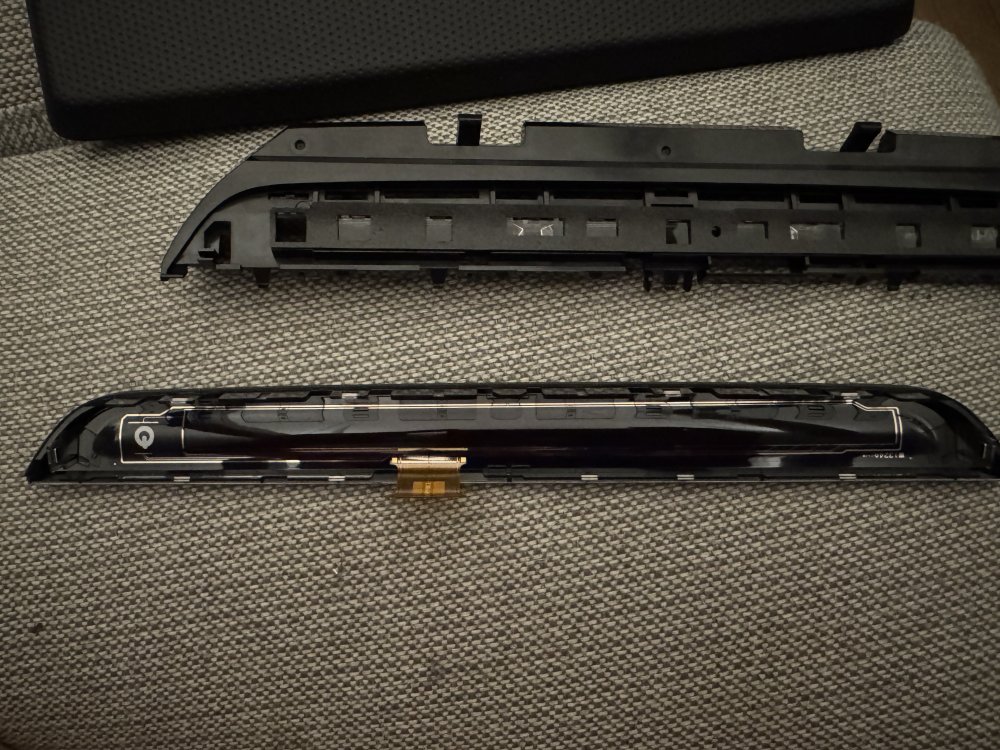
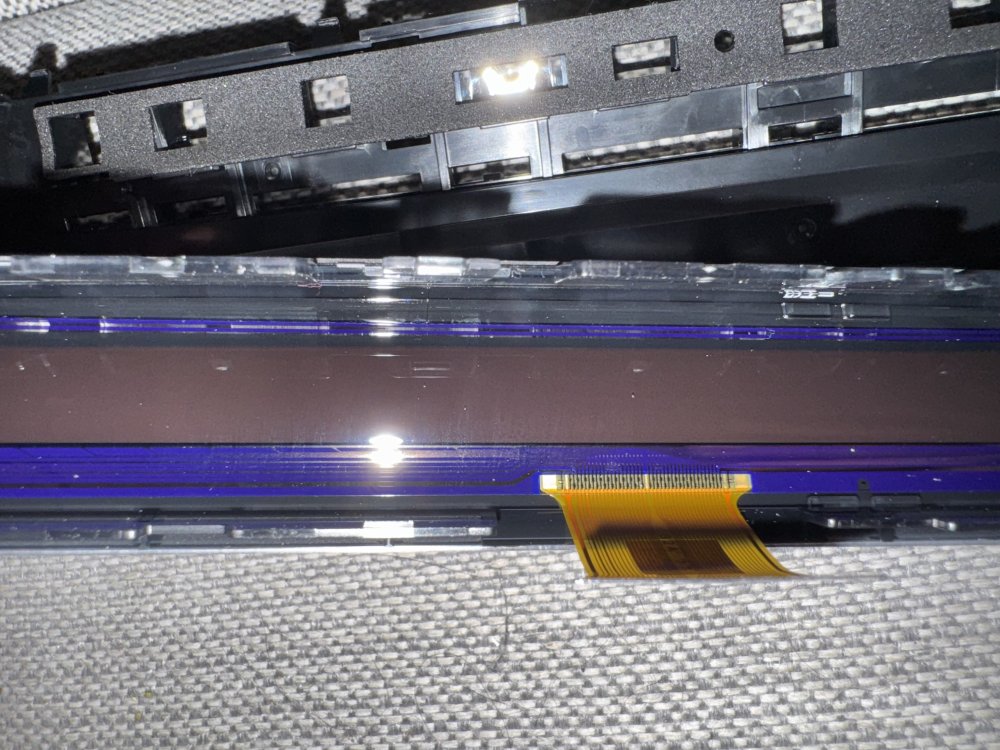
I have now been driving for four weeks after I cleaned the inside of the touchbar and have not had any issue with the volume turning up by it self. Take it apart and carefully clean it with isopropyl alcohol. Let it dry and put it back together.
-
With the capacitive steering wheel, you only need to touch it with 2-3 fingers for it to register you are alert and ready to take over. So it's more a comfort thing as you don't have to turn the steering wheel but only touch it. I think if the car is fitted with lane assist from factory it comes with a capacitive steering wheel, mine did, but have no clue how to tell based on part number.
-
I think you need to change both the screen and the infotainment unit that sits behind the glovebox. I don't think the current unit can display correctly to the larger screen, but it's just a guess.
-
I have the same experience in my 2022 PHEV. i hear the clonking noise when going slow maybe 20-30km/h with regne off and then giving a very small amount of gas and then lift off and then small amount of gas and then off. I think it’s because the transmission wants to be prepared for all possible and that makes it shift between neutral and drive and regen. It’s sad that VAG can’t make it better thinking the PHEV platform is not new anymore
-
Here are the codings I have tried so far. From OBD11 forum for Golf 7 19- Central Electronics 16- Security code 31347 10- Adaptations Left side 8 Leuchte12NL LB45 Lichtfunktion C 12 “not active” > Nebellicht links 9 Leuchte 12NL LB45 Lichtfunktion D 12 “not active” > Lichthupe generell 10 Leuchte 12NL LB45 Dimmwert CD12 “0” > 127 11 Leuchte 12 NL LB45 Dimming Direction CD 12 “maximize” > maximize Right side 8 Leuchte 13NL RB5 Lichtfunktion C 13 “not active” > Nebellicht rechts 9 Leuchte 13NL RB5 Lichtfunktion D13 “not active” > Lichthupe generell 10 Leuchte 13NL RB5 Dimmwert CD 13 “0” > 127 11 Leuchte 13NL RB5 Dimming direction CD 13 “maximize” > maximize If you want the front fog lights come on with standard main beam (i.e. not just on the flash setting). (8)-Leuchte12NL LB45-Lichtfunktion C 12 > not active > “left high beam” (8)-Leuchte13NL RB5-Lichtfunktion C 13 > not active > “right high beam” Same coding is found on OBD11 forum for Octavia MK4 (I think the car is without high beam assist) There is a One Click App in OBD11 that claims to activate it, but I haven't found what it changes, and I don't like to use OCA if I don't know what they change. Then the misses get's home with the car, I'll have a go at it again. Perhaps the controle unit needs to reload ( full off/on of the car) before it takes effect...
-
I tried one that works on Octavia mk3 and Fabia mk3 but they do nothing. I have also tired one from a Golf 8 but that car did not have high beam assist. I don't know if the adaption channels have changed or because of high beam assist the way it activates the high beam is different the on cars without high beam assist.
-
Why do you drive with high beams on when there is oncoming traffic? I live on the country and the fogs provide extra light to either sides making it easy to spot wild life before they run over the road.
-
Hi is there anybody that have found a way to get the fog lights to turn on when high beam gets turn on by the high beam assist or manually. I have tried different adaptions from Golf 8 and Seat Leon but it does not work on my Octavia iv
-
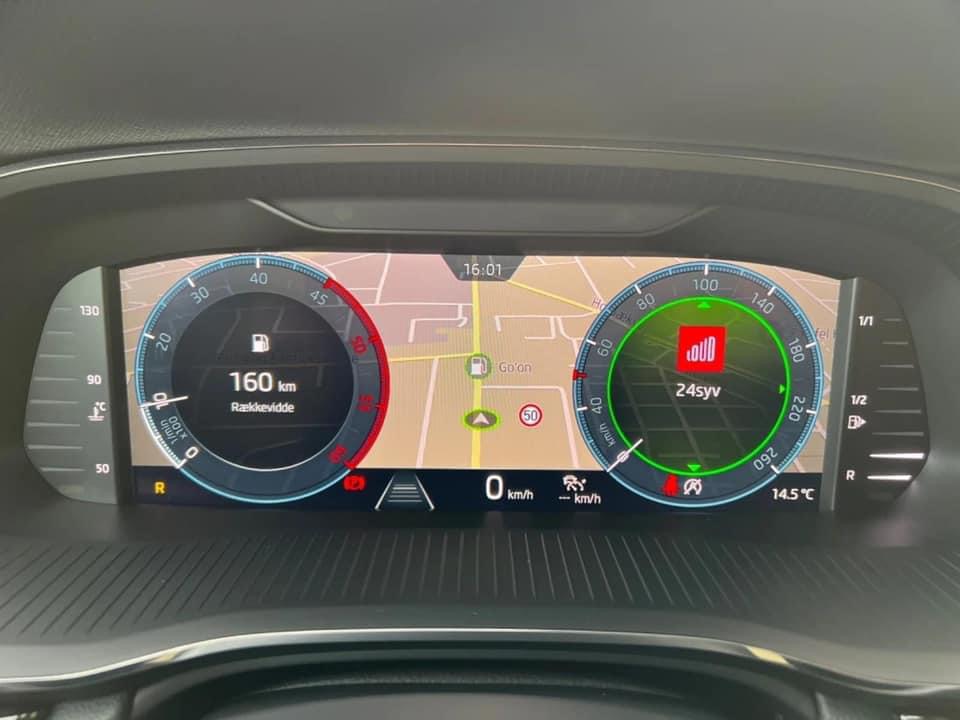
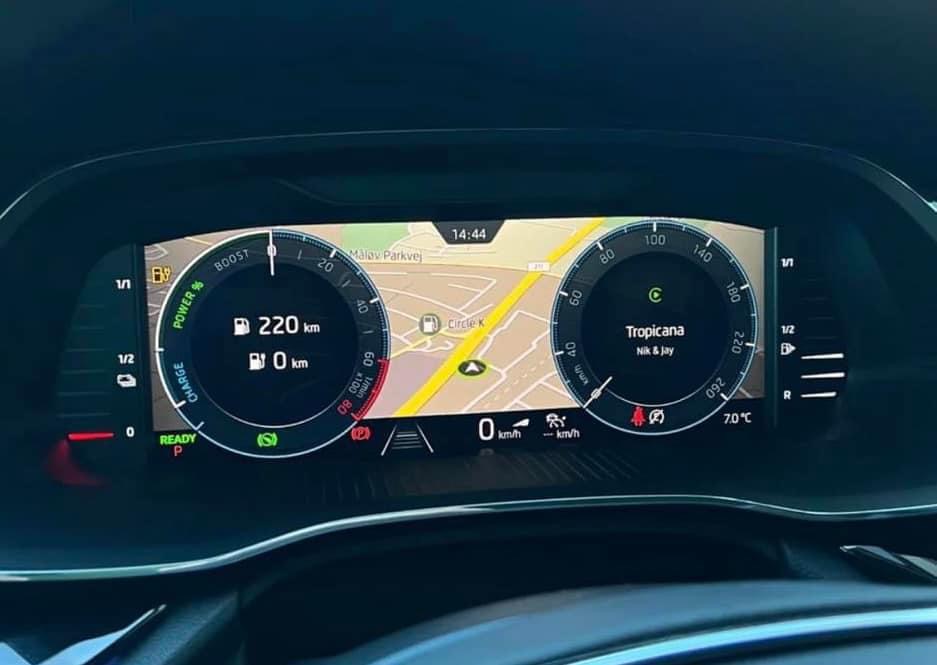
Hi On cars leaving the factory now with virtual cockpit, they have an option to show Navi and dials together as shown below. Besides Navi together with dials it’s also possible to change the speedometer in the center to other info. Can’t remember what the options are. It’s cars that have hardware H61 so far. But was hoping somebody here knows if hardware H56 and/or H58 can be updated to have the same functionality.??
-
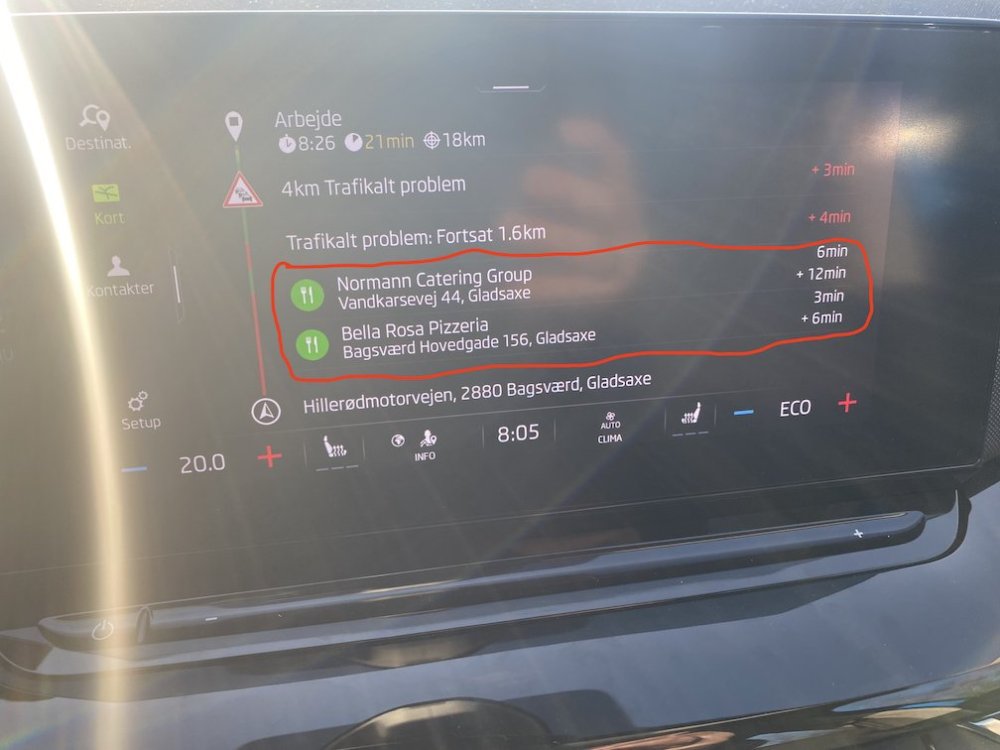
Hi all In my iV octy the navigation suggests stops at restaurants and cafe on the route. Do anyone know how to make it stop? All POI's is off and can't find any other setting that makes any change to this. Hardware H58 Software 1889 NavDB 22.1 production week 3 2022