Oli
Members
-
Joined
-
Last visited
Everything posted by Oli
-
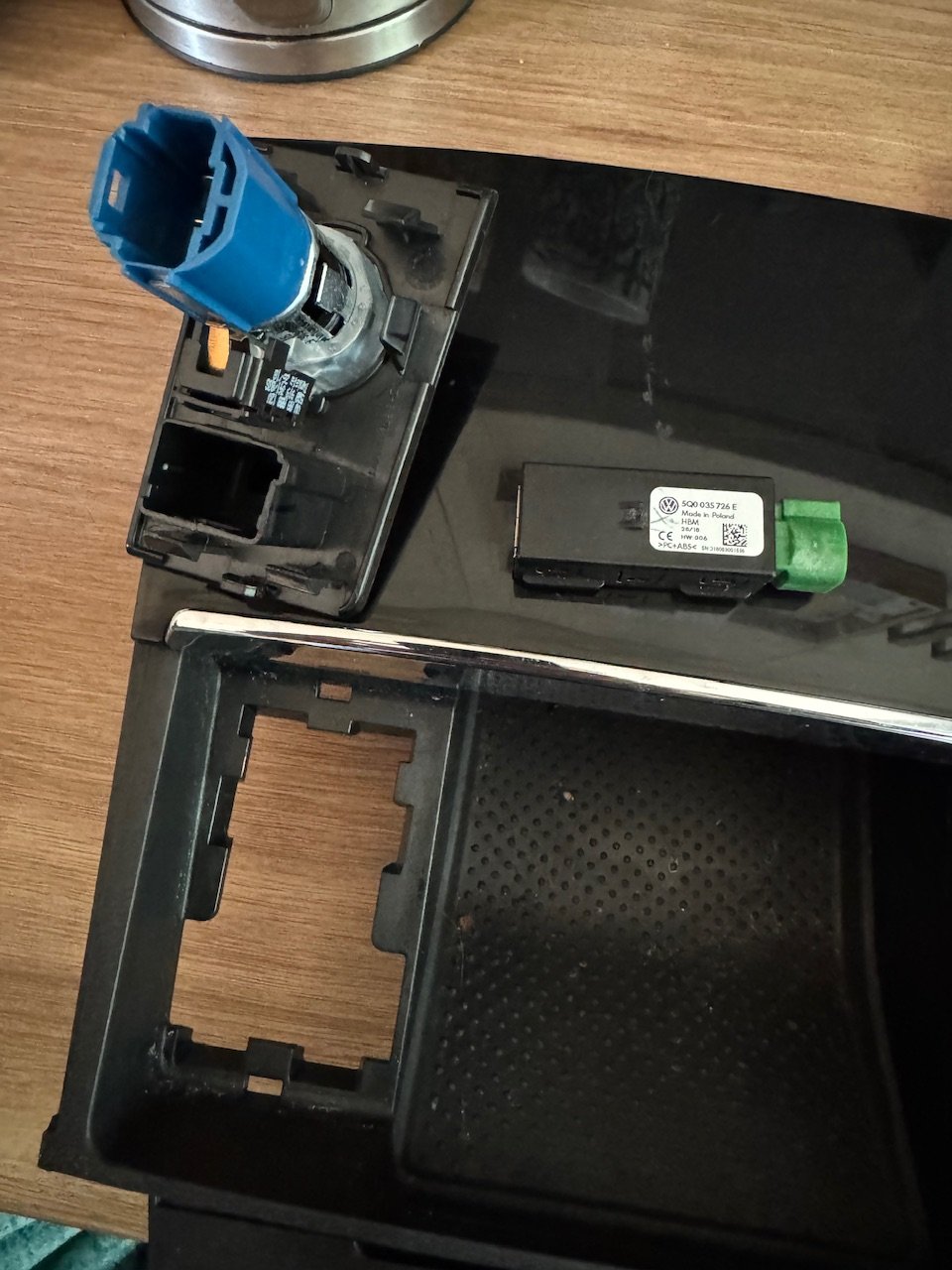
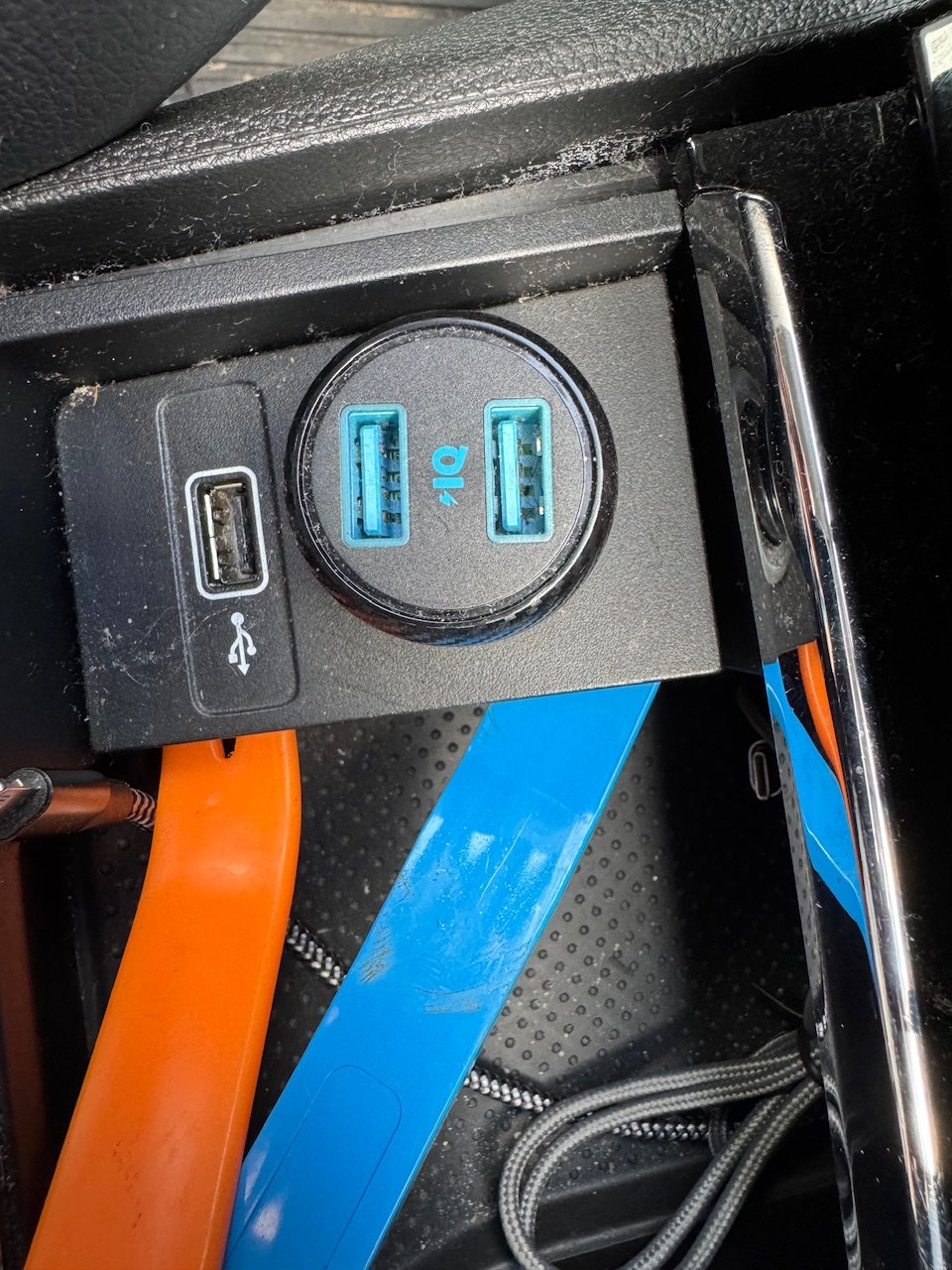
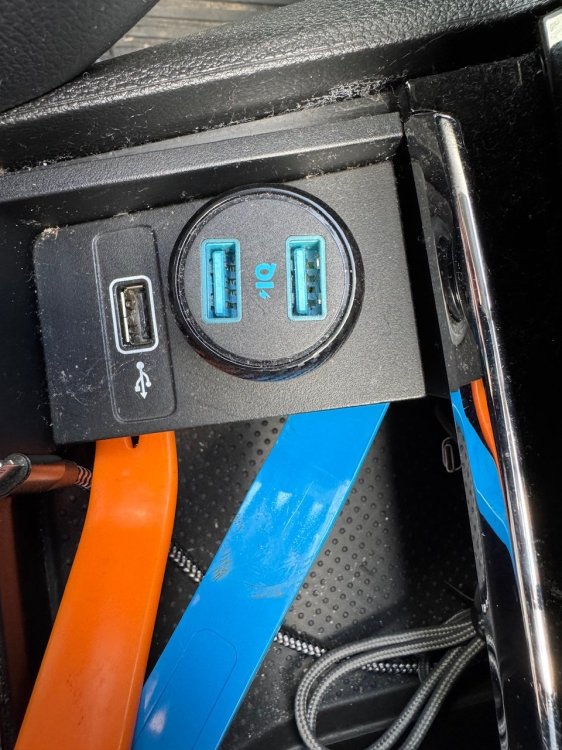
So for anyone looking to do this you don’t have to pull all the console plastics. If you look at how the plastics clip in you and carefully pop the clips with a trim remover and carefully pull the square that holds the 12v and USB up to gain access. Replacement took a few minutes.
-
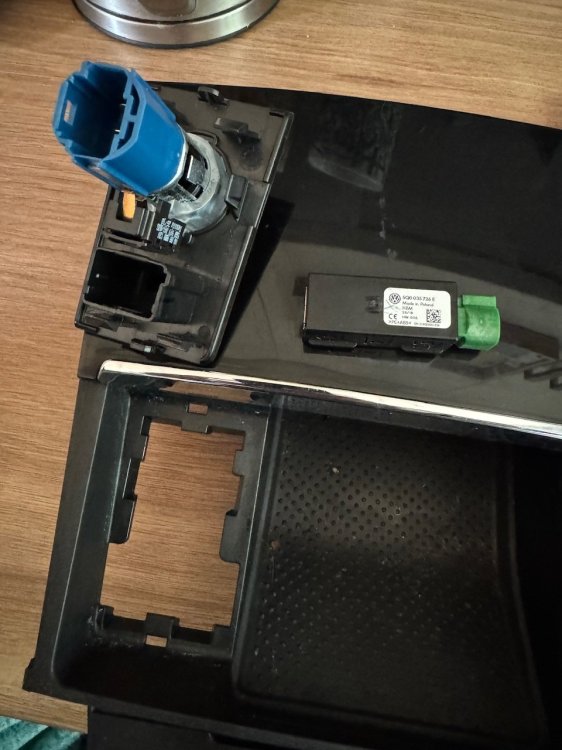
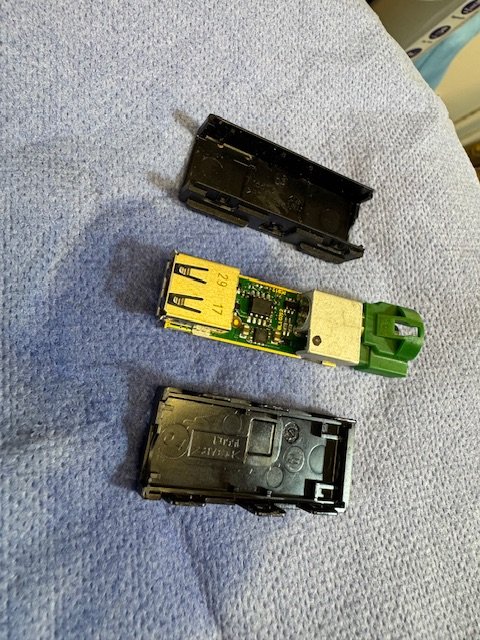
Breaker part arrived. Cover popped on new USB socket and board and plugs cleaned with contact cleaner, tiny carb brushes for the USB pins and reassembled. Now to pop the plastics and swap the plug.
-
So for anyone who has similar problems ours in now fixed. We had an oil leak from the cover and a diesel leak from the low pressure return line in at least one place. Final replacements were the high pressure feeds to 3 and 4, new orings on the return line and a new return line. The problem with fault diagnosis and taking things in and out is that most of the parts are considered single use and to be replaced after they are removed. If anyone has leaks from the oil seals around the injectors my advice is don’t bother getting new seals for the cover, get a new third party cover as the seals come with it. A lot of the time the cover cracks anyway when you pop the new seals in due to age and heat damage. The tiny green o rings for the low pressure line need to be swapped every time you pop the lines. Obviously (and sadly) the hold down bolts and arguably the sealing washers and orings for the injectors need replacing every time you pull of fiddle around. Just my own personal findings!
-
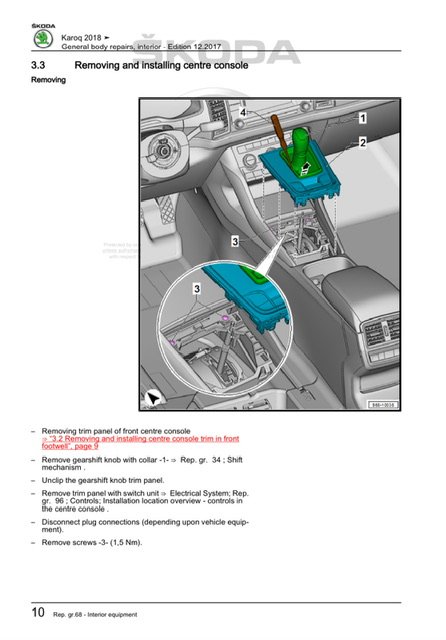
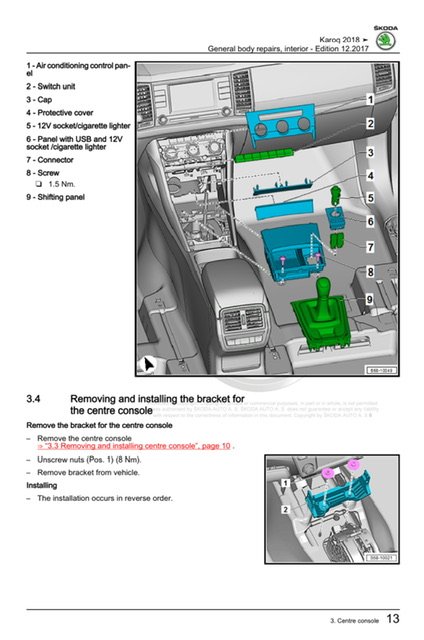
So I think I have found the relevant pages in the workshop manual. Looks like have to lift the gear shift cover, undo two screws and can then take the entire cubby unit out.
-
Sorry to dig up an old topic. I am looking to replace the USB socket that’s in the centre console under the radio. I can’t find any guides anywhere for removing the panels to get it out. Did anyone find a guide anywhere?
-
For anyone that’s looking to remove the cover for the boot lid and finds that it gets stuck at the top. You need to pull the panel away from the door and keep it parallel rather than pulling it off at an angle. The top of the door cover secures into the upper boot cover piece with some long pegs so you have to pull it down “straight”. I know it’s an old thread but it popped up on a Google search and I just replaced our boot antenna today and didn’t see the answer on here.
-
Cheers. Have ordered one and waiting for it to arrive.
-
Tried here? https://mib-helper.com Sorry saw you’ve posted the link. Ask Pab567 on here or chime in on the Octavia MIB thread for an up to date firmware for your device.
-
You need… The new firmware. Pab567 has posted on a few locations with them. You’ll then need to copy the new firmware to an SD card and run the update. You’ll need VagCom or ODBEleven to run a small fix to the 5F module after the update. More details here: https://mib-helper.com
-
Figured it out. didn’t realise that the system expects a Skoda certified card with the new maps copied on to it. My bad!
-
See I was assuming that the new download would replace my original maps card when I got a new SD card and stuck it in. Apparently not. My bad found some links on the forums including this one. I will have a go at sticking it on USB instead rather than the SD card.
-
Thank you buddy. Ran the update today and dusted off my VCDS setup and MicroCAN cable and could update the 5F module. No errors and all working. Now to figure out how to get it to recognise the new map SD card.
-
Am I missing something? I have downloaded the new maps off the Škoda website. Confirmed via vin. I have expanded the archive and copied the contents to the root of a formatted SD card. When I stick the SD card in the radio set scans it and ignores it. Am I missing something? Any help from the hive mind appreciated.
-
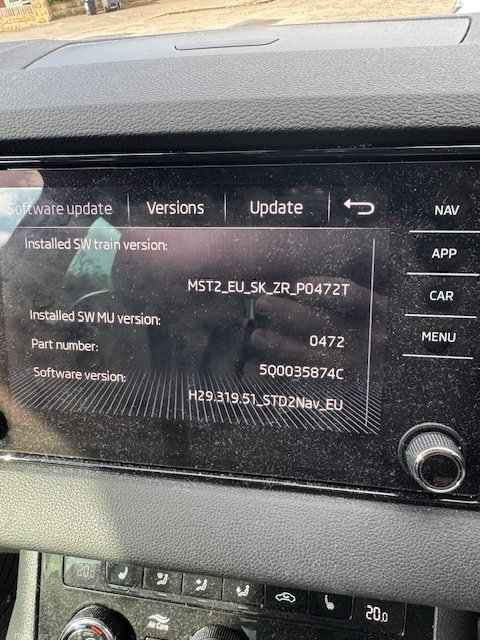
Firmware updates for the MIB3 (thanks Pab). Checked my VCDS setup still reads almost all my modules. Not paying £200 for an updated lead yet. Seems high to send my old MicroCan back for a refresh. Confirmed that my rear antenna is dead hence the DAB and FM not working well. Waiting on the new module to arrive next week.
-
I mentioned it above buddy, but I know you get load of messages on here! 😆
-
So for anyone else I managed to find the answer and links to them, thanks to Jan at Skoda Parts. https://www.skoda-parts.com/spare-part/04l130301e-fuel-pressure-line-skoda-51479.html https://www.skoda-parts.com/spare-part/04l130302d-fuel-pressure-line-skoda-51480.html https://www.skoda-parts.com/spare-part/04l130303d-fuel-pressure-line-skoda-51481.html https://www.skoda-parts.com/spare-part/04l130304d-fuel-pressure-line-skoda-51482.html https://www.skoda-parts.com/spare-part/03l130118-fuel-pipe-vibration-damper-skoda-31890.html I don’t know yet but I presume the part numbers increment from 1-4 and relate to cylinder 1-4. 4 being nearest the oil filler cap so 04L130304D is for near the oil cap and …301D goes to the left hand injector. Last link is to the rubber vibration damper. Sadly I don’t have a parts diagram yet.
-
Would anyone happen to have the parts diagram for the 1.6tdi DDYA engine? Trying to find the part numbers for the high pressure lines that run from the common rail to the injectors. Looking to replace the lines for 3/4 and can’t find the part number to search for them. Any help Would be great!
-
anyone able to confirm the antenna part number? Looking at replacing our as DAB/FM reception is appualing. Is it still 5E5035577B or any variation?
-
pab567 verykindly sent me the link to the firmware for our 2018 Karoq. We have poor DAB reception and smartlink/carplay connection issues occasionally. I am hoping that the firmware update will help. I am assuming that having a stock OEM radio with nothign od done to it I am not risking a loss of functionality or anything by running the firmware update.
-
Think have it figured out now. The pooling fluid is diesel. One of the injector fittings isn’t quite holding. Probably need to swap the o rings on the leak off or the high pressure line.
-
Sorry probably not clear as was typing on my phone. The old valve cover had at least one crack around the injector seal on the far left. I just presume it’s 1 or the first. We were getting most of the oil pooling around the third and fourth injector but there was so much it was hard to tell if it had just poured over having filled up the injector well area. With all the parts changed the left pair of injectors (1/2?) are now dry as a bone. Sadly there’s still oil appearing around the right hand pair of injectors, mostly around the left of the right hand pair (3?).
-
I’ve replaced that. The old valve cover had a small crack around injector #1. The injector fuel loom, seals, gasket, valve cover, hold down bolts, oil cap, orings and washers have all been changed. Hence why I am stumped. I can only assume that injector 3 itself is causing a leak for some reason.
-
Ah yes.. fat fingers! 2018 Karoq Problem is the oil pools then drips down the engine quite a bit. We were losing a litre or so every 1000 miles
-
My interpretation is that normally the radio is matched to the car and other electronics. If you are running a patched radio setup, do an aftermarket retrofit or and/or adding that aren’t both from Skoda direct the radio will revert to stock behaviour if updated. That means it’ll probably wake up not recognise the car (then go into content lock/protection) and the modifications will be wiped as they are sometimes part of a ‘’modified” firmware. If you have the radio that came with your car and no dodgy fixes you have nothing to worry about.
-
I can’t help with the ferrite core question sorry. Following how yours goes though. I have a 322GW camera that I have piggybacked onto a switched power line and despite that being meant to be live when driving it goes off occasionally (I think) with the auto start/stop and annoys me. I am considering switching to a perm live like you and putting it on parking mode.