
JGrindel
Members
-
Joined
-
Last visited
Everything posted by JGrindel
-
Yes some montes have panoramic roofs.
-
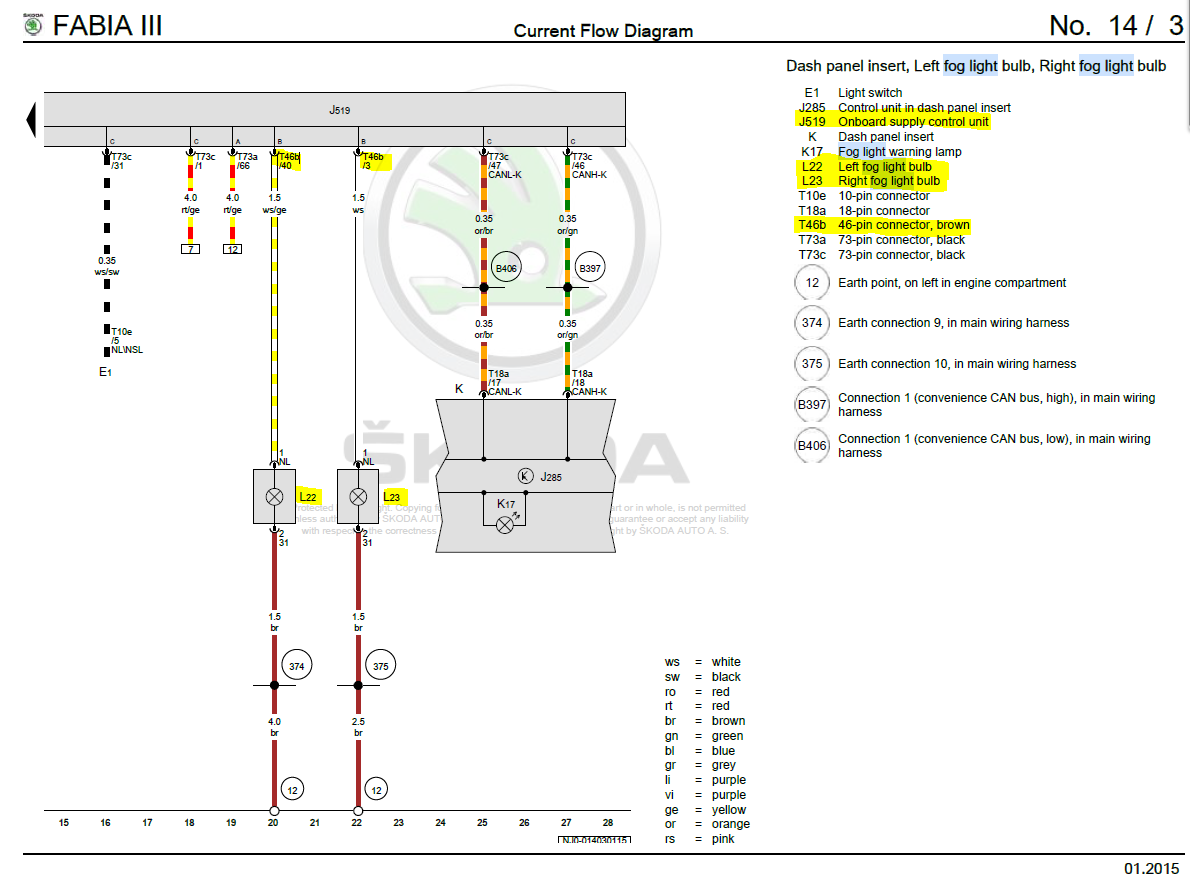
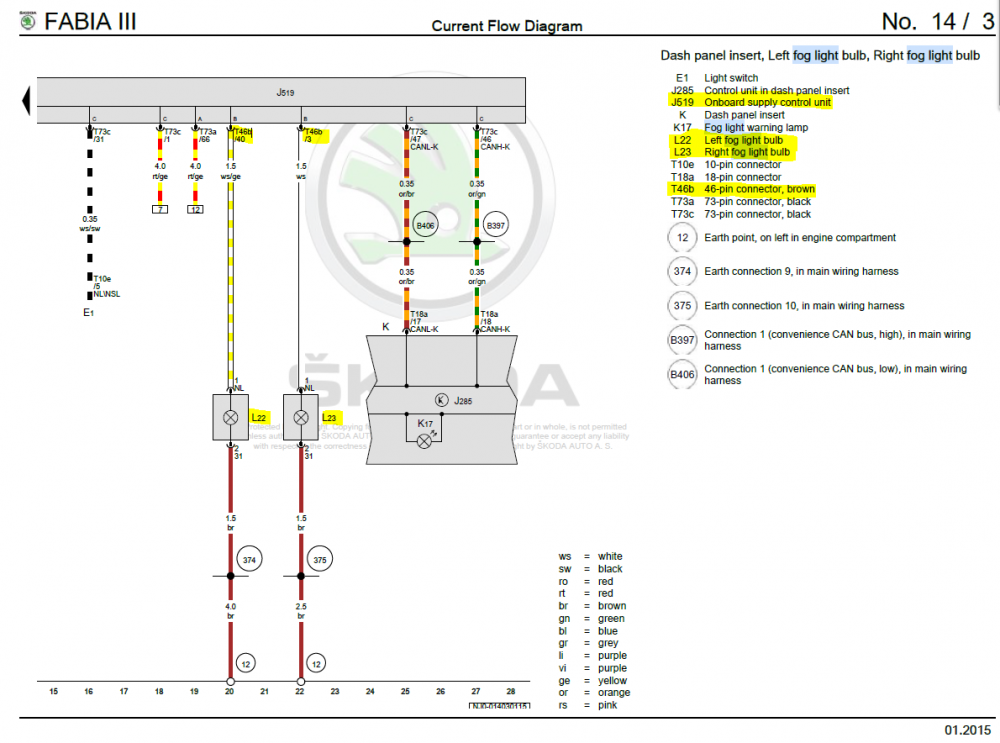
I think I have found how to do it using the Fabia wiring diags and some forum jumping. 2 wires from each light (L22 and L23) - 4 in total. 2 go to ground with the other 2 going into the cabin and connect to Pins 3 and 40 of the brown plug (T46B) connected to the BCM (J519) VCDS will obviously be needed as per previous posts above.
-
Sorry to raise this thread from the grave but I have just ordered the Fog Light Retrofit kit from aboard (Skoda Parts confirmed it will work with my VIN) What I am in need of is the wiring guide / instructions of how to fit the kit onto the Fabia. @malcsterdo you have any powers to links for this retrofit etc? Or is it available on erWin after I pay the hour access fee. I have all the workshop manual, electrics, body, etc etc but wondered if there was a direct repair guide that VW / Skoda techs use to retrofit. TIA.
-
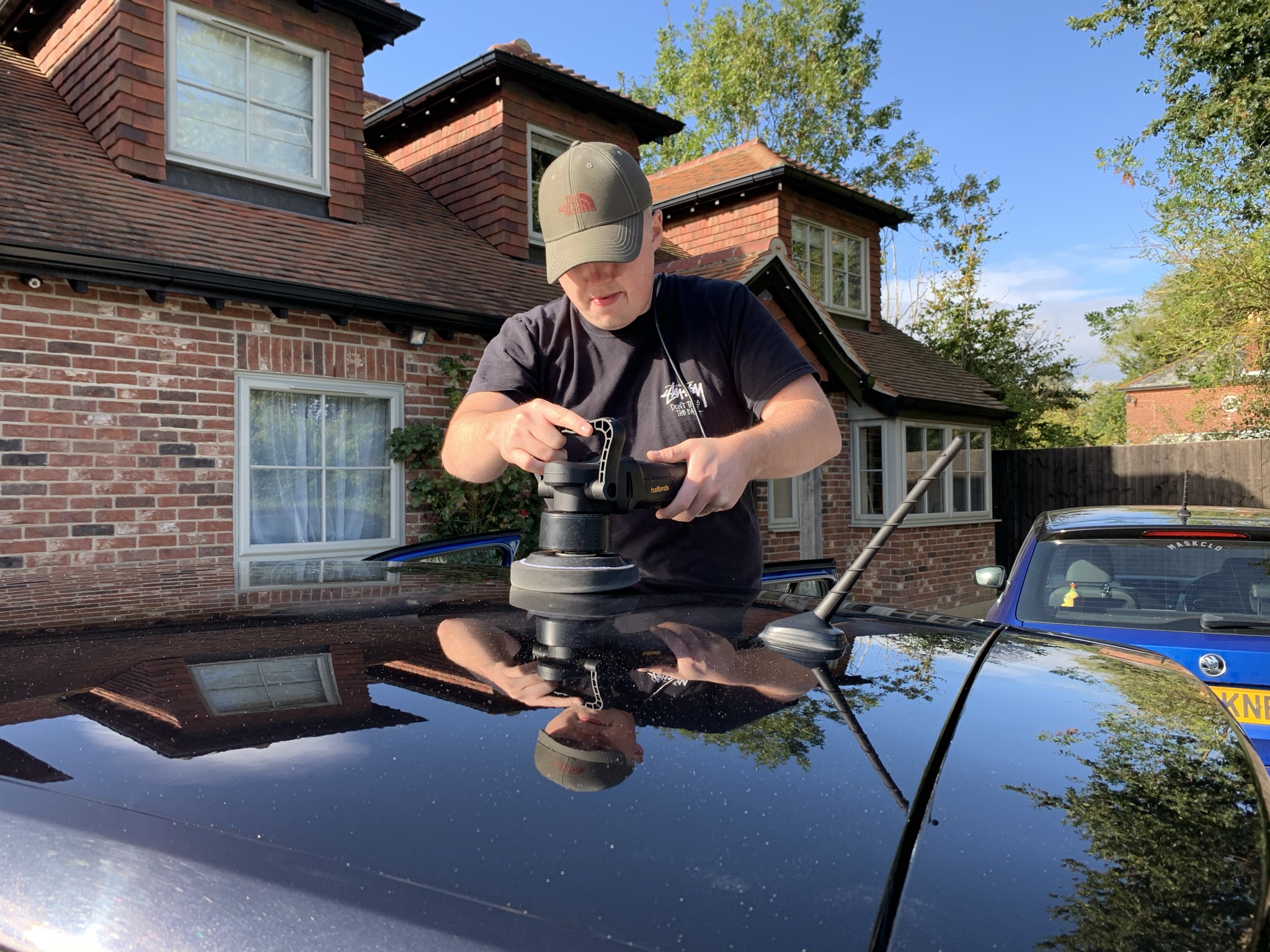
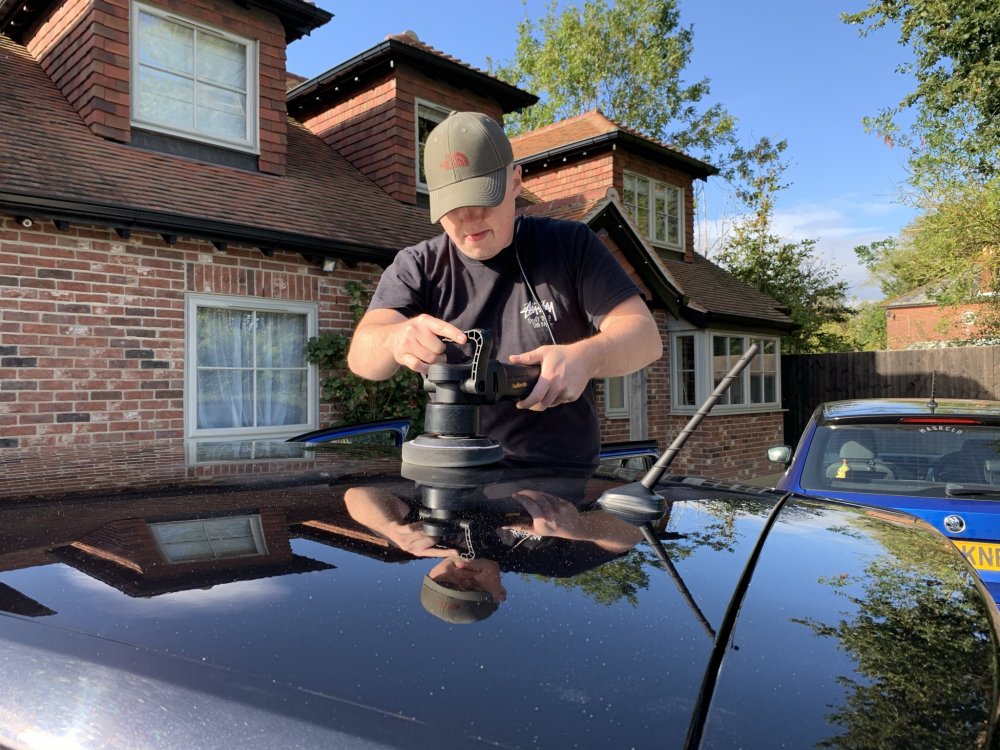
Hi, the mk3 roof is in fact paint. The paint is quite thin. My friends colour edition has cracked paint due to previous owner not caring for bird poo and you can see the body colour underneath the cracks. But you can polish it (as we have) just go easy and exercise caution to pressure and aggressiveness of the compound / polish. The paint is called Black Magic. Paint codes are either 9910, 1Z, C9Z, Z4, F9R, L991. But I always go with F9R.

-
My 2017 does this sometimes! So dont worry too much
-
After reading this topic I am going to check the Neg terminal on my Fab for the regeneration block and also get a voltage reader for the cigarette lighter to monitor battery V's - Is start stop really not that beneficial on the fabia then? Also @TerFar What colour mk3 monte do you have? I am also from Chi. I will give you a wave if I see you! (Blue Colour Edition Fab CP17)
-
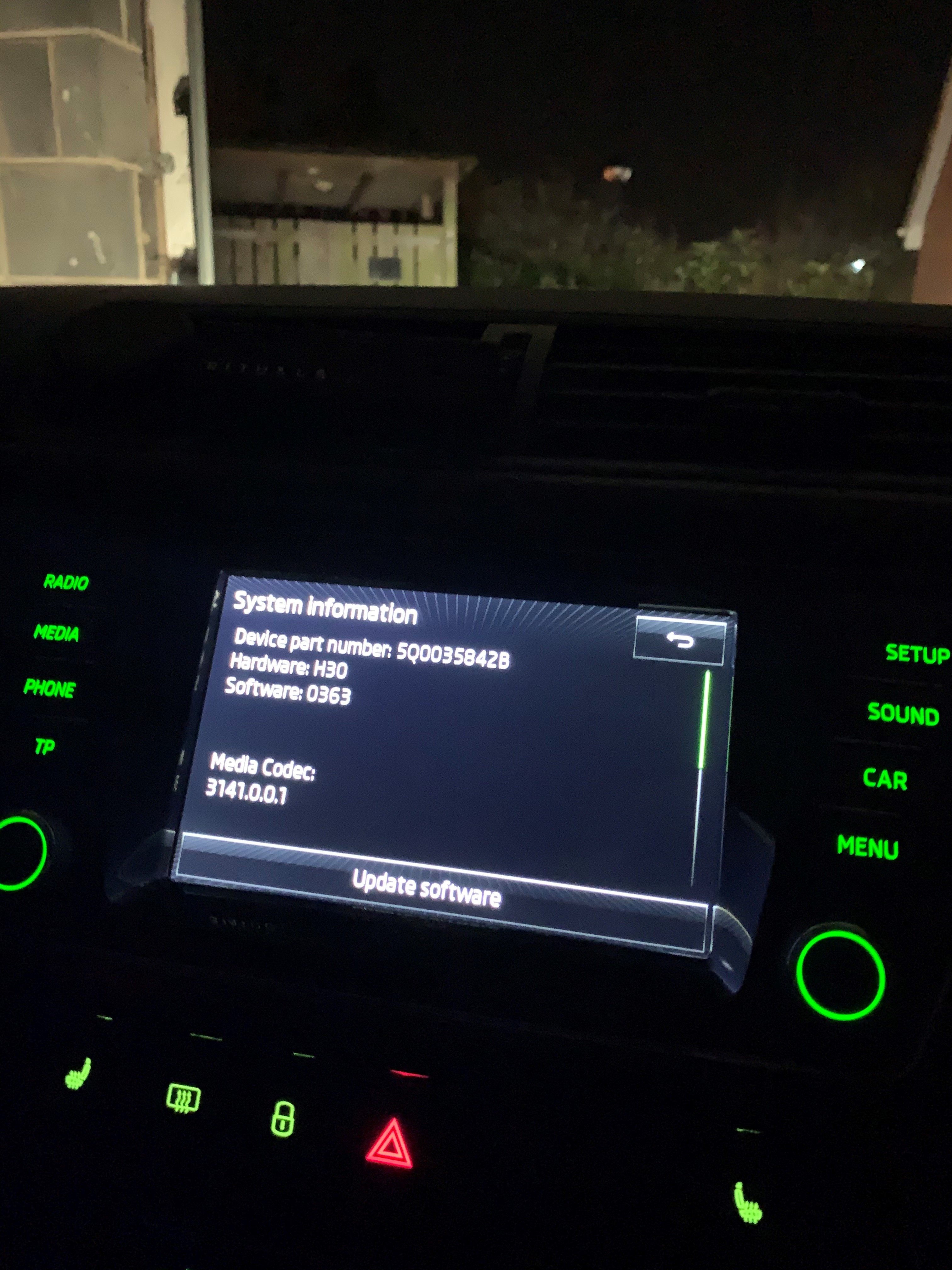
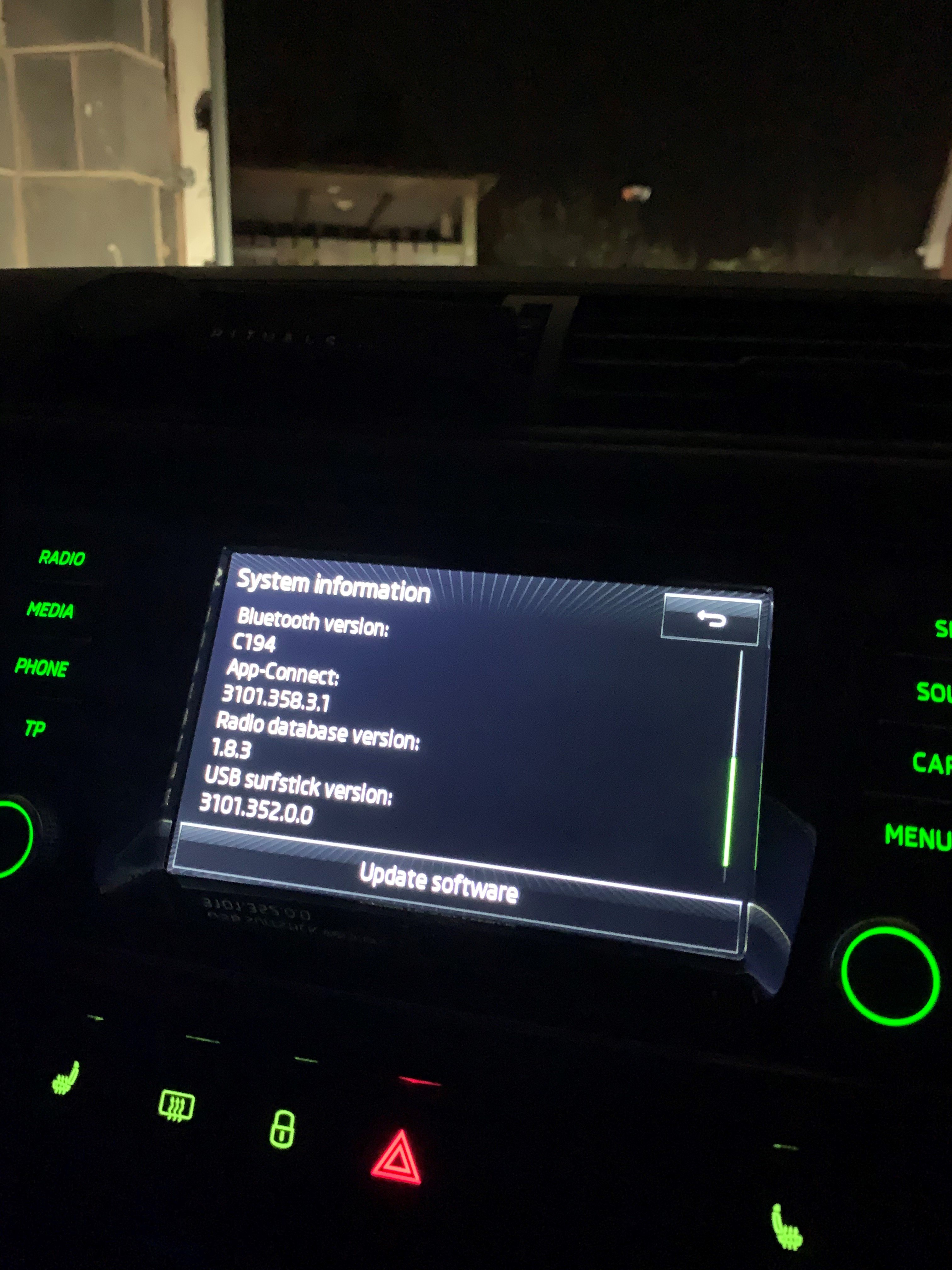
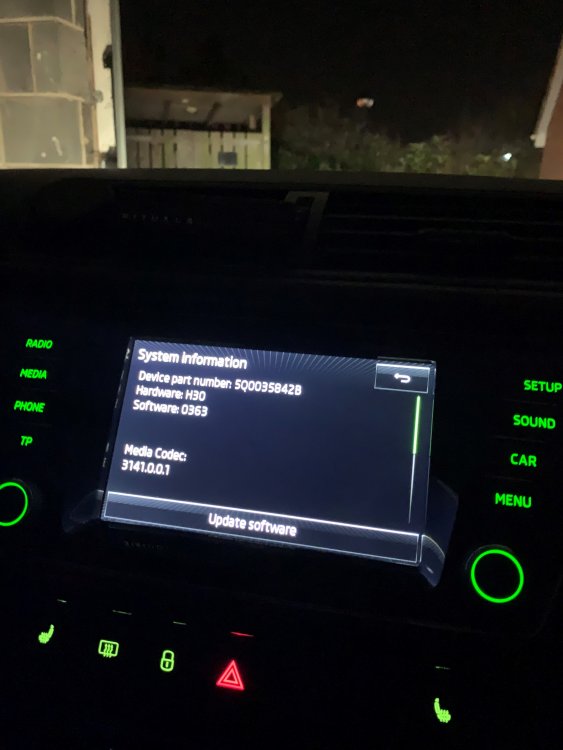
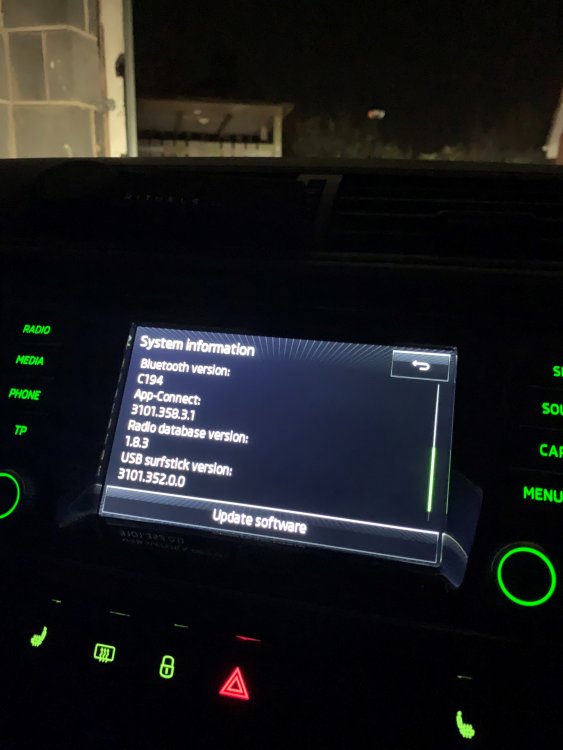
Hi @pab567 Can you please help me out. Is there a firmware update for the following? Device Part Number: 5Q0035842B Hardware: H30 Software: 0363 Media Codec: 3141.0.0.1 Bluetooth Version: C194 App-Connect: 3101.358.3.1 Radio Database Version: 1.8.3 USB Surfstick Version: 3101.352.0.0
-
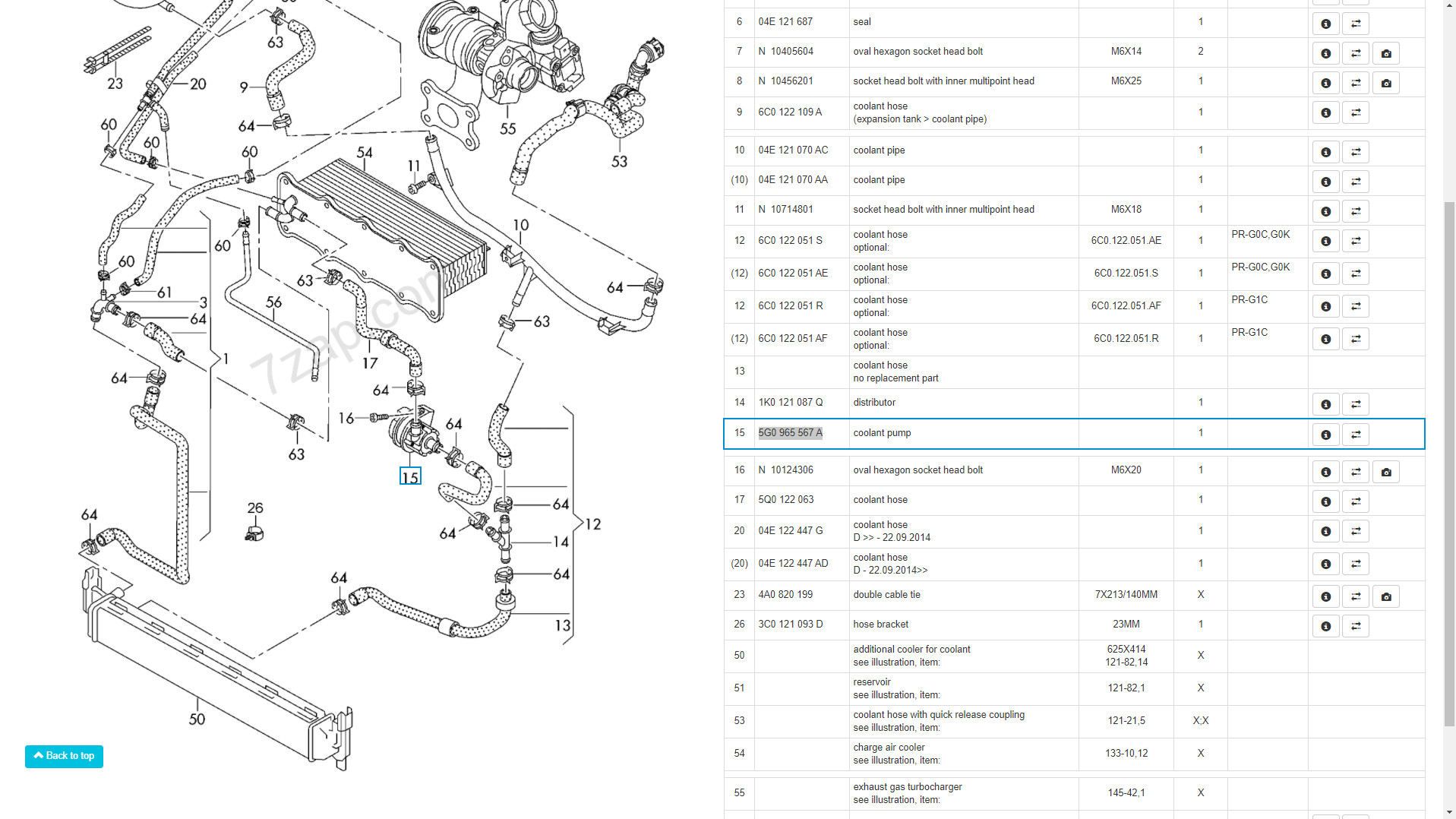
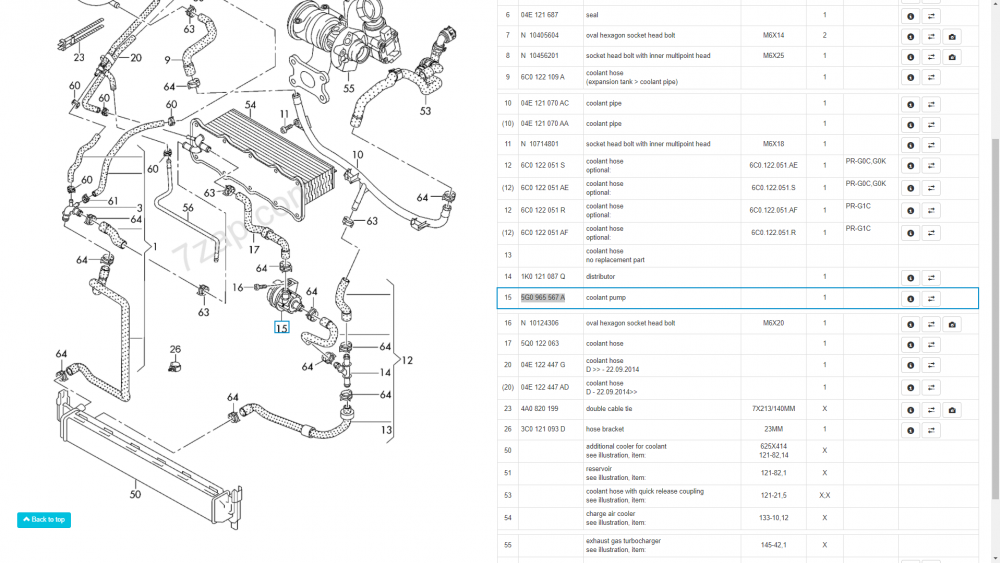
The Waterpump is a separate unit on these. You can see it at No.15 on the diagram (Part no - 5G0 965 567 A)
-
I attached the part numbers needed above in my original post. Radio screen - 6V0919604B Radio Control - 5Q0035842B
-
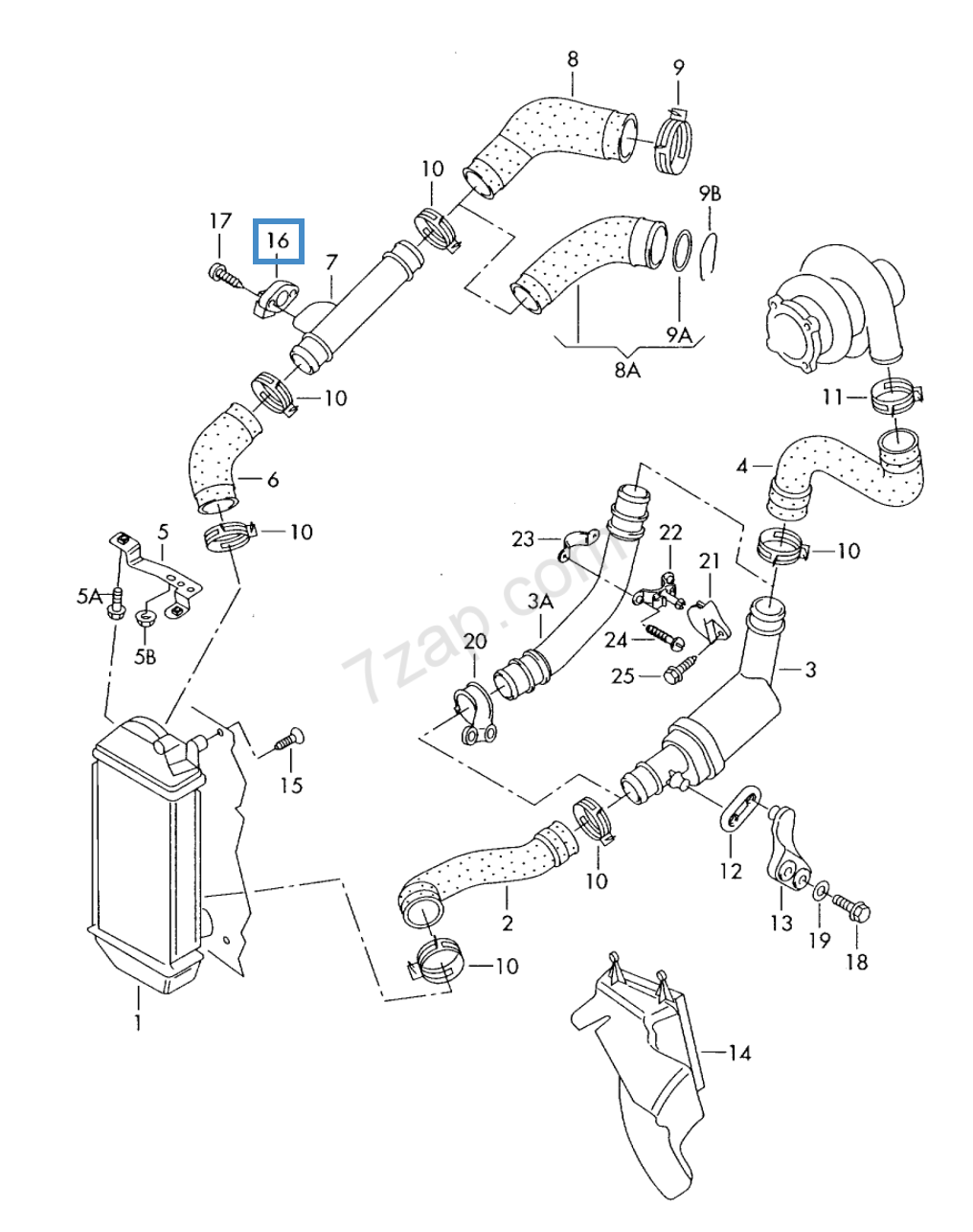
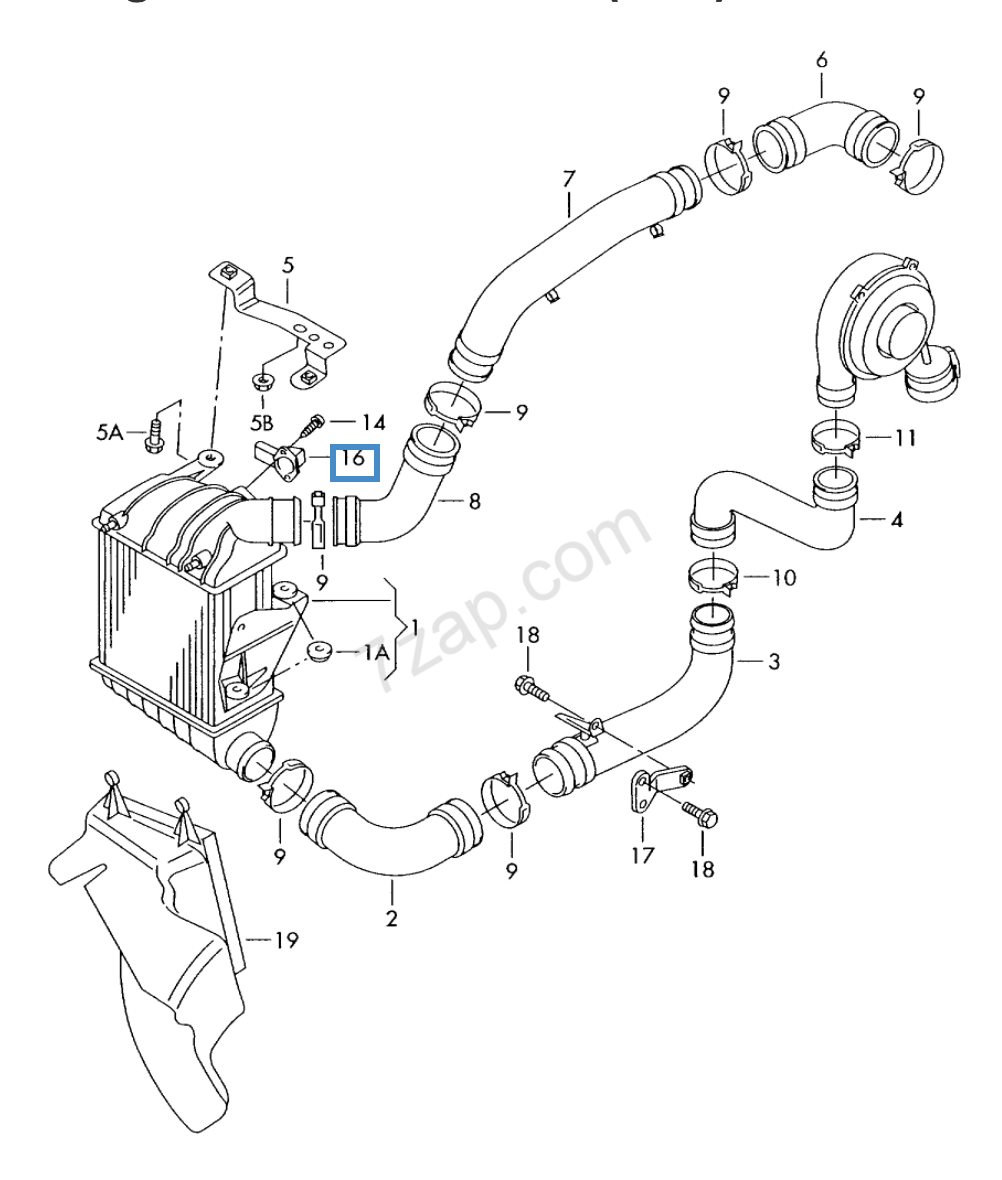
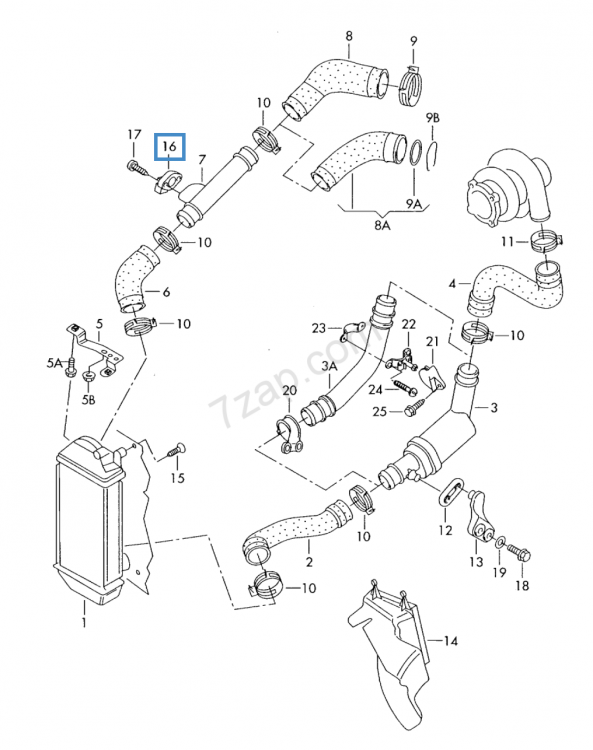
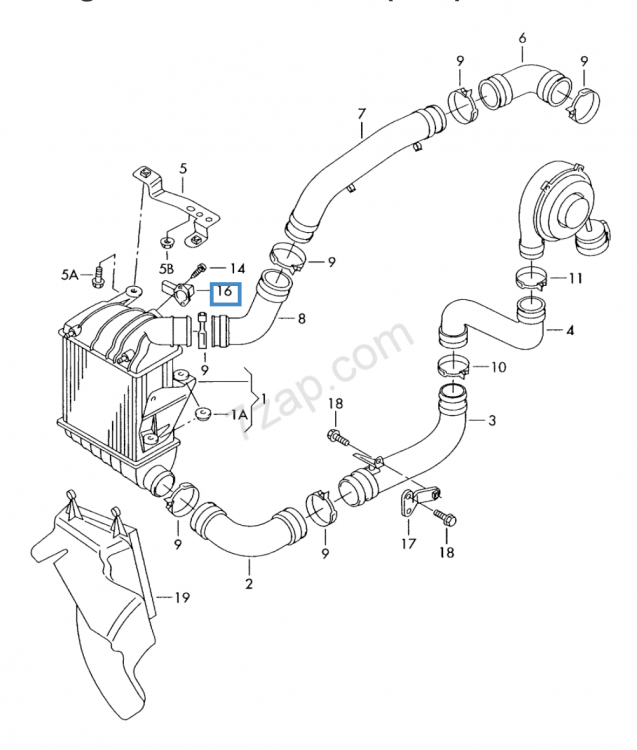
Map sensor is located. Number 16 on diagram. Depending on which set up you have. Diagram 1 is 1.4 and the diagram 2 is 1.4/1.9
-
Some have worked others have not! I tried activating it on my Fabia a few weeks ago via VCDS / VAG-COM. The guide I followed didnt work and had to find the module itself but when activating it and clicking go it just refused the change. The process is - HILL HOLD CONTROL - ECU03 (Brakes) - Coding - Byte 22 - Bit 0: enabled (Default: disabled) Here is a list of all adaptation that have been tried and working on the Fabia. (But like I said, some don't work or aren't there to activate)
-
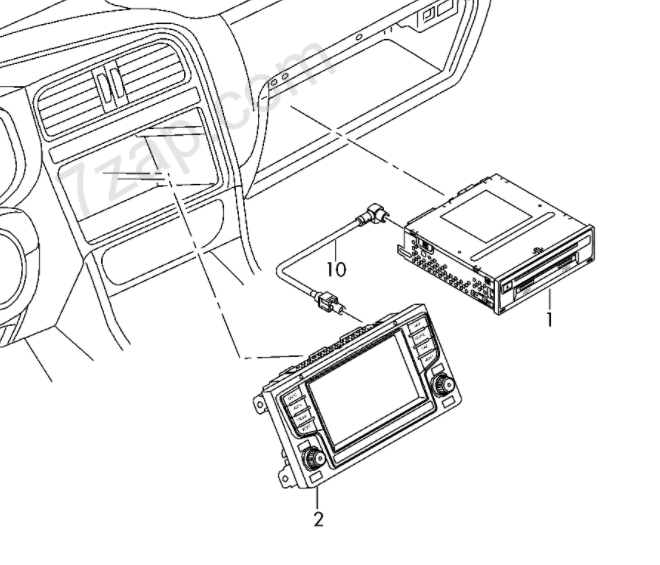
2015 Fabias never came with Car Play, so you will need the new radio screen and control box. (they are two parts on the Fabias) You will need to find the radio up to 2017 as after that they facelifted the Fabias and not sure if those radios will work 100%. Radio screen - 6V0919604B Radio Control - 5Q0035842B Link to example sale - https://www.ebay.co.uk/itm/2017-Skoda-Fabia-MK3-NJ-5-DOOR-HATCHBACK-Radio-Kit-5Q0035842B/233746927756?hash=item366c67108c:g:nfYAAOSw7K9fiHMg (NO CODE supplied so skoda would need to sort)
-
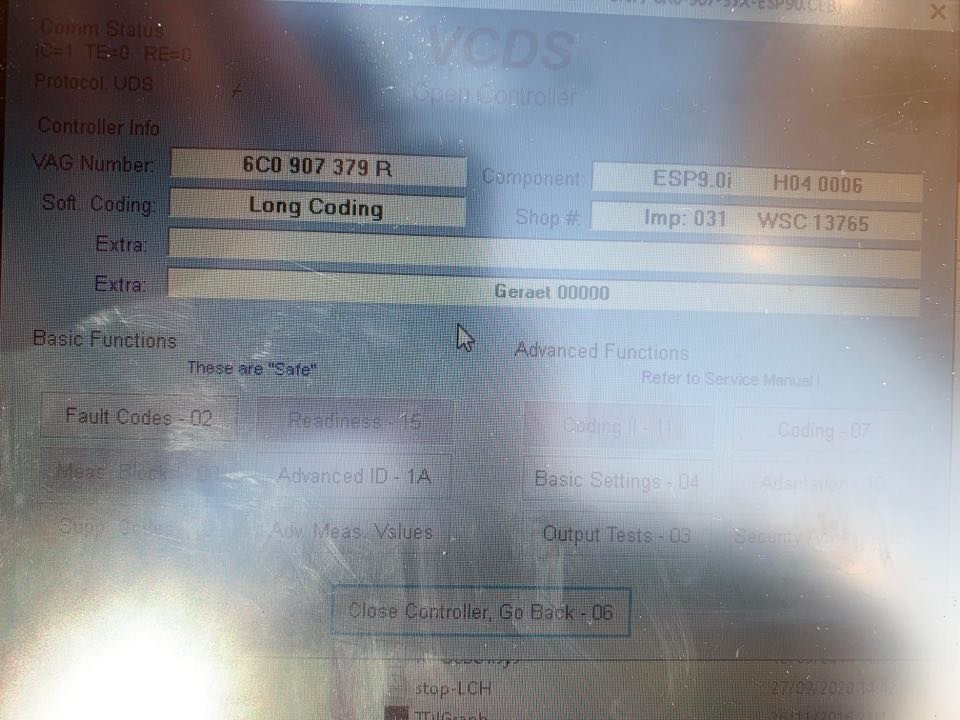
Hi All, I recently followed the thread bellow to make some amendments to my 2017 Fabia Colour Edition (1.2tsi 90ps 5 Speed) I was able to code the lap timer, DRL fade when indicators on but couldn't find the code for Tear Wipe activation. But the main thing that I am asking about is the above title. Hill Hold Assist. On the forum above it says Byte22 bit 0 change to 1 But on my module its byte 16. You can click the check box for Hill Hold Assist but it gives the following error 31 - Out of Range. I also tried going into the adaptations for the module and activating it from the drop down that allows you to change the sensitivity of the hold etc. Still got the Out of Range error. Anyone had this before and able to help with the coding of the module to activate it? Component - ESP9.0i H04 0006 VAG Number - 6C0 907 379 R