nickytheshaft
Members
-
Joined
-
Last visited
Everything posted by nickytheshaft
-
-
-
-
-
-
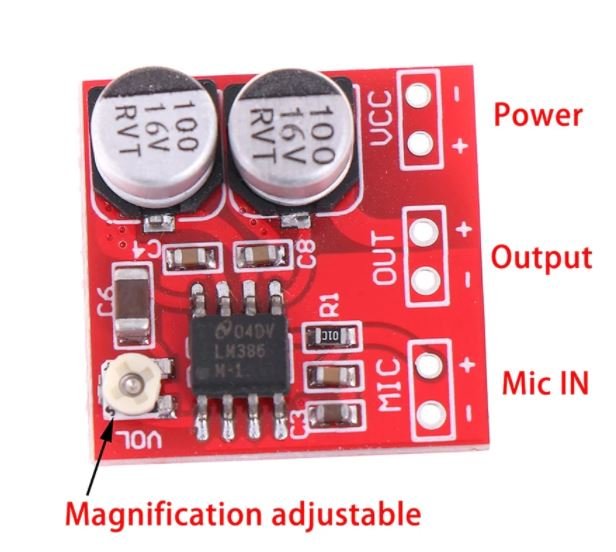
Yes, I am waiting for this board from aliexpress. I took the one from amazon in extra because I was impatient to hear the result of an aplifier board on the unit. It is plugged to the external mic jack. I opened the unit and it is quite impossible to connect anything to the inbuilt mic. It is soooo smallll and connected to a ribbon. The goal is connect an external mic to the board, hide the mic somewhere then connect the board to the external jack and usb for power.
-
So I just put a foam screen on the mic and left myself a voicemail. Here is the file, the sound is preety good. A little loud but no parasite noise. A 20db amplification would have been great but this is way better than the stock mic or simple external mic. In fact, the unit does not provide any amplification what so ever. The factory unit, I think must have an amplifier. I will check with an electonician friend is adding a resistor to the cable going to the unit can reduce the gain. 20220308_085000_r0325247915.wav
-
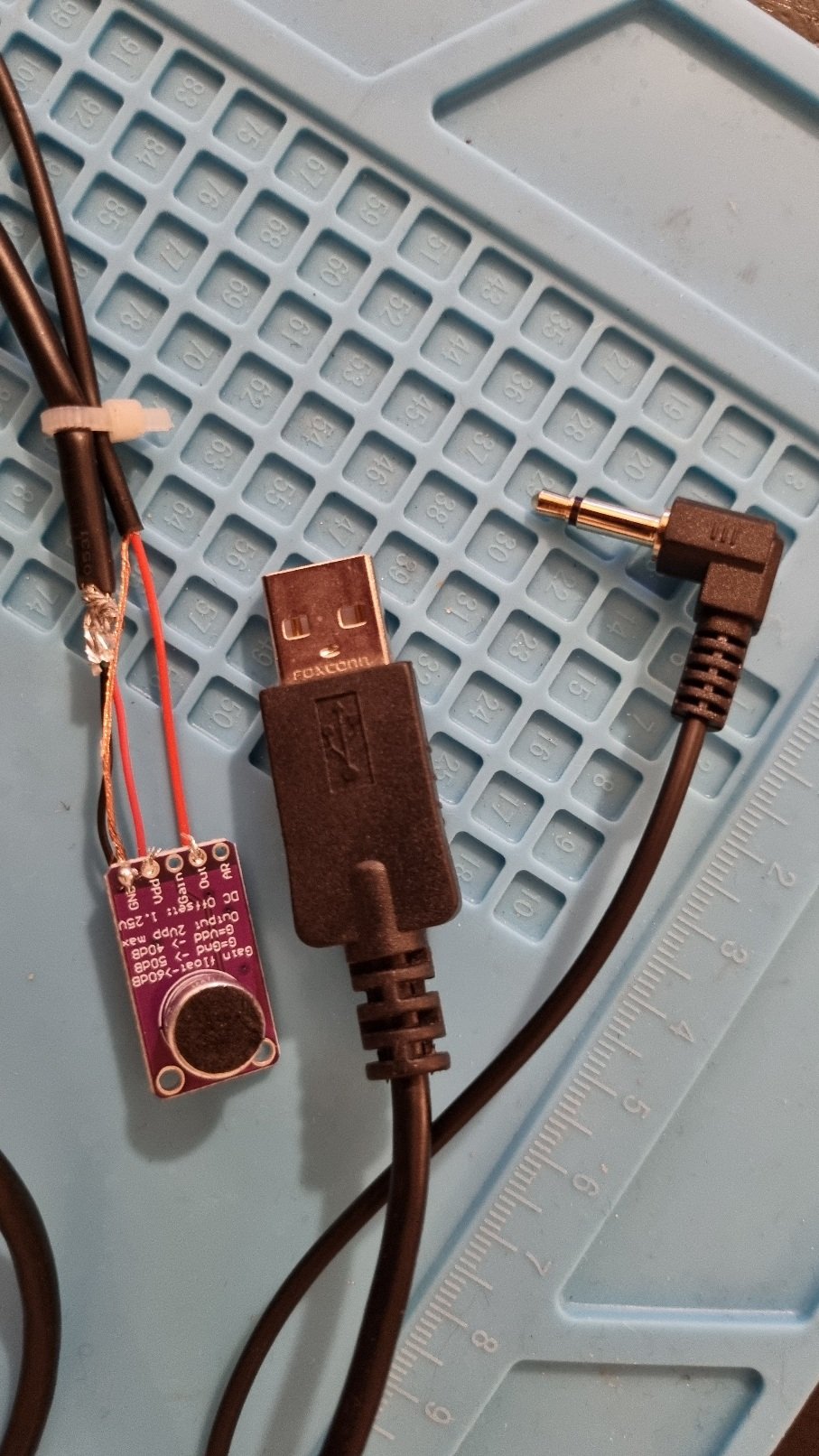
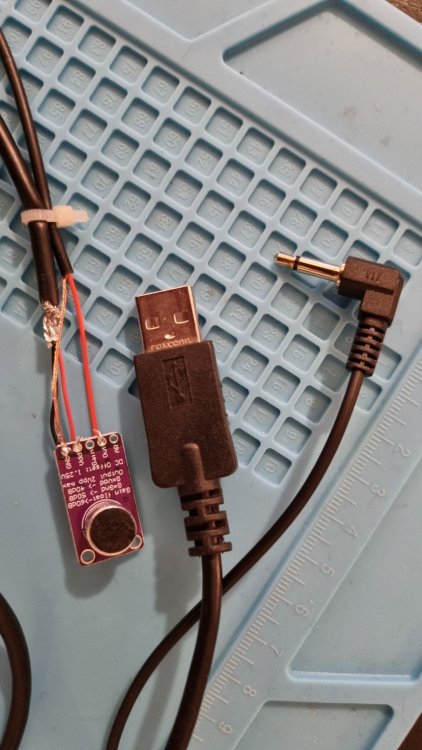
So I got a little impatient waiting for the amplifier board and just got this kit on Amazon DollaTek MAX9814 Electret MIC Microphone Amplificateur Module Contrôle Gain Auto pour Arduino https://www.amazon.fr/dp/B07DJWQDQF/ref=cm_sw_r_apan_glt_i_7RY2RWA13BZJ3YPDYZ94?_encoding=UTF8&psc=1 I hooked it up to the usb port supplying only power. I set the board at 40db which is the lowest setting. It still gives a huge amplification. The mic may need to be equipped with a foam screen. The other board I am waiting for is 20x amplification at the minimum setting, wich I think, is also 40db if I am not mistaking. Anyway here is a little sound clip I took with mic tester. I also left a voicemail with the mic gain settings in the Bluetooth app to low. Tomorrow I will try putting a screen on the mic. So basically, we are going from too low to too hight... Also I have a bigger size mic for the other board MT_20220307_193627.aac
-
Hi, i am interested by your 360 camera fit. Could you post a documented installation? Thanks.
- 10 replies
-
- acc
- blind spot
- headunit
- mod
-
Tagged with:
-
well yout unit is different than ours. On the other hand, I think that it is better. One of my friend has one and it runs flawless compred to mine. for the record, the latst update on the T18 is from late february. I don't understant this cutting wire stuff. In our units, we have an option to put it to sleep for 2 hours, 1 day, 1 week... or no sleep. You should check if you have this menu and ser it to hours if you take you car often and don't want a complete reboot at each time or simply to no sleep if you want it to shut down completely. When I get to my car, I will check my harness to see how it is wired.
-
Hi, 1 - so if your Unit is a ts10 or ts18, you should be able to update the firmware OTA. That is how I do mine. Go to settings, about and you should se the OTA update options. After the update you should Factory reset the Unit. 2 - to be honest, I never checked this in the maxidot, even with the factory Unit 3 - can you show your screen? Where does this information appear? I am km/h so I didn't change anything for that. It was km/h out of the box 4 - the Factory usb won't work unless you send the 5v to the quadlock.
-
After seeing a YouTube video, I ordered this electret amplifier board https://a.aliexpress.com/_vBKWET The plan is to use the useless usb port that only supplies power and am amplifi the external mic as now every one says they hear me but at a distance. This should close the gap. I got the Idea from this video
-
So for those having Android auto not registering vocal input, I got the 1.8.8 version here https://forum.xda-developers.com/attachments/tlink_dw-kr-_1-8-8_20211115032652-apk.5531837/ It is Frome this topic https://forum.xda-developers.com/t/list-of-tlink-versions-availables.4387577/ I installed it and it works flawlessly, internal and external mic ( well When external is connected, internal stays actif, I left myself a Voice mail going from one mic to the other and the sound was getting louder When going from one to the other) After a full reset, in the latest firmware, putting an external mic and settings gain to medium gives a good sound.
-
-
-
-
-
Your connections seem ok, in fact you can't really go wrong there is only one place for each plugs. Your airbag issue is strange, even When I got a dead battery I didn't get this sort of message. I have a cheap elm reader that I used to clear codes on my Tiburon with the app torque pro. I never tried it on the Octavia so I can't tell if it Will work.
-
Hi, you can check here https://www.forum-audi.com/topic-729-audi-mib-et-mib-mmi-plateforme-modulaire-dinfodivertissement.html Pink is for the factory head unit display, you don't need that anymore Blue is for the factory GPS antenna => you can use a fakra c male to sma male adaptor to use the factory GPS antenna and not set up the provided one Black is fot ehe factory DAB+ antenna => same as blue, you can use a fakra c male to sma male to use the antenna yellow is for usb but it won't work unless you send the 5V to the quadlock. You can build ana adaptor like WAGSTER did or ask the seller to provide the correct cable (like I did) for 1$ Does your parking sensosr beep or does it just not show up on the screen? If there are no more beeps then it is not related to the head unit, if it beeps but doesn't show up then either you did not plug it right, either you did non set it right. Check the the canbus is connecte to 2 sockets, one 16 pins ans a second one, a small one goes from the canbus to the head unit, it has only 2 wires and is easy to miss. Then you must enter the factoey setting, use password 123456, canbus settings and select raise / vw MQP platform (in my case I use simplesoft). you need internet cinnection while doing this. The unit will reboot, then reboot a second time. also check for any system updates.
-
-
-
-
-
-
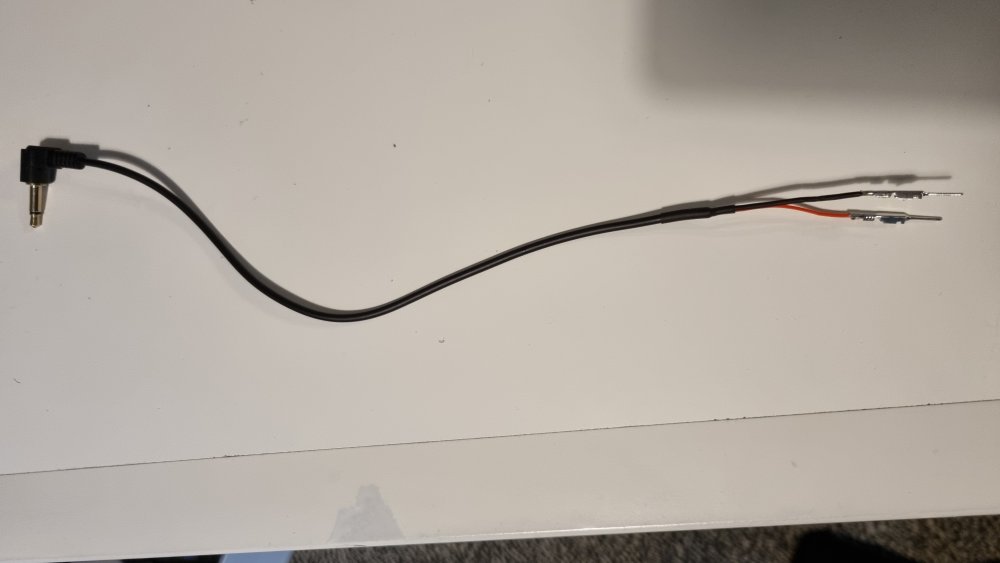
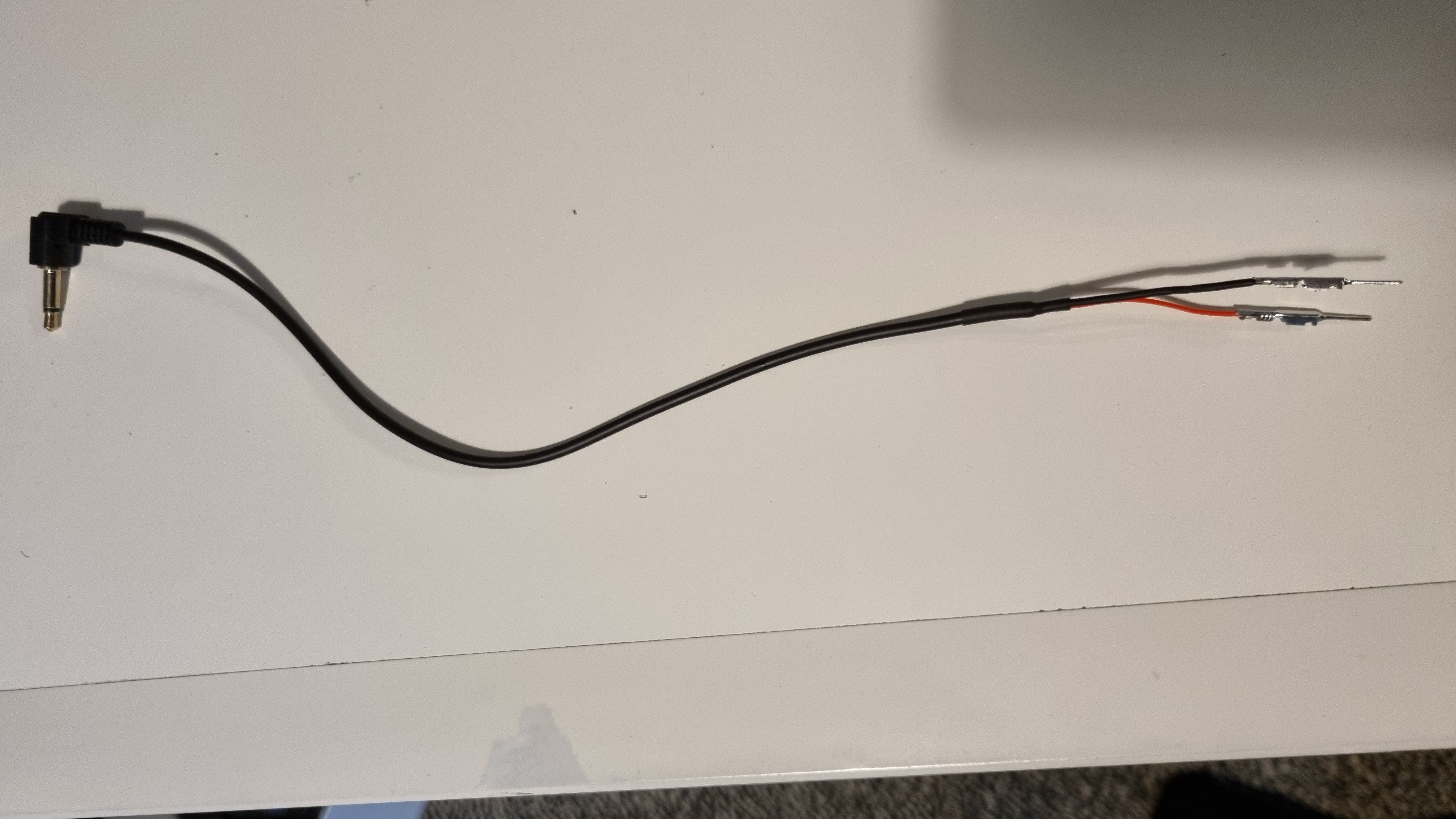
So I am scratching my head this evening. I built myself a neat cable to try the factory microphone. The thing is when I use it, my voice is loud nice but there is a background noise like a bee hive buzzing. It as as if there is no ground. I tried all the combinations, inverting plus and ground, plugging only ground, only plus... The buzzing just won't go away. As I said, it is as if there is no ground on the cable. I don't understand... I tested the continuity on my cable and it has so Issues