nickytheshaft
Members
-
Joined
-
Last visited
Everything posted by nickytheshaft
-
-
From memory it did happen with the Stock launcher. I did in fact see these options but just left theme assuming as I didn't have theme they wouldn't make any difference. I will try disabling them. The car isn't going out tomorrow so I will check this in the week and let you know. For the launcher, I left agama for carwebguru free. It is more customisable.
-
-
Ok I'll check the forum. Anyway I went for a full Factory reset this we, with both menus. When setting everything back up, I noticed that you can set the Bluetooth in the Bluetooth app and in the android settings, they show up as 2 different sources.. I went with only the Bluetooth app. So far so good, I hope it holds. I am still getting these parking sensors hang ups thought. Also I tried the head unit reloaded Trial app for Android auto and it works good, the Voice input seems to work not too bad compared to the tlink app where the voice will register only for dictating messages but doesn't register anything if you search for something.
-
Well I think that the canbus calls the default apps of the Unit that are hard coded in the firmware. All other apps are added APK. I don't think what you are trying to achieve is possible. I have the same button but never used it as I find it wothless to cycles trought the sources When you can just go straight to what you want with the screen. I had an Amundsen mib1 and it has physical buttons for all the sources.
-
So I noticed that what is crashing is the Bluetooth, phone app. Yesterday I wanted to make a call, the app was all black then the unit rebooted. Looking at other launchers, FCC seems to have it's own Bluetooth management. The thing is that we must select the device type. There is FlyAudio, Rockchip, Allwinner, ATOTO, CSN2, MTK(8227), SPRD(TEYES/Sophia/etc) Does anyone know if any of that is related to our unit? I don't see anything relevant in the parameters. Anyway I will go for a a full hard reset as wagster does this we
-
-
It seems all the units react differently... The construction quality must really be random. My parking sensors issues have returned in certain situations like detecting something before the Unit has fully booted up or stoping the car when it detects something.. in these 2 situations, the car in the screen freezes for about 30 seconds.
-
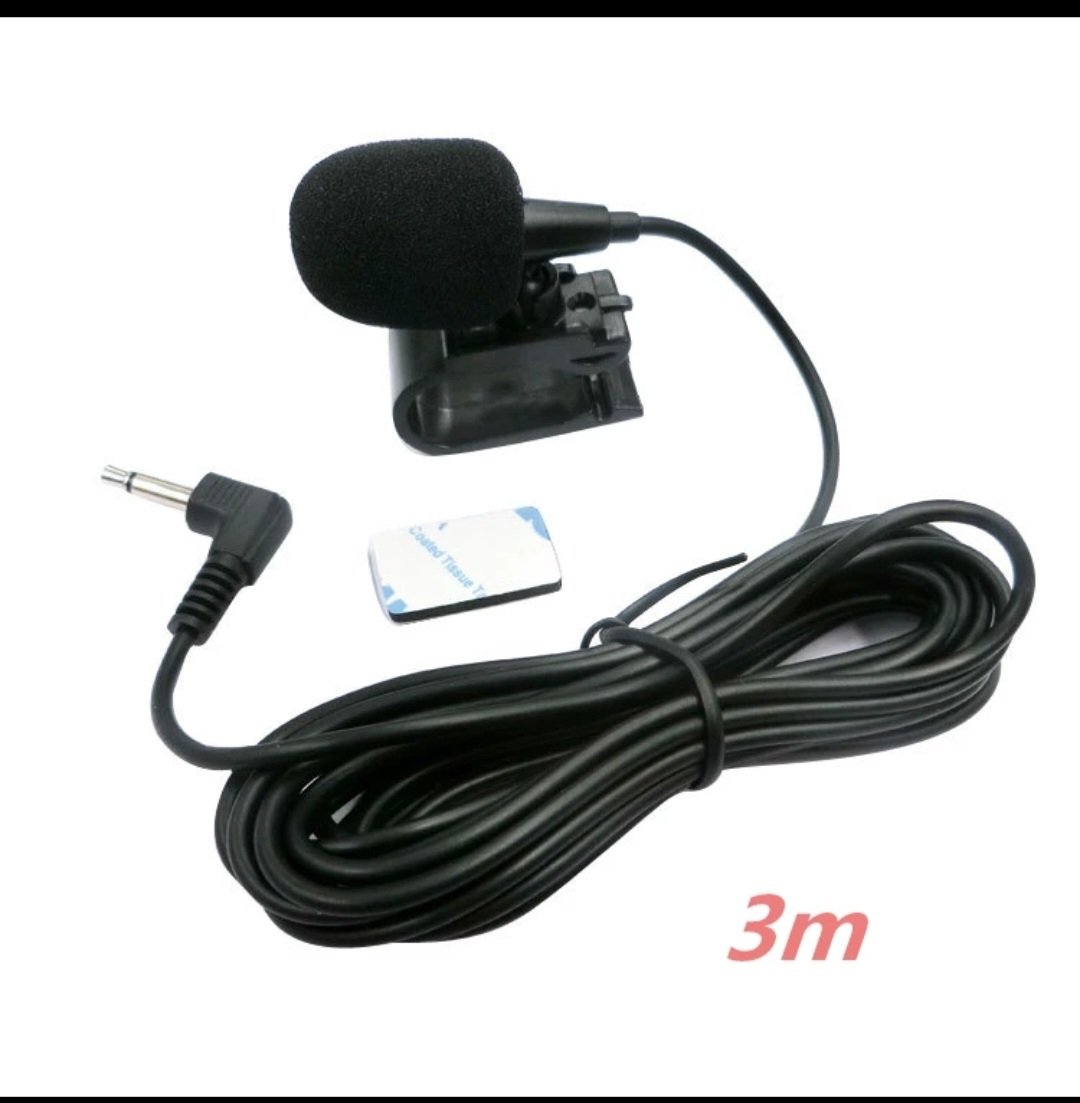
I don't have the buzzing you have. On my side it was like talking in a jar and all deformed. With the flat mic it was the same thing. With the new mic that has foam around it, I just sent a voice mail while parking in my garage and reved the engine. No buzzing and everything was good quality and very audible. So I can't see where your humming comes from.... Next step is to have a real conversation and see how it goes. I drove about 1 hour today and didn't get any reboots this time. I previously unplugged a d replugged the the power plug if the Unit and pressed really hard when I put it back so I am keeping my fingers crossed but you are right, after doing so much testing and installations, I will go for a full Factory reset soon. I Also monitored the Unit, the CPU never goes over 65 degrees but it often hits 100% of usage. Could it be throttling and just cutting off?
-
So I recieved the same mic as FUBAR has, I lesft myself 2 voice mails, one with the ibuilt mic and one with the new mic. I must say, on the voice mail, we are way ahead of the inbuilt mic. The sound is crisp and clear. The car was stationnary so I have to call someone while driving and see what they have to say. Then I will test the factory miconce the harness arrives. I also have to figure out these random reboots. I installed CPU monitor to see if it is caused by overheating. For the moment CPU doesn't go over 65 celsious. I will keep monitoring it. Maybe a hard reset and minimim app installation can help, I will see that next.
-
What I mean is if your parking sensors go on and that you press the button to disconnect them, the front sensors Will beep but not display on the screen before you put the car in revere. You will have the beeps but no display on the screen. For the camera, if you have the 9cm handle, then they are 2 possible plugs, look here https://m.fr.aliexpress.com/item/1005002977055531.html?srcSns=sns_Copy&spreadType=socialShare&bizType=ProductDetail&social_params=60134119896&aff_fcid=3f4f7a75b9cc412fa8efc4f2127e2158-1642892007639-09719-_uI4fHh&tt=MG&aff_fsk=_uI4fHh&aff_platform=default&sk=_uI4fHh&aff_trace_key=3f4f7a75b9cc412fa8efc4f2127e2158-1642892007639-09719-_uI4fHh&shareId=60134119896&businessType=ProductDetail&platform=AE&terminal_id=52f7f65a239f4abf96c8ac4af37a44d6&afSmartRedirect=y
-
-
Well now I am thinking about selling the Unit. As good as music management is and GPS, I get reboots every 2 or 3 minutes on phone calls. Not saying how these calls are painful with the poor microphone quality. I haven't received the one fubar has yet nor the harness to wire the Stock one but on the other side, the outside noise seems to be annoying. Plus these reboots...
-
Hello, for me, the sound is better than the original. The unit has DSP so you can manage the sound better than the stock unit. For the se'sors6, they will work. The beeping will always work, even if the unit if off or powering on as it is managed by the car and not the unit. For the on screen sensors, I have 3 situations, - if drive and park, the screen pops up fine and you see the lines and every thing, it goes on and off as it should - if you deactivate and reactivate the sensors, the screen showing the front sensors will only pop up after you have engaged reverse once. If not you will only hear the beeps - if my unit boots up and the sensors detect something at that moment, like if I am parked, the screen will freeze and will become functional about 30 seconds after I leave my Spot and that the sensors don't detect any thing. The beeps still work thought and you can trust theme And check the size of your plug before ordering the camera. It's a bummer but it is what it is. Little trick, il the settings, set the radio and audio videos volume to -7, it gives you more head room when cranking the volume up.
-
-
-
-
-
-
-
Carplay and Android auto is Standard as you will see on any unit. I don't have an iPhone but Android auto works Great great except for the world wide bug where strangely when you are sending messages it works Great but when you want to give an order like a destination, Google doesn't hear you
-
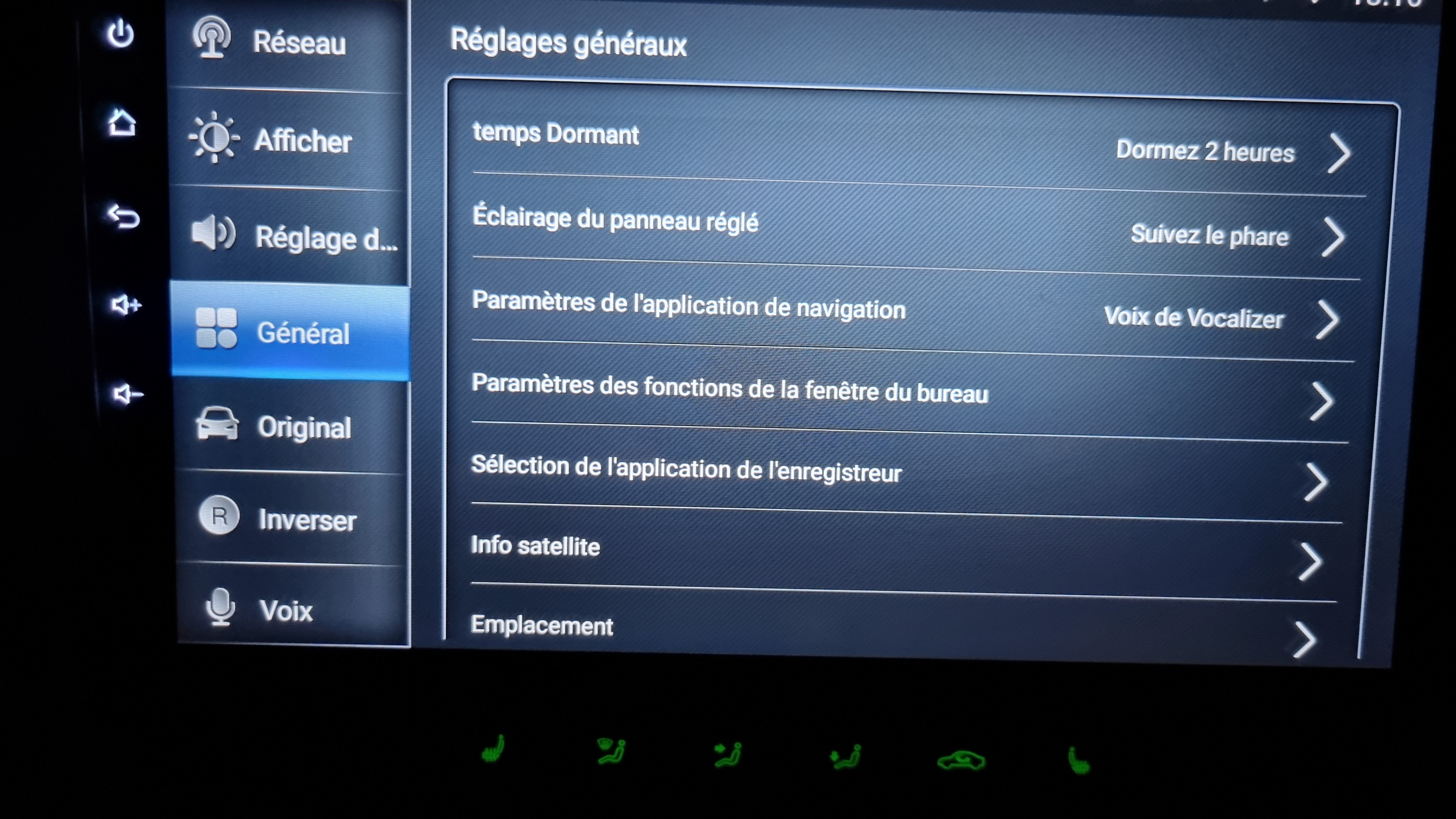
i will add that if you don't set a sleep time, the unit will stop drawing power as soon as you open the driver door. It cuts off all the power. I set mine to 2hrs sleep so that twhen I go out and in, I don't go trought the whole boot up sequence. One major difference with the factory unit tough, when you stop the car, the factory unit would stay on until you open the driver door. This unit will stay on as long as the matrix screen is powered. Once the screen switches off, bam, the unit will go to sleep. So you can't listen to the radio for a long periode of time with the car turned off. I think it lasts something like 10 minutes.
-
-
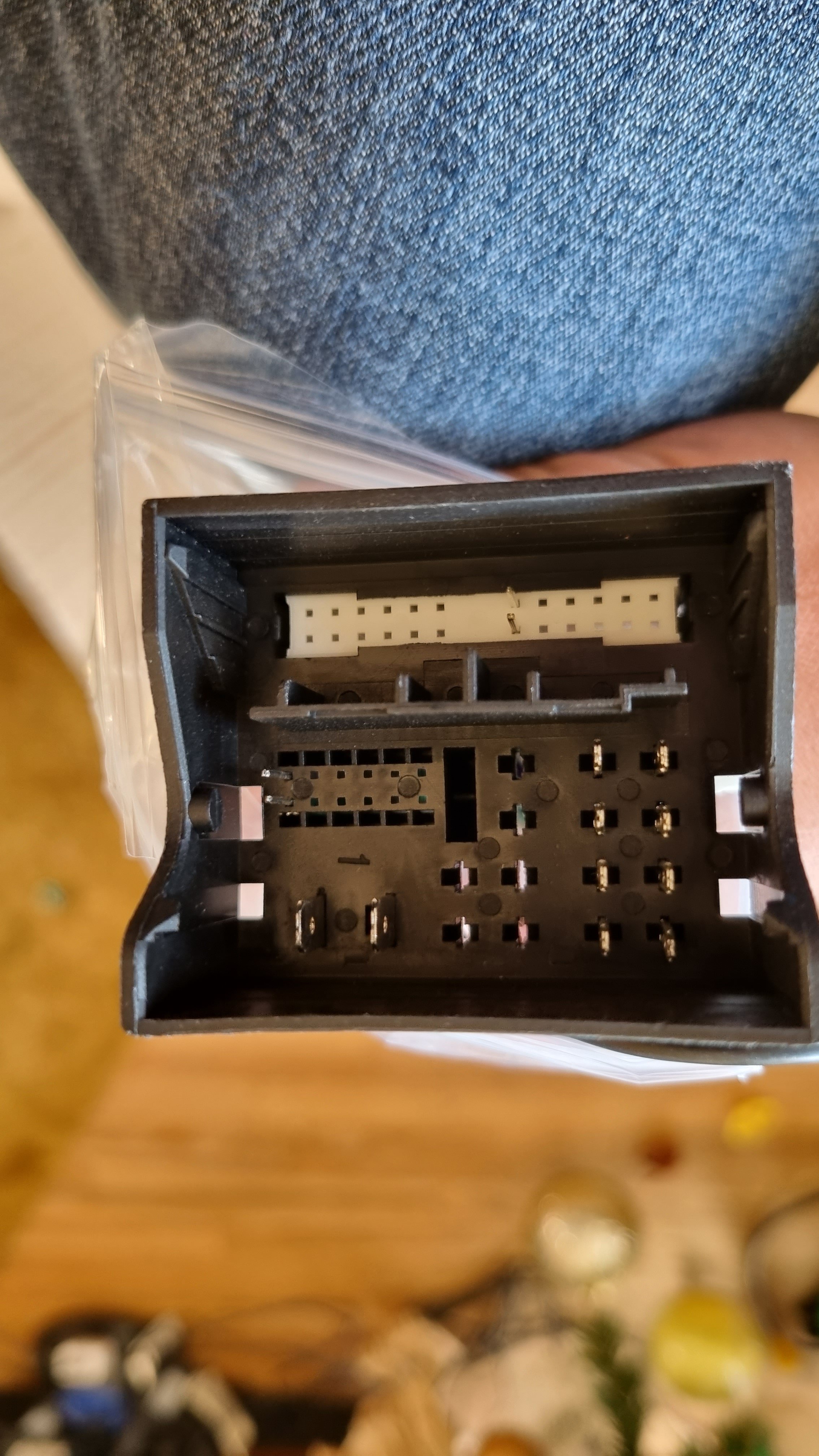
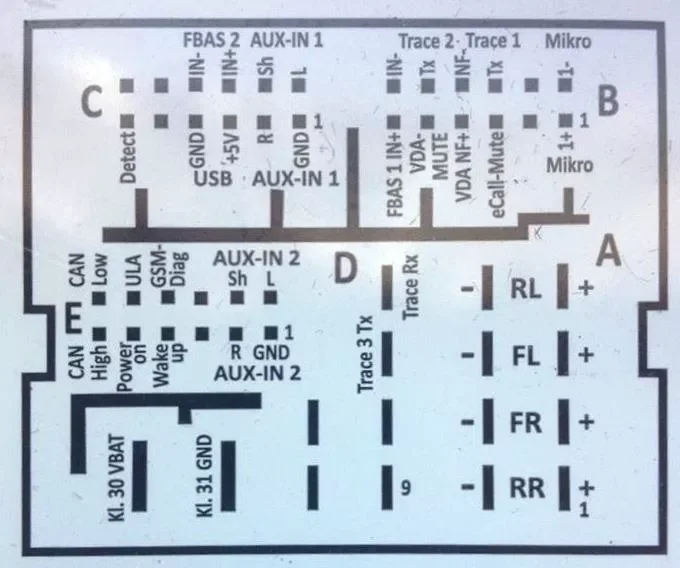
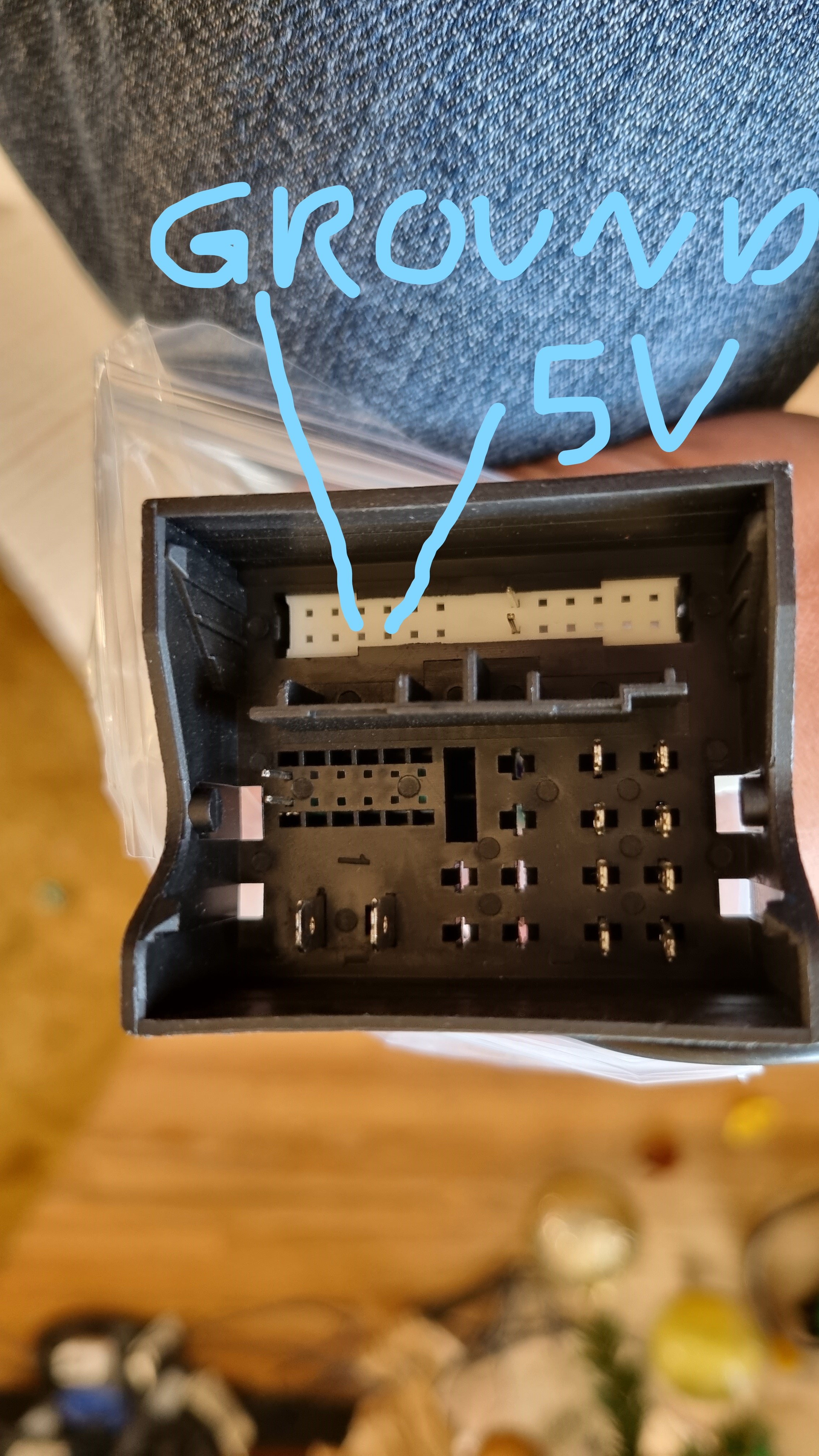
So my cable has arrived pluged it in the harness and now factory usb is working, data and android auto. I hope the seller now provides it to any new customer. Last issue I have to solve is the microphone. Wagster, did you do any extra settings on the mic? When I use the app to test, no matter what gain I use, the sound is so distant and no one hears me on the other side? I tried a cheapo flat external mic, same thing loke this that I borrowed from a friend https://www.aliexpress.com/item/1005002241419943.html?spm=a2g0o.productlist.0.0.42bd3addaG73Jd&algo_pvid=dd7e749d-308e-4f26-88b2-026fe0f9b75f&algo_exp_id=dd7e749d-308e-4f26-88b2-026fe0f9b75f-2&pdp_ext_f={"sku_id"%3A"12000019567972923"}&pdp_pi=-1%3B2.87%3B-1%3BEUR+0.00%40salePrice%3BEUR%3Bsearch-mainSearch But still the same, I have to be in the mic to hear anything. I ordered the same one as FUBAR and still waiting for it. Thanks
-