evlo
Finding my way
-
Joined
-
Last visited
Everything posted by evlo
-
-
Can you please share the resource or what you found exactly?
-
So the error is eliminated with installation of the capacitor, however interesting side effect now occurs when turning the car on, light does flash quite intensively when accessory position or ignition is turned on and cold bulb check occurs - in the video left light does have resistor, right does give error maybe setting car as having hid is the solution?
-
-
-
What lights in VCP are "STAND"? Is that standard headlights?
-
I did fit so called BI LED projectors into octavia 2, instead of the halogen projectors it had before. Now I do get occasional warning about low beam being bad. I thought I would find option to disable cold headlights bulb checking or something, but I see nothing like that in central electronics (bcm pq35). Would maybe setting headlights as xenon be solution to get rid of the messages? Would I still get double high beam (H1 + bi LED) or would then BCM just not command H1s to activate? It this is not an option - is there something that would help me change BCM EEPROM without getting into hex eding etc. Is that something ie. someone with VAG CAN PRO can easily do? Fitting resistors is not acceptable solution for me.
-
I sometimes drive over 140kmph when passing etc. on two lane roads. Lights come on, because i did turn "highway lights" option on, but then it does not switch to DRLs until I do stop or almost stop the car. Is this expected behavior? If it is correct behavior - Can the 140kmph be changed to something more reasonable for this like 200kmph when you actually want lights on autobahn or something. Or even better can it just switch back to drls when doing normal speeds like 100 (or even 60 kmph in town would be acceptable threshold)? [all mentioned speeds above are indicated, and equal to real local speed limits etc. ] I do have cheap aftermarket head unit (which, for me, is least bad option of all the head units I considered), but when the lights come on, it correctly switches to night mode, that I did set up to be reasonably dim for the night, so I cannot see what the HU is showing, luckily it is not an android based unit, unluckily, it means, there is no easy backlight intensity setting workaround. Yes, I'm the type who hates modern cars with glossy black mirror screens etc. So that is why there are brightness shenanigans going on, but all this I wrote just to avoid unnecessary questions about WHY does the, currently experienced by me, behavior of "highway lights" bother me. Only reason I even fitted switch with auto lights position was to get the automatic HU brightness switching when entering tunnels etc. Is there a way to find out from datalog or something what was the last reason headlights were switched on?
-
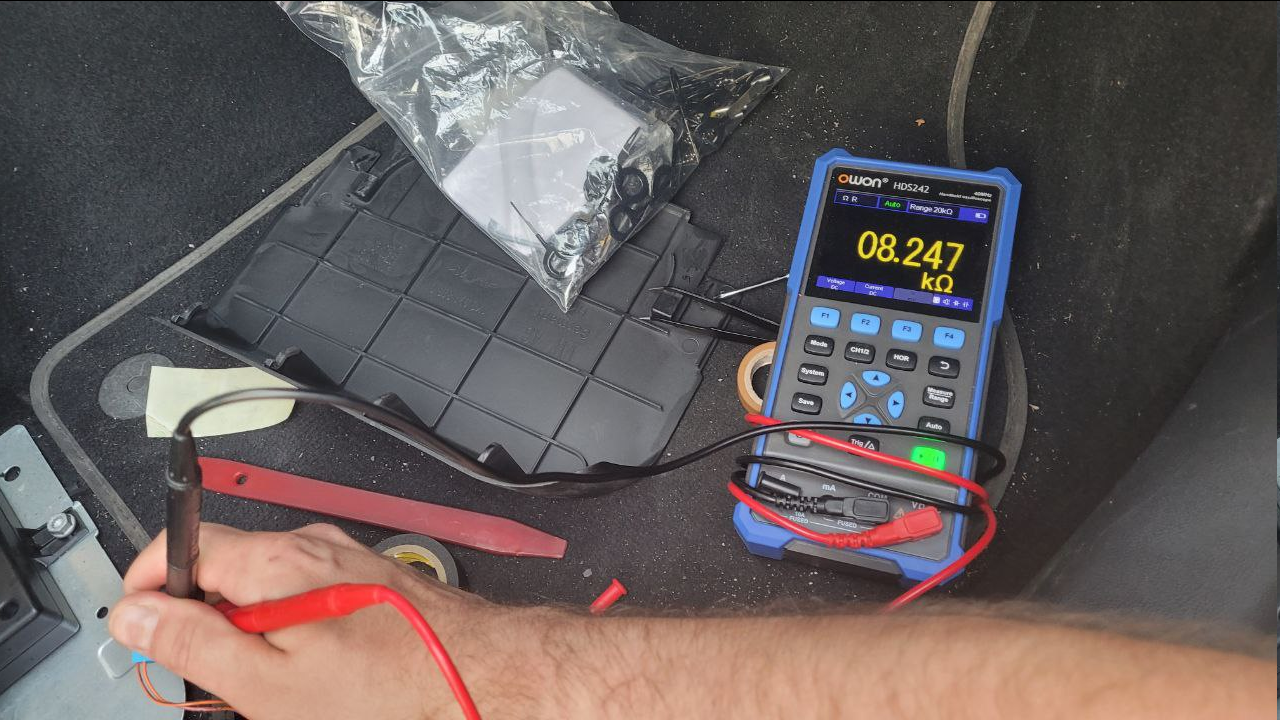
So I tried to measure the OE micropohone, it only uses 2 wires, impednace seems quite high to me. I do not understand the logic of the described schema, if it is supposed to feed voltage to the microphone? Do the OEM units do the same thing?
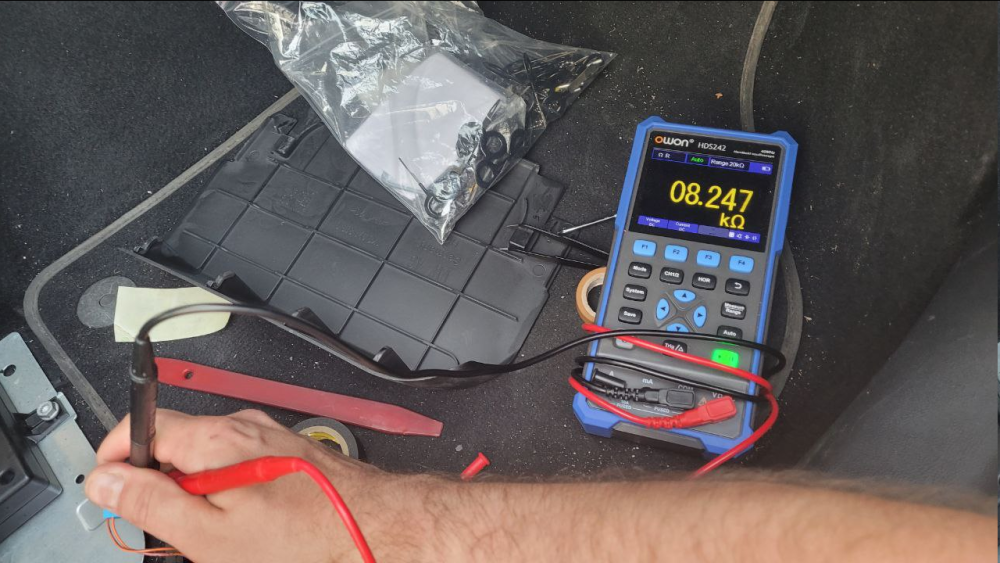
-
Yea from the description now it just seems like not perfect connection the terminals, and first Skoda response "give it time" worked wether corrosion or just expansion and contraction of metal fixed it. Although I would expect some DTCs to be logged when the bongs happen in some of the car ECUs.
-
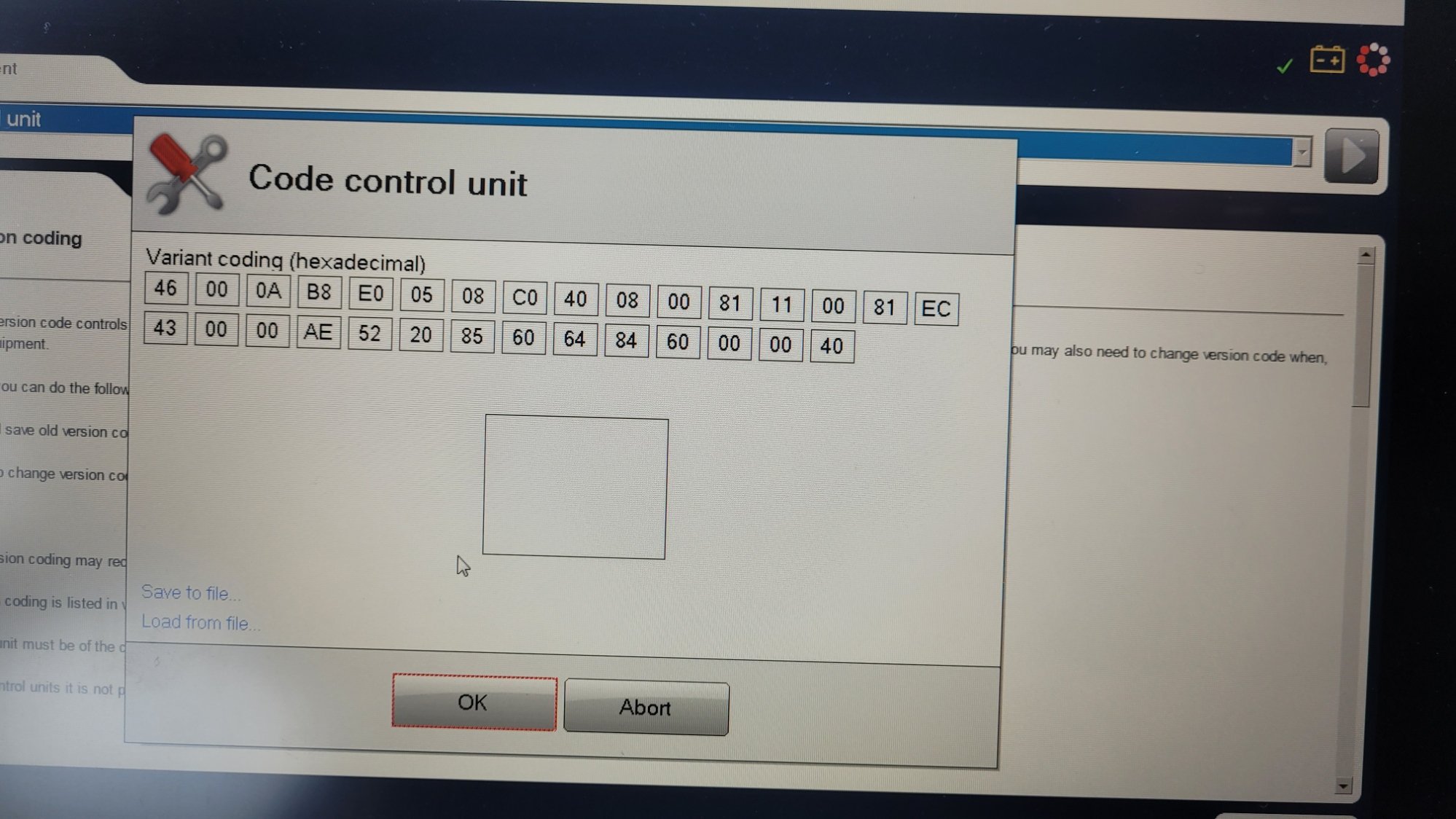
Sorry for the screenshot quality, anyways .... ... I just gave up and got me VCDS EC 43 04 00 AE should be EC 43 10 00 AE I did not understand how bin to hex works (still don't), so I just did 000100 not worrying about the last byte, which clearly ones still need to sum(?). Anyways, now I do not need to use my brain, as vcds does it for me with all the nice descriptions. For others doing this without VCDS, this still might be helpful. In my case no wire was needed and I did test it throwing pizza box over the sensor and all works correctly.
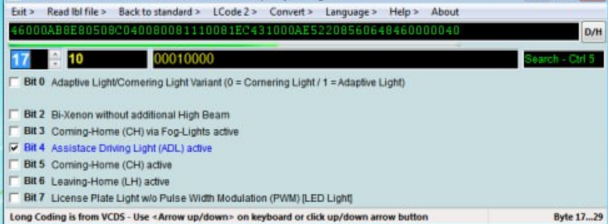
-
Sadly again no way to edit or merge posts based on the screenshot from VDS that I have randomly found I have tried changing EC 43 00 00 AE to EC 43 04 00 AE I even accidentally verified messing with carista that it changed it to EC 43 08 00 AE as I tried enabling the coming home lights based on light sensor or something, so seems to be the correct byte but no luck, still in "live data" (or whatever it is called) it show that light switch automatic position is not installed and in "auto" it says that the switch position is implausible
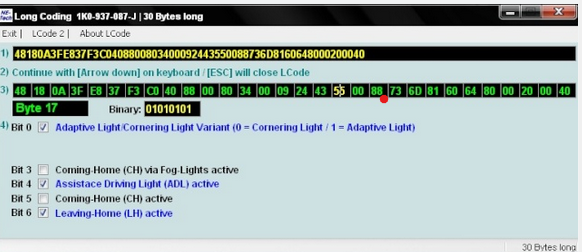
-
Or maybe if the rain light sensor coding, autocom shows this
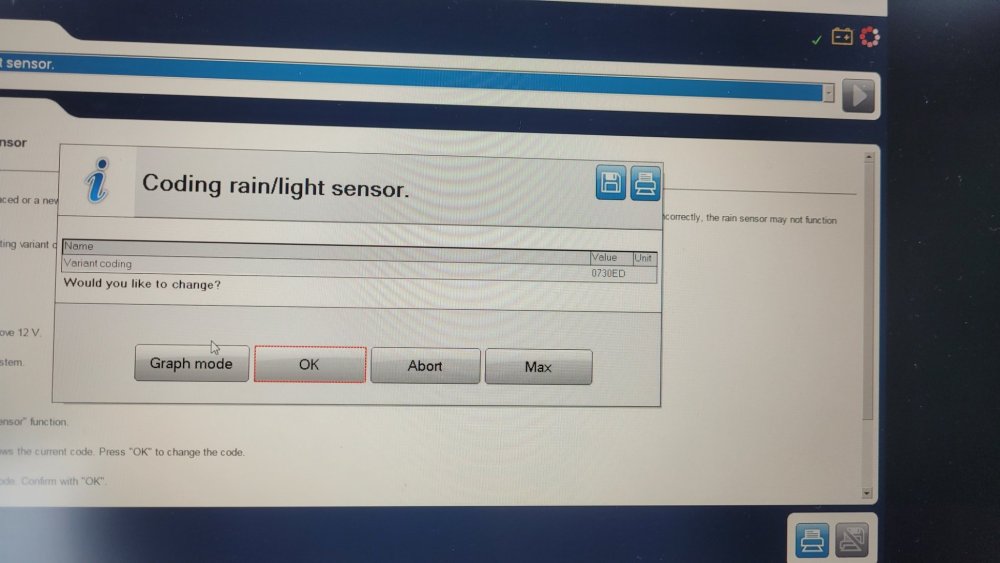
-
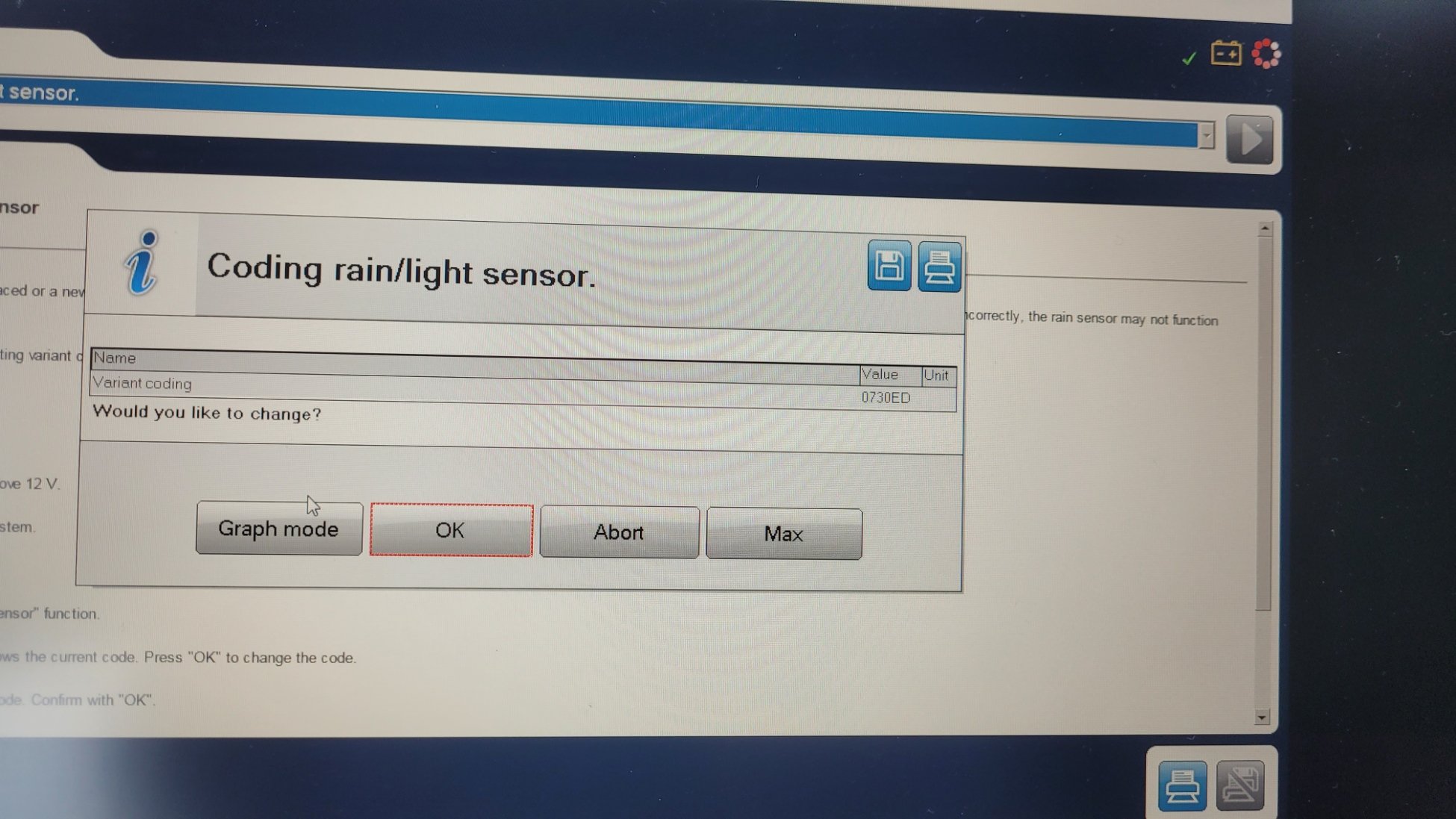
I have bought aftermarket switch (not the "aliexpress" variant with light sensor, but just aftermarket replica of the 1Z0941431K. Used the push in and turn to remove the switch without auto position, replaced for the new one. I did not figure out how to remove the connector for the switch from the housing, so dunno if the wire to "bcm" is present. I do have rain sensitive wipers. Headlights do tun on in auto position. I think there is the described relevant chime. I do not have VCDS. During the day in auto position headlights do not switch to running lights. This is the codding of the control unit with automatic low beams that I can see. Another screen that I can see Mostly I'm interested in getting this to work so that the aftermarket headunit switches backlight intensity correctly when going trough tunnels etc. Is there a way to make automatic low beams work without VCDS? I do only have this "autocom" software and VCI and then carista app, but I do not have their adapter, so it works not 100% stable
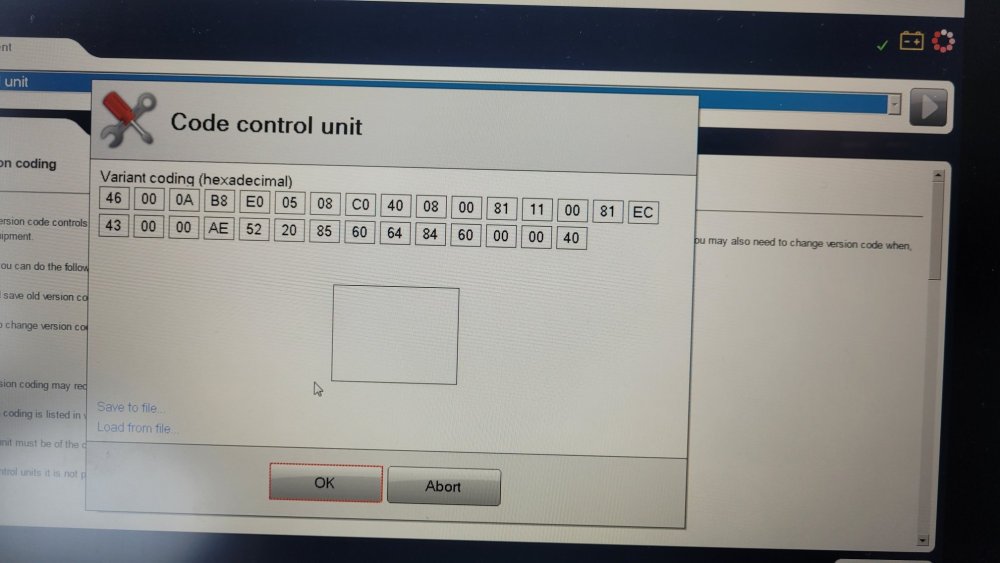
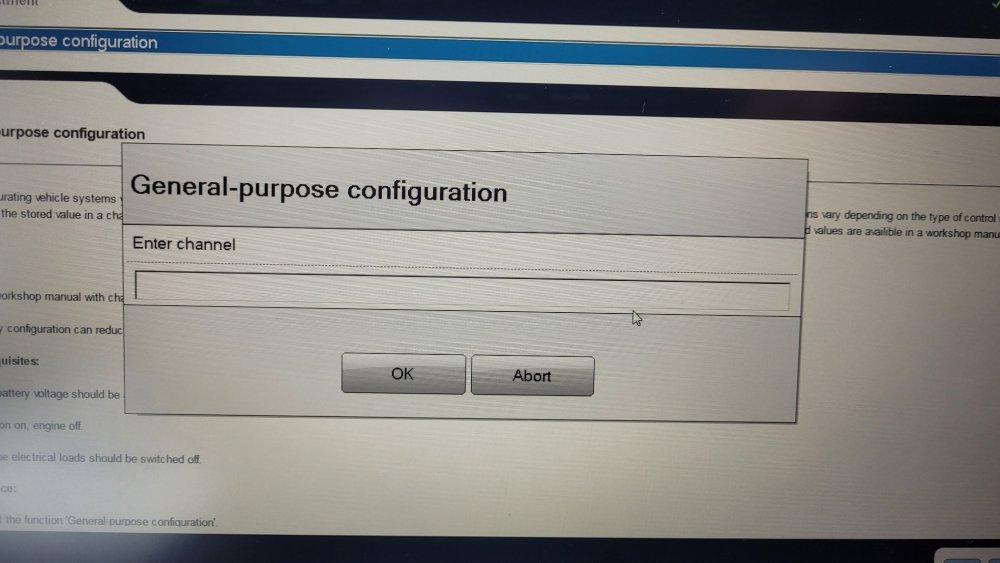
-
Is there an option, in VCDS to disable "feature" that blocks folding of the mirrors while driving?
-
I also noticed there is input for two video feeds, is there some reasonably easy way to trigger front camera when parking and shifting from R to D? Or would need to coble something with timer relay etc.?
-
amundsen+ can have bt built in, now question is if avrcp will work with unit without BT and external BT module, or if I can get unit with BT and not use bt module and everything will work, maybe just rewire the mic?
-
does amundsen+ work with factory bt module? does skip to next song buttons on steering wheel when playing music trough bluetooth (avrcp) work with amundsen+?
-
Super easy fix - red circles is where you screw in self taper screw, green line is piece of metal no more lock issues Also for nannies - it still cannot be accidentally shifted from park, as even with yellow thing pressed you need to push the button on the shifter to shift (rather sad imo) May make sense to take a vacuum with you to clean out the stuff when doing the proper permanent fix
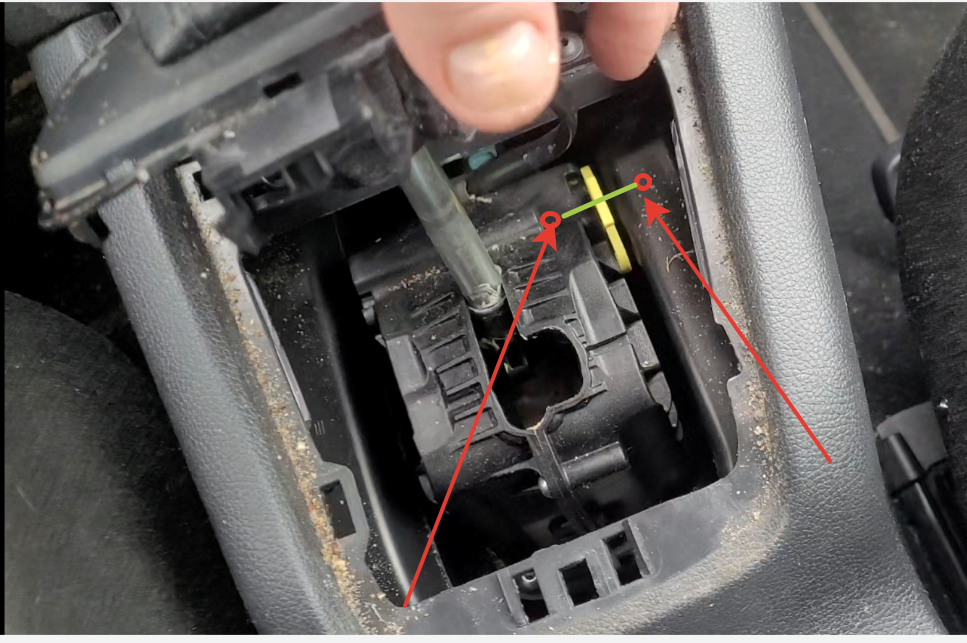
-
I think it will probably be easiest to make the yellow lock override thingy to be permanently pressed down.
-
Because it is acting up and removing it is the easiest solution. There will still be lock for the ignition key, at least I would hope so. Do you have a picture of said spring loaded pin controlled by motor? I have found some pictures here, but I do not really see how the lock operates there.
-
Is there pictures of the shifter lock mechanism or maybe guide how to disable the lock so shifter never locks?
-
Worst thing is, this did actually fix it, thanks.
-
Yea from the wiring diagram it seems to be most likely the switch itself as it is where BCM feeds and when everything else works, it is most likely culprit.
-
from the wiring diagram it seems to be connected to the bcm somewhere or supposed to be connected