.jpg.db4b62586e2bcfedd0aee3c0657e3847.jpg)

P-J
Members
-
Joined
-
Last visited
Everything posted by P-J
-
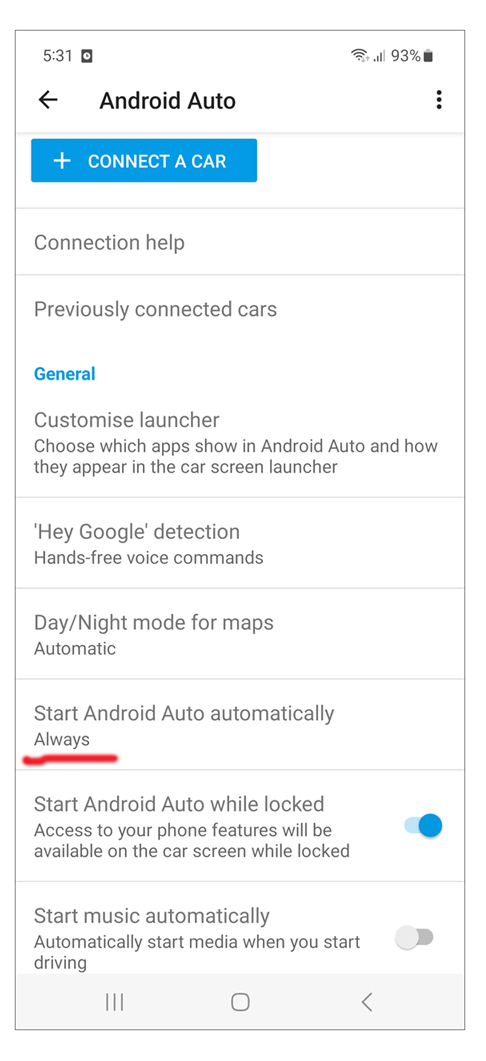
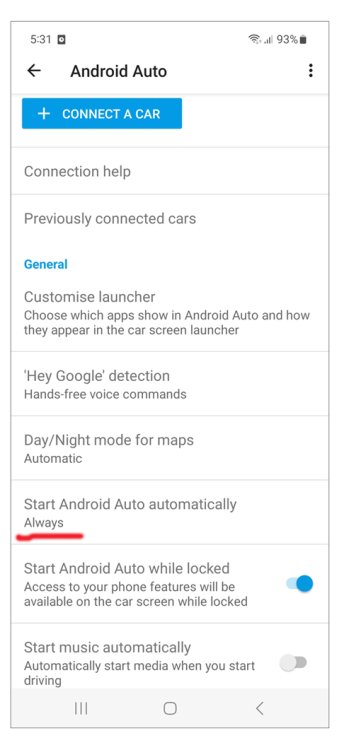
Since Android 10, Android Auto is now built into the phone as a technology, which means you no longer have to install a separate app from the Play Store to use Android Auto with your car display. You can still customise how you want Android Auto to operate and which icons you want to appear on the display. Go Settings > Apps > Android Auto.
-
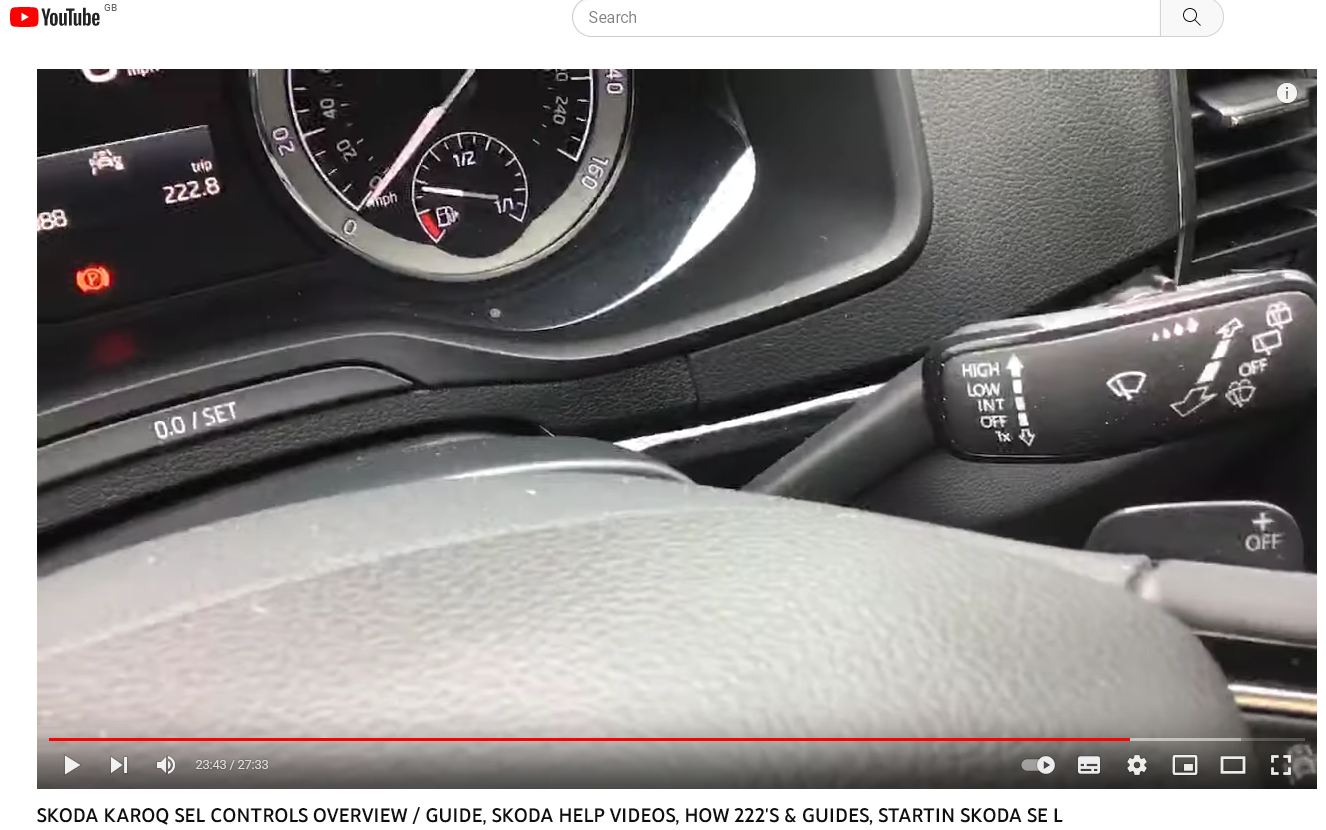
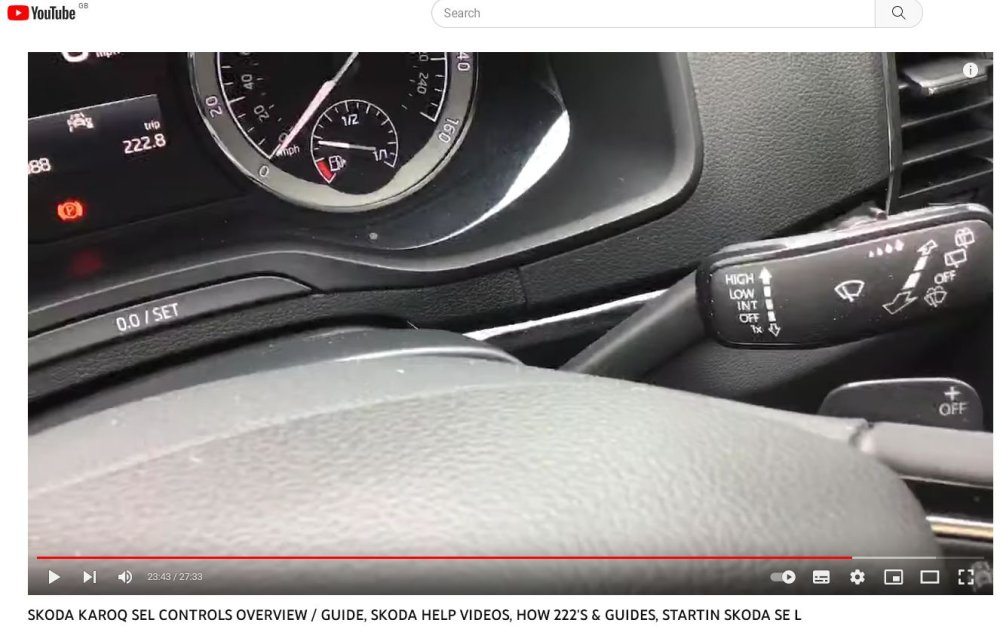
I know exactly what you mean... This video, from around 23.43, gives a good run through of Karoq wipers, as well as all other main controls, but I don't think you can adjust the rear wipers. https://youtu.be/B-9Xx4KwAG0?feature=shared&t=1423
-
Looking on Google, this seems to have happened to lots of people - https://www.google.com/search?client=firefox-b-e&q=spillage+on+car+usb+port Suggestions: Use a compressed air canister or if you have a compressor with a nozzle to blow out the port. Use a contact cleaner, spray into the port then let dry (designed for mother boards etc…) this will help avoid corrosion.
-
I have a 71 plate Karoq Sportline. I also have a Samsung A52s. I'm using Android Auto wirelessly with no connection issues at all. My mobile phone connects and Android Auto starts on the infotainment screen every time as soon as I start the car.
-
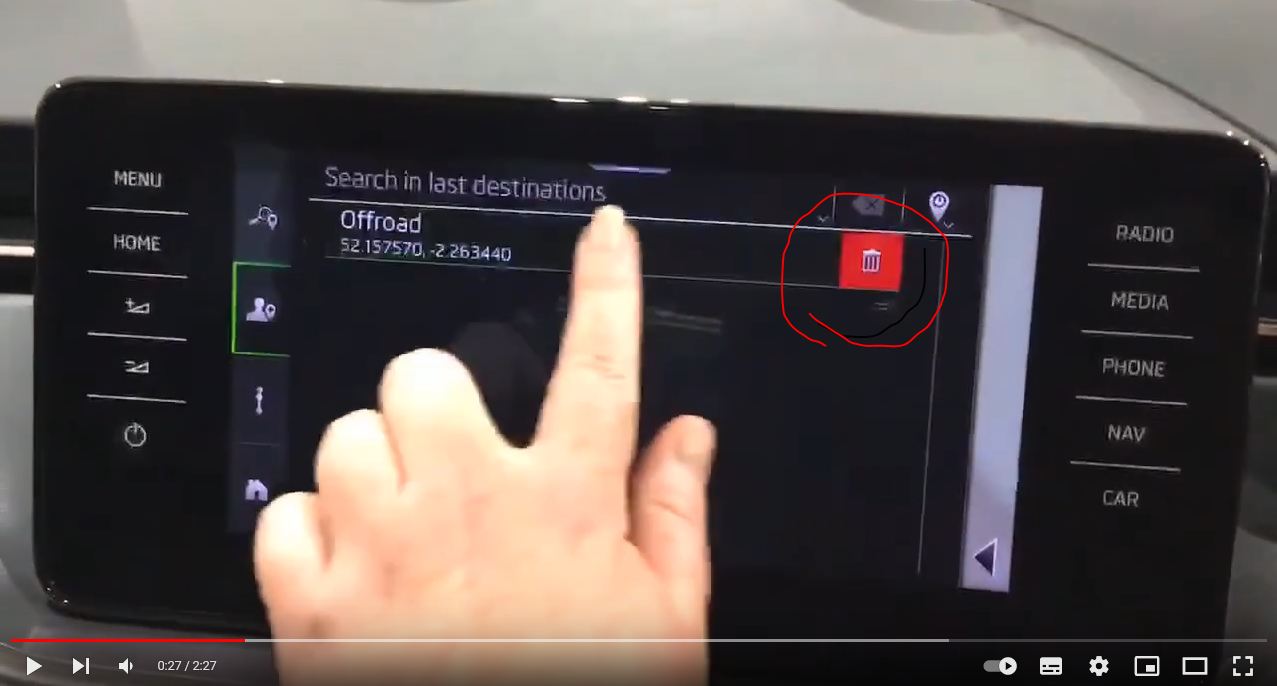
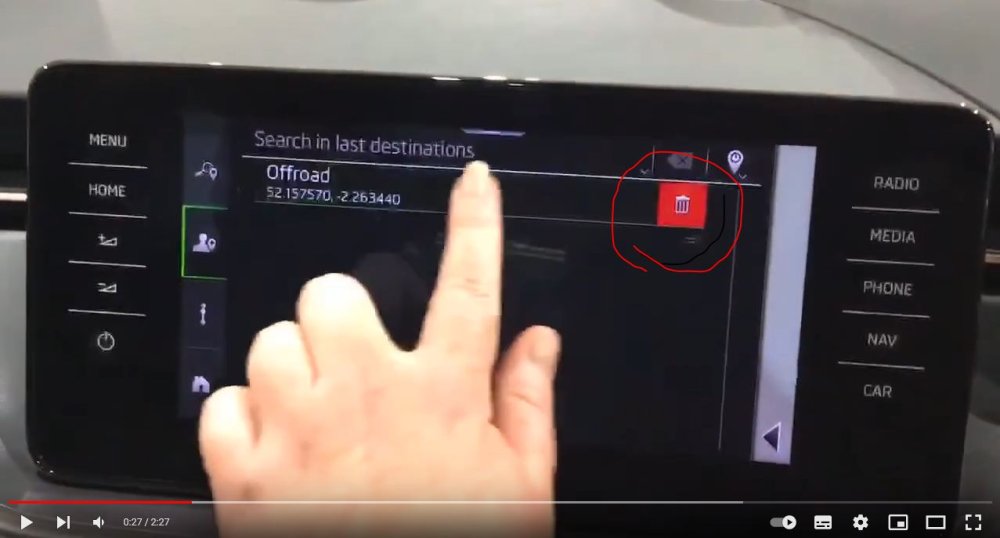
Yes, you can. I have a 71 plate Karoq Sportline with Amundsen and can confirm that the 'swipe and delete' method as shown in this Youtube video works very easily to clean up and remove unwanted sat nav destinations.
-
Hi Woody These two previous threads might help you with regard to music files on USB. Music from USB stick - Playlists USB -
-
Thanks Toolie. Understood. I don't have that option. Very strange.....
-
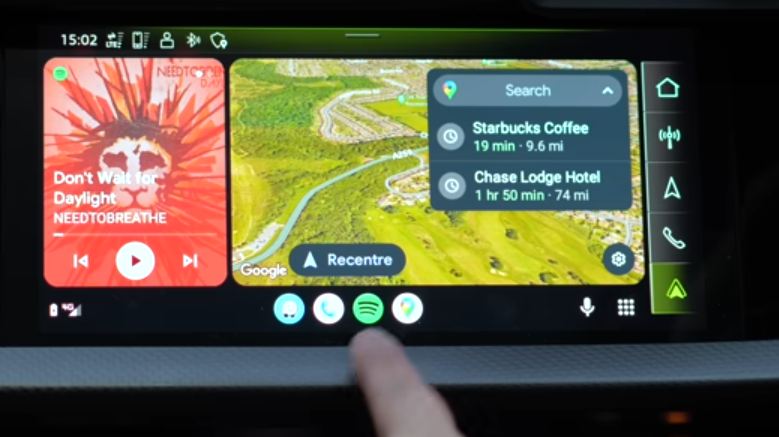
Thanks for all your replies. I've now got a new layout with the four shortcut buttons at the bottom of the screen, but I don't have any way to bring up a split screen view as shown on various YouTube videos - screenshot attached. No real hardship, I guess...
-
Thanks Toolie I've now upgraded Android Auto to version 8.8.630424, but I'm not seeing any change in screen layout. My Karoq is a 2021 (71 plate) SportLine with Amundsen infotainment screen.
-
I have the latest version of Android Auto (8.7.630263 February 2023), but I'm not seeing the new screen layout. Do I need to do anything for the new upgrade to kick in?
-
The Audi was a 2018 model. 18 reg plate.
-
Hi Colin Yes, my Karoq does that as well. It's a minor annoyance. Before the Karoq, I had an Audi which always remembered which drive mode I'd left it in.
-
I'm sure you'll like your Karoq Sportline..... I moved to Skoda from a nice Audi and have no regrets.
-
Hi Simon You will very soon get to grips with the automatic DSG gearbox. Makes driving so much easier. I found the 'How222' Skoda videos on Youtube very useful in learning how everything works on my Karoq. See https://www.youtube.com/channel/UCopOLWJbd_c4WhZxeEvpE0g/videos For example::
-
I'm using Android Auto wirelessly in my 71 plate Sportline with Amundsen.
-
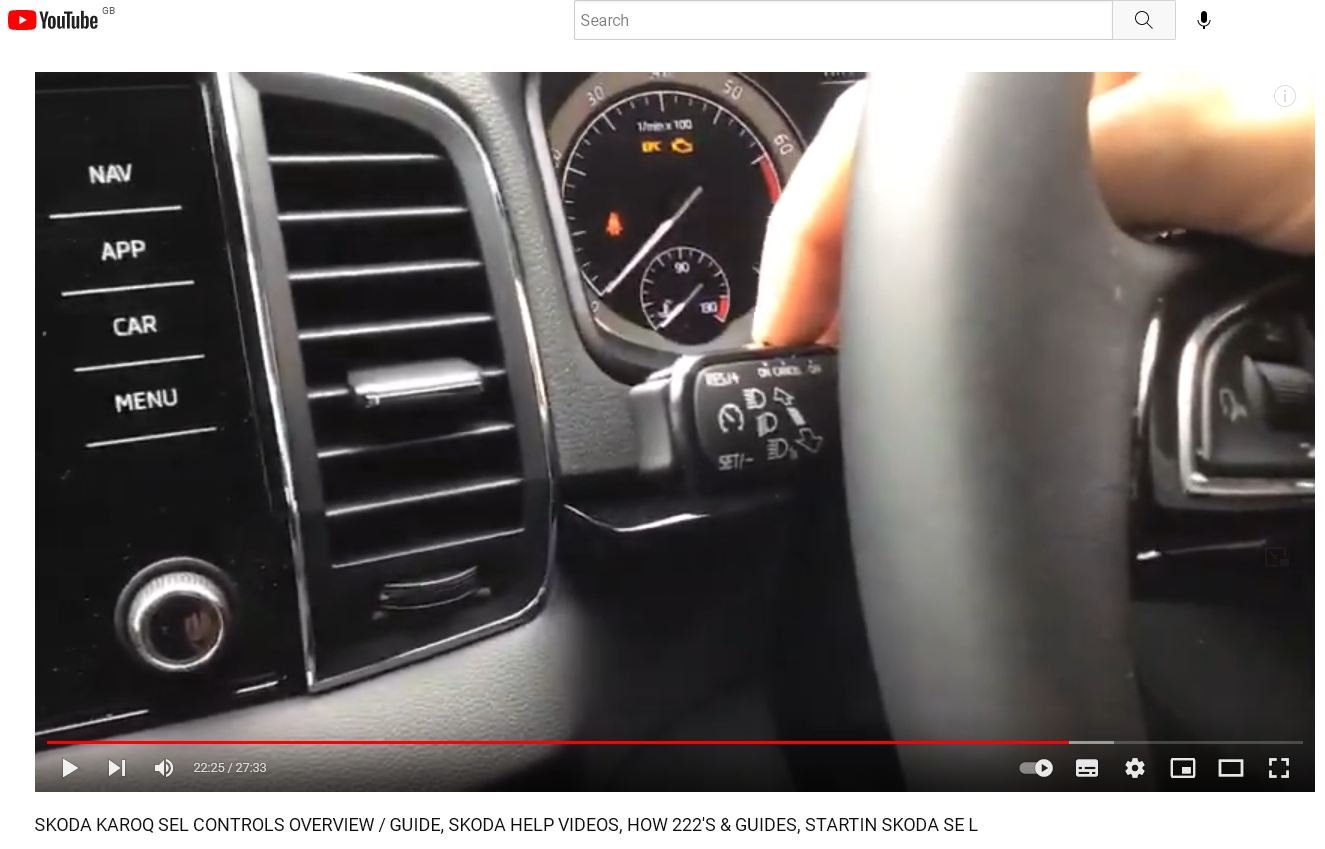
From 22.25 minutes this video shows you how to use Skoda Karoq cruise control.

-
I forgot to add, driving down a road in Staffordshire last weekend Waze said 'Watch out, large pothole reported up ahead.' It saved me from some serious wheel damage.
-
Hi Toolie There are many things I like about Waze. It's a community-based program where the users can report incidents, so for example you'll be driving down a motorway / road and it might alert you that 'there's a speed camera up ahead' or 'there's a vehicle broken down on the hard shoulder up ahead'. You can also set it to let you know if you're exceeding the speed limit. Waze was bought by Google but it's kept its own identity. This website has a comparison of Waze v Google Maps - https://www.ridester.com/waze-vs-google-maps/ There's a fair bit of customisation in the settings menu. One of the first things to do after you've installed it onto your mobile phone is choose from all the different navigation voices available. To change the voice on Waze, tap My Waze > Settings > Voice & sound. I like 'English (UK) Kate' as she includes street names, eg, 'turn onto the A580 East Lancashire Road'. This Youtube video gives a good overview of the voice settings:
-
Check out this guy for some inspiring professional car photography - Easton Chang - https://www.eastonchang.com/Location/
-
In my Karoq I have the choice of three navigation systems: - In-built Skoda sat nav - Google Maps via Android Auto - Waze via Android Auto My first preference is Waze. If you haven't used it, download it from the Google Play store and give it a try. Link: https://play.google.com/store/apps/details?id=com.waze&hl=en_GB&gl=US
-
My understanding is that this new development will affect drivers who use their mobile phone to look at navigation on the phone screen while it's in a hands-free cradle. If you connect the phone (wired or wirelessly) to the car using Android Auto then you shouldn't notice any change. You will still see everything as normal on your infotainment screen. Links: https://www.androidcentral.com/apps-software/android-auto/android-auto-phone-screens-done https://9to5google.com/2022/06/02/android-auto-for-phone-screens-shut-down/
-
I share your frustration Rod. But my kids would argue, "Who reads manuals anymore.....?" Shout if there's anything you're stuck on or need help with. The members in this forum are incredibly helpful.
-
-
I've been using a Samsung A52s to connect wireless Andoid Auto in my Skoda Karoq for the last six months without any issues. I usually use it for Waze SatNav.
-
The MySkoda app acts as a kind of tracker - giving the 'parking position' of where the car is parked.