MrSecretPotato
Members
-
Joined
-
Last visited
Everything posted by MrSecretPotato
-
As far as I know there is no way to disable automatic parking brake application when shutting the engine off. You might be able to deactivate it with ignition, but when you open the door, the handbrake gets applied again. This is not the same as the auto hold. Auto hold is basically keeps the brake pedal pressed, until you accelerate slightly, it uses the normal brake parts, like what you use when you manually brake in the car. Parking brake is using an extra mechanism, you can hear it when it gets applied, like a motor slowly turning. If you have auto hold enabled and you turn the ignition off or open the drivers door while the engine is running with auto hold, the car applies the handbrake automatically. There is no permanent way to disable this unless you want to dig into some coding with VCDS.
-
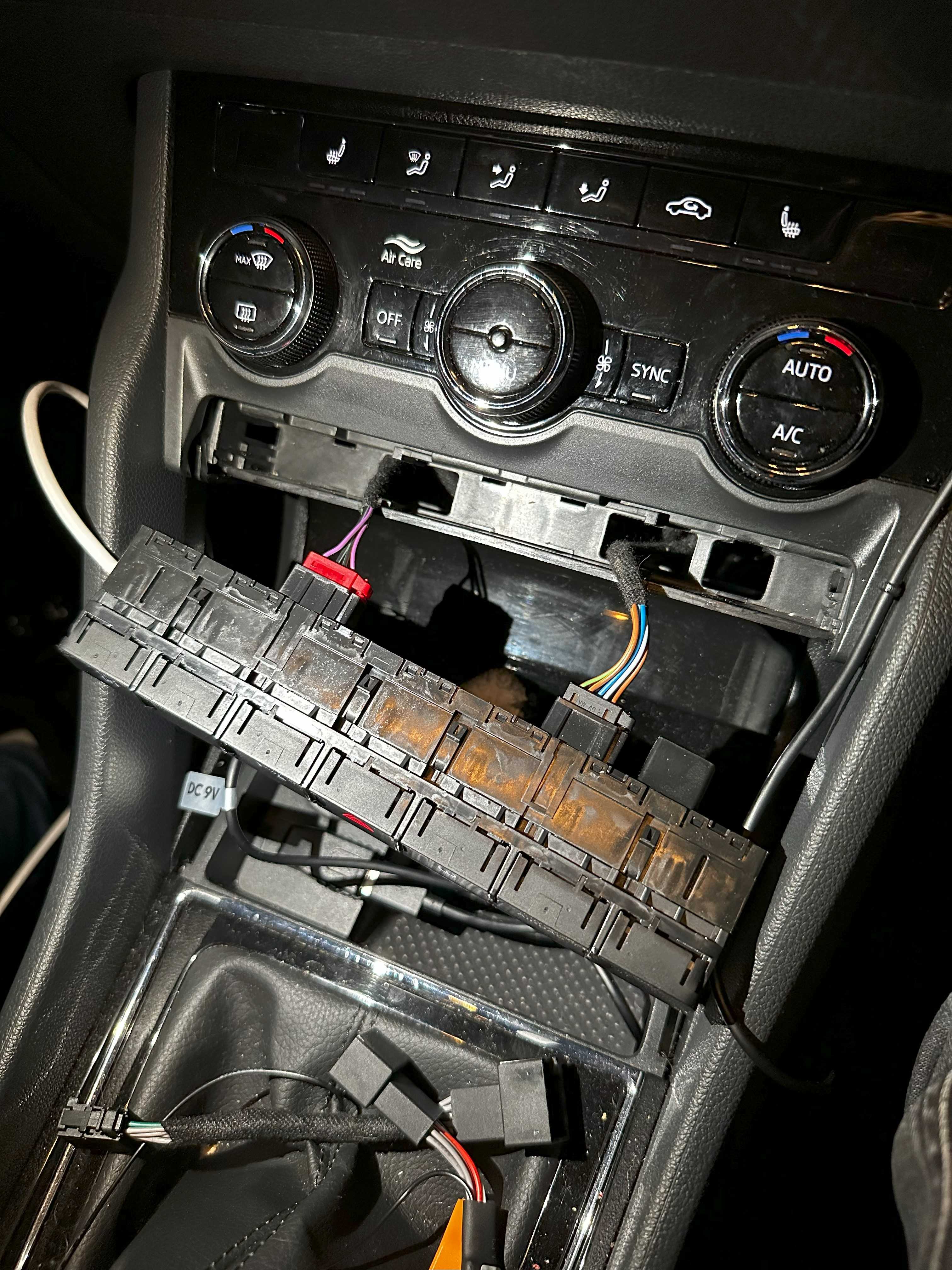
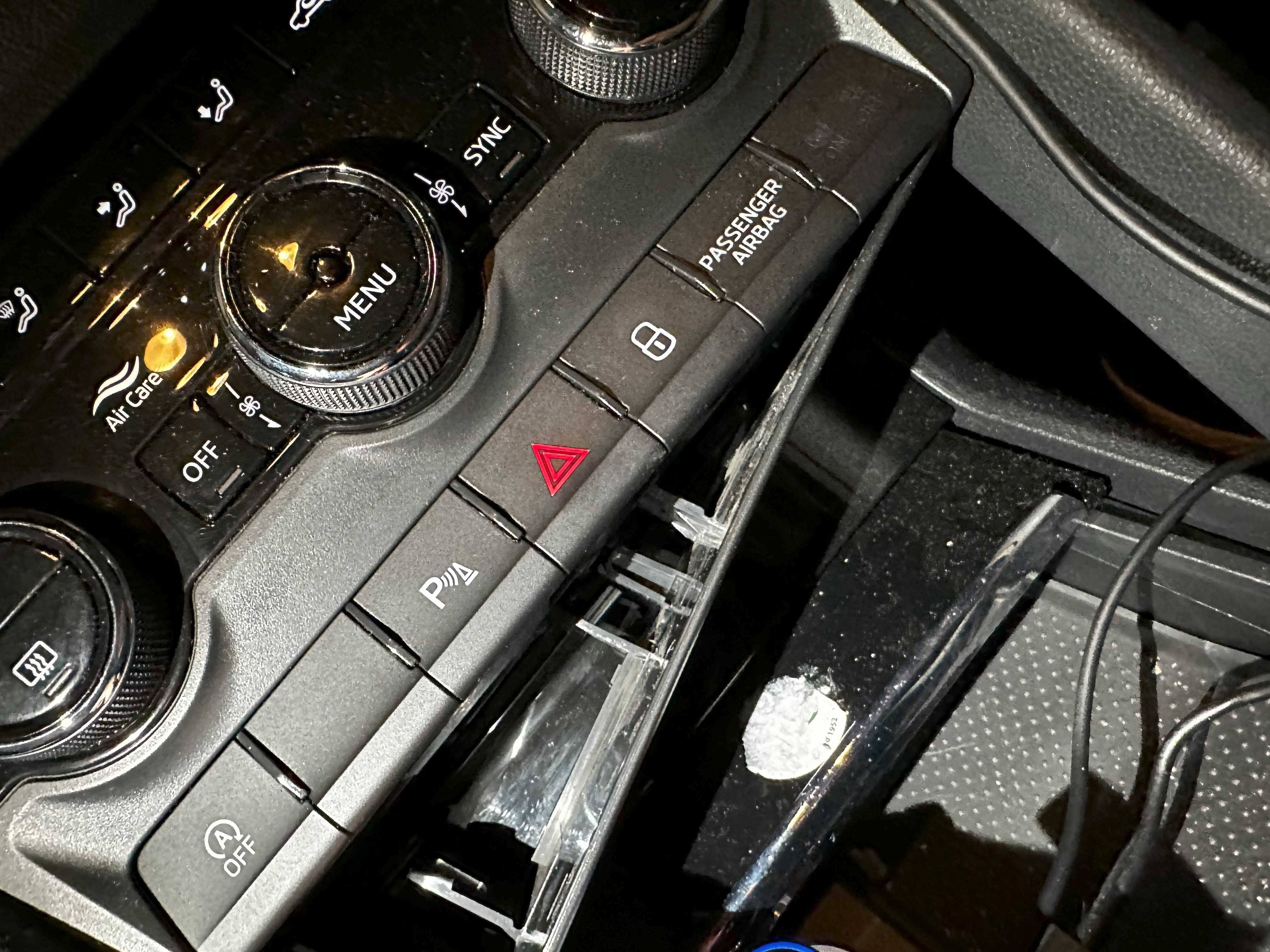
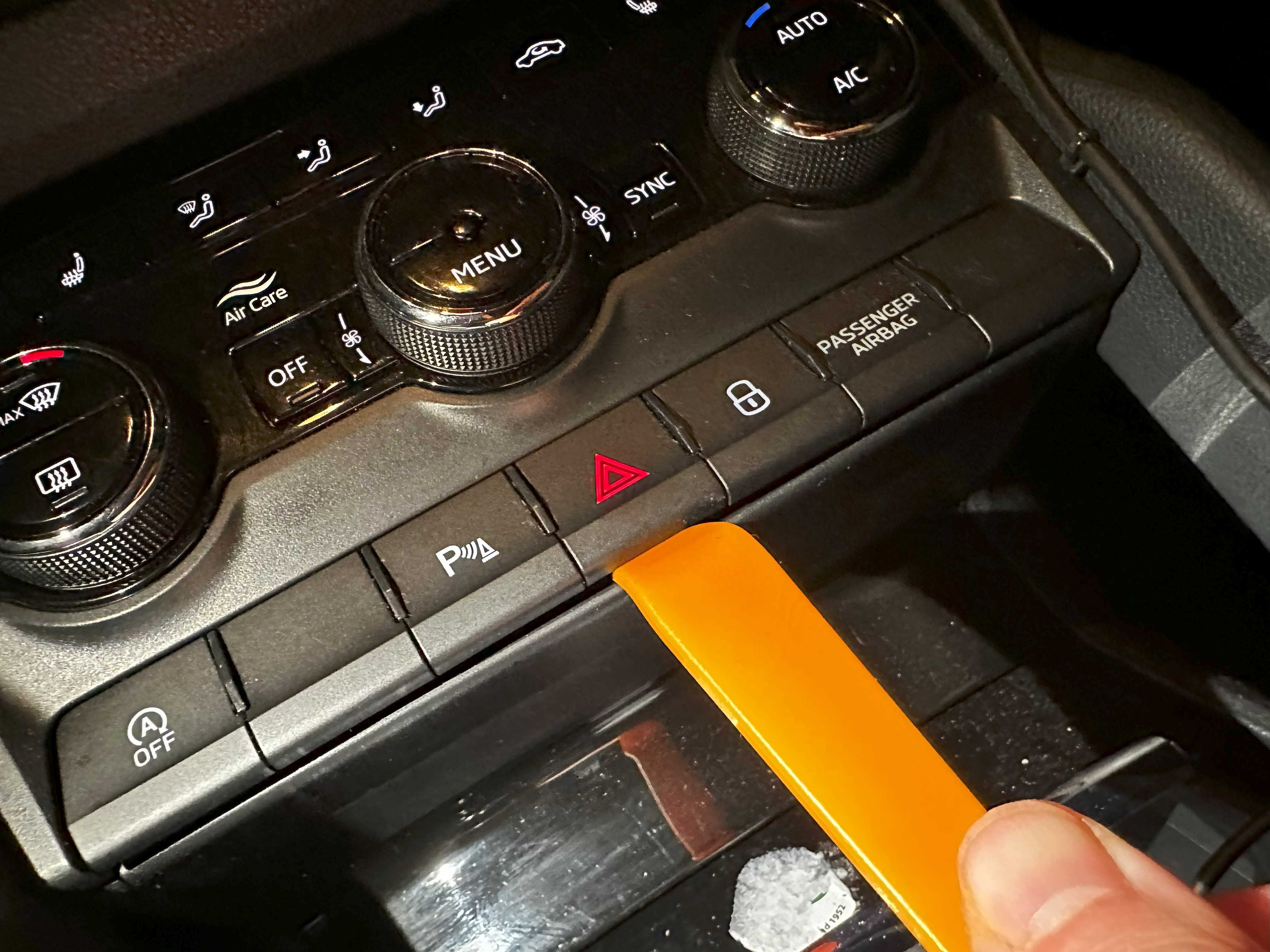
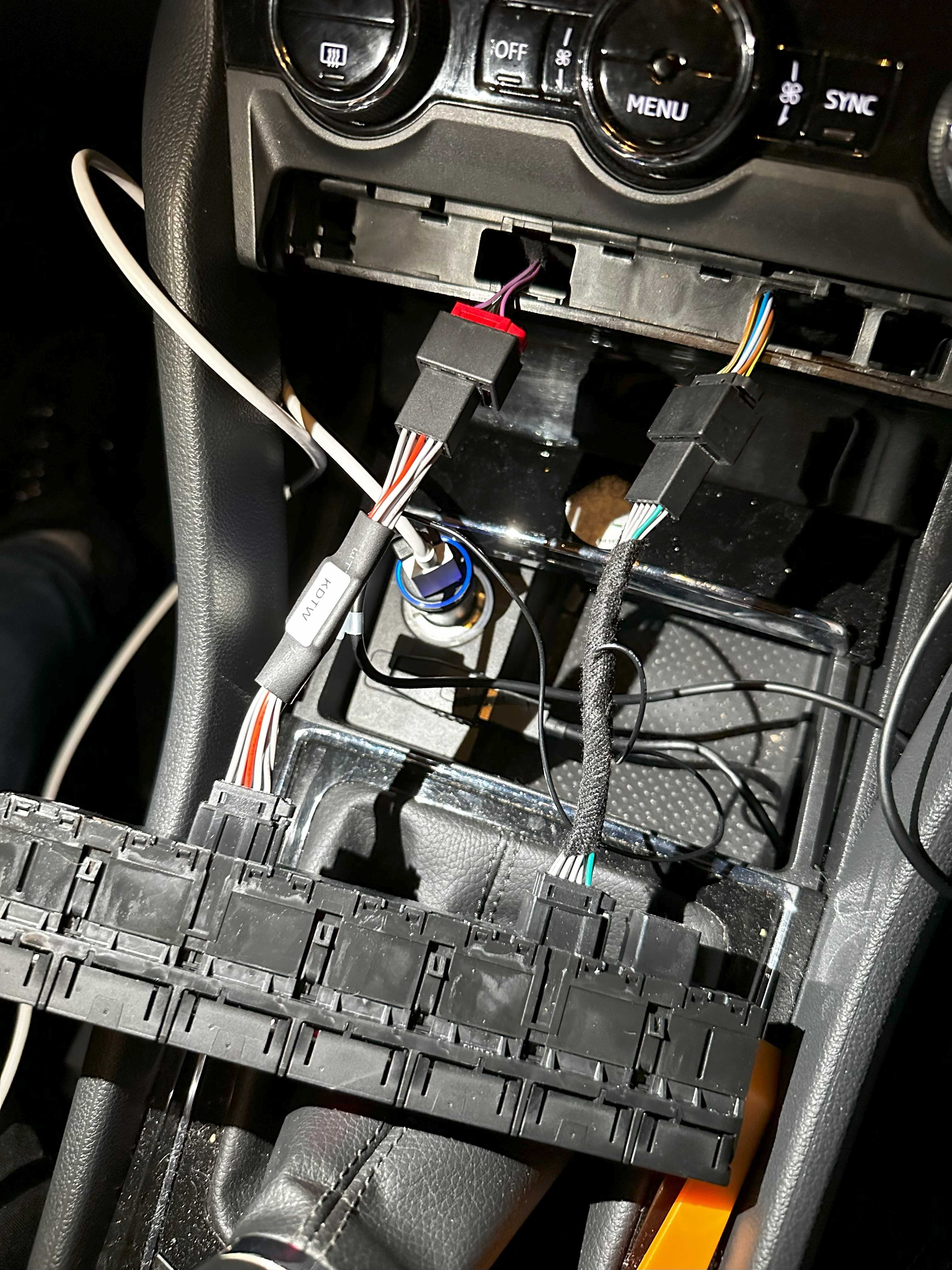
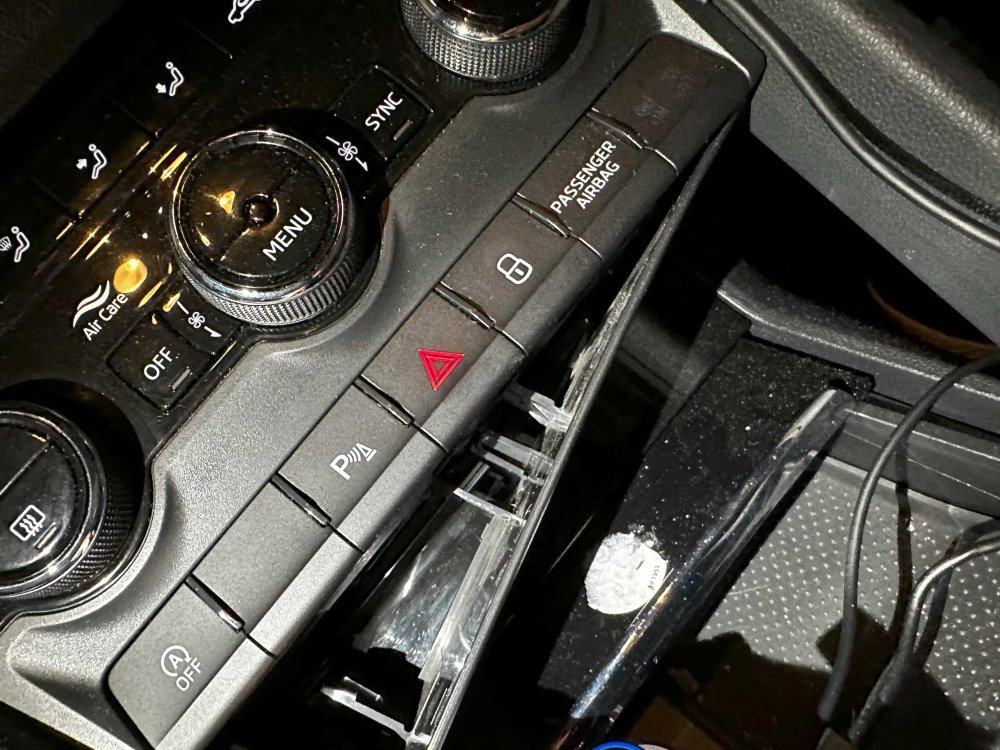
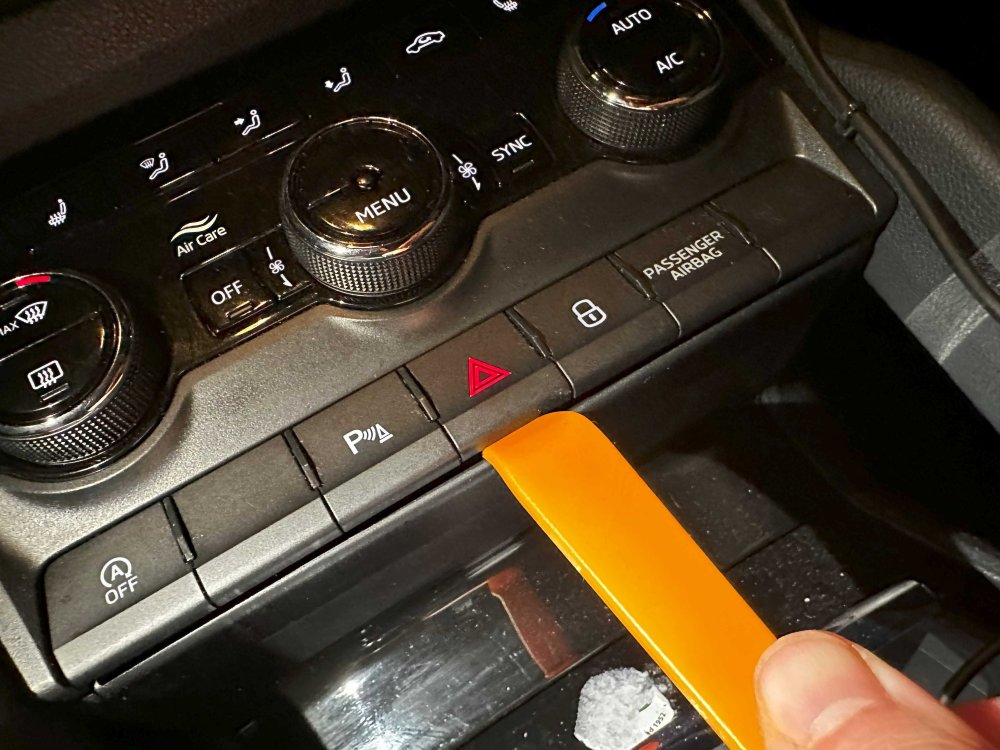
No problem. When I first popped it out I was almost sure I broke something, but when I checked it, nothing was broken. The module and the buttons are stronger than they look. You can kind of see on the picture under the 2nd step the cable which is connecting to the unit. You can try pushing it from behind with your finger while prying with the plastic tool between the slot and the unit itself, this way you are not risking the buttons on the front at all.
-
The way to restart the unit is to press and hold the volume button for around 15 seconds. Are you sure it's not stuck? If that doesn't help, you could try disconnecting the battery for a few mins. This will throw up some error messages but clears after driving. The StartStop will work after second start.
-
I mean, you're right, it should be fixed in warranty, but these buttons go for around £15-20 on eBay, and even the OEM ones are for £65-70. The war has nothing to do with this as I think they're made in Hungary. I have a feeling they're just trying to get out of this problem. The replacement is literally a 5 min job with coffee included. Probably the worst part of replacing this button is to actually get the small unit out of the holding plastic thingy. The reason why it's so cheap is because the button doesn't actually do anything as far as I know, apart from starting the engine. The actual keyless verification and other stuff is done by a different module.
-
I suppose you could. But where's the fun in that? The reason for this tutorial is to help the people who are looking to find a solution to this Start-Stop problem. There's nothing wrong with turning it off every time, but this is a more elegant solution in my opinion. There should be an option to disable it more permanently than just for the drive. Some Audi's have a setting available with VCDS coding that can do the same thing this cable does, but sadly Skoda's controller is different and you cannot enable this functionality without tricks like this.
-
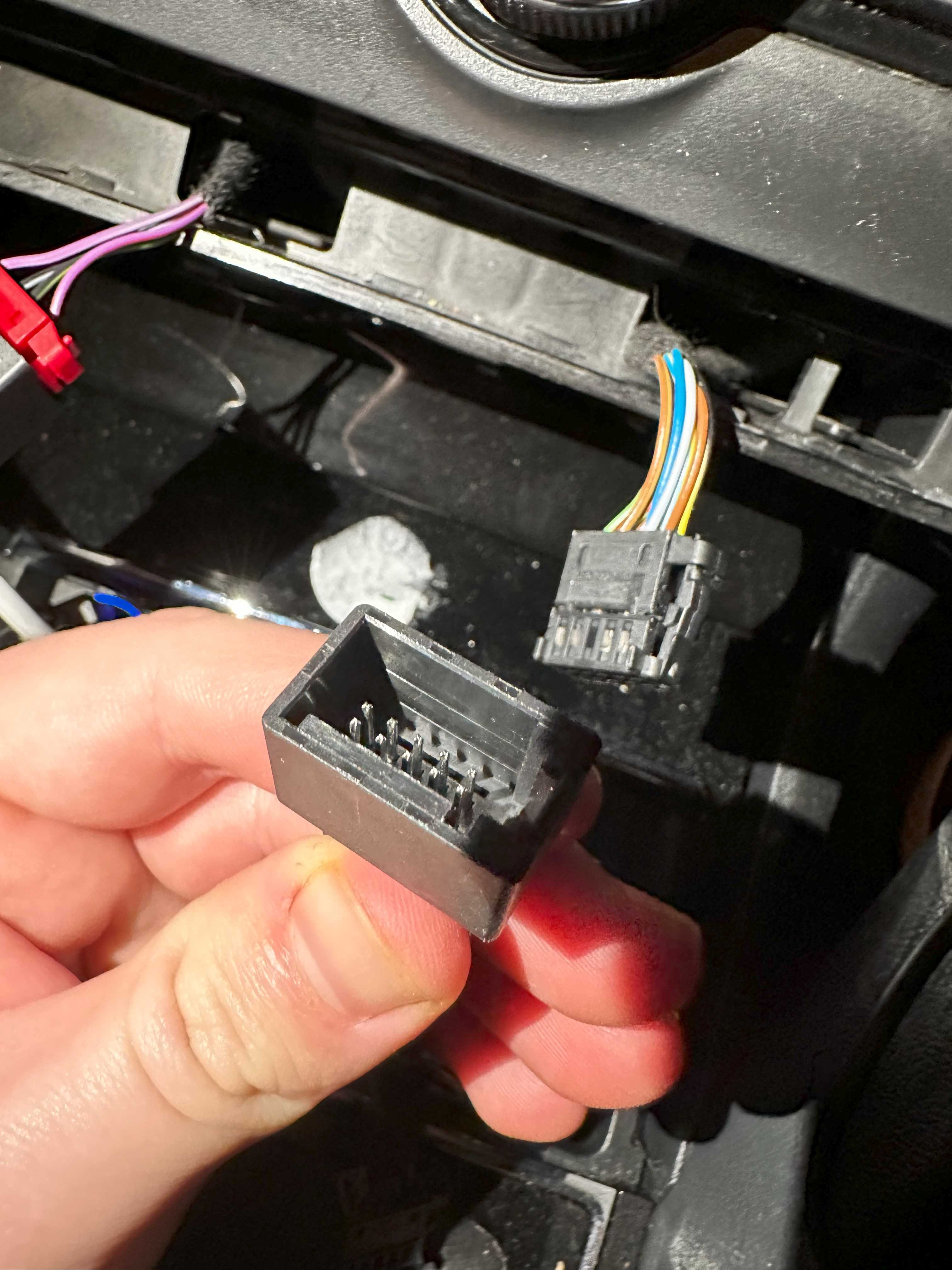
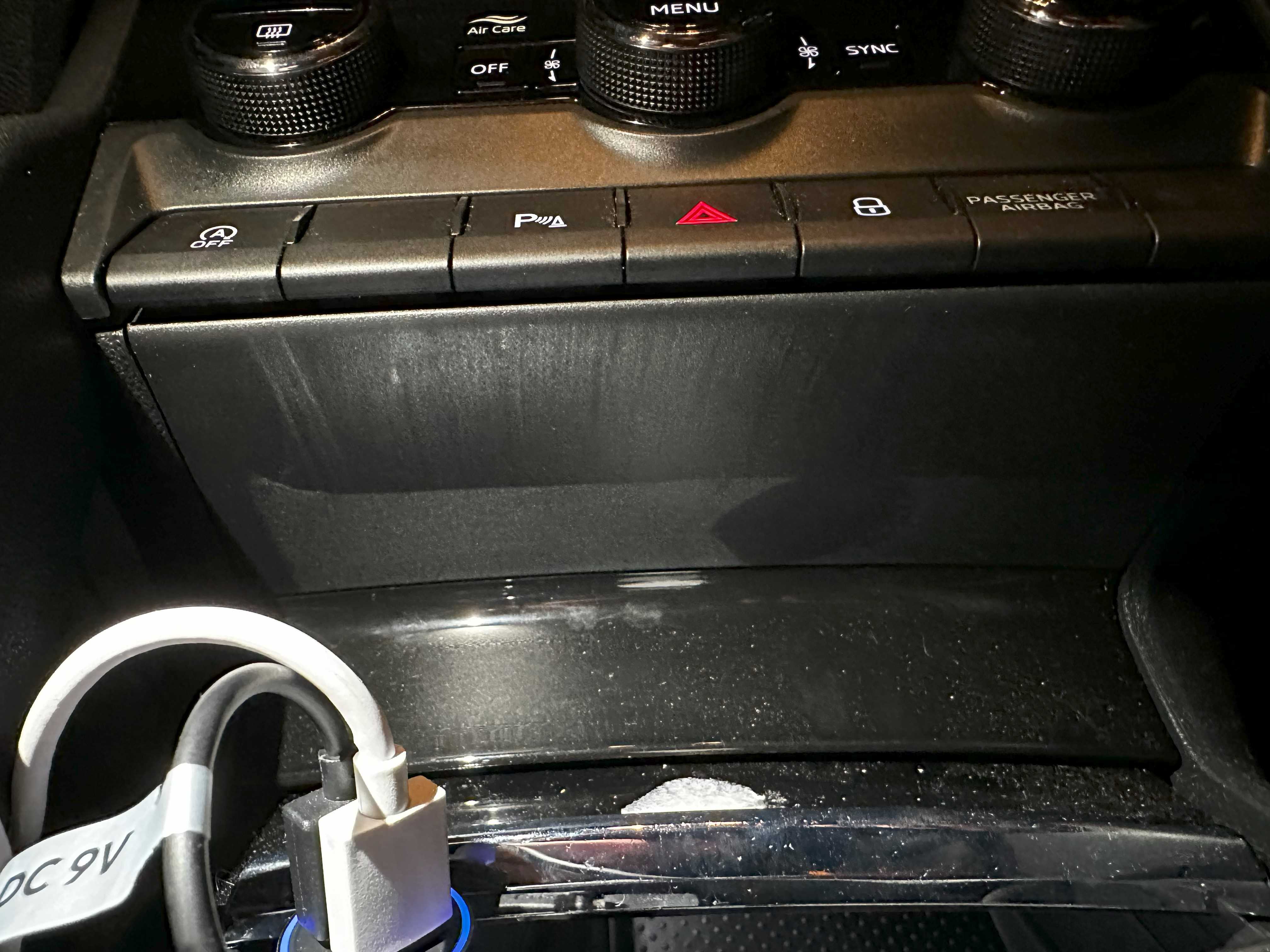
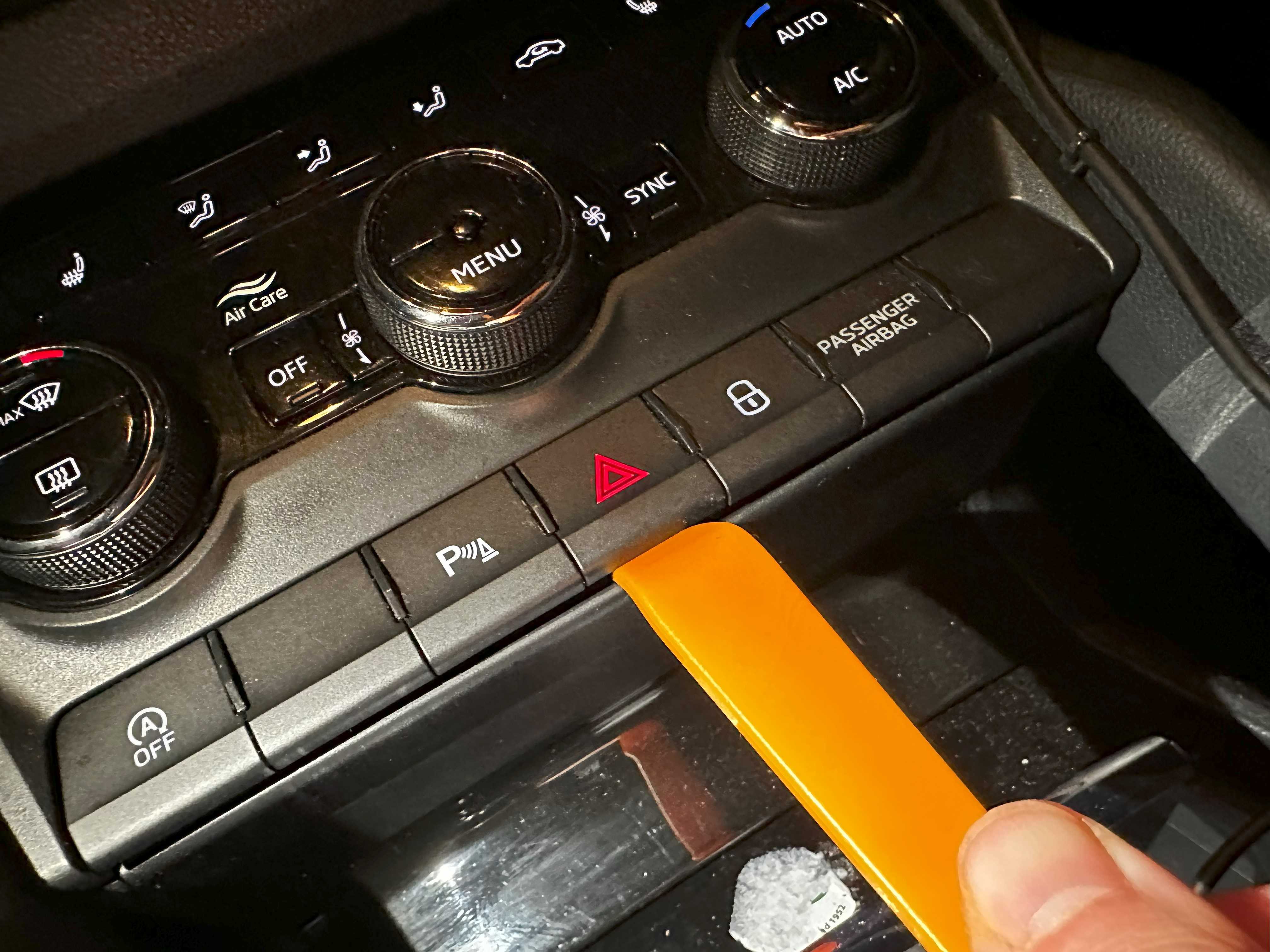
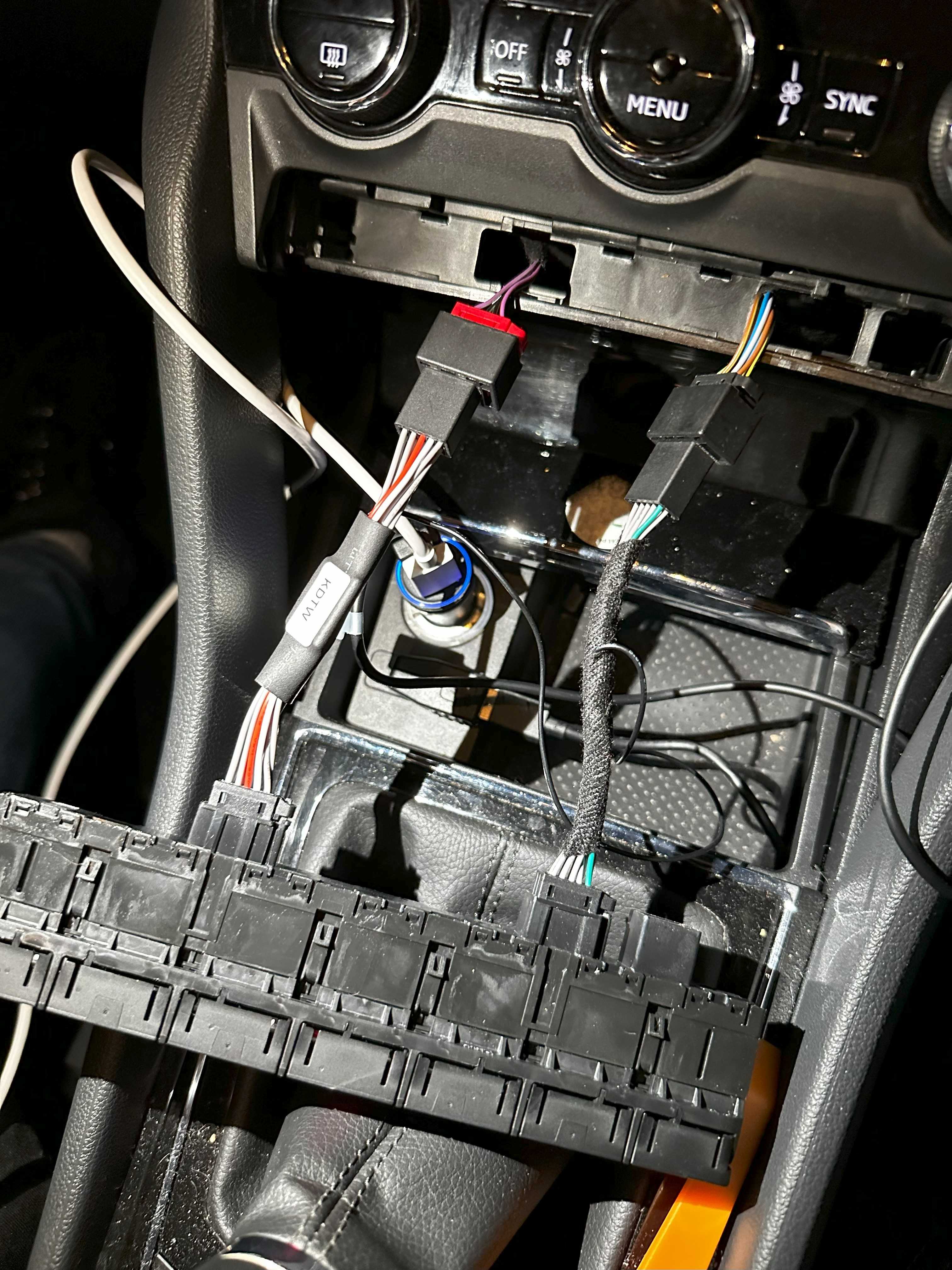
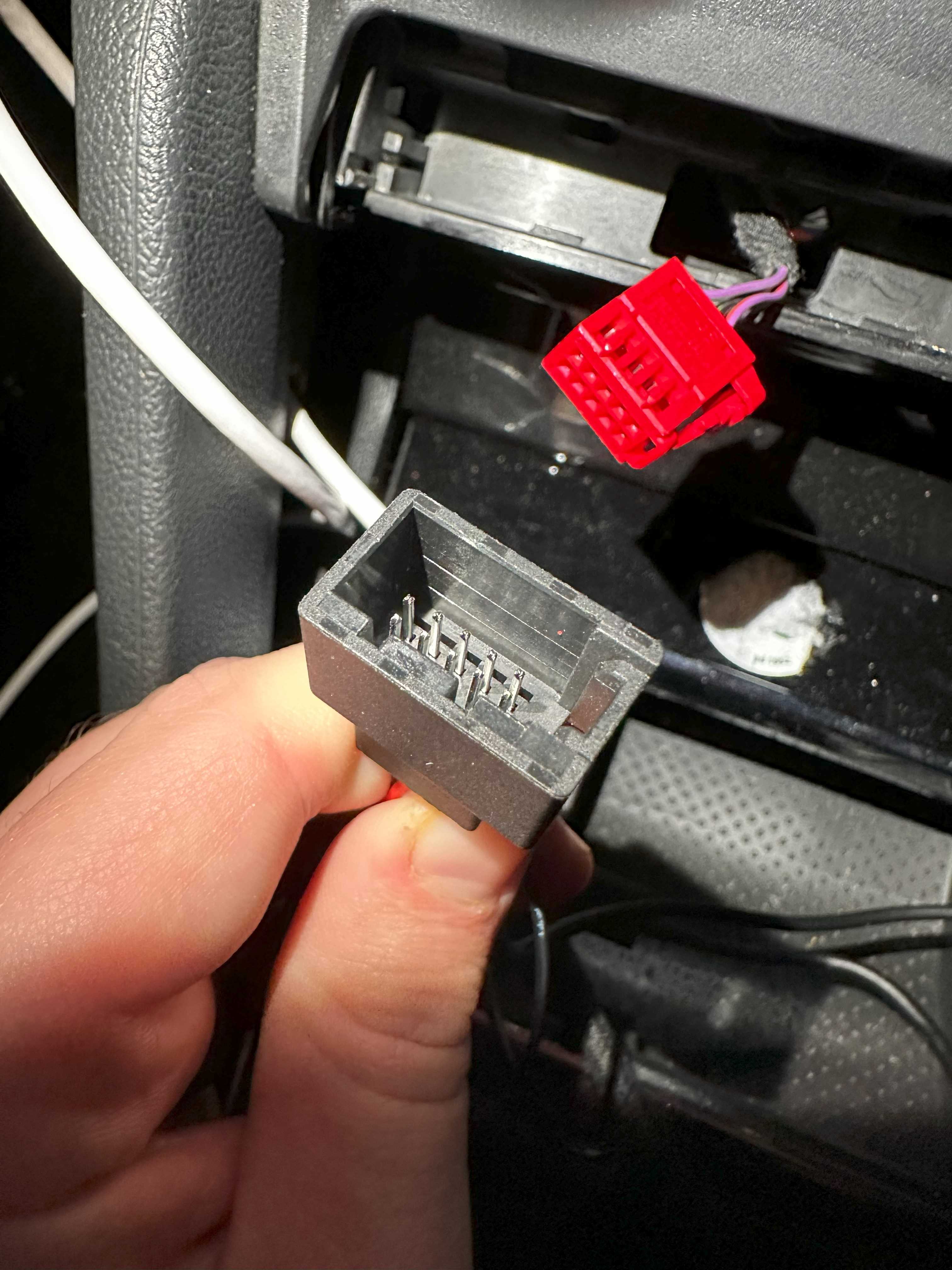
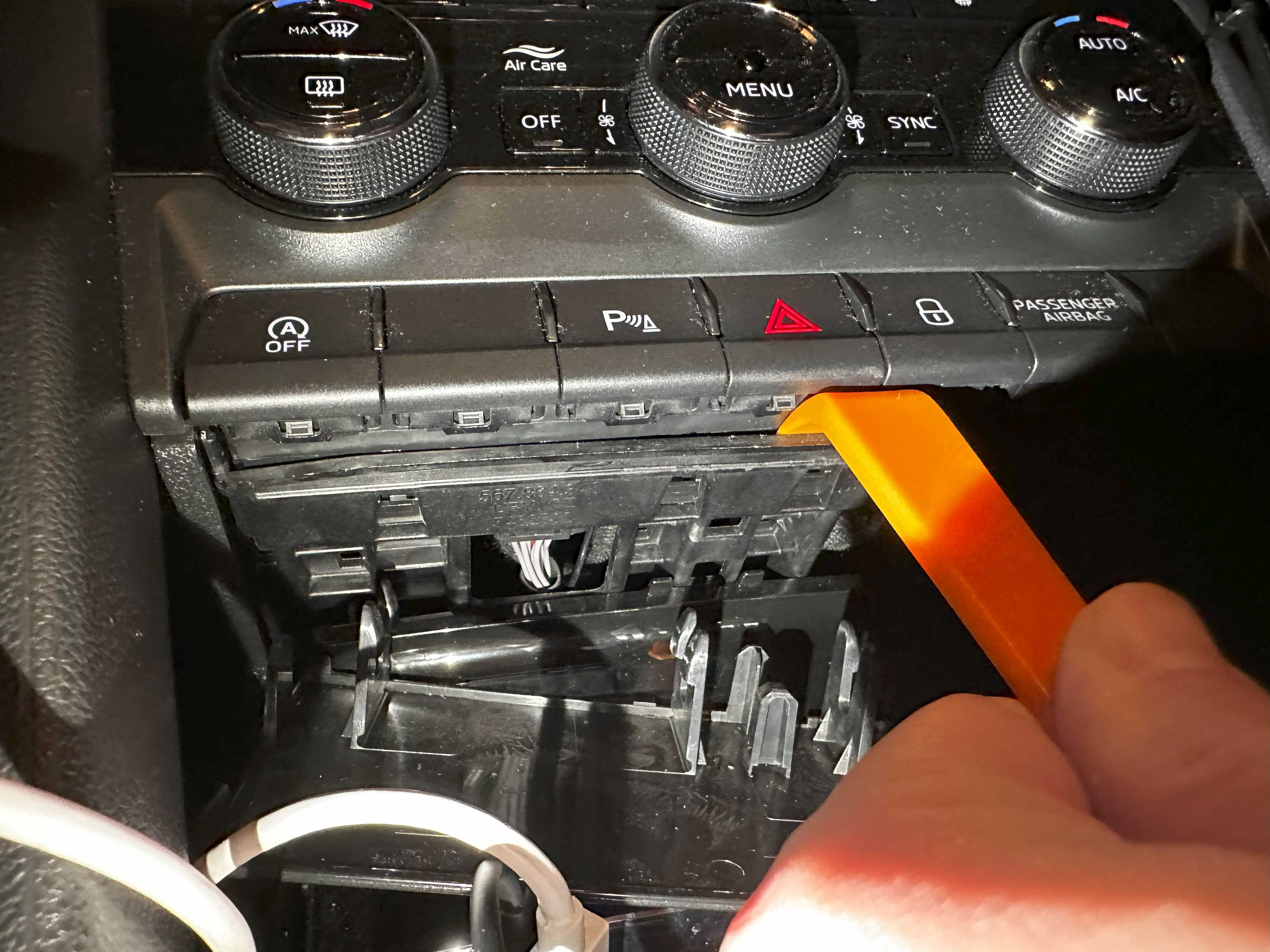
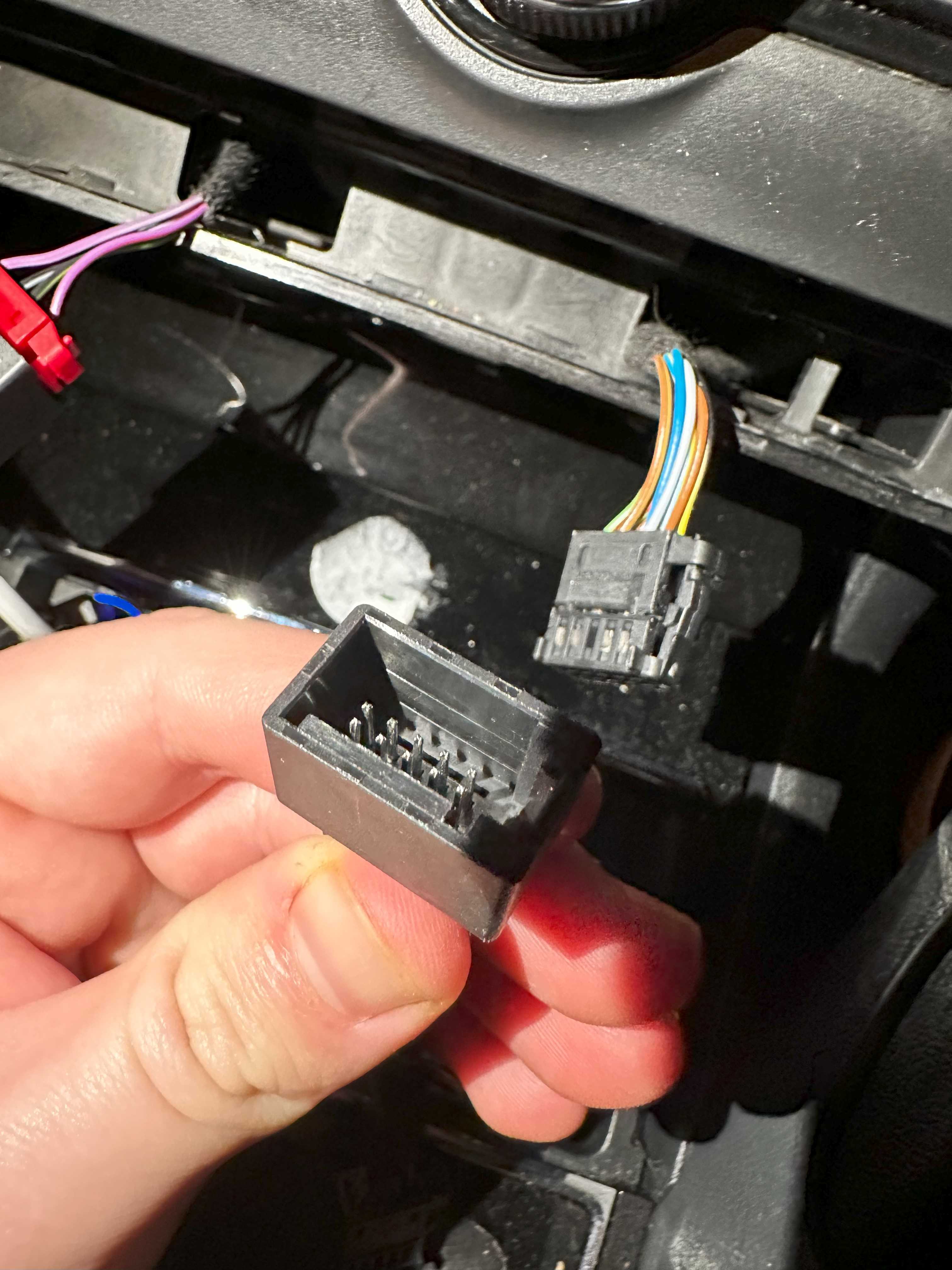
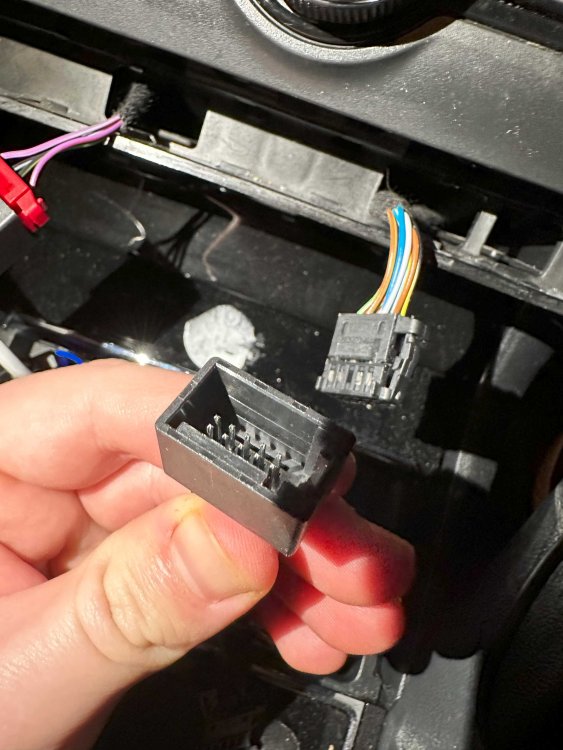
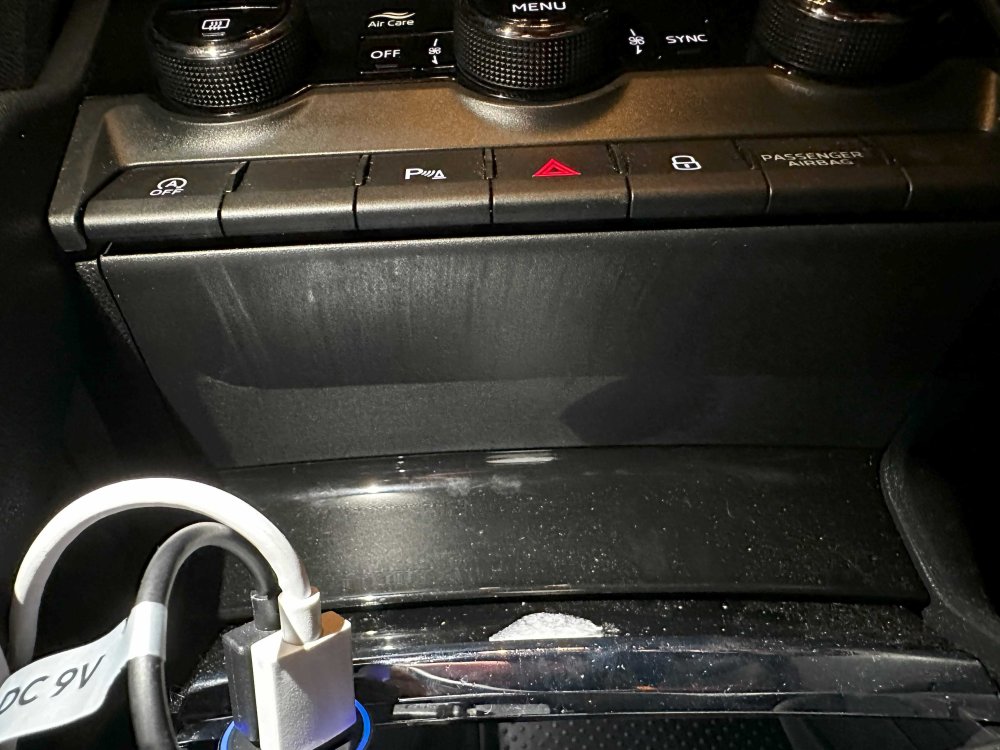
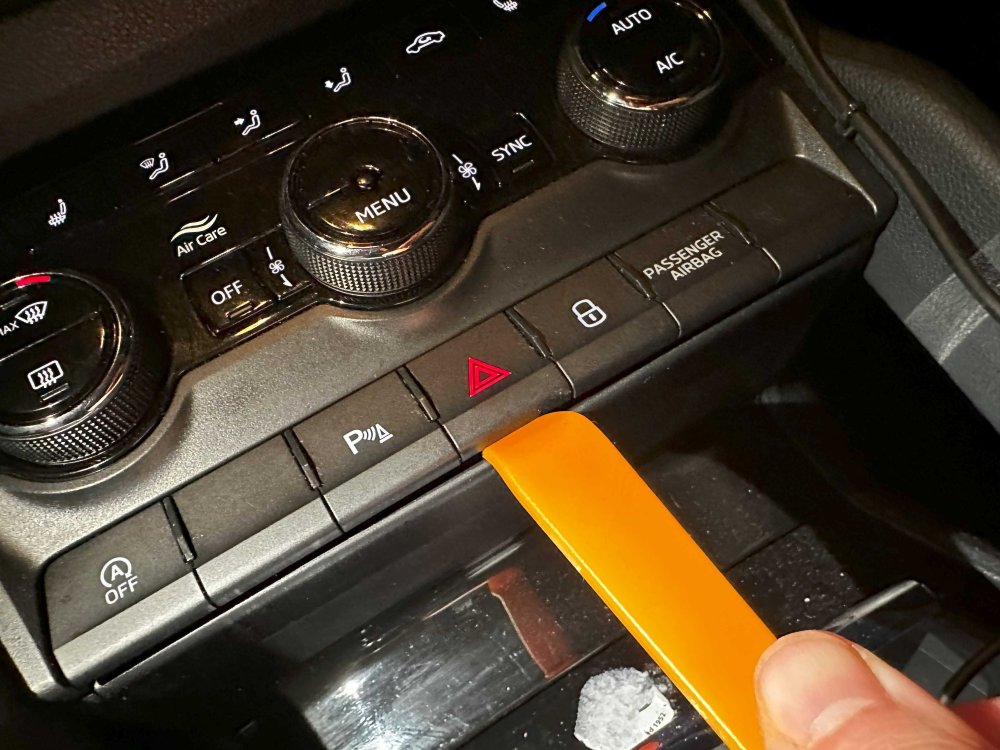
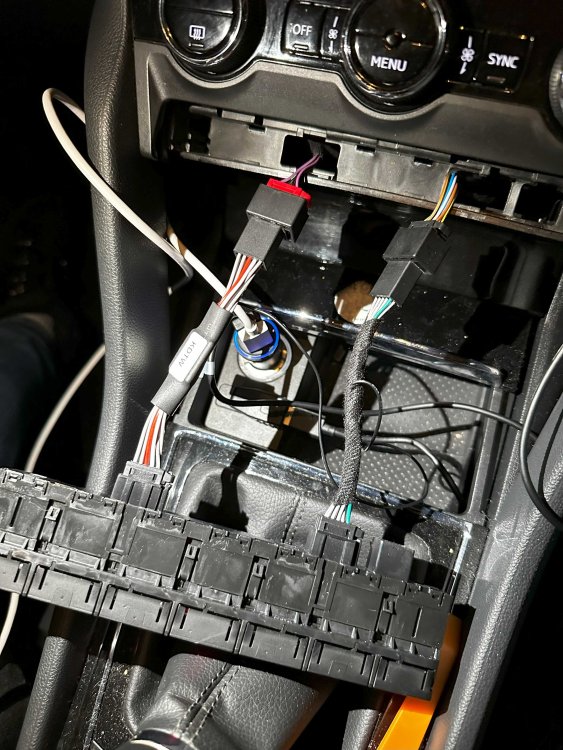
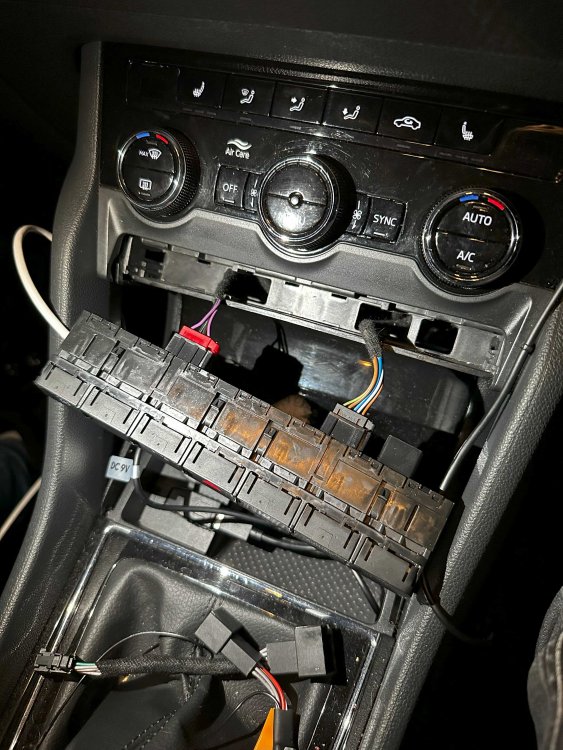
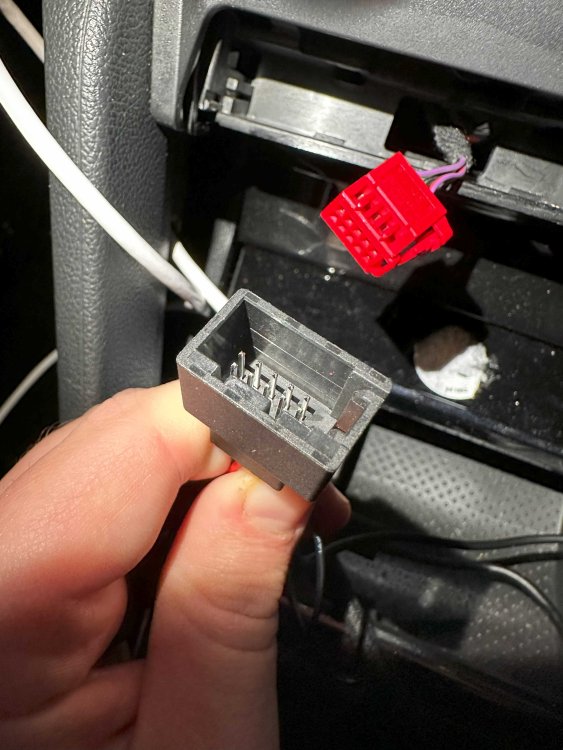
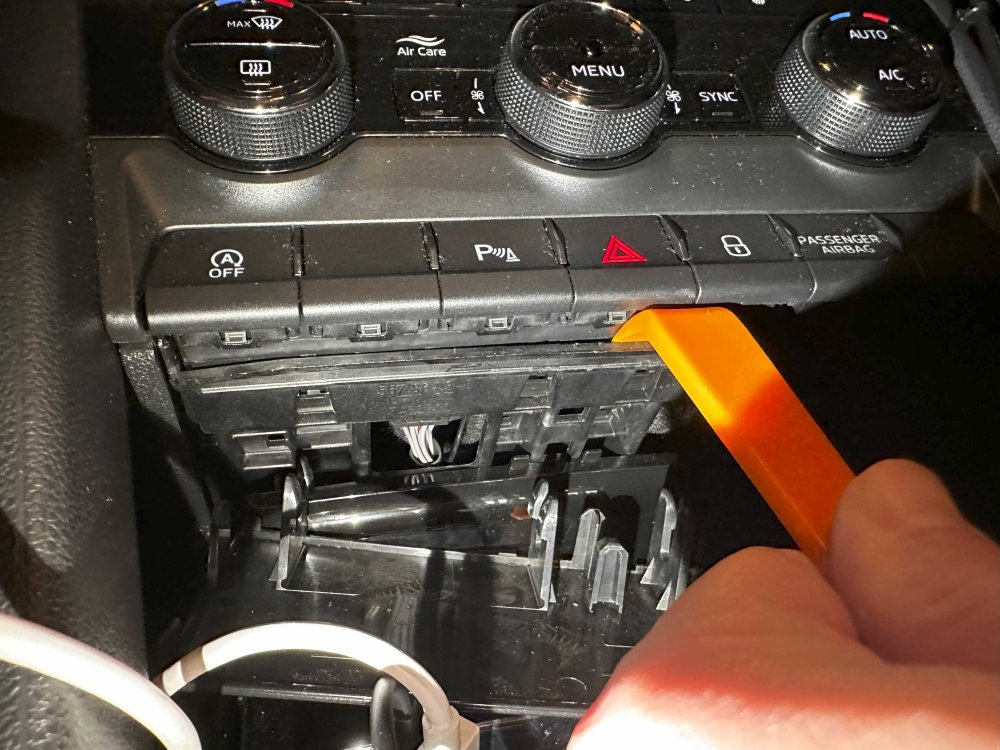
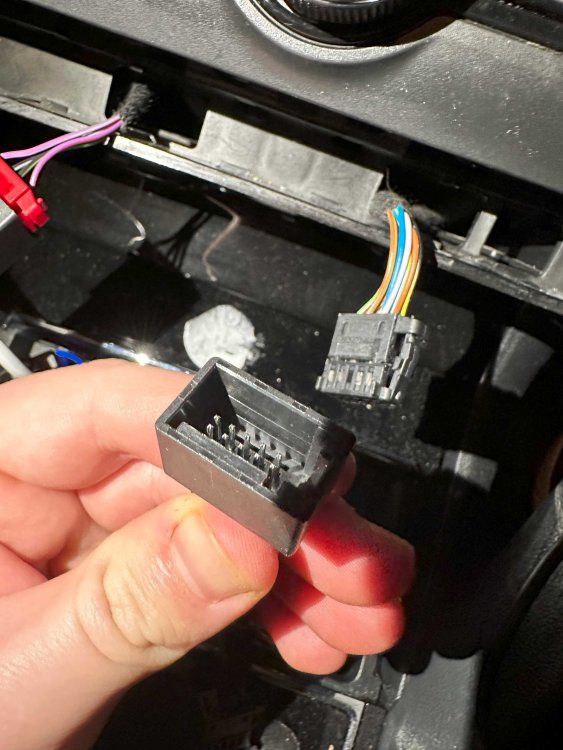
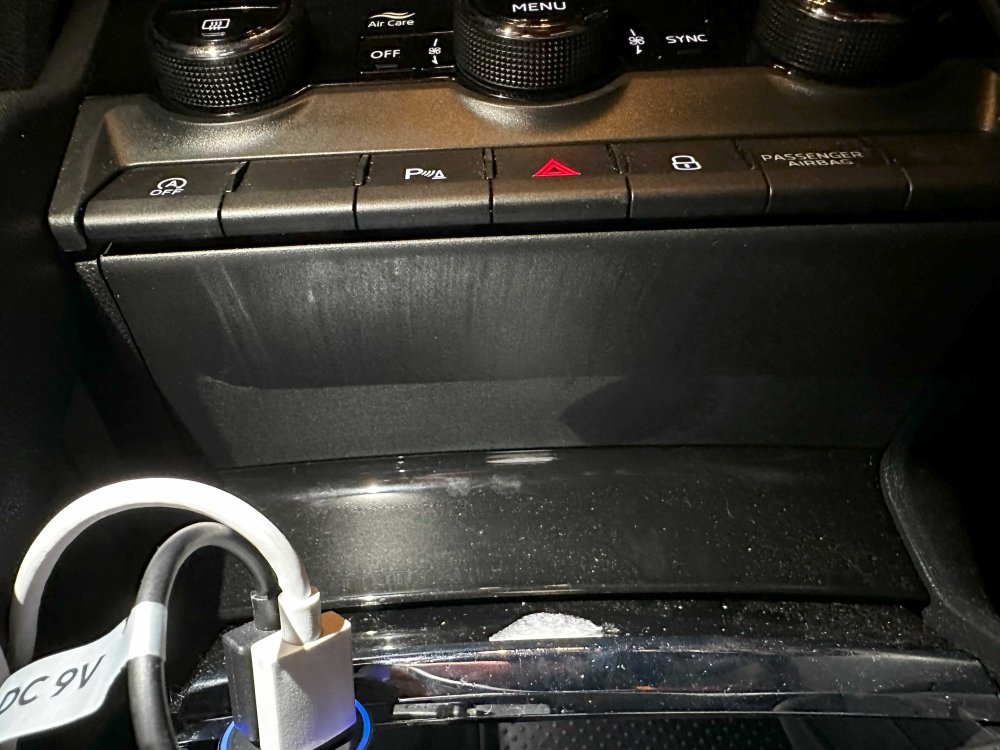
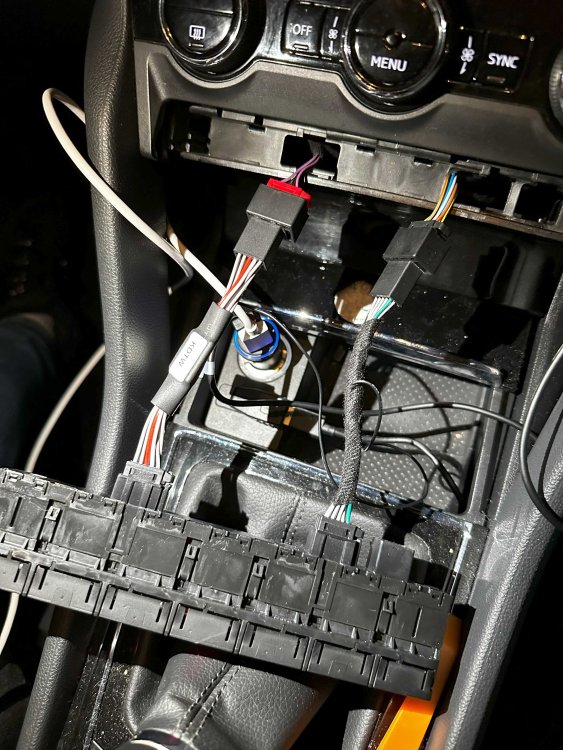
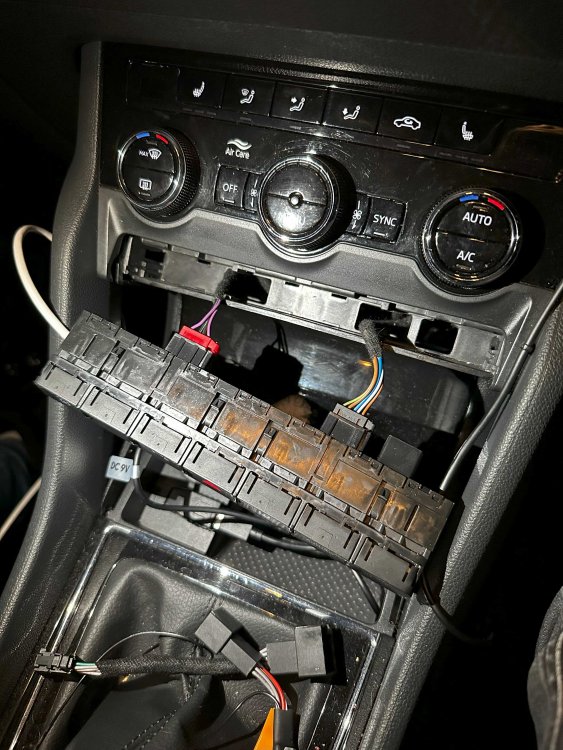
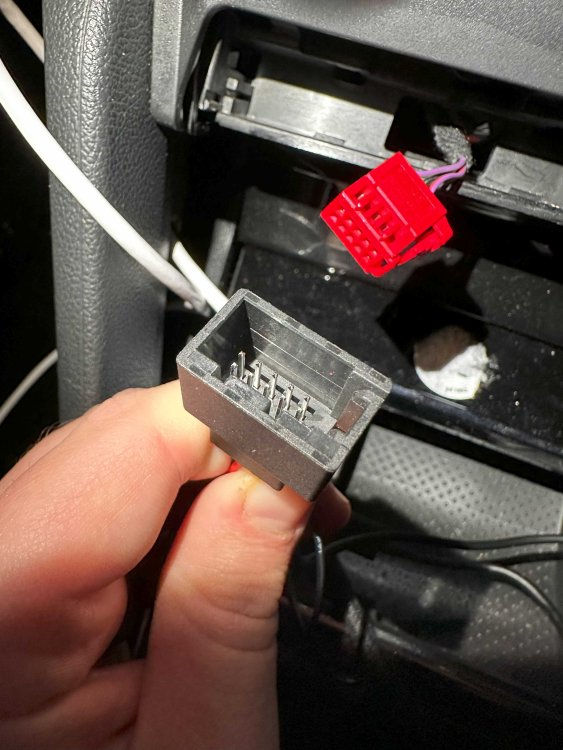
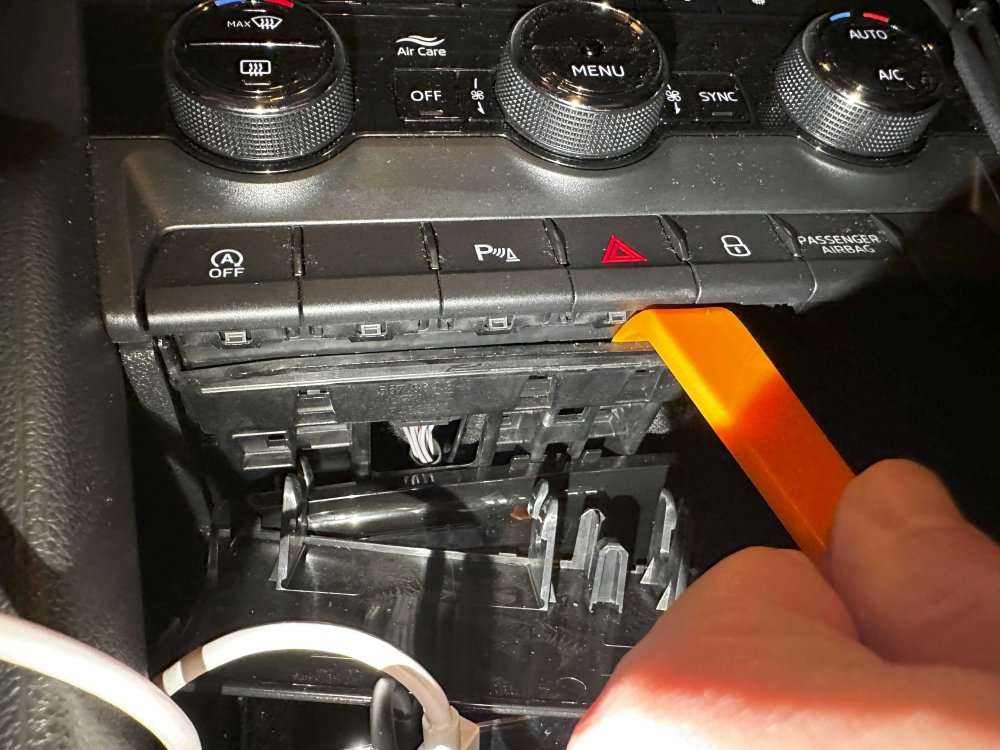
I just realized that the site doesn't let me insert HEIC files into the post so I'm writing the instructions with the images into this one: Remove the plastic cover underneath the module using the pry tool Use the pry tool again to separate the frame and the module to allow the module to pop out. You can gently use the unused buttons to pull the module out with. They might pop out a bit, but shouldn't break. Note that the red connector is on the left side of the module while the black is on the right. Connect the cable with the thicker middle part to the red connector, and the slimmer one to the black. The connectors look very similar, but there are little plastic keys on the connectors and they should line up with the appropriate connector. Connect the cable with the thicker middle part to the left side of the module, where the red connector used to sit, and the other slimmer cable to the other connector. Make sure the connections are secure. There is thin wire connecting the 2 cables together, make sure this is not damaged. Carefully slide the extended cables into their original slow and slide the module back into it's place and push until it clips in. Pop back the covering plastic underneath and test out the new Start-Stop disable functionality. By default the module should be set to Reverse mode and it should turn the start-stop system off immediately after starting the engine.
-
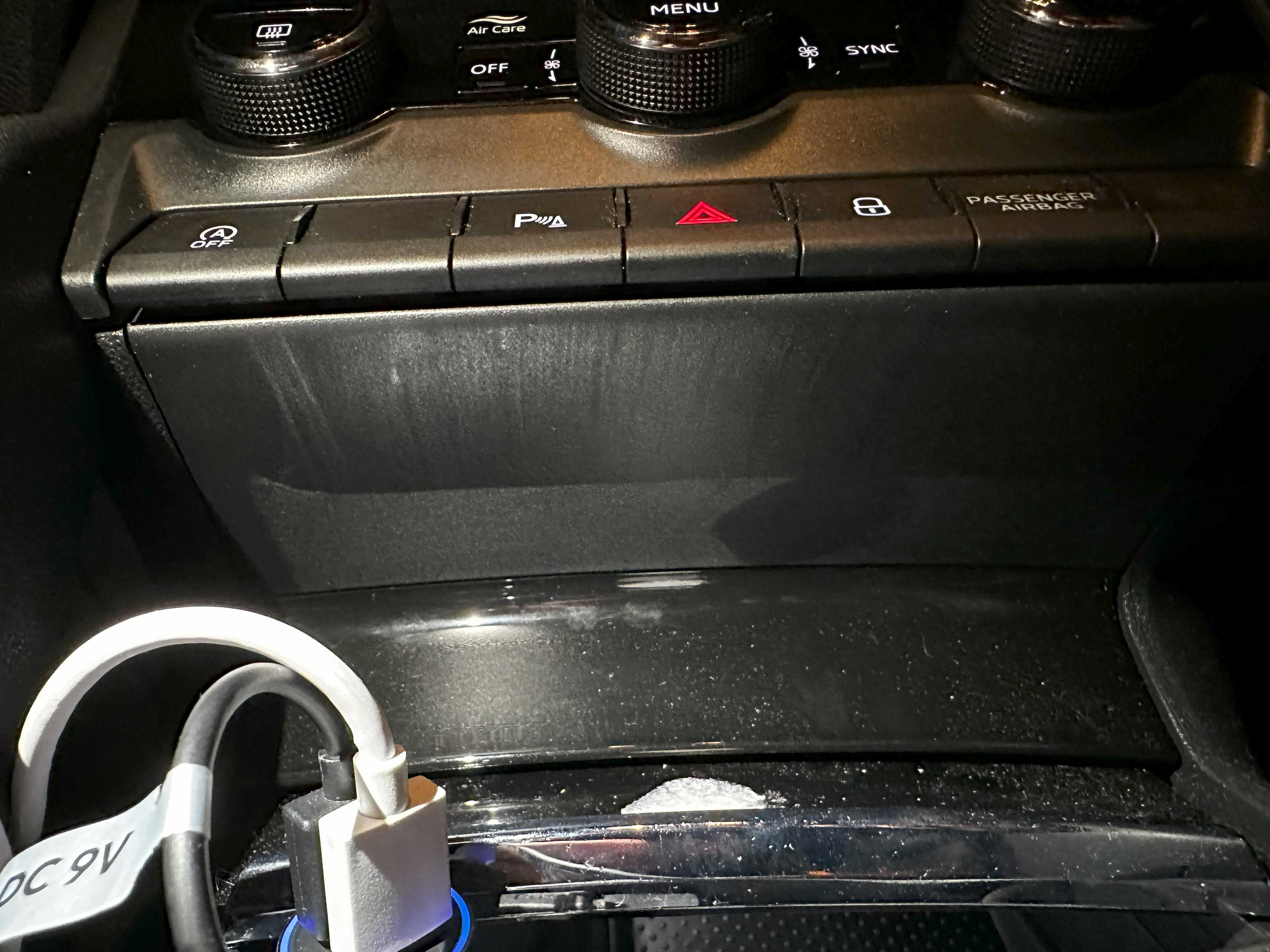
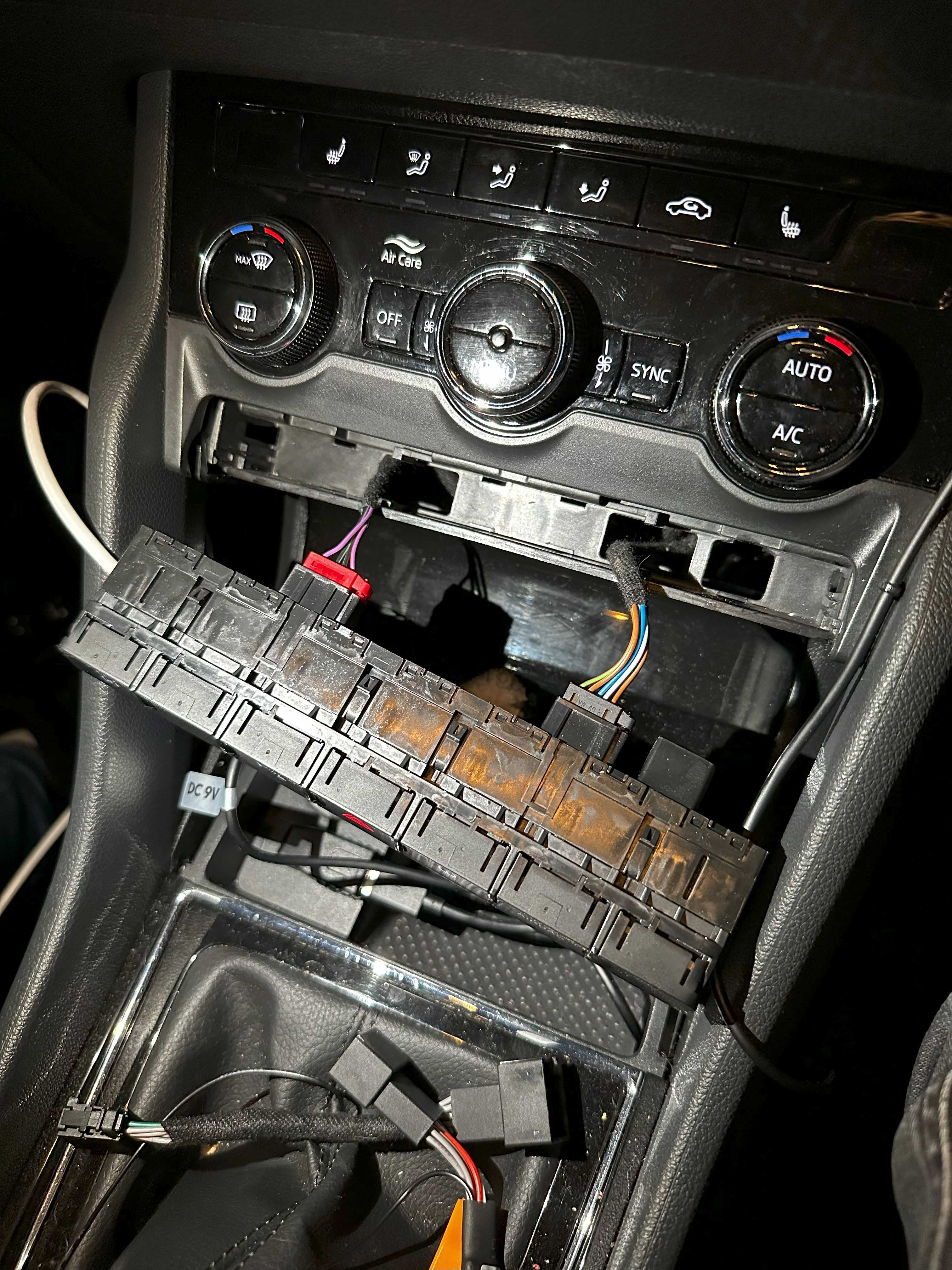
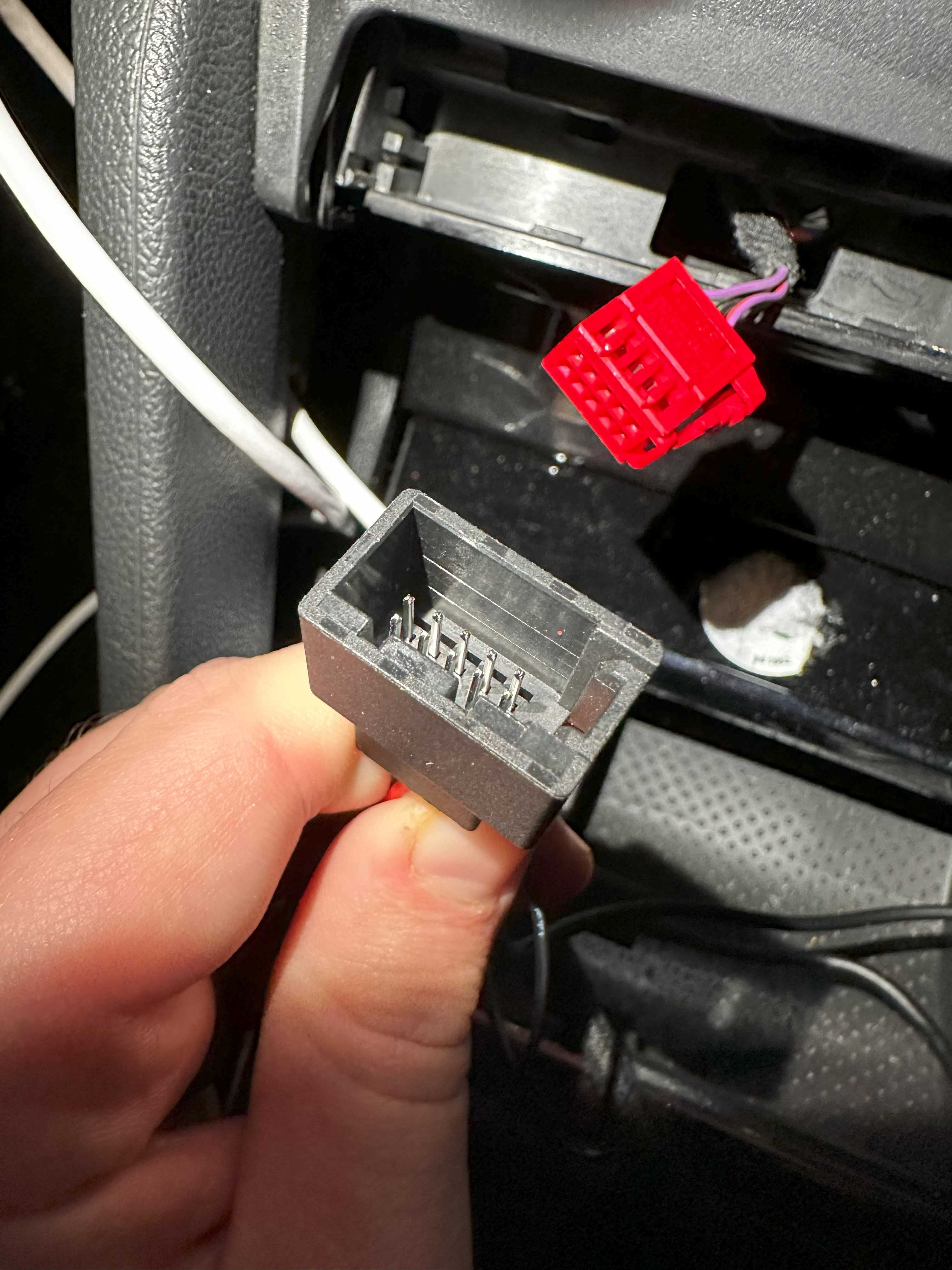
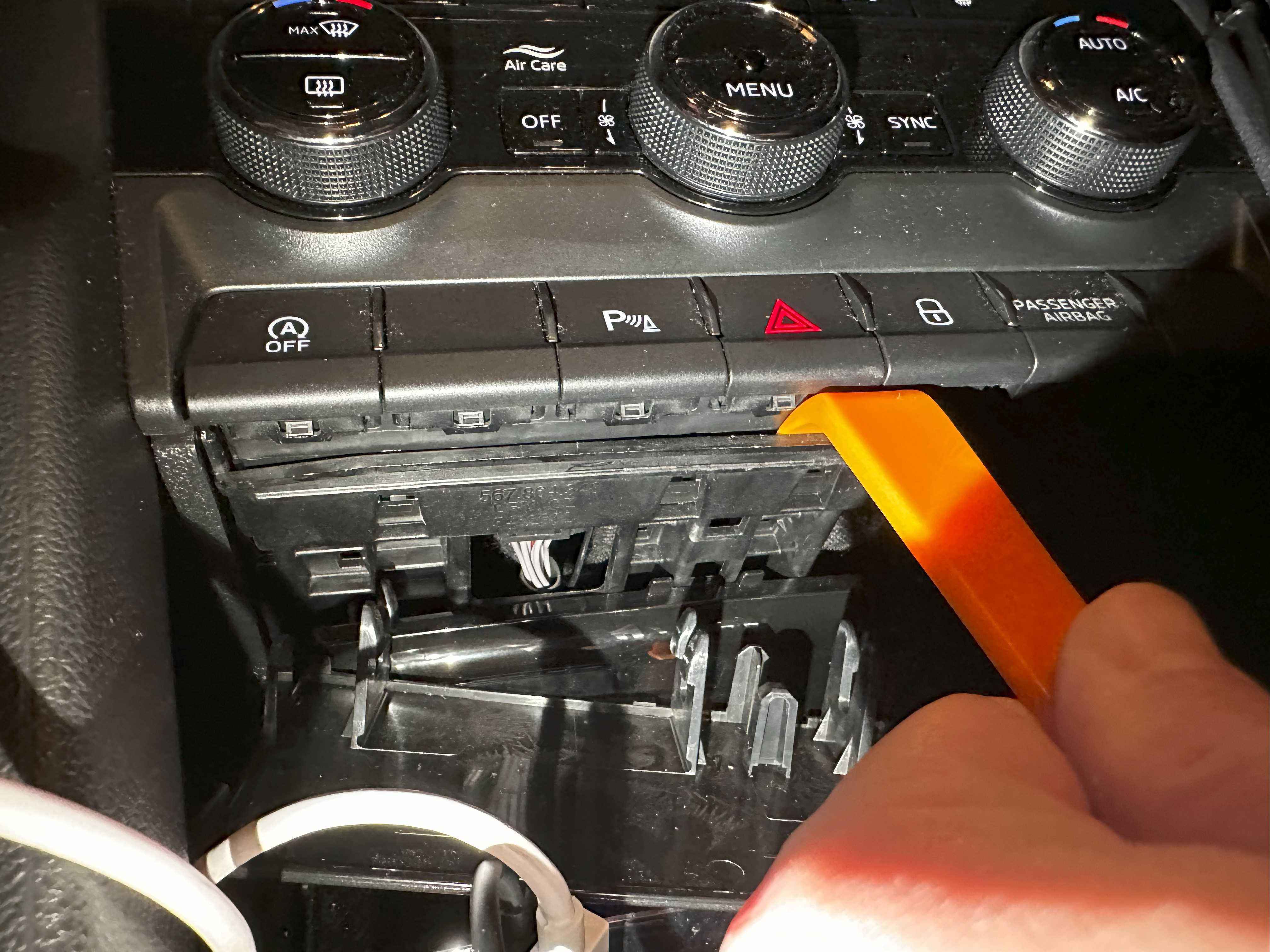
Hi! Little backstory: I have became the owner of a Karoq last year. This is the first car I owned with Start-Stop system which shuts down the engine if conditions are met when you come to a stop and switch to neutral. It was nice to have it for a first few rides, to have a car "intelligent" enough for this, but it soon became annoying. I looked into ways to disable the system, and concluded that I will definitely need some sort of ODB programmer thingy. I found out about VCDS, and ordered a cheaper version of the VAGCOM interfrace from Aliexpress. I realized after the order shipped that it only supported cars up to 2017. Bummer I tought, but when I received it, tried it, and it was able to do everything I was asking it to do. So that's a win. One of the things I did was to enable rear lights with DRLs as I hate when cars are not visible when they're only using the front DRLs, and nothing at the back. It should be mandatory to have DRLs in the front as well as in the rear at all times when the engine is running. But this is for another topic. The second thing was to find a way to disable the Start-Stop system. There are many options to turn this system off, but I tried many and the combination of these, and they were all resulting in a permanent fault message in the car saying problem with start stop system, start stop not available, and so on. After some digging, I found out that there is a adaptation channel in the CAN Gateway module called "Start_stop_voltage_limit" with a default value of "7.6" Volts. Changing this value to "12.0" will disable the Start Stop system as the car will always think that the energy consumption is over the threshold of what the battery can support and won't turn the engine off. All was great, the engine didn't stop at all when I came to a stop and switched to neutral regardless what I was using in the car. However, the by-product of this little trick is a small pop-up on the infotainment screen about "Start Stop system not available". This is why I decided to look into a different solution and when I found out about these cables. These cables are basically an addition between the switch you use to control the system and the connector which is behind the actual switch. This is the link for the actual product I purchased: https://www.ebay.co.uk/itm/XXX//235233297485 I have to add, that originally, I bought the one listed for Skoda Karoq, but turns out that is not actually compatible with my model as the panel on the pictures looked different to mine. The seller was kind enough to replace the modul to the current one before he shipped the order, and sent me the link to the correct one which only lists the Kodiaq as compatible. The cable pair comes with a plastic pry tool to separate the panels in order to pop the module out. Steps: Remove the plastic cover underneath the module using the pry toolIMG_6251.HEICIMG_6252.HEIC Use the pry tool again to separate the frame and the module to allow the module to pop out. You can gently use the unused buttons to pull the module out with. They might pop out a bit, but shouldn't break.IMG_6254.HEICIMG_6244.HEIC Note that the red connector is on the left side of the module while the black is on the right. Connect the cable with the thicker middle part to the red connector, and the slimmer one to the black. The connectors look very similar, but there are little plastic keys on the connectors and they should line up with the appropriate connector.IMG_6245.HEICIMG_6246.HEIC Connect the cable with the thicker middle part to the left side of the module, where the red connector used to sit, and the other slimmer cable to the other connector. Make sure the connections are secure. There is thin wire connecting the 2 cables together, make sure this is not damaged. Carefully slide the extended cables into their original slow and slide the module back into it's place and push until it clips in.IMG_6249.HEIC Pop back the covering plastic underneath and test out the new Start-Stop disable functionality. By default the module should be set to Reverse mode and it should turn the start-stop system off immediately after starting the engine. The module has 3 operating modes: Normal, Reverse, and Memory. Press the Start Stop button to turn the system off. The button should have a solid yellow light showing) Press the Start Stop button 3 times in succession. After the 3rd press the button should not show the light, then the light should come on. For memory mode: Press the Start Stop button twice quickly. The light should turn off. For normal mode: Press the Start Stop button three times quickly. The light should turn on. For reversed mode: Press the Start Stop button four times quickly. The light should turn off. IMG_6247.HEIC IMG_6253.HEIC
-
I believe the auto headlights are also tied to a setting telling how early they should turn on. This probably changes the sensitivity when this happens. Go to Vehicle settings, select Lights menu and you should see the option there. I prefer mine to turn on early as I see so many people driving in poor visibility(not dark) or in dusk with no proper lights on their vehicles.
-
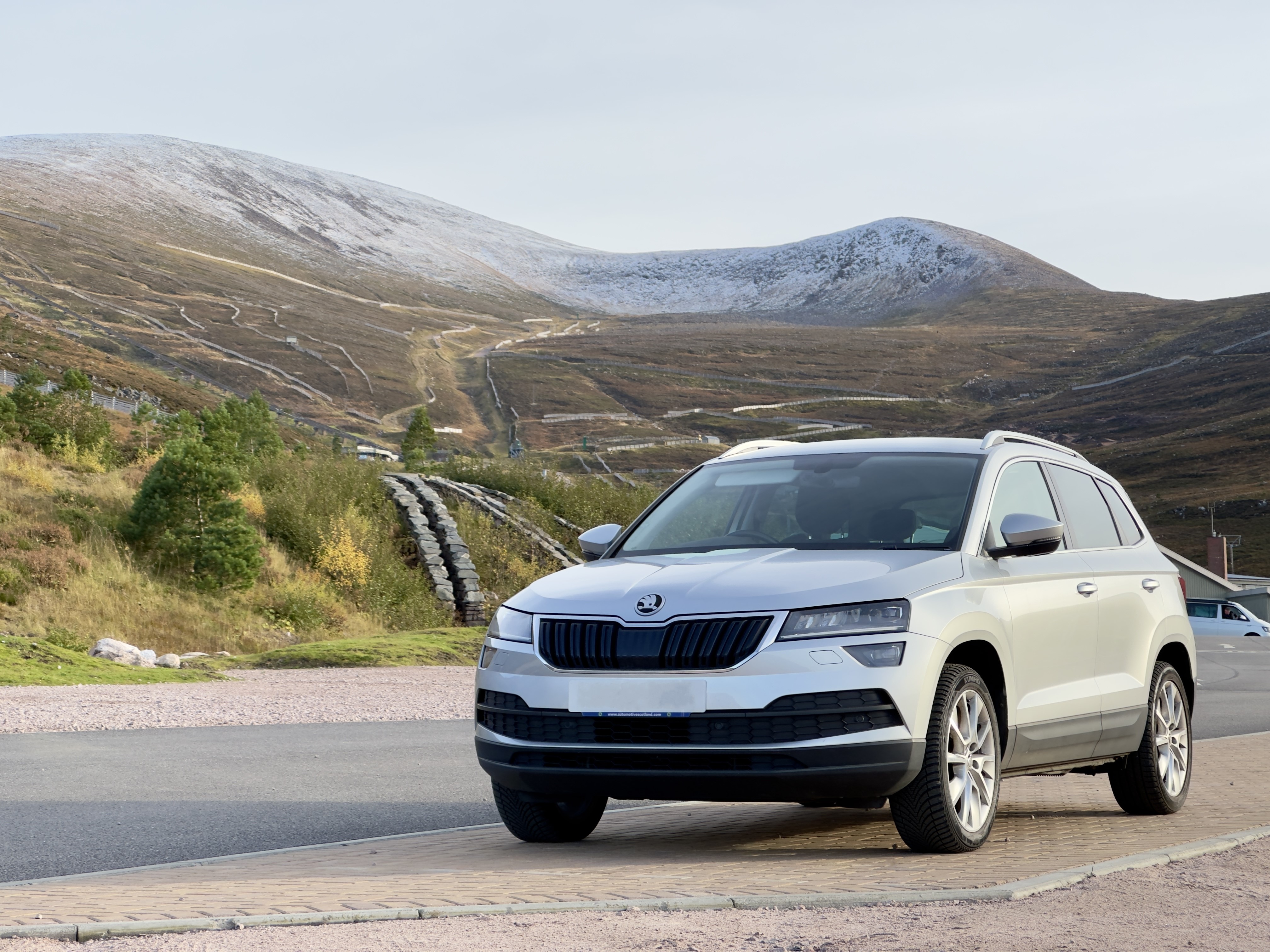
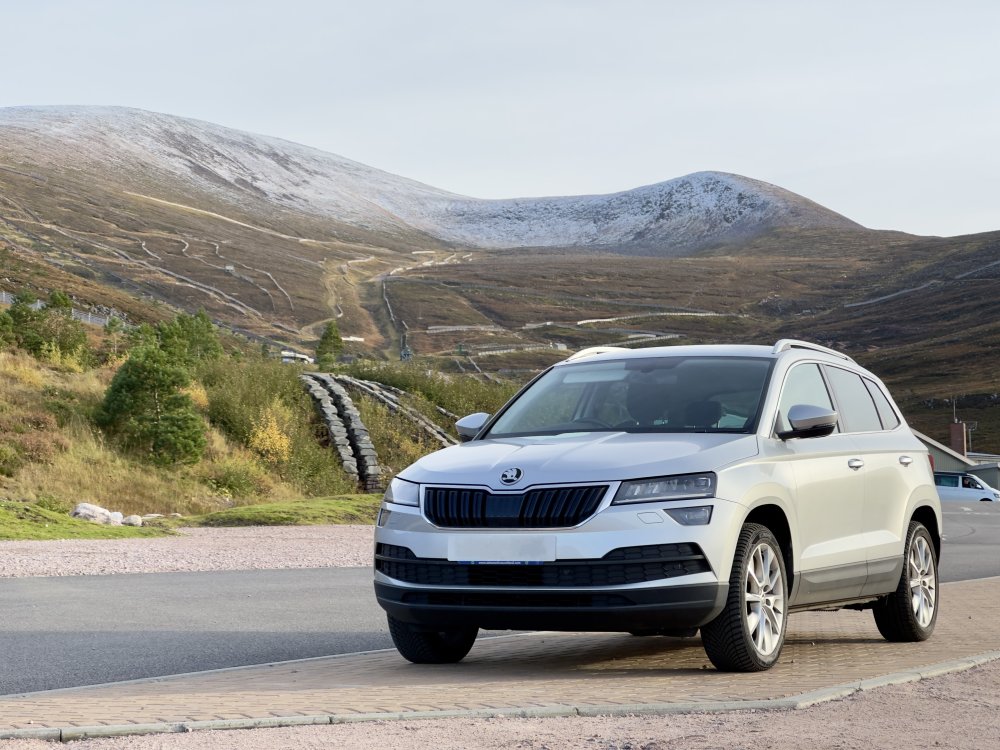
This is mine taken a couple weeks ago at the entrance of Cairngorm Mountain Resort, the snow just started to appear at the top. An absolute brilliant car to have and I love every second of driving it. 68 plate, 1.6 TDI SEL Manual
-
If you decide to code it out, it's a very simple procedure to do so, and you wont have to worry about it again.
-
If you have a thin black plastic cover between the headliner and rear view mirror, you only have rain and light sensor. If you have a wide plastic cover(10cm) then you should have a camera, therefore you can get lane assist. It is not a standard feature, it comes as an extra. Front assist uses the front radar built into the grille of the car. For the start stop issue: the infotainment should let you know why it’s not working. Won’t work if it’s too cold, or engine temp is too low, or energy consumption is too high like heated seats or aircon. I coded it out of mine, couldn’t stand the engine shutting off constantly at every stop.
-
It is possible to code lane assist if you have front camera installed. Search for VAG retrofitters around you, some even do remote coding.
-
Is the Android Auto up to date on your phone? You can check the Play Store for updates, alternatively you can download the newest version from here: Android Auto 10.5.6338 APK Download by Google LLC - APKMirror.
-
I just had a recent battery replacement. I knew about the possibility of errors and faults after a battery change, so I decided to use a secondary battery to power the car while the old battery is being replaced. Simply used a jump lead to put on the terminal in a way it's possible to remove the battery from the car and replace it with a new one. Not a single error message, I didn't even have to set the time. After that with the help of VCDS, I updated the information on the battery stored in the car. Technology, Brand and Serial Number. That was it. To my knowledge, only the battery tech, serial, brand and capacity is what describes the battery for the car. I believe the only actual value you need to change is the serial number. It is enough to increase the number present by 1 at the end to tell the car something changed. If this doesn't solve the problem, it is highly likely something else is wrong with the start-stop system, and will require further diagnostics.
-
I think only the 23 and 22 plate Karoqs have them wireless. You can get a wireless dongle to use it wirelessly however. I have CarLinkit 4.0, and was around £45 off of eBay, and it's practically plug and play. It comes with an old style USB A and a USB C cable in the box, and since you have another one and a wireless pad, you shouldn't have to worry about charge either. If you plan to use Android Auto and/or CarPlay, get the CarLinkit 5.0, as switching between AA and CarPlay is bugged with the 4.0 version. If you just want CarPlay, the 4.0 is completely fine.
-
I see that it has no screen, that makes it a bit more difficult, yes. What sort of options do you have within the accompanying app?
-
I would think every dashcam which supports WiFi also has a function to turn that feature off within it's settings menu. I have one hardwired, without WiFi and have no issues with DAB signal in the Central Belt of Scotland.
-
I used my original one when updated and worked no problem. Make sure you do a backup on the contents, just in case something goes wrong and you want to revert back.
-
This should have been the standard from the start. AA for phone screens was meant to give you an Android Auto-like experience without needing your car to support it. Just start the AA for phone and it's lika a mini infotainment screen, even better put into landscape mode. This was the idea.
-
-
You are correct. Having wireless connectivity will definitely deplete the battery. For this I have bought a MagSafe phone holder for my phone which can wirelessly charge it.
-
There are wireless Android Auto dongles available, I myself use CarLinkit 4.0. They're around £45-50 on eBay. Works great, the only issue I face is when I change between Apple CarPlay and Android Auto, the screen freezes, and requires a restart by unplugging it then back. Takes a few seconds only though. There is an upgraded version, but I haven't tested that yet, it's CarLinkit 5.0. If you get that, the car will show as if you connected through Apple Carplay even with Android Auto, that's normal behaviour.
-
Anker is one of the leading companies in this space. I have a really nice power brick from them, the Anker 735 GaN Charger. I only take this with me for any trip, it charges our phones, laptop, camera, drone no problem. Got it a year ago, along with 3 cables, no issues what so ever. Pricey, but I definitely recommend it. Connecting it should be fairly straightforward, just follow the steps on the screen of the car and the phone. Takes minutes. If any problem, just write here, I'll do my best to help.
-
These are 2 different systems. You have the car infotainment system and you have Android Auto or Apple CarPlay. To connect to the car infotainment, you need to pair your phone with Bluetooth to the car. This allows you to play music from your phone, make and accept calls, and use voice controls. This connection does not allow for the use of Maps (Google or Apple) to be displayed on the infotainment screen. This will not share the internet from your phone to the car. To connect and use Android Auto or Apple Carplay, you need to connect your phone via cable to the USB A (regular USB) or USB C connector just below the display. Other connectors won't work. You might need to press the APP button on the side of the car infotainment screen to bring up the interface, and select either Android Auto or Apple Carplay, but it might work straight away. There is a one time setup to be done on the phone and the screen, after it should work when you re-connect the phone any time. This "system" is basically running on your phone in the background, and is projected to the car display. Within this interface, you will have access to the same internet connection what you have on your phone. The weather app will show the current weather and update based on location, you will see live map updates like traffic, accidents, or police in certain navigation apps, allows you to browse your music library on your phone. You will see your notifications, messages, emails on the display in a non-distracting form. On newer models (I believe it's 2022 onwards) there is an option to connect wirelessly to Android Auto or Apple Carplay, but since I own a 2018 model, I'm not 100% sure of the pairing process. There are also Wireless Android Auto/CarPlay adapters, which allow you to connect wirelessly on older models. I myself use CarLinkIt 4.0. On short journeys, I'm using my wireless adapter to connect as it's effortless. By the time I'm ready to move off, the phone is already connected and showing me the map or my music. On longer trips(2h+), I go back to using a cable as having the wireless connection drains the battery more.
-
While I definitely would suggest to buy a good quality, possibly more expensive cable(to buy one good, rather than many cheap every few months), any cable which allows for data transfer for iPhone will work. Usually it's included on the packaging of the cable. Alternatively, you can buy a USB A to C adapter, llke this: Syntech USB C Female to USB Male Adapter Pack of 3. I have this one, and works great. If I'm not mistaken you are trying to use Android Auto / CarPlay. On newer versions of Android, when you plug a cable in and connect, you might need to select the specific option which says File Transfer/Android Auto, in order to enable the car to communicate with the phone and use Android Auto. On iPhone, it should detect and offer you the option right away. After successful connection, you'll need to do an initial setup for both systems, then it should work fine.