




Stonekeeper
Resident Member
-
Joined
-
Last visited
Everything posted by Stonekeeper
-
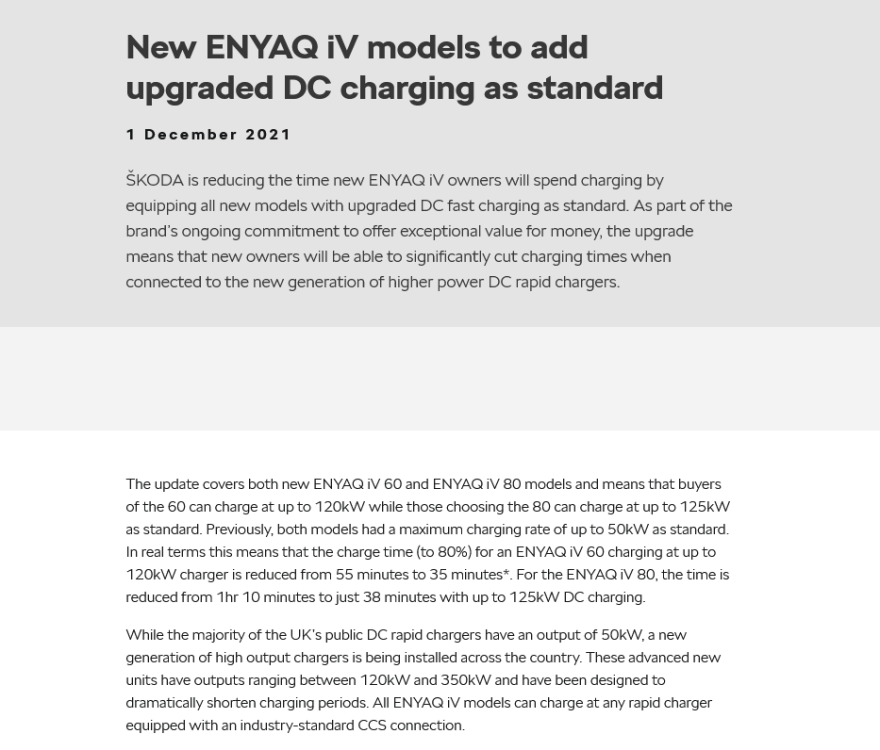
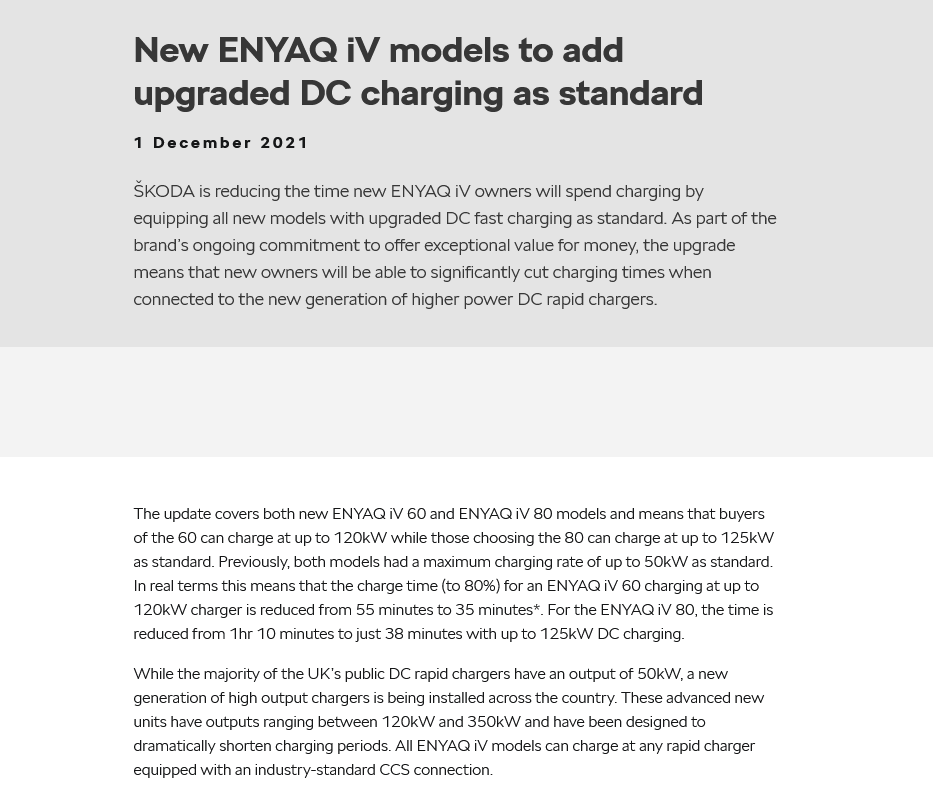
I would look at what battery was already fittedThe buying process for Škoda electric vehicles has changed Customers will now buy our electric vehicles direct from Škoda UK giving them confidence that the price they see on the website is the same as the invoice price they will be charged in their chosen Retailer, wherever they are in the UK (subject to any price adjustments we make, which may take some time to be displayed correctly on our website and other materials). Although customers will now buy their vehicle direct from Škoda UK, the Retailer will still be there to help customers with specialist product knowledge and advice helping them to buy the right car for them and their lifestyle. And of course, the Retailer will be on hand to deliver the same expert servicing and maintenance they do today.I think it's the UK resident that matters for the 6 month rule. Maybe a visitor could but not resident.it would only do the bonging if you got out though. Not relevant to the op but my enyaq requires no key or pushing of a button to start. Wakes up when i sit in it and shuts down when i get out.With a phev if you stop does the engine stop, In which case it would be possible to be parked with ignition on but turn the radio etc off and the drls would still be lit and vehicle active. People have been known to even get out of the car and leave them like that.Data that is missing from autotrader would be the date the car was built too. Some cars are relatively old when registered. It is useful to check the vin and even model year against the registration plate. vehicle can only be considered new if it: has not been permanently registered in any other country has not been sold for retail (this is where a vehicle is sold between non motor traders) has reasonable delivery mileage is a current model or a model that has stopped being produced in the last 2 yearsMy Enyaq doesn't have paddles.. Has a B mode where it genbrakes as soon as you take your foot off the accelerator. Otherwise it's Automatic only applies if you touch the brake pedal or to keep it at cruise control speed going down hill. otherwise it would freely roll down hill increasing speed I don't use B, i prefer the benefit of the coasting.Pay it quick before they change their mindBuilt in July and registered before end of August is quickUpgraded in 2022 so unless it's a late registered 2021 build it should be 125kw capable
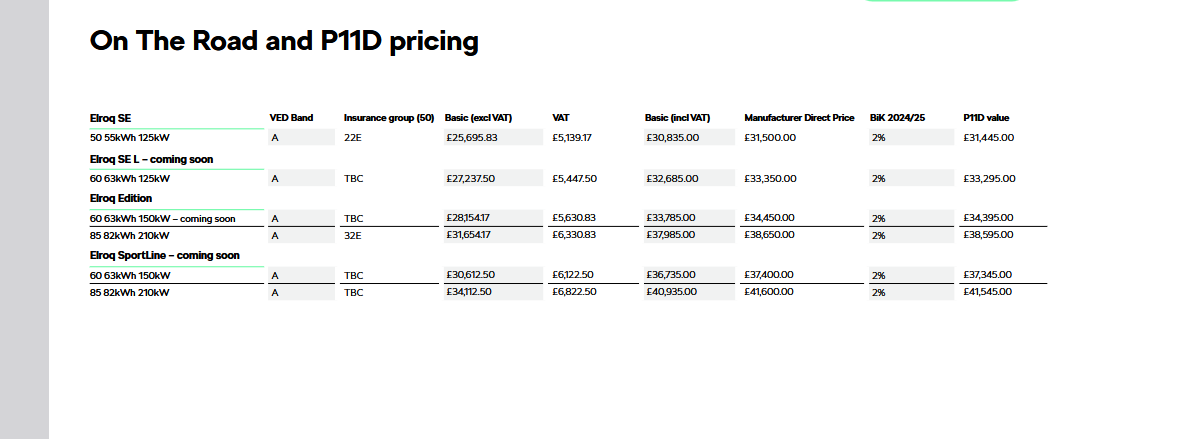
 Struggled to open the charging flap this morning. Thought maybe frozen so used a hair dryer at 1/2 hourly intervals and after two hours it opened. Could feel and hear the solenoids firing. Does the black post spin to lock into the flap? Should i grease the base of it or end or grease the slot in the flap? Or is it a sign it's going to let me down?I use one key until the battery low message appears, then put a new battery in it and swap to using the fob in the drawer.I have mine set for my mon - fri a.m departure time in the car.My enyaq off line since yesterday just came back onEspecially on BMW and Mercedes were you rarely see two used cars the same on spec.I do think it was possible with options . Was listed as up to £37,000 in reviews at the time.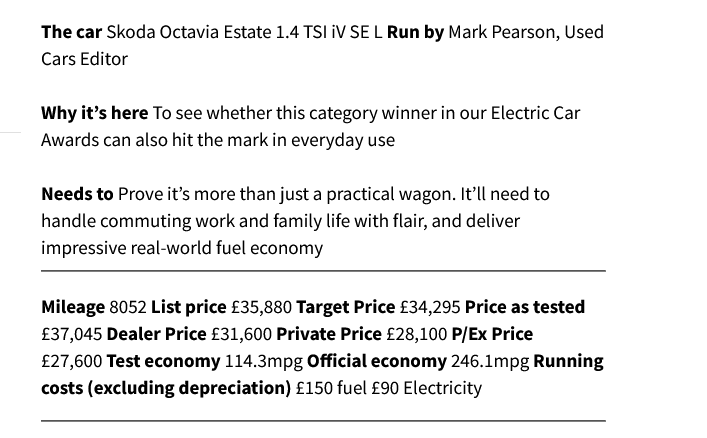
Important Information
Welcome to BRISKODA. Please note the following important links Terms of Use. We have a comprehensive Privacy Policy. We have placed cookies on your device to help make this website better. You can adjust your cookie settings, otherwise we'll assume you're okay to continue.




Account
Navigation
Configure browser push notifications
Chrome (Android)
- Tap the lock icon next to the address bar.
- Tap Permissions → Notifications.
- Adjust your preference.
Chrome (Desktop)
- Click the padlock icon in the address bar.
- Select Site settings.
- Find Notifications and adjust your preference.
Safari (iOS 16.4+)
- Ensure the site is installed via Add to Home Screen.
- Open Settings App → Notifications.
- Find your app name and adjust your preference.
Safari (macOS)
- Go to Safari → Preferences.
- Click the Websites tab.
- Select Notifications in the sidebar.
- Find this website and adjust your preference.
Edge (Android)
- Tap the lock icon next to the address bar.
- Tap Permissions.
- Find Notifications and adjust your preference.
Edge (Desktop)
- Click the padlock icon in the address bar.
- Click Permissions for this site.
- Find Notifications and adjust your preference.
Firefox (Android)
- Go to Settings → Site permissions.
- Tap Notifications.
- Find this site in the list and adjust your preference.
Firefox (Desktop)
- Open Firefox Settings.
- Search for Notifications.
- Find this site in the list and adjust your preference.