bdavbdav
Members
-
Joined
-
Last visited
Everything posted by bdavbdav
-
-
My June 23 VRS with travel assist plus and winter pack with DCC, blind spot, winter pack and travel assist (2.2k worth of options) was under 40k. I suspect the dealer has made a mistake? Base was 37ish for the VRS. Dealer discounts / incentives don’t count against the RRP for VED.
-
Is there a changelog for this? I’ve been wanting to do eeprom/dataset writes on the 5F and hoping this helps…
-
-
It’s a shame, I’ve been digging around this topic with no luck. Back when I had an e38 BMW there was a huge amount of chat about upgrading different nav units between the 4 different marks, switching 4:3 screens for 16:9… unfortunately there don’t seem to be enough units sold (or just not a big enough tinkerer community) to make it happen. I’m on the edge of buying the bigger screen if I can find a part’ed FL (as I suspect it’s more likely to be a direct fit physically), but it may be an expensive experiment.
-
Yep all the time.
-
Sorry not sure why you mean?
-
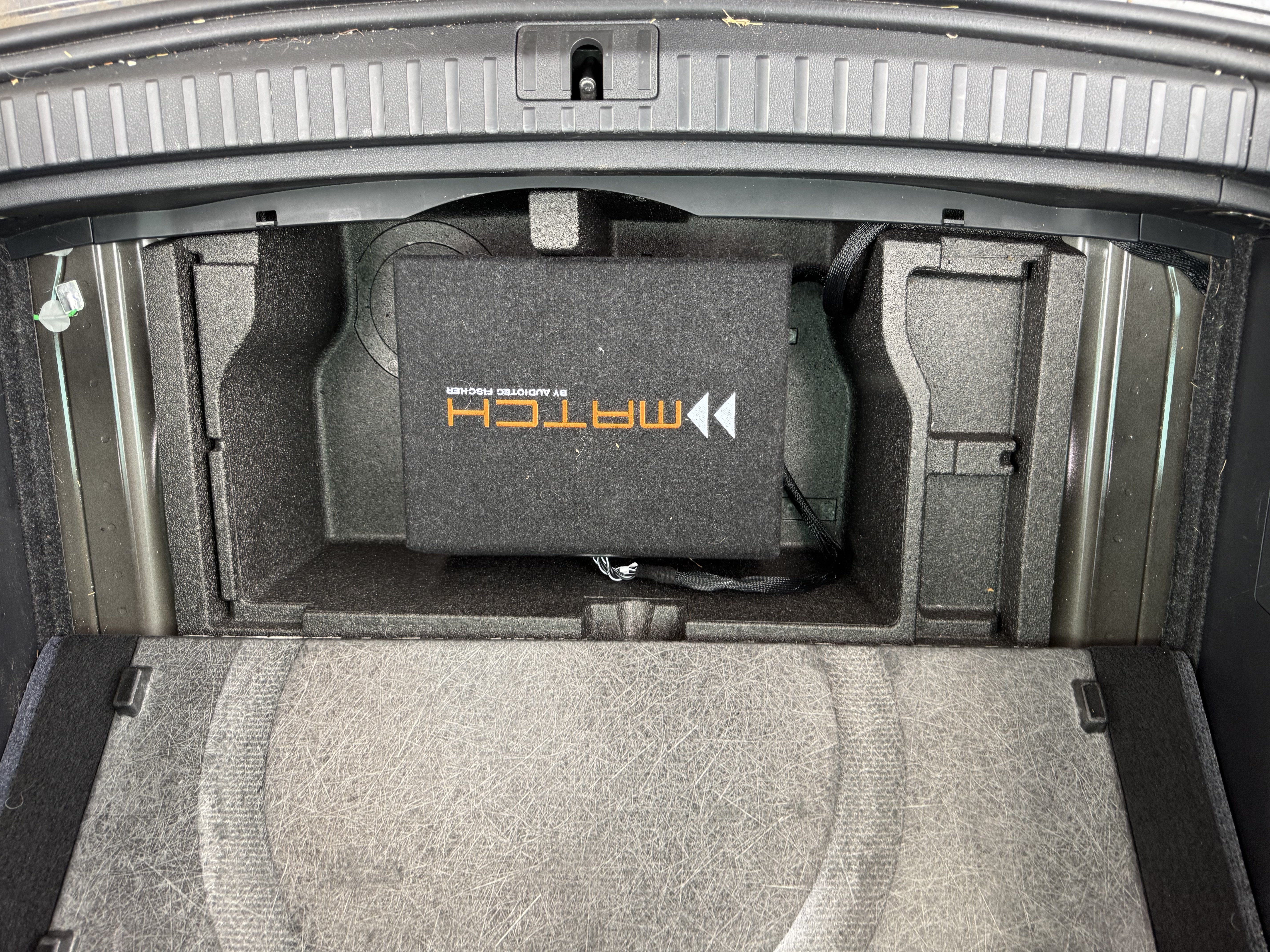
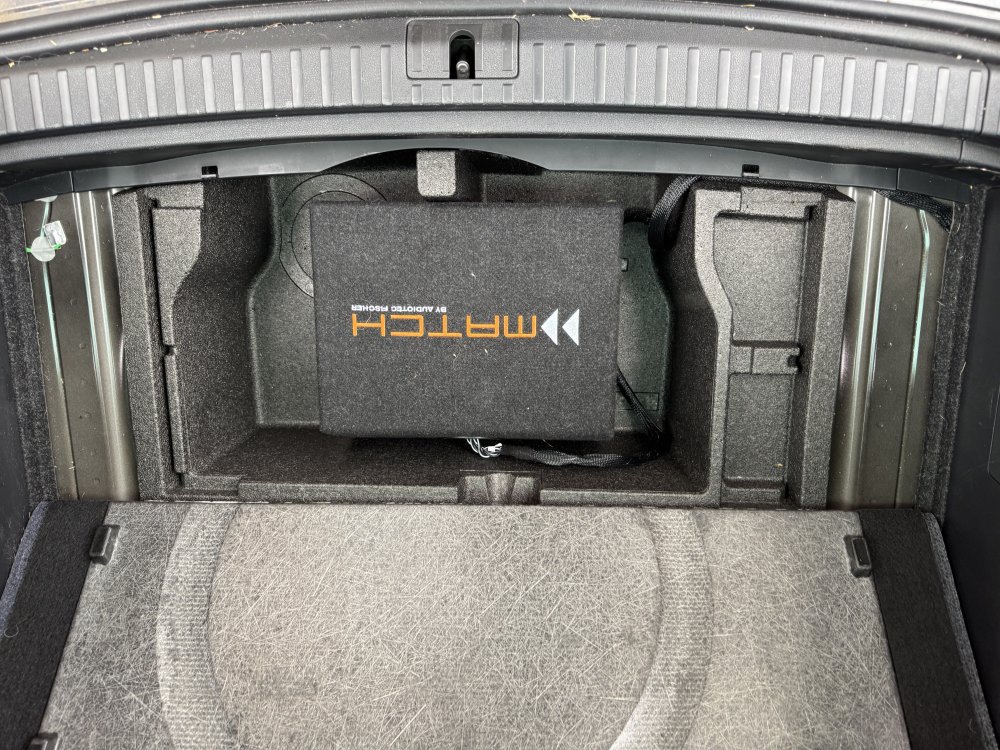
Subwoofer fits perfectly wedged in foam in boot
-
Remaining to fix / do: Hopefully flatten the sound profile of the MIB3 The center speaker is still there, and annoyingly if I disconnect it, SOS throws a fault code / error in dash. Not sure how to silence it, or how the radio is configured to play audio through the SOS module. There seems to be no coding / adaptations for it. Still unsure on the input sensitivity on the match. There doesn't seem to be a straightforward way to work this out.
-
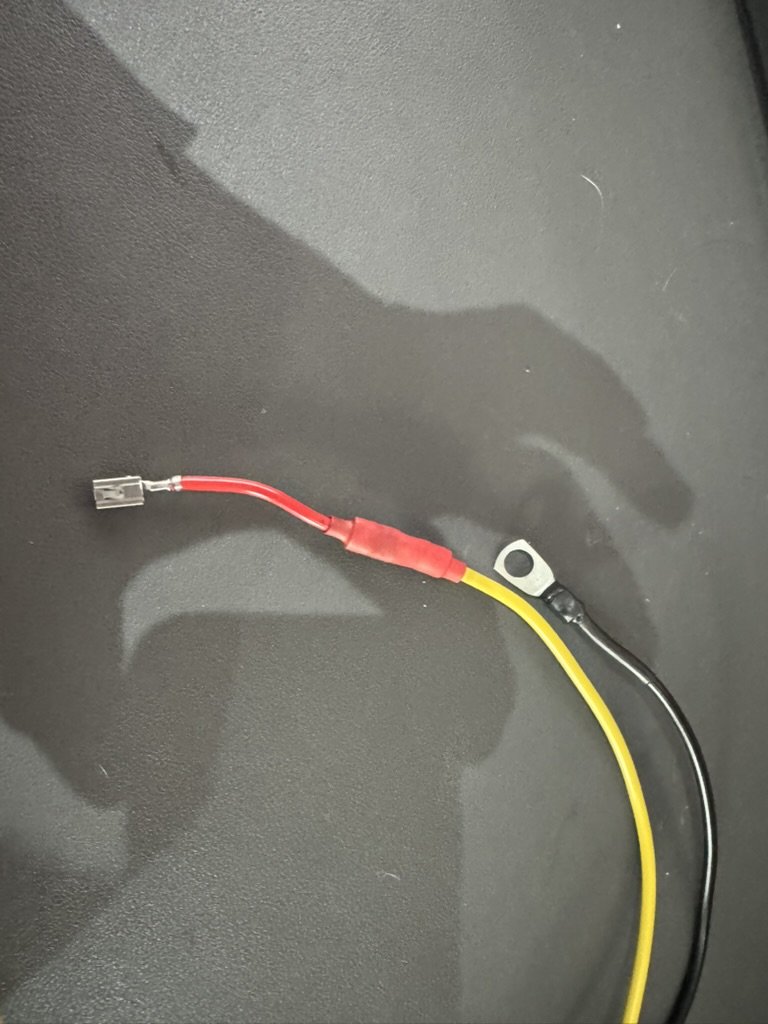
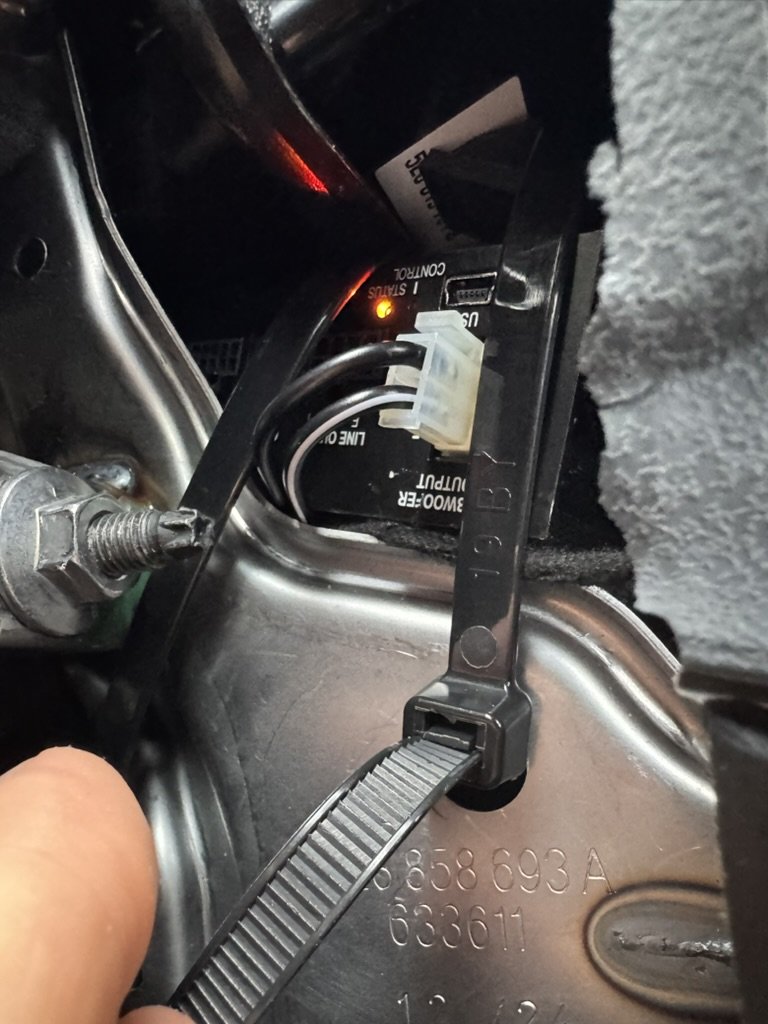
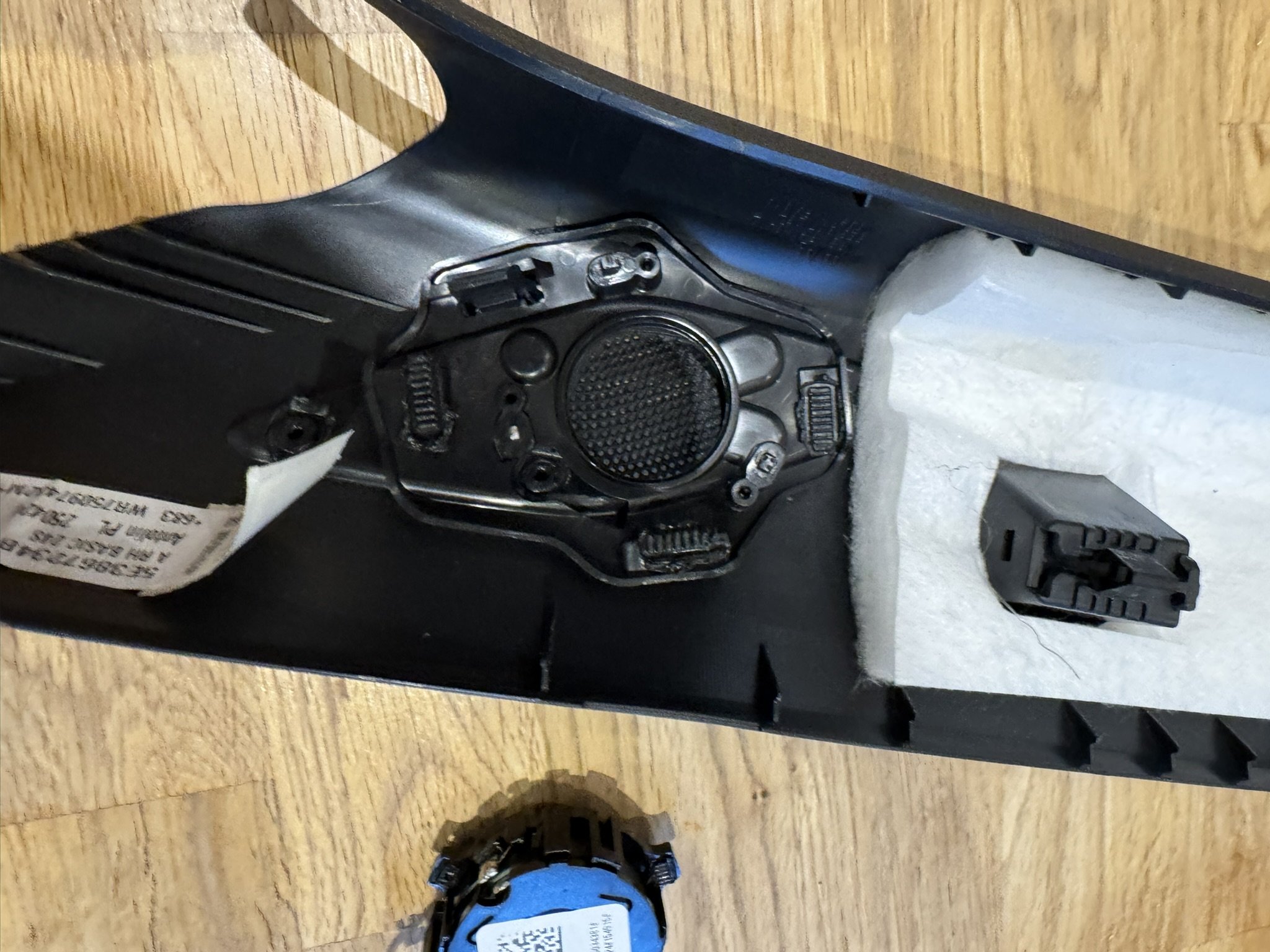
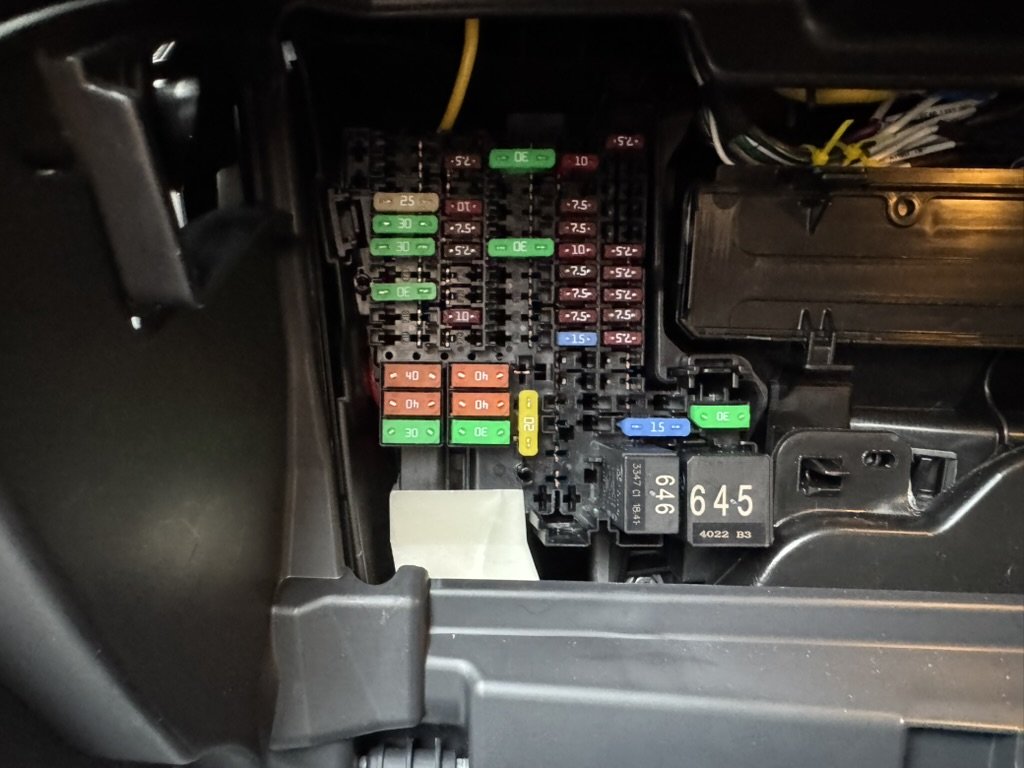
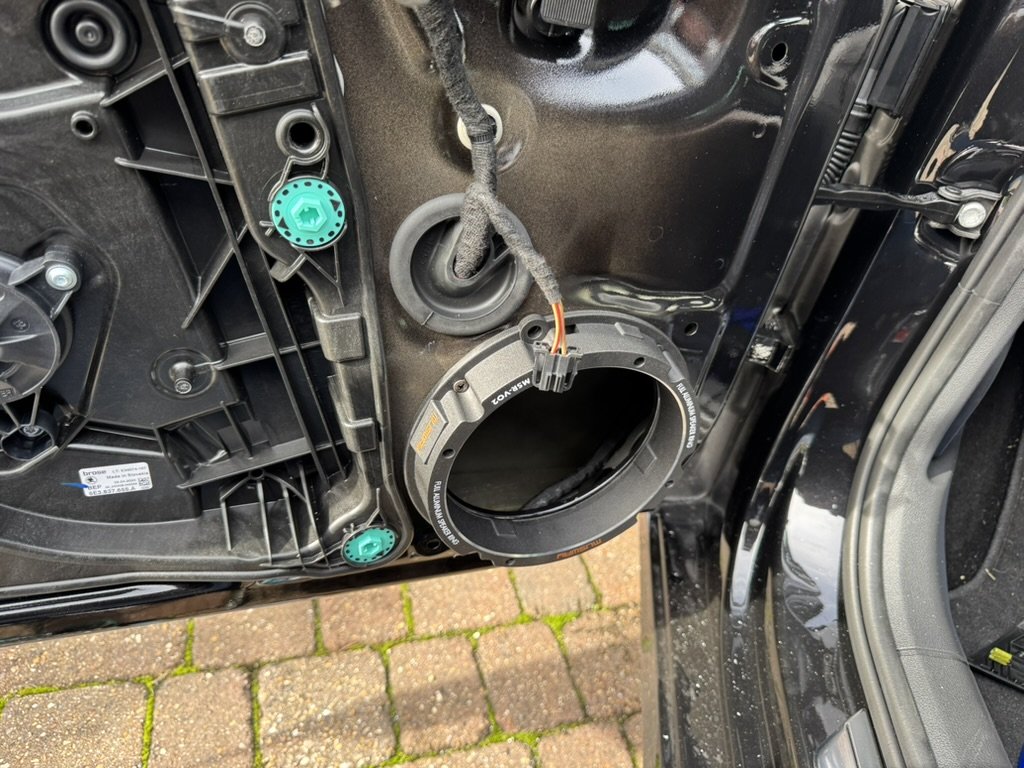
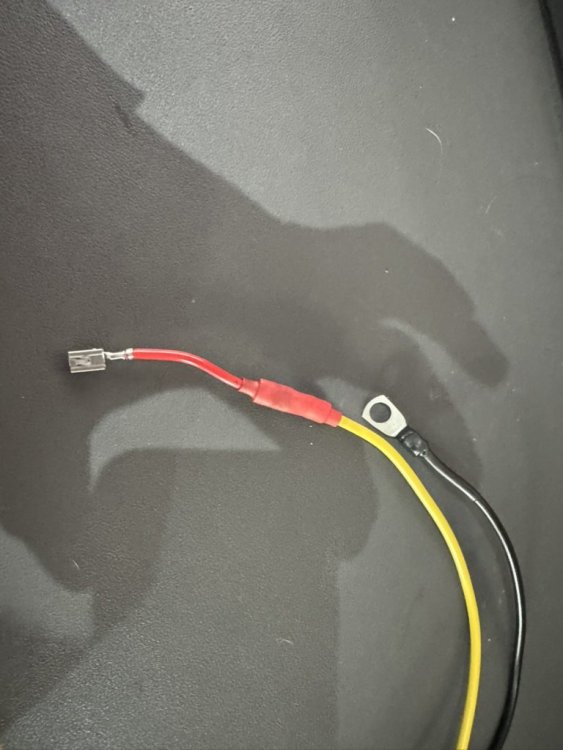
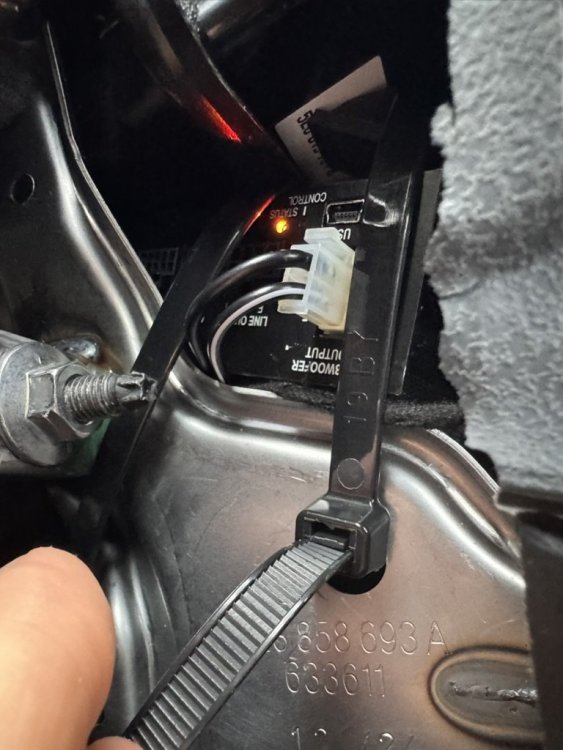
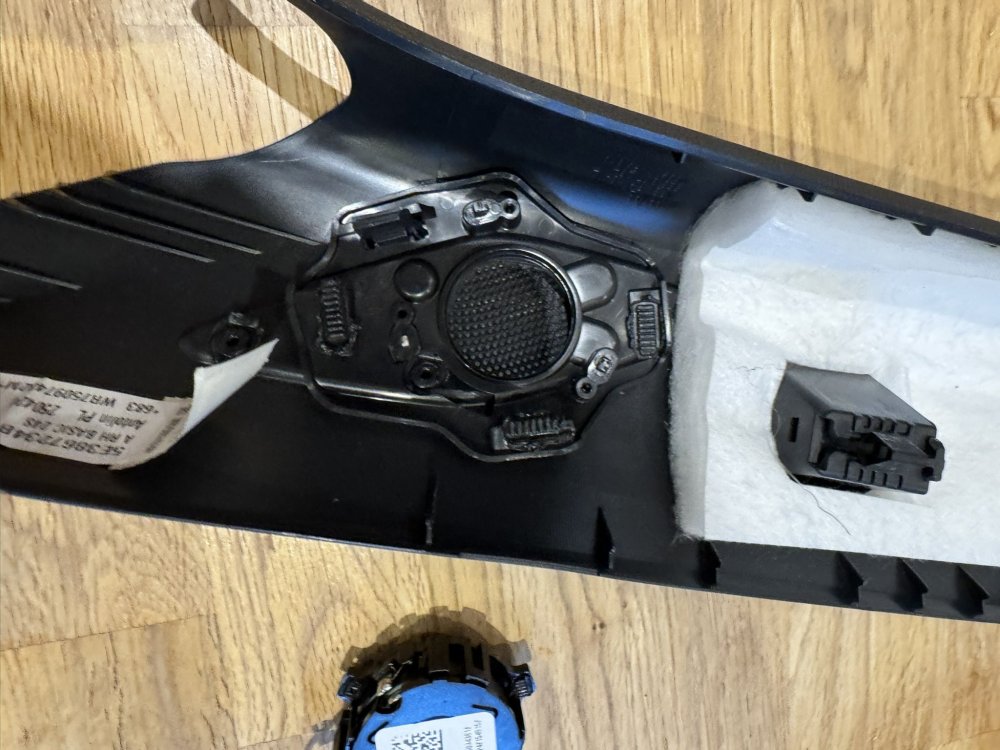
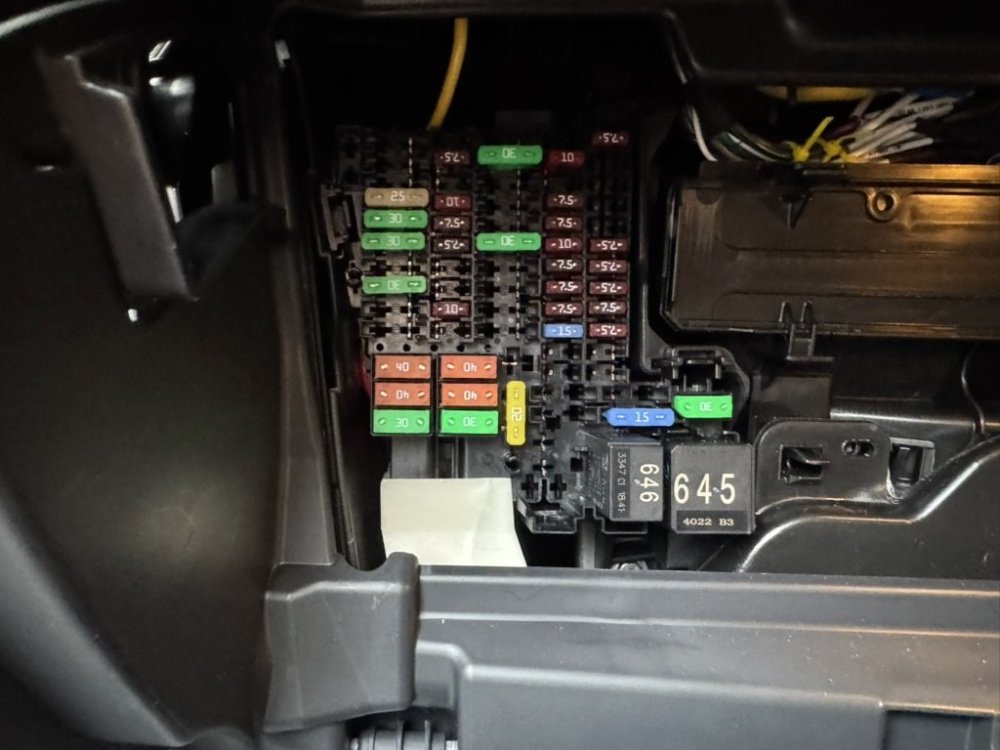
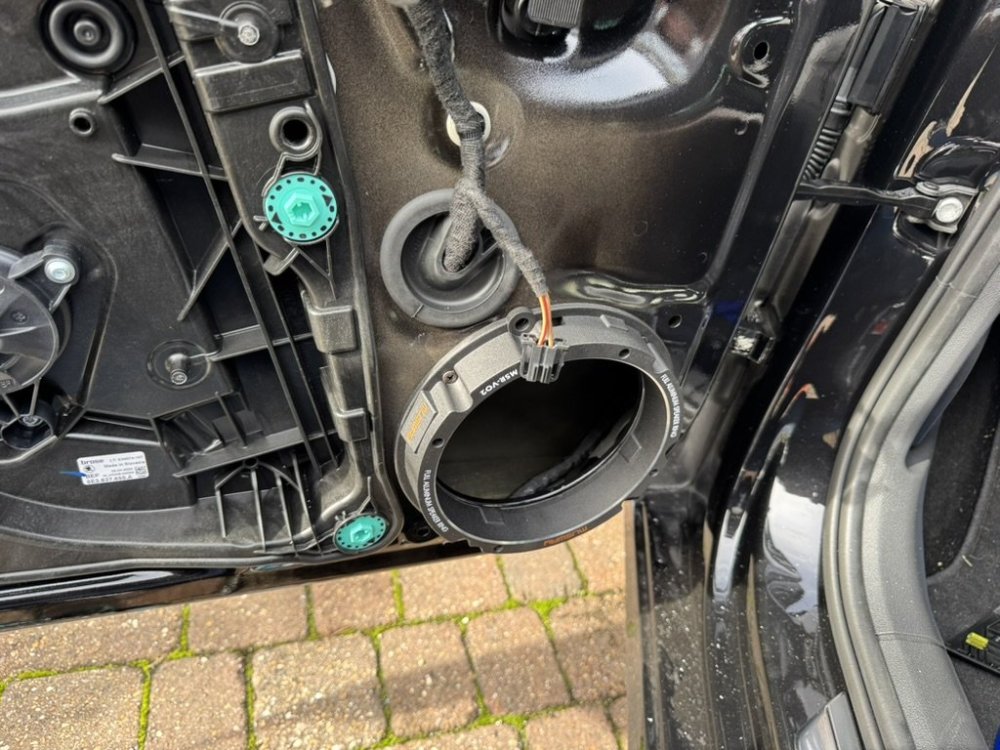
Just finished a bit of (for me) a mammoth build. Was very disappointed with the stock audio, and Canton wasn't available at the time. Have ended up installing the following: Match m5.4 DSP (Running Active crossover for the fronts. The rears are still off the HU, and I generally just run it faded to front. I may add another amp and take a line out of the DSP to it to drive the rears at some point). Focal Flax PS165FE Match PP8E-Q Subwoofer (under trunk floor) Musway aluminium speaker rings Dodo speaker surround foam / back foam Got the last of it in today, and I can say after a (very rough) DSP tune I'm really quite happy with it. I understand the speakers take a lot more running in, and I need to do a better job of both the input and the output EQ, but it sounds night and day, like something I'm going to enjoy listening to. Biggest challenge along the way turned out to be how best to power the amp. I wanted to use high power mode so that I can drive 60Wpc from the Match, and 120W to the sub. I ended up finding a salvage fuse box, and removing the wire from the back of one of the maxi fuses to put in an unused maxi slot in my car. The dash crossmember has some really good grounding points, and both of the above are right where the Match ended up (behind the glovebox). The only bit that I'm struggling with now is the input EQ, or ideally flattening the sound dataset on the MIB3. I've tried just about every different adapter and software going, but don't seem to be able to read / write the datasets (even though both OBDEleven and VCTool suggest I should be able to). I've ended up with a DoIP adapter now which is fantastic, and I rather like VCTool. Does anyone have an ODIS / VCDS / VCP setup in SE London / Kent that they'd be willing to help with in return for many crates of beer? Happy to share any further details of the build. Salvaged fuse terminal on Match harness: Match hiding on side of glovebox: Wires fairly neatly tucked away: Stock tweeter location: Musway alu rings in place:
-
I understand well enough that I am well within the current ratings for the spare fuse socket, wire sizing, demand from the DSP - what I’m not sure of is if the part itself is correct. It’s not particularly clear from either the service manuals or the parts diagrams I have access to.
-
Looking to add a circuit to my fuse box to drive a small amp/dsp (Match M5.4). Going to use either a 30 or 40a fuse. I believe one of the following two is what I need (both with the 4mm2 wire): 000979306E 000979308E Is one of these correct? I believe there may be two different ones, some for the standard fuses and some for the slightly chunkier fuses.
-
The slowing down for curves is hit and miss. Mine often says “Curve, max 27mph” then trucks through at 40.
-
Ehh I went round in circles on that one. same situation. Id say yes it’s easy enough. Go slow, and I found using my fingers was a lot better than using my pry tools. The only bit that was a bit fraught clip wise was the window switches, which are seriously tough. Managed to do it first time with no broken door clips. The rub is that the stock speakers are riveted in. The service manual does say for replacement they would be drilled out, and re-riveted, so this is evidently an accepted practice. Drilling out rivets is a bit of a pain. I removed the housing from the connectors and left the pins there, so no wires cut. New speakers were using Musway V02 full aluminium rings, which work great, and I attached using bolts.
-
I’ve got some focal flax tweeters waiting to go in, debating at the moment whether to stick them in the silly factory locations, stick the pods to the factory tweeter grilles angled properly, or stick them to the little corner plastic on the doors. I do wonder if I could get the replacement corner plastic for the door frames (so I can revert to stock) if I could drill the right size hole for them and flush mount them there.
-
I think the issue is less the location by the windscreen, but the angle.
-
Is there an under tray that need removing on the NX?
-
Facing the same thing myself - came here to post this. Want to power a Match amplifier. The under chassis way sounds interesting - how would you recommend securing it long term? Felt tape seems out of the question - big cable ties? I see a L shaped grommet thing but can’t get the cover off. I need to have a better scan through the service manual.
-
It does seem odd. There is a location for mids inside the door - I did wonder if this would be a better place for my upgraded speakers / tweeters to live.
-
Thanks for posting this - stumbled on this by accident looking for pictures behind the glovebox, and will for sure be added to my todo list!
-
@Filternz do you have the export of the input EQ you ended up with? Are you just flat on the output EQ?
-
Interesting @Luccie_007- your output EQ looks a lot less peaky than mine (originally done with a borrowed UMIK). To my ear, my setup sounds like it’s missing huge chunks. Going to try your tune (and buy my own UMIK!)
-
Thanks so much for posting these! I was going to buy a UMIK - I think it’s probably a good investment (and I can use it at home too). I had real trouble with the input EQ. The auto tune was hopeless, and I’m struggling not to get it “peaky”. I guess the output EQ also sorts out a lot of the issues not fixed in input EQ
-
@Luccie_007 or @Baeblade, would you be able to share the saved amp profile for the M5.4 if at all possible? Chasing my tail on EQ’ing this thing properly, and not sure if its just me or an unpredictable EQ output on the MIB
-
I think I may need to find someone to do the DSP tuning. I keep fuzzing with it (bought the proper UMIK-1, got an audio interface to do the AISA on the match properly, and get it to the stage I’m alright-ish with it on the driveway, but the moment I’m out and about it just feels tinny to me.