varooom
Resident Member
-
Joined
-
Last visited
Everything posted by varooom
-
-
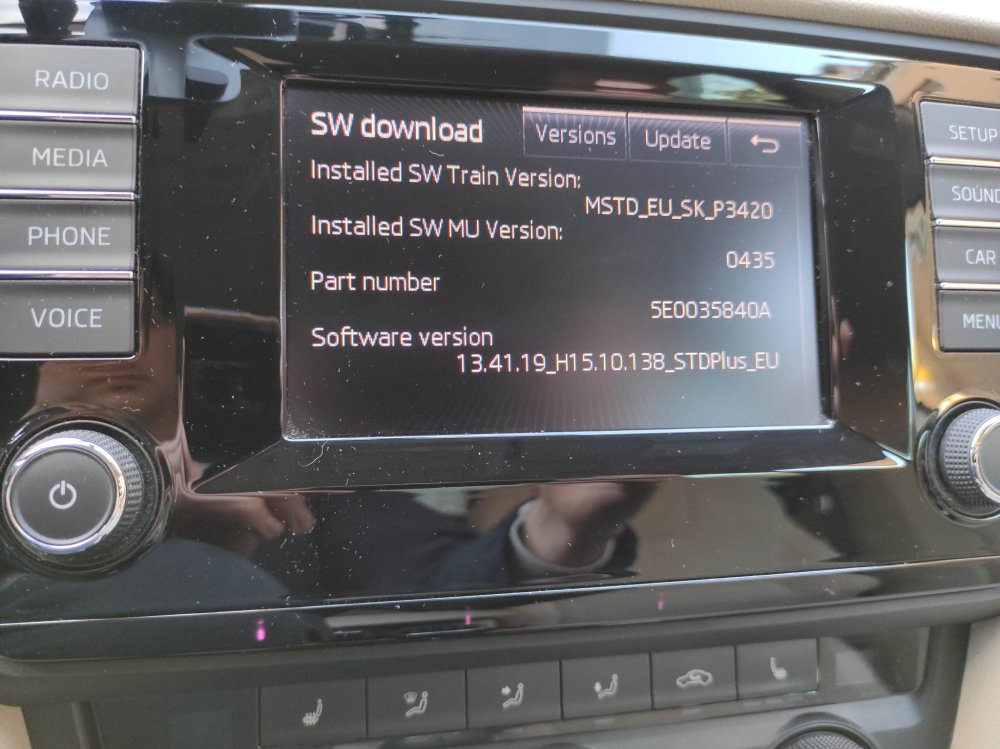
You need to extract that compressed 7z file to the root of an SD Card, so extract all to M: for example. And as said by Pab567, you need to be in engineering menu... so press and hold Menu/Setup button for 10 seconds to find page where Software Train is seen, and use that update button. Forget about USB The correct screen shown here, and press the update button in this location.
-
When that is working, you can press and hold down the Menu button for about 10 seconds to find the firmware that is loaded onto this, I can send this, but given the car has warranty, you should send to dealer. I can confirm if newer version exists and then when dealer says there isn't you know better.
-
It is sent via Private Message, I will send you update to 0306.
-
MIB1 firmware will be sent over to you
-
MST2_EU_SK_ZR_P0369T Is available for download
-
@israel90 Press and hold your Menu or Setup button for 10 seconds to enter the hidden engineering menu, locate page with Software Train information and take new picture.
-
I will send you instructions and a download link for this by Private Message system
-
Yes you need 8755 version to cure to noise. I will send link by PM.
-
No that is current latest version
-
Last suggestion would be to use another tool to unpack, like 7-Zip?
-
-
I don't have any solution for you I'm afraid, I can see one post where someone claims to have 0363 & 0369 firmware, but probably wants to sell the files for money. Are you now stuck in Red Emergency mode?
-
I suspect you may have a bad SD Card, as this is the common culprit. Sadly I do not have a matching firmware... @pab567do you have 03xx version for the PQ series? Can you run in an Admin Command Prompt (change M for the SD Card letter) and look for bad sectors on the card? ChkDsk M: /R
-
Well then let us go with my nice clean files then, make sure to use 7-Zip (free software to unpack) or make sure to update your WinRAR as I think the older versions may not read correctly. I will send you a PM with link/destructions. EDIT: Having woke up a little more, can you confirm your Software Train with a picture? You said you have... MST2_EU_SK_PQ_P0363T MST2_EU_VW_PQ_P0369T I have only MST2_EU_SK_PQ_P0253T version, and cannot see any higher.
-
More than likely, a bad copy, or bad SD Card. Not sure what you mean by "revert" to as if it failed, you would still be on orignal... or did it actually partially update? You would be better grabbing copy from me, and loading this on, if your SD Card is duff, then you will see checksum errors.
-
Do you need the older firmware??? MST2_EU_VW_PQ_P0369T exists you see
-
I can send you a link to this, for me this seems to make the system more responsive.
-
Skoda service 😄 they are getting to be a laughing stock, glad I was able to help where they weren't.
-
Sorry I have been a bit busy, and sometime miss a post. I will send you a link to 0480.
-
You can update to version 8755, I will send you a link shortly.
-
-
I did this just the other day with my own car, also the error has zero effect on the system. So if you cannot clear this, then don't worry.
-
Sure, if you are happy you can leave alone. I can send that if you change your mind.
-
You have to open 5F, and locate the value that is stored in that image from your car Then use the XOR website to input your value at the top To then make your new code Then input value with space here