varooom
Resident Member
-
Joined
-
Last visited
Everything posted by varooom
-
I have sent you a link now to download.
-
Yes, I will send you link by private message shortly.
-
Needle (called staging iirc) is something that is enabled in software, so potentially a red herring. Better to take a multimeter reading of battery after it has rested for 2hrs after driving.
-
Acronym Soup. NAS = Network attached storage. In simple, it's like a hard drive connected to your router at home that all of your home devices can access. I store documents on mine, so I can access my files from any PC/phone/tablet at home. I can access my files from anywhere in the World also should I wish. Powerful but dangerous if not set up securely.
-
I have had several NAS units over the years, the Synology one's are quite good I'd say. With drives, make sure they aren't SMR (Shingled Magnetic Recording) as they just are not designed for RW. Usually bigger drives are CMR, just do a little research on why. The Synology is capable of running a DLNA service that my similar age LG just sees fine for media, maybe that Sonos gear can talk to DLNA servers for media? Then you wouldn't need to run SMB1 as it's awful security. Synology does have an online test bed where you can have a play with a virtual Synology to see if you like the interface. Look about for a 2nd hand 918 or 920 if possible, gives you plenty of future proofing. If you setup with SHR1 if possible, which is Synology Hybrid Raid with ability to work if one drive fails, it's fairly robust. Naturally the drives are mad prices, better if you can wait for Black Friday if you can. Also research on "shucking" drives, they often put NAS drives into external USB's for Desktop, and you can look up how to open them up. Cheaper than buying a NAS drive, but beware warranty would be a little more interesting is all.
-
Given your regeneration light hasn't come on for limp mode, you're probably OK. The car knows oil Ash levels and will be adjusting regeneration frequency I suspect to more regular timing. Yes you can reset exhaust with VCDS, but not sure where it is off top of head, an adaption I think. If you take a look about, you'll find it.
-
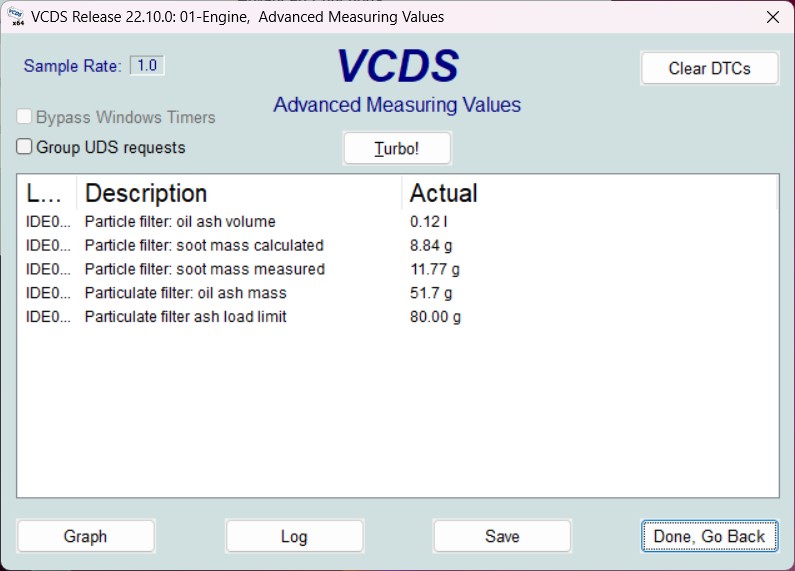
Ah, found this in my DPF document, my limit is 80g oil ash mass When you get home, pull up this value on your VCDS. As mentioned before, might be an idea to tell it you have a new exhaust and see how the car behaves after, it's not like the DPF filter stops working (as long as the soot keeps burning off, I would do this) If it regens too frequently, or becomes blocked in limp mode, then you need to get it washed out or replaced (eeek!)
-
Yes that's basically the list, but your current soot levels are too low to clean anything, this is main reason for the refused static regen. Your 90g (sometimes measured in ml) of oil ash, seems to be at the limit of what the exhaust can hold. If this was my car, I would be tempted to reset the exhaust in VCDS where you tell it you fitted a new exhaust. Have you tried hovering mouse over the oil ash to see if they offer up the limits?
-
When you open up VCDS, sometime if you hover over a target, it might say what the "limit" is. ODIS Service would probably give you a better indication of how far through the life it is, or maybe just say that it's "ok" There will also be static regeneration rules, like engine temperature and more than 1/4 tank of fuel, any of these factors will kick out a regeneration in my limited experience.
-
Sometimes they change the wording of things between ECU'S That oil Ash volume might be at the limits 🤔 maybe @Crasher can confirm or has another idea. Also, if the soot is low, the car won't allow a static regeneration iirc.
-
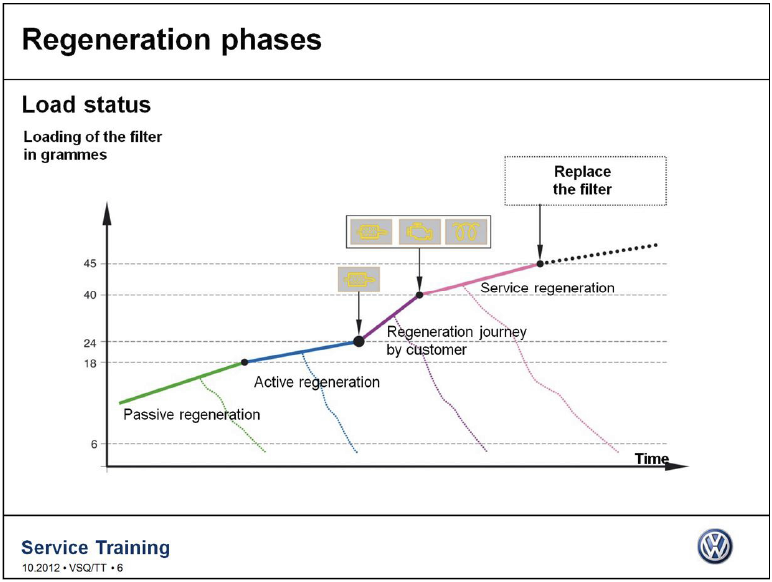
Check what your soot reading are, as I am assuming that "33" = Soot value. EDIT: This is an older document, but could give you an idea of the rough cutoff points for soot
-
At 33g I think you are above safe regeneration threshold, so it will be blocked.
-
You may wish to check what version software he has on the car, then if an update is available.. apply it. Not saying it will cure the issue, but it might have fix for the issue. Usually holding down the Menu/Setup button for 10 seconds will enter you into the Engineering menu, and then locate Software Train (or take plenty of photo's if you cannot) and post that back. You can test this on your car to see what this is.
-
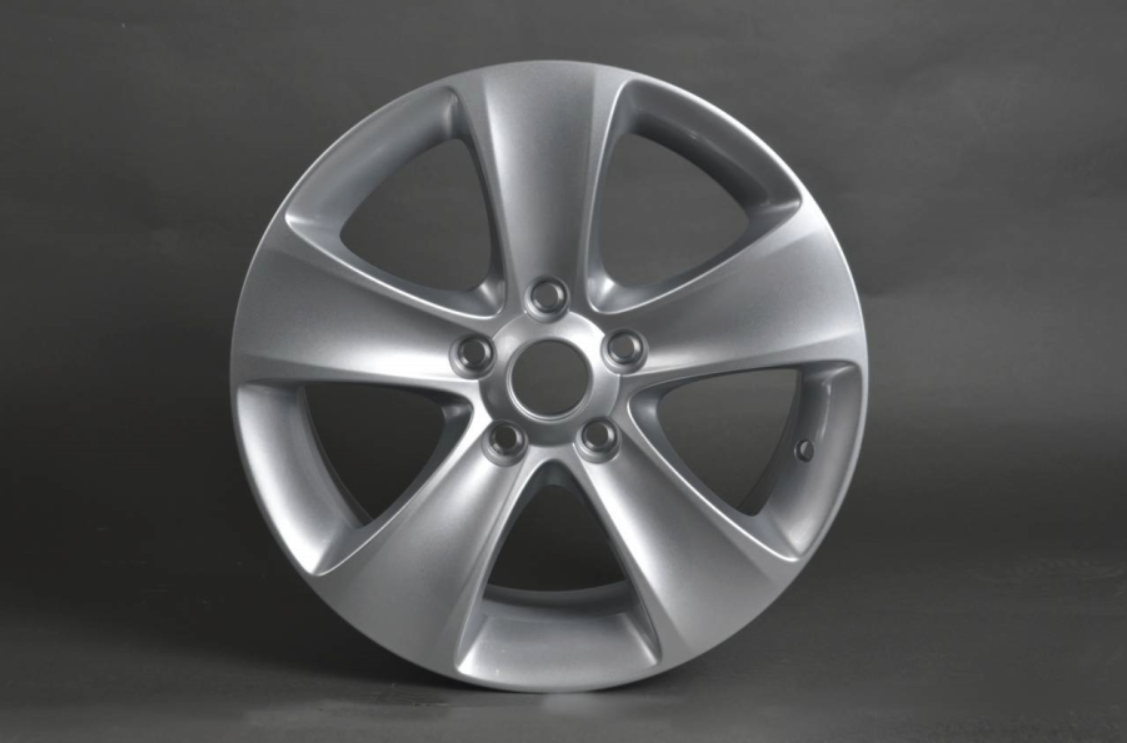
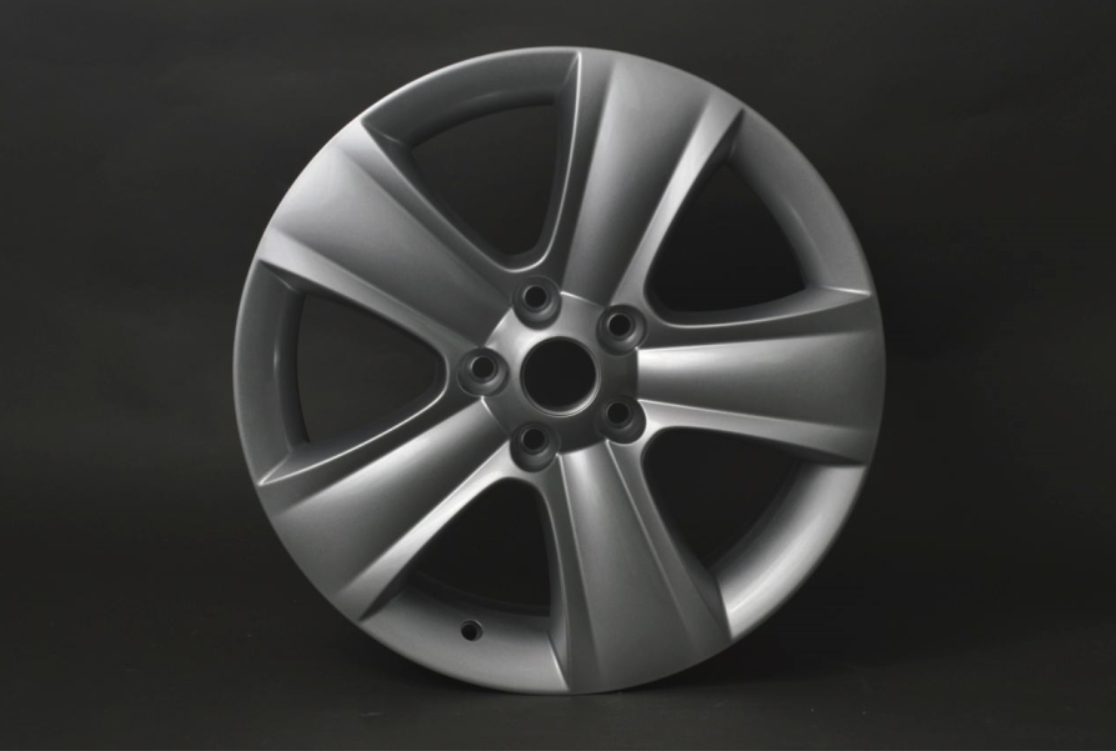
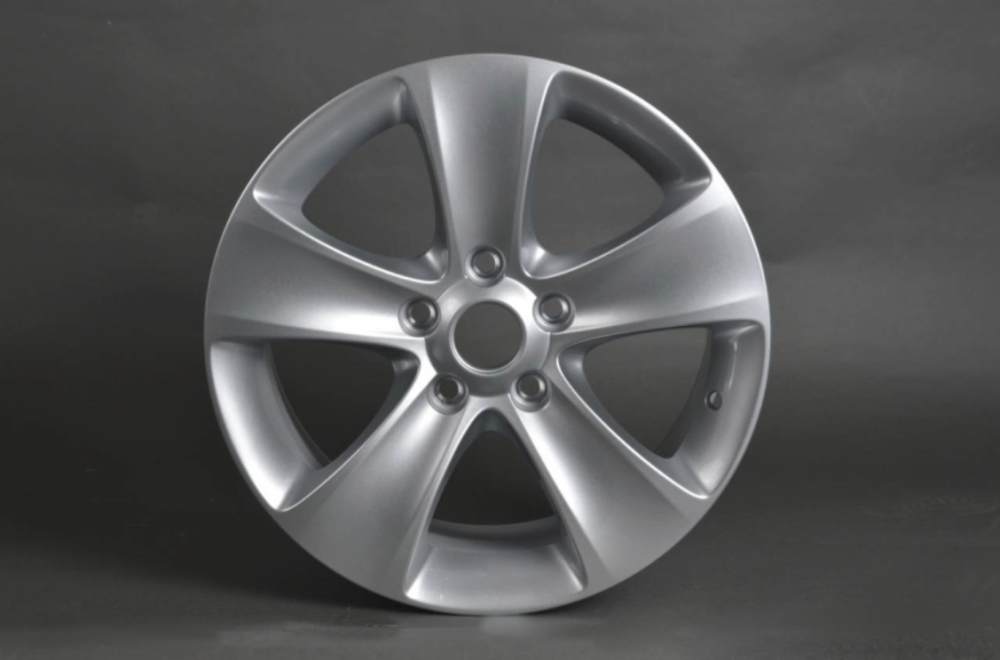
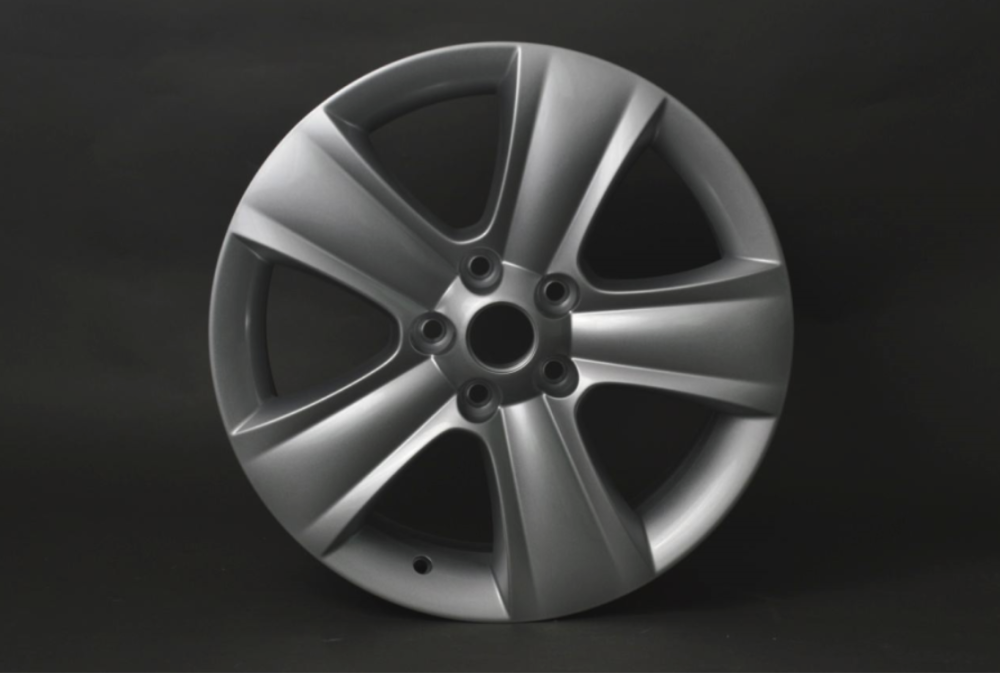
Moon is 16" Dolomite is 17" Moon Dolomite (has a sharper crease line) And the hole lines up on the air fill point also Easily confused though 🤝
-
-
I have sent you link by PM, look top right of screen.
-
Oh my 😉 I will make a fresh link, do you still have .7z file for 0324?
-
You lost the 0308 I sent to you?
-
You need to load 0308 before 0324.
-
You should press and hold down the Menu button for 10 seconds to enter the Engineering menu for updating and showing the current Software Train You have 0367, latest is 0369
-
For your firmware, you are current. The map information you have not shown, it's on another menu in the system (might see a value like "1910" for example The red globe, you should grab a look at your manual online https://manual.skoda-auto.com/210/en-gb/Models to see if you can find out what it means.
-
They expire after 24hrs is why you cannot get the file, I will make a fresh link.
-
Yes, I would not send you an old version 😁
-
I will send you an update to 0369 version soon, this screen here is where you apply the update.
-
@shved Press and hold down the Menu button for 10 seconds to enter the hidden engineering menu, I think there's no update available, but I will check when you post back Software Train information.