
Juniperz
Members
-
Joined
-
Last visited
-
Perfect size for a fob unless you keep your key on a key ring, with your other keys... As above, my house keys are with my car key, in my trouser pocket so that when I leave the house, I have my keys so I am never locked out of the house, and I can always drive my car. As much further above, this generation of KESSY is resistant to the criminals scanning attack ( https://www.skoda-storyboard.com/en/skoda-world/the-approach-of-the-keyless-age/ specifically "UWB box protects against signal extension ) But all of this misses the point - why did the car just dump be stranded in the middle of the night without any warning that the key battery might die soon?
-
Thanks for trying to help, unfortunately they hide the manual (why?) behind userid/password, and my SkodaID won't work there even though it works elsewhere
-
This was my original thread, so I may as well add to it. 3 weeks ago, I returned to my car late in the evening and was unable to unlock it keylessly or with the buttons on the key. Not a squeak, no red light on the key. I remembered that the door keyhole was concealed in trim behind the door handle, and managed to unlock the car, but the alarm sounded constantly all the time the door was open. I held the key near to the steering column, the cubby by the handbrake switch, the cubby ahead of the gear lever in the hope that there was some kind of proximity sensor, but nothing. The noise wasn't that embarrassing because it was a sports centre car park away from houses, but I was stranded. If my wife hadn't been out of the country I would have asked her to drive the spare key to me. Luckily one of the people I have been playing sport with, saw I wasn't heading off promptly and offered to help. Eventually we concluded that the best thing would be for him to drive me home (20 minutes), collect the spare key, drive me back, and then we could both drive home. Without him, I'd have been completely stuck. The issue - absolutely no warning from the car that the battery was in need of replacement. Can I get Skoda to pay for the nice bottle of red that I felt I should give to the helpful acquaintance? This was a Duracell battery, not an eBay cheapy. If I have gained entry to the car with the physical key, is there a special place where it can be placed that would have enabled me to drive the car?
-
Thanks. RFID pouch looses the point of having KESSY though... This generation of KESSY uses UWB so should be resistant to the relay attacks that have been a major problem for keyless entry. https://www.skoda-storyboard.com/en/skoda-world/the-approach-of-the-keyless-age/ -
-
I have only had the car for 2 months, and the dash display is saying that I need to replace the battery already. Is this normal? Hopefully it's just the first battery that was substandard and if I buy Duracell or similar in the future, they will last longer. I can't help thinking that the rapidly flashing red light on the key can't be helping... (I have KESSY / keyless entry)
-
Thanks, I was aware, but VCDS enthusiasts seem to think that OBDEleven is very much inferior to VCDS. I can't really comment as I have used neither, but unlocking SFD using a method approved of by VAG (eventually) seems preferable.
-
Thank Fellwalker - I came to the internet today to find out about the "Electric sliding parcel shelf" mentioned twice in both the April & August PDF brochures. I took delivery of my SE L estate on 3rd September and it looks just like any other VAG roller-blind parcel shelf. Will investigate settings next time I'm out. Am very much enjoying the new car. Very happy that the Lane Keep assistant is so much less intrusive than it was on my 2021 Seat Leon. I am still going to turn it off every journey though; it's great that I can put a shortcut at the top of the massive screen - turns off in two "clicks". Still hate adaptive cruise though - I would pay good money to have normal cruise... (Will probably invest in VCDS when they can do SFD unlocking).
-
I think I was moving across to pass the parked car, so there may have been a point at which the parked car came within the radar's scope. I guess that if I had been indicating, it wouldn't have happened, but I was brought up to think (Police / ROSPA driving course many years ago) that if no other road user can benefit from you indicating, don't bother.
-
Thanks both. Gulp, this all sounds a bit complicated for a novice like me... I would so like to be able to pick normal Cruise Control though, Adaptive is just horrible. At the weekend I was doing 30mph with Cruise set, passing a parked car, and it hit the brakes bringing me to 15mph before I realised what was happening. It's just dangerous. Luckily there was nobody behind me.
-
Thanks Giannis. I was assuming that I would get OBDeleven to do the codings, but as I said, this is all new to me. Will this work on Mk4 Facelift?
-
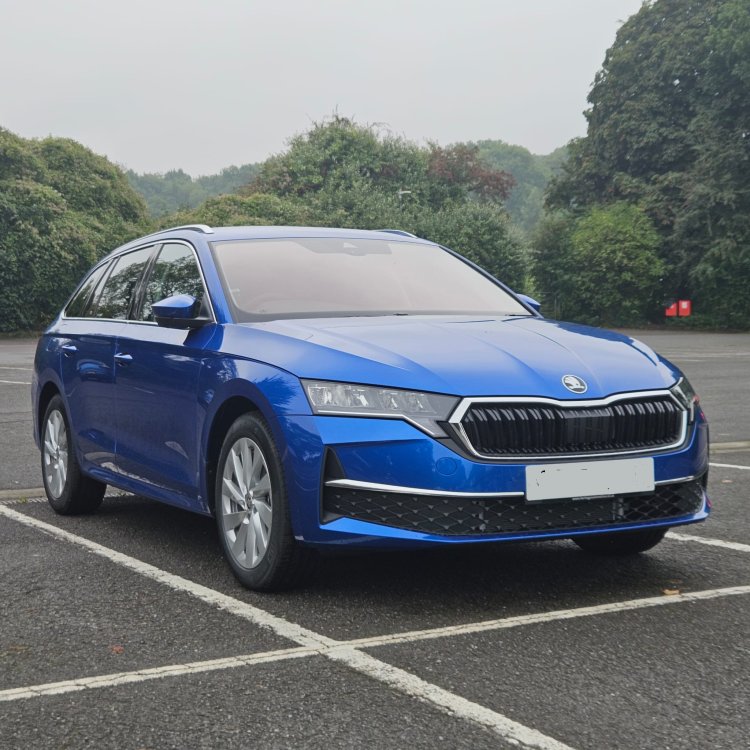
I have a 1 week old Octavia Mk4 FL, and no experience of applying codings. Has anyone tested anything here with the Mk4 FL? I am interested in: Lane Keep - remember last setting Drive Mode / Profile - remember last setting Cruise Control - allow non-Adaptive and remember last setting (I HATE ACC) vRS dials? Headlight assist? My car doesn't seem to have it (pushing stalk forward does nothing) but it would be good if it could be enabled Thanks
-
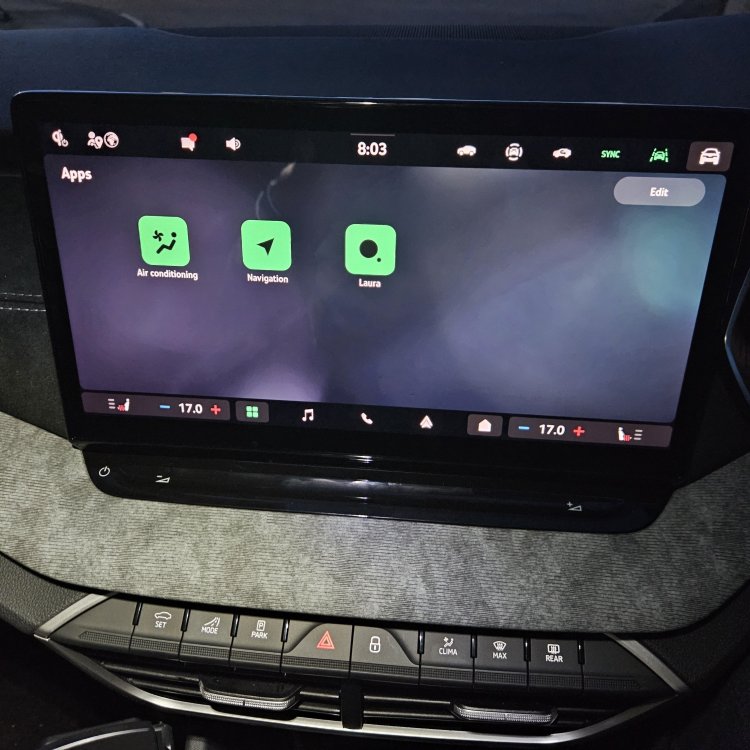
This is what mine looks like - Mk4 FL which I got last Tuesday. I can't say I have ever used the screen If I want Air Conditioning, I use the CLIMA hardware button shown below the screen. If I want Navigation, I just use Android Auto. If I want the voice assistant, I say "Hey Laura", or press the button on the steering wheel (left, top left)