



Skip to content

petrol cap locks

Featured Replies

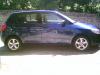
i've got a fabia 1 1.2 as courtesy car today.filling up with petrol i was shocked to see you need the key to unlock the petrol cap.

does this come on all fabia models ?

Same on my Fabia 2 1.4 tdi.

yep, although you dont have to lock them with the key, i dont cos i CBA!

  • Author

are the 1.2 12v engine's in the mk1 and mk2 the same cause they feel different ?

Lockable petrol cap is a good thing to have as it makes life harder for petrol thieves and those who would tamper with one's fuel. It doesn't take that long to lock/unlock - the key shouldn't be left in the ignition or you ask to be targeted by car thieves and your insurance won't pay out.

There are enough victims around without volunteering yourself.

Jo

I do find the set up for this a bit annoying compared with other cars. Most other cars I've had just have a filler flap either released only internally or through the central locking with the actual cap having no lock on it.

The best one I've seen for ease of use (especially if you have to fill up with diesel) is the Renualt (and I think Ford are going this way too) where there is a seal attached to the filler flap - open that and you don't have to unscrew the cap.

Mind you, when I'm getting 400-500 miles a tank, I don't have to fill up often so it's not a great hardship to have to unlock the cap!!!

It is a 20+ year old system and lends itself to the time caps were visible and proudly displayed as an exterior feature. I agree it is poor in this age. I cannot imagine many other makes in VAG group still use this system ?

are the 1.2 12v engine's in the mk1 and mk2 the same cause they feel different ?

The version in the mk2 is about 5bhp more powerful than in the mk1 ie 69bhp I believe.

Re the filler cap, the lockable cover seems to be a step backwards as in my Mk1 it is opened from inside. I don't know why; perhaps, as Jo suggests, it is to ensure drivers always remove the keys from their ignition when filling up

Have to use a key in the Roomy's 'cap aswell.

are the 1.2 12v engine's in the mk1 and mk2 the same cause they feel different ?

Mk1 64 bhp (1.2 12V)

Mk2 70 bhp (1.2 12V)

Torques are the same...

AFAIK, the difference is the software... :)

Edited by irfant

yes they are a visable deterent, but beleive me they come off in two seconds with any decent size flat headed screwdriver. the amount of fuel cap keys that drivers lost over the years and had to get these off soon taught you how insecure they really are.

On the Honda Civic Civinfo forum site there were at one time, more postings than any other topic regarding the fuel filler cap. Early versions of the current Civic suffered from the internal remote filler flap release failing to open the filler flap. This was made even more annoying by the fact that the filler flap, being located on the passenger side, could not be seen even via the door mirror. The driver needing to refuel, would pull the internal remote lever, get out and walk around the back of the car only to find the flap had not released. Return, pull said lever again, go back only to find yet again - you've guessed it - it had not released. This pattern followed time after time. Several bodge type remedies were tried including folded foam behind the filler flap based on the premise that the compressed foam when released would force the flap open - it never really cured the problem. Eventually and several months down the line, following much ownership frustration and lots of forum postings, Honda came up with an ingenious solution - a stronger spring!

At least we have been spared that type of fiasco.

Create an account or sign in to comment

Recently Browsing 0

  • No registered users viewing this page.

Important Information

Welcome to BRISKODA. Please note the following important links Terms of Use. We have a comprehensive Privacy Policy. We have placed cookies on your device to help make this website better. You can adjust your cookie settings, otherwise we'll assume you're okay to continue.

Account

Navigation

Configure browser push notifications

Chrome (Android)
  1. Tap the lock icon next to the address bar.
  2. Tap Permissions → Notifications.
  3. Adjust your preference.
Chrome (Desktop)
  1. Click the padlock icon in the address bar.
  2. Select Site settings.
  3. Find Notifications and adjust your preference.
