



Skip to content

Turbo Outlet to pancake Mod
Featured Replies

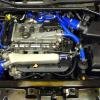
Having recently fitted a Forge 5 silicone hose kit to my VRS I enquired if they did a replacement for the hose (06A 145790C), this connects the turbo output steel downpipe to pancake chamber that is located at the engine side of o/s w/arch, the answer was no.

Having read many threads about pressure leakage / hose getting coated with oil mist, causing error codes etc i quickly checked mine, (so far ok).

I did a search and found this forum :-

VWvortex Forums: Charge Pipe (Turbo outlet to pancake) - Safe to use sealer??

There are some interesting solutions to this problem with plenty of pics. When it does start leaking, the last solution shown on the above is the one i think i will use, it does look fairly robust.

I think its a basic design flaw (whats wrong with using formed lips on the pipe ends and hose clips as used in the rest of the circuit).

Any other solutions / suggestions guys?? apart from buying a new hose.

Think i will check mine, does this cause the 17705 problems?

I have read this pipe has been known to cause 17705 errors and was one of the hoses I replaced on my 17705 cure trail :)

I have read this pipe has been known to cause 17705 errors and was one of the hoses I replaced on my 17705 cure trail :)

Blimey you must have replaced 80% of your car by now :rofl:

I never even knew that pipe existed :) never been down there so didn't think about it!!

I have that new pipe on mine also :)

Come to think of it I have replace 90% of my car now :eek: :rofl:

I have that new pipe on mine also :)

Come to think of it I have replace 90% of my car now :eek: :rofl:

Must be all that overtime your clocking up:D:D

Create an account or sign in to comment

Recently Browsing 0

  • No registered users viewing this page.

Important Information

Welcome to BRISKODA. Please note the following important links Terms of Use. We have a comprehensive Privacy Policy. We have placed cookies on your device to help make this website better. You can adjust your cookie settings, otherwise we'll assume you're okay to continue.

Account

Navigation

Configure browser push notifications

Chrome (Android)
  1. Tap the lock icon next to the address bar.
  2. Tap Permissions → Notifications.
  3. Adjust your preference.
Chrome (Desktop)
  1. Click the padlock icon in the address bar.
  2. Select Site settings.
  3. Find Notifications and adjust your preference.
