



Skip to content

BaD-BoY is back with Skoda :)
Featured Replies

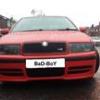
Hi all ... as maybe someone from you can remember me (Black Octy MK1 TDi) I sold my 607 and now i bought Octy MK2 VRS TDi :)

Pictures : " + title + "

Standard spec + jumbo box + xenons + 18inches alloys and few things more :)

You can see me in Leicester and areas :)

Welcome back!!

Welcome back

A very nice spec car you have there... perhaps an mfd3 to compliment the maxidot next?

I was never too bothered about the Octy VRS's in silver, but I really like them now, and your's looks fantastic :cool:

Nice one

what have you posted in mk 1 section for?

I love the car though, looks smart. Even better in the snow

Edited by claytarget_god

Welcome back! :D

What are your plans for this one?

I see your fashion sense has got better :D

  • Author

Plans ? for now ... only driving :)

By far the best photos I've ever seen of a silver vrs :thumbup: (also the best colour, of course..but I would say that :D)

to be fair that looks bloody gorgeous!

I love silver too. So much that I bought one!!

  • 2 weeks later...
  • Author

Heh :) Thanks :)

Anyway , something new on my car ;) Just have a look ;)

brisky1.th.jpg

brisky2.th.jpg

Looks mint mate, were did you buy it from? & how much did you pay for it?

Woah, that is VERY CLEAN. Nice example.

Probs my next purchase after the current Octy.

  • Author

sss

Edited by BaD-BoY

  • 2 months later...
  • Author

++++++

Edited by fatty5000
Please join freedom if you wish too sell

Welcome back. Great looking Car you have there. How did you manage to keep it so clean in the snow?

nice looking car.......Is that a bit of dirt on the left wing??..........only joking ..excellent photos

Create an account or sign in to comment

Recently Browsing 0

  • No registered users viewing this page.

Important Information

Welcome to BRISKODA. Please note the following important links Terms of Use. We have a comprehensive Privacy Policy. We have placed cookies on your device to help make this website better. You can adjust your cookie settings, otherwise we'll assume you're okay to continue.

Account

Navigation

Configure browser push notifications

Chrome (Android)
  1. Tap the lock icon next to the address bar.
  2. Tap Permissions → Notifications.
  3. Adjust your preference.
Chrome (Desktop)
  1. Click the padlock icon in the address bar.
  2. Select Site settings.
  3. Find Notifications and adjust your preference.
