



Skip to content

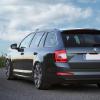
Matt Black grill on my Fabia
Featured Replies

Hey guys,

Just wanted to post a couple of photos of my Fabia with the blacked out grill...

I think it looks good on the car...

3418849596_864ce65500_b.jpg

3418848370_294564b140_b.jpg

3418038649_3508cc741f_b.jpg

3418039045_173dea0b4d_b.jpg

3418039985_40d8ae787c_b.jpg

It's just the original grill wrapped in matte black vinyl. It took 3 people and a hairdryer to perform the task :) but i think it turned out okay.

/ Oxboll

done a great job, but im not a fan of it tbh. but its each to their own!

can i ask, did you take it all off? ive colour coded mine but cant seem to find a way of removing the bit that goes around the grille. if you took it off could you tell me how :holmes:

  • Author
can i ask, did you take it all off? ive colour coded mine but cant seem to find a way of removing the bit that goes around the grille. if you took it off could you tell me how :holmes:

I took it all off... It was very easy, just takes some brute force :-)

And afterwards I found this Guide ... Scroll down to page 2.

When the grille is out, you can snap off the chrome part... Just be very careful about the snaps at the tops at both sides.. they break VERY easy... had to glue mine back in.

Could have saved me half an hour of bad nerves trying to tear it all apart... Hehe...

But no worries. A replacement chrome part is quite cheap (circa £9.6 )

The part number is: 5J0 853 607

Good luck

Its not something that suits the car IMO....

But if you like the black grill and wheels, good luck.

I don't particularily like the MK2 Fabia... but I think your work looks pretty funky!

did a good job a vinyle rapping it mate, just dont think it looks brillant, i would perfer the chrome one. That said might be a diffrent story if your car was black. did you take all the bodykit off yours? i noticed you said it was the sport model :o

I quite like that if im honest, its something different. If the part is only £10 i might buy one and give it a try.

Sport model??

This is my Sport model. The front is different

P1000785.jpg

I think that looks good and really suits it :)

I like that,looks good in matt black,much better than chrome IMHO :D

I took it all off... It was very easy, just takes some brute force :-)

And afterwards I found this Guide ... Scroll down to page 2.

When the grille is out, you can snap off the chrome part... Just be very careful about the snaps at the tops at both sides.. they break VERY easy... had to glue mine back in.

Could have saved me half an hour of bad nerves trying to tear it all apart... Hehe...

But no worries. A replacement chrome part is quite cheap (circa £9.6 )

The part number is: 5J0 853 607

Good luck

thats great, but whats happening in fig4? shats he pulling out?? :confused:

That looks really good, I like it.

I am a big fan of that, and in general the car looks great, certainly one of the nicest Fabia 2's I have seen :thumbup:

Oxboll, looks great in my opinion. Like the wheels too! Nice one...:thumbup:

That the next mod for the vroomster then?

I like that! I vote keep it! :D

did you take all the bodykit off yours? i noticed you said it was the sport model :o

Hi guys,

Here in Denmark the Sport model comes without any kind of bodykits...:cool:

Mine is also a Sport but have fitted the bodykit afterwards.

Bgsd Dan

I like it :thumbup:

Looks great, I'll do the same to my Roomster... :)

Edited by irfant

looks really good. if your that handy with vinyl.... fancy doing my roof!! aha

That matt black grill looks excellent! Makes more impact than the chrome.

Nice individual touch!:thumbup:

Inspired from you... :)

dscn5562.jpg

Create an account or sign in to comment

Recently Browsing 0

  • No registered users viewing this page.

Important Information

Welcome to BRISKODA. Please note the following important links Terms of Use. We have a comprehensive Privacy Policy. We have placed cookies on your device to help make this website better. You can adjust your cookie settings, otherwise we'll assume you're okay to continue.

Account

Navigation

Configure browser push notifications

Chrome (Android)
  1. Tap the lock icon next to the address bar.
  2. Tap Permissions → Notifications.
  3. Adjust your preference.
Chrome (Desktop)
  1. Click the padlock icon in the address bar.
  2. Select Site settings.
  3. Find Notifications and adjust your preference.
