



Skip to content

please help asap

Featured Replies

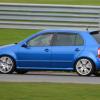
hi guys and girls. i need urgent help please, lent my vrs to my girlfriend as hers in in the bodyshop and she thought shed be nice and fuel my car up.....with petrol!

any way she drove 5 minutes or so down the road and it cut out, can anyone help me?

btw she put 18litres into it on a near empty tank.

thanks, stephen

There are various threads on this subject. To start with you need to drain the tank, some people seem to get away with filling up with diesel, fuel filter might need changing.

  • Author

thanks guys, do these engines normally start after doing this?

Hi mate depends usually damages the pump!

Fortunately Fabia VRS has a PD engine which only has a low pressure electric lift pump. Damage to the fuel system is highly unlikely, especially as the almost neat petrol mix meant that the engine stopped as soon as the mix reached the injectors (as diesel cant run on petrol....)

Its just a case of draining the tank and fuel filter,fill up with diesel, and crank the engine till it starts (it may take a minute or more of cranking). It should sputter back to life, albeit, it may cough and splutter for a few seconds while the the last dregs of petrol are cleared.

PD engines are much more robust than CR engines.

  • Author

she lives :)), drained the system out, new filter from skoda (£21) with discount . started first time, lots of smoke for a second and some half dieing animal noise then the perfect sound of chug chug chug chug

thanks for your help guys.

stephen

Create an account or sign in to comment

Recently Browsing 0

  • No registered users viewing this page.

Important Information

Welcome to BRISKODA. Please note the following important links Terms of Use. We have a comprehensive Privacy Policy. We have placed cookies on your device to help make this website better. You can adjust your cookie settings, otherwise we'll assume you're okay to continue.

Account

Navigation

Configure browser push notifications

Chrome (Android)
  1. Tap the lock icon next to the address bar.
  2. Tap Permissions → Notifications.
  3. Adjust your preference.
Chrome (Desktop)
  1. Click the padlock icon in the address bar.
  2. Select Site settings.
  3. Find Notifications and adjust your preference.
