



Skip to content

Newby

Featured Replies

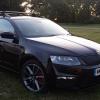
Just thought i would post up a short introduction as a new member, so here i am. Never had a Skoda before so am looking forward to running, love the TDI PD engine with plenty of options for tuning (most probably will go for the Jabbasport option though) in time. Cheers :thumbup:

Welcome to Briskoda Superted.

Which tdi have you gone for?

How is spotty man?

:D

Welcome :wave:

Like the name by the way, brings back memories of rushing home to watch Kids TV.

I'll do it again when i'm back on days :rofl:

  • Author

Cheers chaps, Fabia Vrs Black Magic!! I think there is only one real colour when your'e on the dark side!

Cheers chaps, Fabia Vrs Black Magic!! I think there is only one real colour when your'e on the dark side!

Give it a couple of days and it will be grey magic.

Hope you have a jet wash :D

Good choice (if the most common one ;) )

Welcome to Briskoda.

Welcome, Superted.

Hi superted :wave:

Nice choice in car but then I would say that!

Oh wait for it...........yeah another black fabia vrs

Hi superted :wave:

Nice choice in car but then I would say that!

Oh wait for it...........yeah another black fabia vrs

yep hello and welcome superted,

and flatfourburble beat me to it!!!!

  • 2 months later...

Yeah well flatfourburble likes to be the champ Wrighty, anyways

Hello Superted!!!!!!!!!!!!!

Oh I remember the good old days... *sighs*

and flatfourburble beat me to it!!!!

Sorry :D

Yeah well flatfourburble likes to be the champ Wrighty' date=' anyways QUOTE']

do I know you Mr Harris? I don't think you do so please dont assume you know what I like ta!

:rolleyes:

Create an account or sign in to comment

Recently Browsing 0

  • No registered users viewing this page.

Important Information

Welcome to BRISKODA. Please note the following important links Terms of Use. We have a comprehensive Privacy Policy. We have placed cookies on your device to help make this website better. You can adjust your cookie settings, otherwise we'll assume you're okay to continue.

Account

Navigation

Configure browser push notifications

Chrome (Android)
  1. Tap the lock icon next to the address bar.
  2. Tap Permissions → Notifications.
  3. Adjust your preference.
Chrome (Desktop)
  1. Click the padlock icon in the address bar.
  2. Select Site settings.
  3. Find Notifications and adjust your preference.
