



Skip to content

Back in a Skoda!

Featured Replies

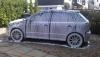
Just a quick post folks, sold my MX5 last Tue night, and today picked up a black Fabia vRS, with red leather retrim - think it may be Farky's old car.

Loving it so far!

Can't stop, got my 40th birthday party tonight (so car won't be getting driven again today lol).

Speak soon,

Cheers,

Steven

Hey Steven :)

Excellent news :) Hope to catch up with you again sometime.

Happy Birthday ;)

Welcome back fella and Happy Birthday!

Davy

Get along to the meets lol

Nice one Steven!

Sounds good.

Will be good to meet you.

  • 2 weeks later...
  • Author

Couple of pics...

w4UFKYXB.jpg

vnW8GPMV.jpg

loE97skp.jpg

aqyNUrGD.jpg

Needs a good clean, and the front tints removed methinx...

Looking good Steve.

Davy

And the god awful sunstrip! The rear screen needs done though!

  • Author

And the god awful sunstrip! The rear screen needs done though!

Sunstrip will be coming off.

Rear screen is done, although doesn't look it in that photo! Same as rear sides...

I've got VCDS if you want anything altered!

emoticon-0105-wink.gif

  • Author

I've got VCDS if you want anything altered!

emoticon-0105-wink.gif

Sunstrip came off yesterday - what a palarva! Loads of nail varnish remover and cotton wool needed to remove leftover glue.

What is VCDS - is that like VAG-COM? Thanks for the offer whatever it is :D

is that like VAG-COM? Thanks for the offer whatever it is :D

It's the new (no infringement of brand identity) name for Vag-Com!

Create an account or sign in to comment

Recently Browsing 0

  • No registered users viewing this page.

Important Information

Welcome to BRISKODA. Please note the following important links Terms of Use. We have a comprehensive Privacy Policy. We have placed cookies on your device to help make this website better. You can adjust your cookie settings, otherwise we'll assume you're okay to continue.

Account

Navigation

Configure browser push notifications

Chrome (Android)
  1. Tap the lock icon next to the address bar.
  2. Tap Permissions → Notifications.
  3. Adjust your preference.
Chrome (Desktop)
  1. Click the padlock icon in the address bar.
  2. Select Site settings.
  3. Find Notifications and adjust your preference.
