



Skip to content

Mission L

Featured Replies

Very nice and the cars not bad either :rofl:

nice shape but not totally liking the front fog lights look like they stole them off an old british leyland bus and the main headlight units too ...... I don't know and the grill is too tall for me if it was a lil shorted i think it would look better! Lower grill too looks like its made of box packaging filler crap and doesnt suit the main grill above!

I WANT TO SEE THE VRS THOUGH still think its looks better than the Octy II and the FL but could have looked ever better again

Don't like the Front.

Isnt this the Lauretta?

I like it, but i bet the wheels dont sit that nicely...probs a good inch inside arches as usual...

Overall look is pretty good. Really don't like any of the lights or the front grill. The headlights are too narrow and it looks like a child has drawn round the rear lights with a black crayon.

If they get these sorted then it should be a really good car. Not completely drab like an Audi but not angular like many other new cars.

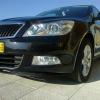
Is it just me or does it look too similar to the new Kia Cee'd from the front?!?

KiaCeedSW1009(4).jpg

Nice, but when's it due out?

Also I'd want to know the specifications, trims etc before I start saving the £ & p's.

Is it just me ...?

It just you.

:p

Edited by rob_e

I like it but it wont remain like this for production

Will there be a vRS??

just looks like a restyled Octy to me

looks more like a warmed over new shape Jetta!

Isnt this the Lauretta?

yup.

its not the new octavia!!

the new octavia is going to b bigger than the current model.

the mission l (lauretta) is smaller than octavia, yet bigger than the fabia.

And in profile I still maintain it looks like a Seat Exeo or in other words an old A4................ and what in God's name were they thinking about with that interior?!!

Oh, yes... the interior... I was just looking for a word to describe it myself... ugh. Pimpmobile c. 1973.

Create an account or sign in to comment

Recently Browsing 0

  • No registered users viewing this page.

Important Information

Welcome to BRISKODA. Please note the following important links Terms of Use. We have a comprehensive Privacy Policy. We have placed cookies on your device to help make this website better. You can adjust your cookie settings, otherwise we'll assume you're okay to continue.

Account

Navigation

Configure browser push notifications

Chrome (Android)
  1. Tap the lock icon next to the address bar.
  2. Tap Permissions → Notifications.
  3. Adjust your preference.
Chrome (Desktop)
  1. Click the padlock icon in the address bar.
  2. Select Site settings.
  3. Find Notifications and adjust your preference.
