



Skip to content

My key fob opens / closes another Skoda!
Featured Replies

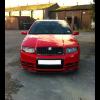
I have a 55 plate Fabia VRS. A woman in work recently bought a Skoda Superb on 06 plate. Now last night she parked quite close to me. When I was leaving work I went over and unlocked my car and hers unlocked too! When I lock mine - hers locks too!

I went back into work and asked her to come out side and explained and she thought it was a big joke until I proved her wrong. Her key does nothing for mine though.

Anybody else had this issue?

Any ideas??

I did take a short video in which you can kind of make out.

http://s735.photobucket.com/albums/ww359/Dan_Ham/?action=view&current=b272aff9.mp4

Does the key open the other car's door?

Are all the keys the ones that came the with cars?

  • Author
Does the key open the other car's door?

Are all the keys the ones that came the with cars?

What as in insert the key into the lock? I've not tried that.

I've only had my Fabia 4 weeks, she's had hers about the same amount of time.

If they are the original keys or not then I cannot answer that sorry mate.

What as in insert the key into the lock? I've not tried that.

I've only had my Fabia 4 weeks, she's had hers about the same amount of time.

If they are the original keys or not then I cannot answer that sorry mate.

Yes - try your key in the other car's lock.

If it does open the other car, then contact Skoda UK.

From what I understand the fobs work on a rotating code produced from and algorithm and starting input.

There is only a limited number of possible codes these transponders can use so it is possible though unlikely you will be able to open someone else's car.

I'll try and find more info when I get out of work.

I wonder how this affects insurance. Presumably the steering lock won't work but you "could" take stuff out of the car if you were so inclined.

Be interesting to know if the key is the same aswell as the coding.

Id be contacting Skoda UK with both reg numbers and the issue.

Ask her if you could try to start her car too. Then definately report it to Skoda

Her cars central locking has learned your key.

Did this by mistake with our SDI and my old VW Bora.

Didn't bother changing it back as I sold the Bora to a mate

of mine.

I'd bet she was sat in her car with the engine running and the doors

locked at the same time as you had just got out of yours and zapped

it shut.

You're not the first.

http://uk-mkivs.net/...297/984027.aspx

Can be easily undone if you google it but you will need her co operation too.

Your key won't start her car or manually open the doors.

Just found you a useful link

http://www.autokeysquad.com/vw-remote-fob-programming-guide

I'd bet she was sat in her car with the engine running and the doors

locked at the same time as you had just got out of yours and zapped it shut.

Sounds like a big security risk. So if you own a VW key, you can just look out for people starting the engines, locking the doors, and press your own button to gain access at a later date?!

Sounds like a big security risk. So if you own a VW key, you can just look out for people starting the engines, locking the doors, and press your own button to gain access at a later date?!

Essentially. Yes. I only discovered it by accident myself.

But when I did some digging around on the web I soon found mention of

others with the same fault. As I said, I never bothered to try and rectify it

as I sold the paired car to a pal of mine anyway. But it seems easily reversible

if the little guide I linked works.

I had this like Gary with a mates Golf syncing to my Polo. Annoyingly, it knocked the Polos RCL out, so I had to recode it with VAGCOM. Think VW wanted about £45 to resync them!

Works across the range, my mate has a VW Caddy van and a Lauren and Klement Octavia and can unlock the car and van with both sets of remotes, keys are different though and will not open or start the other model.

  • Author

Sounds like a common issue then. I'm not to worried about it and don't really want to start fiddling with it tbh.

Thanks for the help!

Create an account or sign in to comment

Recently Browsing 0

  • No registered users viewing this page.

Important Information

Welcome to BRISKODA. Please note the following important links Terms of Use. We have a comprehensive Privacy Policy. We have placed cookies on your device to help make this website better. You can adjust your cookie settings, otherwise we'll assume you're okay to continue.

Account

Navigation

Configure browser push notifications

Chrome (Android)
  1. Tap the lock icon next to the address bar.
  2. Tap Permissions → Notifications.
  3. Adjust your preference.
Chrome (Desktop)
  1. Click the padlock icon in the address bar.
  2. Select Site settings.
  3. Find Notifications and adjust your preference.
