



Skip to content

Keyfob not disabling alarm properly?
Featured Replies

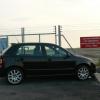
We have two keys for our furby, one works fine, the other one went a bit dodgy a while ago for no apparent reason.

It would remotely lock the car but not remotely unlock it (or some variation of that).

So if we used the key to unlock the car alarm would go off til we started the car. We assumed it was the keyfob battery so we replaced it but it didn't seem to help so designated this as our emergency key!

I've had to use this spare key this weekend and decided it needs bloody sorting out!

If we lock the car using the key and then unlock it again also using the key, when I put the key in the ignition the alarm goes off, for about 2-3 seconds. This happens EVERYTIME I START THE CAR! When trying to use the remote fob it sets off the alarm as soon as I open the door.

Any ideas on what it could be? I've seen this and wondered if this would fix it? Or is it a different issue?

Procedure For Matching Remote Key Fobs To The Car:

Using a spare key switch the ignition on.

Insert the key to be programmed into the driver’s door lock.

Manually lock the driver’s door using the key.

Press the Lock or Unlock button on the fob once.

Wait for a least one second.

Press the Lock or Unlock button on the fob twice.

The vehicle horn will sound to indicate correct programming.

(I'm aware at some point the battery will go in our main fob (or being pregnant I will get baby brain and lose the damn key!) I want this resolving before then!!)

Edited by Tarmine

You can buy a new backend to the keyfob (mine was from eBay) without having to replace the key end. Yours sounds like a button issue on the keyfob than a total failure though. Someone skilled might be able to fix it.

Alarm going off after doors unlock (remotely) sounds like a different problem though.

Create an account or sign in to comment

Recently Browsing 0

  • No registered users viewing this page.

Important Information

Welcome to BRISKODA. Please note the following important links Terms of Use. We have a comprehensive Privacy Policy. We have placed cookies on your device to help make this website better. You can adjust your cookie settings, otherwise we'll assume you're okay to continue.

Account

Navigation

Configure browser push notifications

Chrome (Android)
  1. Tap the lock icon next to the address bar.
  2. Tap Permissions → Notifications.
  3. Adjust your preference.
Chrome (Desktop)
  1. Click the padlock icon in the address bar.
  2. Select Site settings.
  3. Find Notifications and adjust your preference.
