



Skip to content

My Superb Project:-)
Featured Replies

try uploading the images here: https://beta.postimage.org/


After, add the "Direct link" link  here using the add images. For any more help pm me :)

Edited by emipop2005

  • 1 month later...
  • Replies 114
  • Views 33.9k
  • Created
  • Last Reply

Top Posters In This Topic

Most Popular Posts

  • andras.orban
    andras.orban

    What you guys think about my new door panels??I have cut the middle section out of the original and the leather ones as well,to make one out of the two!I do like the leather with the black door :-) Al

  • andras.orban
    andras.orban

    http://postimg.org/gallery/279ac37w Pls let me knkw if u can see the pictures.I tried again,hope it worked      

  • I think thats from Superb.(99% sure). Can you take a picture of that gear knob?

Posted Images

Cant wait to see pictures of your car. Was great reading your build thread.

  • 2 weeks later...

Wow, that does look different. Loving the colour!

  • 3 weeks later...

Need to see interior!! Did you paint or just tinted headlights?

  • 5 months later...
  • Author

The car is sold now guys,but the new owner will take stuff even further:) he is a mechanic,and he loves the car.will ask him if he want to carry on with the post.Thanks for all of your support,maybe u all see me soon :);)

  • 9 months later...
  • Author

Today, I bought the car back :)

Hehehe glad to hear that!!


  • Author

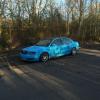
3rd time im buying the car back, every time in lot worst conditions then when i sold it.. I decided thats it now, I’m not going to sell it anymore, ill keep it till it dies. :)

I think its wise decision!!


  • Author

:)

2F751623-16CA-46A2-BAEB-AA150DDF16FC.jpeg

Nice rims, did you lower her?


  • Author
8 hours ago, MilanM said:

Nice rims, did you lower her?


Not more then use to :)

  • 5 months later...

Glad to see other Superb 1 projects :)  It looks awsm! :) 

Create an account or sign in to comment

Recently Browsing 0

  • No registered users viewing this page.

Important Information

Welcome to BRISKODA. Please note the following important links Terms of Use. We have a comprehensive Privacy Policy. We have placed cookies on your device to help make this website better. You can adjust your cookie settings, otherwise we'll assume you're okay to continue.

Account

Navigation

Configure browser push notifications

Chrome (Android)
  1. Tap the lock icon next to the address bar.
  2. Tap Permissions → Notifications.
  3. Adjust your preference.
Chrome (Desktop)
  1. Click the padlock icon in the address bar.
  2. Select Site settings.
  3. Find Notifications and adjust your preference.
