



Skip to content

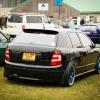
Few pics of new seats and headlights fitted
Featured Replies

75DB3787-C9EA-4CDD-830D-BD42A2CB0A7D-10818-0000097AADBE875C.jpg

C35918D8-F56B-4183-BA6A-FFA3068243E3-10818-0000097A9EE62FBD.jpg

862459F1-C1EB-4A47-B4EC-8C2B82F0EB81-10818-0000097913B4BAFC.jpg

75DB3787-C9EA-4CDD-830D-BD42A2CB0A7D-10818-0000097AADBE875C.jpg

C35918D8-F56B-4183-BA6A-FFA3068243E3-10818-0000097A9EE62FBD.jpg

862459F1-C1EB-4A47-B4EC-8C2B82F0EB81-10818-0000097913B4BAFC.jpg

looks like you've done a spot on job there mate, love the headlights and bonnet bra! ;)

That's it I'm going to source some and try a re trim just like u and Ish from west coast customs . Car looks ace apart from the bra(but that's my humble opinion

Regards Whoosh

Looks good, like the seats! (shame about the bra tho)

  • Author

Yeah got retro wheels so ran with the theme

Plus new houses being built near me and the amount of rubbish in the roads the bonnets was getting chipped to death so serves its purpoes..

Out of interest why do yous hate them so much?

And thanks for the comments

Would be interesting to see pics of fitting of the rear seats. More the uprights than the cushions, to see where Mr hammer may have had a play. :)

  • Author

Will get some and no hammer needed :D

Just a couple of bolts to undo and a metal strip from b@q with the holes in painted black to match and drilled and bolted.

Well hammer needs a play on catches but I'm looking into movin them so they lock in

Create an account or sign in to comment

Recently Browsing 0

  • No registered users viewing this page.

Important Information

Welcome to BRISKODA. Please note the following important links Terms of Use. We have a comprehensive Privacy Policy. We have placed cookies on your device to help make this website better. You can adjust your cookie settings, otherwise we'll assume you're okay to continue.

Account

Navigation

Configure browser push notifications

Chrome (Android)
  1. Tap the lock icon next to the address bar.
  2. Tap Permissions → Notifications.
  3. Adjust your preference.
Chrome (Desktop)
  1. Click the padlock icon in the address bar.
  2. Select Site settings.
  3. Find Notifications and adjust your preference.
