



Skip to content

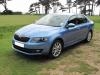
My first Skoda is here!
Featured Replies

  • Author

Back to work tomorrow, back to the Octavia after a week in the sports car including a very hairy couple of hours driving Porsche's "Widow-maker" at Silverstone.... Just used yet another really clever feature on the Skoda that I last had in a BMW - comfort closing and opening. Press and hold the unlock button and all the windows come down until you release the button and press and hold the lock button and they all close. Little thoughtful details that abound in this Octavia and make all the difference!

Edited by Timoctav

  • Replies 79
  • Views 9.1k
  • Created
  • Last Reply

Top Posters In This Topic

Most Popular Posts

  • Love the detailing of the bi-xenon lights, with the LED day running lights and the strakes which match the grille

  • I will post the photos separately as I don't think I'll get more than one on each reply :

  • and again :

Posted Images

comfort closing and opening was there on my Octy II Green line. To be honest never used it.

comfort closing and opening was there on my Octy II Green line. To be honest never used it.

I'm glad that on the Octy 3 you can easily disable the function, which I have, after coming back yo my Octy 2 vRS one day to find all the windows half way open.

  • Author

I find it really useful! Used it all the time in hot summer weather when I had BMW's

 - comfort closing and opening. Press and hold the unlock button and all the windows come down until you release the button and press and hold the lock button and they all close.


I'm glad that on the Octy 3 you can easily disable the function, which I have, after coming back yo my Octy 2 vRS one day to find all the windows half way open.

I was going to say that too - in the Audi I went out to the car one morning to find all 4 windows down.  I turned it off after that.  I assume the button was pressed in my pocket.  I will keep it switched on for the Octy until the aircon problem gets fixed though!

Create an account or sign in to comment

Recently Browsing 0

  • No registered users viewing this page.

Important Information

Welcome to BRISKODA. Please note the following important links Terms of Use. We have a comprehensive Privacy Policy. We have placed cookies on your device to help make this website better. You can adjust your cookie settings, otherwise we'll assume you're okay to continue.

Account

Navigation

Configure browser push notifications

Chrome (Android)
  1. Tap the lock icon next to the address bar.
  2. Tap Permissions → Notifications.
  3. Adjust your preference.
Chrome (Desktop)
  1. Click the padlock icon in the address bar.
  2. Select Site settings.
  3. Find Notifications and adjust your preference.
