



Skip to content

Hello good people

Featured Replies

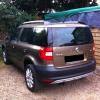
Just joined as I'm buying a Skoda Yeti 4x4 140 se+   >2010   having just test driven one yesterday from the Crawley Down Garage.


Just have a few questions :blush:


There's probably various rooms/threads/ that can answer these so please forgive me, I've just got here :whew:


First can I say how impressed I was with the car, couldn't believe how nippy and comfortable she was! thats coming  from someone who's been driving a Mini Cooper Clubman s for the last 2 years - changing to accommadate ever growing family!


4 questions


- Looking to spend around £15k for one thats done <50000miles - Is this reasonable?


- Would like to get some side plates - does it matter if they are official Skoda or not? I see 3rd party vendors selling them for about £100  cheaper....


- Is it ill advisable to remap - was thinking about Shark Performance - 140 > 175bhp for £500 - worth it? Or hassel? I don't want to break it or my wife will do bad things to me :angel:


  Not really sure whether the model Im after is a  PD or a  CR Engine?


Other stuff about me

Work in IT fixing things (Laptops, PCs, Servers, Macs, Ipads etc) so if you need any tekky help I may be able to assist  :think:

Support Spurs (Not sure if I should have put that)

Play vets football (badly) for a local team

Into Model Helicopters - I have 5 at the mo that take up large areas of the house - maybe the Yeti could accommadate some :happy:


Any help greatly appreciated!


Looking forward to hearing from you


Jez


  • Author

Cheers

Hello and welcome to Briskoda

Create an account or sign in to comment

Recently Browsing 0

  • No registered users viewing this page.

Important Information

Welcome to BRISKODA. Please note the following important links Terms of Use. We have a comprehensive Privacy Policy. We have placed cookies on your device to help make this website better. You can adjust your cookie settings, otherwise we'll assume you're okay to continue.

Account

Navigation

Configure browser push notifications

Chrome (Android)
  1. Tap the lock icon next to the address bar.
  2. Tap Permissions → Notifications.
  3. Adjust your preference.
Chrome (Desktop)
  1. Click the padlock icon in the address bar.
  2. Select Site settings.
  3. Find Notifications and adjust your preference.
