



Skip to content

Sorry! Another rear brake upgrade question!
Featured Replies

VW Golf MK4 V5 Rear Brake Calipers 256mm Vented Discs

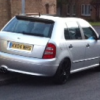
Will the above fit on my VRS mk1 fabia with 17" spiders?

Thanks

Yeah, they fit under standard fabia vrs alloys :) 

VW Golf MK4 V5 Rear Brake Calipers 256mm Vented Discs

Will the above fit on my VRS mk1 fabia with 17" spiders?

Thanks


That would depend if the above MK4 V5 is 4Motion of not. 


The Rear carriers are different to the 2WD version. I've heard rumours of people modifying them to fit but i don't see the point as you can pick up Brake kits up off the 2WD version easy. 

There is no V5 (2.3 litre) 4 wheel drive version. :)

There is no V5 (2.3 litre) 4 wheel drive version. :)


Its the V6? lol 


Damn my bad!  :giggle:

Yeah, you get 2.8 V6 4 motions / R32 etc etc.  All with the rear brakes that need a bracket / don't just fit right on

I have a full set of 256mm rear brakes painted red with almost new discs and pads if you are interested? £100?

  • Author

Thanks all, Happy days :-) !

Thanks for the offer Joe but I literally just bought a set earlier this morning, if only i knew before!

Cheers

  • Author

Received the new setup, callipers covered in brake fluid, any easy ways of removing? I can't paint them otherwise :-(

Brake cleaner, takes it off and drys within seconds!

  • Author

Thanks mate! Never knew it was soo simple :-)

I'll pick some up after work

Gotta love this forum!

  • 2 weeks later...
  • Author

post-85085-0-57757700-1397908327_thumb.jpg

Anyone know what these holes are for?

Cheers

Received the new setup, callipers covered in brake fluid, any easy ways of removing? I can't paint them otherwise :-(


Meths works just as well and is cheaper, plus you can wash them in soapy water straight after and use a toothbrush to get them really clean before painting.

  • Author

Thanks mate I'll try soapy water too, how about inside the caliper? Do I need special liquid?

Cheers

Create an account or sign in to comment

Recently Browsing 0

  • No registered users viewing this page.

Important Information

Welcome to BRISKODA. Please note the following important links Terms of Use. We have a comprehensive Privacy Policy. We have placed cookies on your device to help make this website better. You can adjust your cookie settings, otherwise we'll assume you're okay to continue.

Account

Navigation

Configure browser push notifications

Chrome (Android)
  1. Tap the lock icon next to the address bar.
  2. Tap Permissions → Notifications.
  3. Adjust your preference.
Chrome (Desktop)
  1. Click the padlock icon in the address bar.
  2. Select Site settings.
  3. Find Notifications and adjust your preference.
