



Skip to content

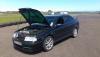
new wheels!

Featured Replies

heres my new wheels fitted at last. wasnt my 1st choice but were a bargain and now theyre on i love them :-)post-103861-0-24432300-1398690808_thumb.jpgpost-103861-0-13409400-1398690838_thumb.jpg

When you find your first choice and dont want these any more then drop me a message ;)


They look really good mate :)

Liking them a lot :rock:

They look sweet mate great choice.

Sent from my XT1032 using Tapatalk

They look really good nice stance as well :thumbup:

  • Author

some pics from yesterday evening at lossiemouthpost-103861-0-70143700-1398765081_thumb.jpgpost-103861-0-51975800-1398765111_thumb.jpgpost-103861-0-64154100-1398765127_thumb.jpgpost-103861-0-94631900-1398765143_thumb.jpgpost-103861-0-71017100-1398765159_thumb.jpg

Very cool :)

Is that 8.5 all round

What tyre size did u go with bud

  • Author

8.5 front, 215/40/18 9.5 rear 225/40/18 had to take rear coilys up a little as left a little rubber on arch after a large bump on road at 60mph.

wow they really suit the octy!

they look early 80s

Nice.  I'm also liking the reflected sunset in the 3rd photo. :thumbup:

Hehe good man :)

I have extra camber on mine to help clear the rears

Great pics and nice wheels [emoji106]

Sent from my iPhone using Tapatalk

Looks good!

Old Skool cool, look like F40 style! I'd be tempted to colour code the inner triangular sections, but then again it might look poo... A job for Photoshop.

Create an account or sign in to comment

Recently Browsing 0

  • No registered users viewing this page.

Important Information

Welcome to BRISKODA. Please note the following important links Terms of Use. We have a comprehensive Privacy Policy. We have placed cookies on your device to help make this website better. You can adjust your cookie settings, otherwise we'll assume you're okay to continue.

Account

Navigation

Configure browser push notifications

Chrome (Android)
  1. Tap the lock icon next to the address bar.
  2. Tap Permissions → Notifications.
  3. Adjust your preference.
Chrome (Desktop)
  1. Click the padlock icon in the address bar.
  2. Select Site settings.
  3. Find Notifications and adjust your preference.
