



Skip to content

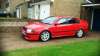
TERKINS TDI new wheels :)
Featured Replies

That car looks well :sun:

  • Replies 111
  • Views 10.7k
  • Created
  • Last Reply

Top Posters In This Topic

Most Popular Posts

  • good call on the grill surround liking it :clap: tried the vrs badge on will fit properly once i get all the other vrs bits together,just need rear spoiler now possibly wheels undecided at the mo

  • finally ordered my back box replacement,got myself a decat aswell  :p hopefully wont be to loud  :|   

  • got some new wheels :P gave the calipers coat of vrs green   10wheels and still room to spare

  • Author

cheers :)


thinking about selling it though :|

cheers :)


thinking about selling it though :|

Oh no, another octavia going to scrap yard in the sky lol
  • Author

Oh no, another octavia going to scrap yard in the sky lol

lol noooooooooooo i said sell!


not 100% yet but someone keeps asking me for it and i fancy another beemer :angel:

  • 3 weeks later...
  • Author

the return to standard has begun :sweat:

  • 1 month later...
  • Author

this was ended up broken and scrapped last week :sweat:

what bits are left

  • Author

what bits are left

not sure without looking  :sweat: 


bits i remember are

vrs spoiler

vrs seats

spiders

vrs wheel and trims

110 and 130 egr delete (think you got tht anyway)

armrest

I was hoping for the front bumper :)

  • Author

I was hoping for the front bumper :)

i let it go bud,had seen better days. had been on all of my octys and cut up for about 4 different fmic lol


spoiler will look good on yours tho!

i let it go bud,had seen better days. had been on all of my octys and cut up for about 4 different fmic lol


spoiler will look good on yours tho!

It would

  • Author

It would

:D

Create an account or sign in to comment

Recently Browsing 0

  • No registered users viewing this page.

Account

Navigation

Configure browser push notifications

Chrome (Android)
  1. Tap the lock icon next to the address bar.
  2. Tap Permissions → Notifications.
  3. Adjust your preference.
Chrome (Desktop)
  1. Click the padlock icon in the address bar.
  2. Select Site settings.
  3. Find Notifications and adjust your preference.
