



Skip to content

-40mm Octavia 4x4

Featured Replies

I have a 1.8TSI DSG FWD I can measure later. The 4x4 Ive spotted are visually higher than mine though, so I'm fairly confident that they are higher as standard. Anyways except a harsh ride from that thing if you drop it by 40mm. I have owned other cars that became very hard once you drop them that much.

Are you based in the UK?

No, Norway.

  • Author

I have a 1.8TSI DSG FWD I can measure later. The 4x4 Ive spotted are visually higher than mine though, so I'm fairly confident that they are higher as standard. Anyways except a harsh ride from that thing if you drop it by 40mm. I have owned other cars that became very hard once you drop them that much.

I actually got somebody from the Norwegian Skoda club to meassure and compare. My car has the origional ride hight. No extra ridehight.

The member who meassured has the factory installed sport suspension so naturally his car was 15mm lower, but that shows that there isn't any difference.

I guess alot (if not all) 4x4 I've seen are fitted with the rough-road springs then. If I'm not mistake the sales brochure also states +15mm on the last page with engine specs.

Edited by johnabrahamsen

  • Author

The rough road pack adds 15mm of rideheight.

Yes, but it is an option. I doubt all 1.8 4x4s are equipped with RRP, as then all of them would come with 16' wheels.

Mine has the RRP though, so I will measure the exact ride height on each wheel arch and give you feedback tomorrow.

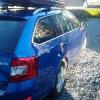
As promised, here is a pictograph of a standard 1.8 TSI 4x4 with RRP ('16 wheels)


All numbers are in centimetres and based on my measurements on the outside edges of the car (not underneath)


iR0ETkB.jpg

  • Author

Thank you!

  • Author

Update on the topic.

Iv'e been in contact with two different suppliers. One of them told me that h&r has produced lowering springs for my model, but the other one said that he has checked and there isn't any yet.

  • 6 months later...

Create an account or sign in to comment

Recently Browsing 0

  • No registered users viewing this page.

Important Information

Welcome to BRISKODA. Please note the following important links Terms of Use. We have a comprehensive Privacy Policy. We have placed cookies on your device to help make this website better. You can adjust your cookie settings, otherwise we'll assume you're okay to continue.

Account

Navigation

Configure browser push notifications

Chrome (Android)
  1. Tap the lock icon next to the address bar.
  2. Tap Permissions → Notifications.
  3. Adjust your preference.
Chrome (Desktop)
  1. Click the padlock icon in the address bar.
  2. Select Site settings.
  3. Find Notifications and adjust your preference.
