



Skip to content

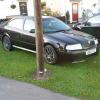
2001 octavia vrs black magic breaking for spares all parts available
Featured Replies

Many thanks today Matt, very much appreciated!

  • Replies 150
  • Views 8.4k
  • Created
  • Last Reply

Top Posters In This Topic

Most Popular Posts

Posted Images

  • Author

No problems bud glad your happy mate

Sounds good need them posted

  • Author

Sounds good need them posted

Pm me buddy

Rocker cover recieved thank you. Guys any parts u need i recomend matt a true gent

  • Author

Cheers ash glad your happy

Do you have the 3 pedal covers ?

  • Author

Do you have the 3 pedal covers ?

Sold buddy

  • Author

.

Alright mate? Still got the car or has it gone?

  • Author

Its still here at the min buddy

Cool, i locked the keys in my car over the weekend so had to break in!

Need osr door quarter glass and the metal dividing bracket which seperated it from the main electric window. Also osf door seal

Whats ya price mate

  • Author

Pm me fella ill sort you out

Hiya mate. Anychance you got rear wiper motor? If so does it work and how much posted? Cheers buddy

  • Author

Yes i have bud 25 posted sound good ?

  • Author

.

Ok bud will pm you in a couple of days after finance sorting

how much for the interior with door cards pls?


any rips, what condition are they in, and are the front seats heated?

  • Author

No worries bud they go for 35 on ebay so i think 25 posted is pretty fair

how much for the interior with door cards pls?


any rips, what condition are they in, and are the front seats heated?


I'm interested in the gearbox can you pm me with the price and gearbox code please?

  • Author

Seats door cards and gearbox sold sorry

Still ok to come and get that rear quarter window glass /bracket and front door seal tomorrow 1ish?

  • Author

Yes bud

Thanks again matt :thumbsup:

Create an account or sign in to comment

Recently Browsing 0

  • No registered users viewing this page.

Important Information

Welcome to BRISKODA. Please note the following important links Terms of Use. We have a comprehensive Privacy Policy. We have placed cookies on your device to help make this website better. You can adjust your cookie settings, otherwise we'll assume you're okay to continue.

Account

Navigation

Configure browser push notifications

Chrome (Android)
  1. Tap the lock icon next to the address bar.
  2. Tap Permissions → Notifications.
  3. Adjust your preference.
Chrome (Desktop)
  1. Click the padlock icon in the address bar.
  2. Select Site settings.
  3. Find Notifications and adjust your preference.
