



Skip to content

Mr G 76's VRS TFSI

Featured Replies

  • Author

Almost forgot, i had some issues with the divertor valve and inlet manifold runner flap motor last September, so decided to invest in a Runner Flap Delete kit, and a DV+.

The RFD doesn't appear to have any performance advantage but has made the exhaust burble and pop a bit more.


_20170731_200328.JPG

Edited by Mr G 76
.

27 minutes ago, Mr G 76 said:

I've never had it on a rolling road, but somewhere between 240 & 255 BHP.

OK thanks for being honest nice mods by the way.:biggrin:

  • Author

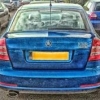
Unfortunately, the spoiler's got a case of the dreaded laquer peel, so that's gone in today for a respray!

20180417_084312.jpg

1 minute ago, Mr G 76 said:

Unfortunately, the spoiler's got a case of the dreaded laquer peel, so that's gone in today for a respray!

20180417_084312.jpg

I prefer the MK2 rear spoiler to my MK3 version TBH.

  • Author

The spoiler's back from the paint shop looking good as new.

Also treated myself to a new set of OEM VRS mats as the originals had seen better days.

20180423_152124.jpg

20180423_132348.jpg

  • 2 years later...
On 19/04/2018 at 17:05, Mr G 76 said:

Almost forgot, i had some issues with the divertor valve and inlet manifold runner flap motor last September, so decided to invest in a Runner Flap Delete kit, and a DV+.

The RFD doesn't appear to have any performance advantage but has made the exhaust burble and pop a bit more.


_20170731_200328.JPG

Evening guys, hoping I'll still get a reply for this as it's an old thread.


Does the RFD delete require any software altering at all or is it pure mechanics? I'm sending my injectors out to be refurbished so I thought I might as well do the RFD delete considering I'm taking it apart.


Cheers 🙂

  • Author

 I had read that cold starting was more difficult if the RFD wasnt mapped out, but that wasnt my experience. It ran perfect with no software alterations :)

Create an account or sign in to comment

Recently Browsing 0

  • No registered users viewing this page.

Important Information

Welcome to BRISKODA. Please note the following important links Terms of Use. We have a comprehensive Privacy Policy. We have placed cookies on your device to help make this website better. You can adjust your cookie settings, otherwise we'll assume you're okay to continue.

Account

Navigation

Configure browser push notifications

Chrome (Android)
  1. Tap the lock icon next to the address bar.
  2. Tap Permissions → Notifications.
  3. Adjust your preference.
Chrome (Desktop)
  1. Click the padlock icon in the address bar.
  2. Select Site settings.
  3. Find Notifications and adjust your preference.
