



Skip to content

2010 vRS LED DRL Issues
Featured Replies

Hi


I have been stalking this forum for a while prior to purchasing my Octavia.


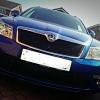
I have a late 2010 FL vRS Estate in Race Blue!


Its a fantastic car, and loving it already!


I have hit a slight issue though.


I always swap out all my bulbs on cars for LED's to reduce battery strain, and sharpen everything up.


I have fitted LED's all round in and out, along with HID upgrade.


I have done all the changes in VCDS to stop error lights from the CAN, (its very sensitive on this car i have found)


Everything is working fine!


However my front LED DRL's do not work, (they did when i bought it 2 weeks ago) they now dont work on ignition, nor do they light on side lights, i presume they should dim.


This means that i have no parking lights at the front, as i am aware that the side light bulb in the head light housing is a duff on DRL vRS models.


What is more odd is the fact that i have checked the wiring to them, and its fine, i have actually took a link off the DRL to the head light housing to make the duff bulb light, (put a small LED in) yes i know the legality.


The LED is lighting, and dimming with side lights, so i can not work out why the OEM lights are not.


On the connector to the DRL is 3 wires, there is an earth and a possitive and another wire??, anybody know what this is? to get the LED to light i only needed to wire it to two of the pins.


I have looked through VCDS and everything seems fine, i can dissable and enable DRL which works, on the little LED i wired on.


Can anybody share some 'pun' light on this? Can somebody tell me what all the Check boxes should be ticked and not in 09 Central Electrics in VCDS for OEM Factory Settings on the DRL's??


Would be most grateful!


I will be sharing my work with you soon, and some photos, as shes starting to look great now................only had it two weeks ha!


Regards

Vinnie


  • Author

UPDATE:


Got them to come back on, however it seems to be from the Xenon Without shutter tick box,


On my car when i access Byte 14 in 09, i only have the option of Xenons WITH shutters.


If i select that the Bulb out warning does not come on with my HID's but the DRL does not work.


Ive read on here that i have to go to Byte 14 in LCode2?? and select 4 & 5, tried this and although the DRL comes back on, i then get Bulb out error from the HID's


Is there something im not doing right? having a right scratch of my head tonight!

This is clearly a a coding issue as you've now found out.


The DRL's used to work but then stopped working after making some changes using VCDS to sort the interior and exterior LED modifications?


Can you remember what you changed before the DRL's stopped working, was it simply the 'xenons with shutter' for the HID kit?


Did you adjust Byte 18?

  • Author

Yes everything was fine until i altered the Shutter options for HID.


Ive done some more reading on here, and it seems that the option for Xenons without shutter is hidden on my model year, and i have to go into LCODE2 and tick Byte 14 Box 4 only?


What is Byte 18?


Also just to add, i put LED's in the number plate, and ticked the correct boxes in VCDS, but it didnt work for me, had to put resistors in.

You can see LCODE2 here at the top, I'm assuming that you are already in the Long Code Helper given that you have been able to set the HID's and try the LED rear number plate lights settings?


I take it you are seeing something similar to this...


VCDS-09-04.jpg


Byte 18 should be left well alone, it is masked (00) so if you change it it becomes very difficult to get it back to what it was, I was wondering if you had adjusted this which could have caused the DRL's to stop working (I've learnt the hard way).


There are some very clever people on here that are in another league to me with their knowledge of VCDS, you could try posting in the dedicated VCDS forum?


http://www.briskoda.net/forums/forum/23-diagnostics-vcds/

  • Author

Yep thats what im seeing.


Have not altered anything apart from Shutter options, CH/L etc.


Ill have another play in morning, see what i can do.


Everything is working now, but the pay off has been blown bulb error light back on.


vin

Sounds like you're embarking on quite a challenge.


Can you add information such as which bulbs you've used for each you've replaced, any resistors you've fitted, which gave you bulb out errors and what coding you changed to try and remove the warnings.  Mostly as I'm sure it'll be useful to anyone that tries to help and if anyone else decides to try something similar.


The LED modules have three connections which I believe are ground and two current limited power supplies at either 55mA or 380mA depending on if it's in DRL or sidelight mode. Am I right that you had everything working 'normally' without the extra sidelight LED you added?


Most of the settings you want to change probably aren't possible via VCDS. Especially when it come to hot/cold diagnostic checks to remove bulb warnings.


For my licence plate LED's I changed byte 17, bit 7 to fix the bulb warning.

  • Author

I used non canbus LED's for the numberplate, as i was coding them through VCDS, which did not work, changed for Canbus types, still no joy, so ended up switching the LED Pulse modulation back off, and cold diagnostics back on, and installing a small load resistor to the back of one of the number plate lights, which solved the issue. (Bulbs from Fizzmo)


I got the HID kit from ebay, from a know seller, who i have used for years, its a Non canbus system.


I got this to work correctly, without errors, by VCDS, with shutters enabled, this is when i lost the DRL's it seems to cut the limited power to the DRL, but only on one pin, hense why the LED that i slaved off it still worked. Funny thing is the LED that i have slaved works perfectly 'Mimics' the DRL so it comes on with ignition, and dims when side lights are on...........and this is just by connecting to a single live and ground from the DRL, didnt need the 3rd wire.


I have got Dectane rear lights, which show no errors.


I believe my issue is being caused by the coding, i think once i select the hidden 'Xenons without shutters' under LCODE2 Byte 14, 4 will solve it.


I dont want to have to stick loading resistors on the HID kit, as they DO and CAN cause damage to sensitive ECU's 


I had similar issues on my Volvo when i had it, was a nightmare with Canbus, But my Alfa (swapped for the octy) let me do whatever bulb wise and never complained, and they have sensitive Canbus systems.................lucky my Weekend Mazda don't have Can system .

Did u try disconnecting the "slave" led sidelight from the drls to c what effect that would have?

I won't b surprised if they started working again after doing the above.

This should be simple, if you select Bi-xenons with shutters this will render the DRL's inoperative.

For HID coding you need to manually select the byte & bit to code them out, this will allow the DRL's to work.

I found this out whilst experimenting with how to code HID's successfully on the mk2 platform

You need to untick byte 14 bit 3 and change bit 4 from a 0 to a 1

ScreenShot2013-02-05at173615_zps814e495f

Edited by xpower

Agreed, the CECM is super sensitive on the FL so even without the 'friendly' HID kit it may still die.


Just to add a little more detail, the CECM is used in many configurations across VAG group cars with different wiring schemes. When you tick byte 14 bit 3, you're telling the car that is now has shutters installed and it will try and control these shutters using pins C48 and C49. However, in the vRS these are used to control the DRL which is why you're hitting issues.


I'd second xpowers suggestion of manually changing the code to include bit 4.


You should be able to do this by adding 0x10 to your current code, the image from xpower already has this done via the in text box in row three with yellow text.


If the standard coding was 01 try 11, if it was 81 try 91 (as above).

  • Author

Think my CCM is having issues!


Front drivers side fog light is stuck on, i have had to remove bulb and disable front fogs through VCDS.


Ive had LOT's of cars and this is the only one i have issues with regarding changing bulbs!!


If i get a new CCM is it a straight swap? doesn't need to be done by dealer?

Can you start posting up autoscans, it makes it much easier to see what you've done. An original one and the current configuration would be great at this point.


Not head of a CECM (you have a CECM in a FL, pre-FL have a BCM and CCM) dying with a front fog on, it's normally an indicator although I'm sure it's possible.


Just one silly check, is your steering set dead ahead as the only time I'd expect a single fog is for the cornering fog function.


If you need to swap the CECM, then the only straight swap will be from a FL vRS Octavia, if it comes from any other car (including non vRS Octavias) it will need the lighting configuration correcting. This requires dealer tools and in most cases the dealer doesn't know how to do this so Skoda UK need to get involved. There are a few of us who can correct the eeprom data using either VCP or ODIS-e (VCDS cannot do this). In all cases you will need to correctly code the replacement and pair the remote fob iirc.

Just one silly check, is your steering set dead ahead as the only time I'd expect a single fog is for the cornering fog function.

Very good point!

  • Author

Cornering fogs are disabled, i have now disabled fogs entirely and its still on, even with ignition off.

That doesn't sound good at all and is very similar to the normal death mode of an indicator stuck on. Sounds like one or more of your CAN friendly LEDs or the HID kit has killed the CECM.


All I can suggest is that you remove any lights you've fitted and try stock coding, if this doesn't help I suspect it you'll probably need a new CECM. Are there any fault codes stored at the moment?

  • Author

I will check fault codes today.


If the HID kits has killed it, with less that 1 hours operation, then this is really poor on VAG's behalf!


Its my first VAG car, and could well be the last, if it can not put up with something as simple as a bulb swap.


The HID kit i have used, with correct coding is the one preferred on this forum from London Colour.


I have only changed the Numberplate bulbs, which are non canbus types, as is the HID kit.

  • Author

Gone through everything nothing is amiss,


i have coded the HID's using Byte 14, 4 in LCODE2,


This turns off the dash light, however once the head lights come on, they knock the number plate lights off, and i get an error code.


This car is starting to annoy me now!!

You really can't blame VAG for this, the CECM works perfectly when used as designed, either with standard halogen bulbs or the OEM xenons.


This isn't just a 'simple' bulb swap as car electronics are no longer just switches and relays, a HID ballast is a completely different load to a halogen bulb when it's driven by a mosfet.


The aftermarket HID kits dump power back into the CECM and normally cause a mosfet to fail. This can also be the case with some LED bulbs if they have circuitry to correctly drive the LED. If you're lucky, you might be able to replace this mosfet and get a working CECM again but if you leave the HID kit fitted it's very likely to happen again. I doubt a garage or dealer would be willing to undertake this.


Out of curiosity, can you at least give a part number for your CECM?

  • Author

Think ive solved it.


I think the problems have been stemming from the number plate lights, i have removed them and put the standard bulb in, and everything works fine, even the coding for the HID is working.


I have now narrowed it down further, to the LED type ive used. It seems the car does not like COB or CREE LED's, if i use SMD type everything works as it should, so now have replaced the number plate lights with SMD festoons.


From Memory, i have COB LED rear lights on my RX8, and although it does not have a sensitive canbus system, they do cause interference which can be heard through the stereo, so obviously they do cause noise on the electrical system.


The fog light is still stuck on, so unplugged them, and coded them out to stop error light.


So looks like the COB LED has caused the problem. I will order a new unit in due course, i can live without front fogs, which are useless on most cars anyway.


Also the issues only occured when the engine was running, when it was just ignition, everything worked fine.


vin

Good to hear that it's functional enough to use as a car again.


You will probably find the HID kit hasn't finished causing issues yet. It will slowly damage the silicon inside the mosfet until it fails giving you more problems such as the indicator remaining on. Before you do replace the CECM I would strongly recommend you remove the HID kit if it's been shown to damage your current one.


I'd also suggest you monitor the battery condition carefully for a few weeks, I've seen reports that once a CECM has been fried like yours has you'll have battery drain issues.

  • Author

See how we go, if it blows, it blows, ill just replace it.


Cheers for all your input

  • Author

Well, not much i can do now, fried after having HID's for no more than 24hrs, with only probs 1hr running time.


Whats the part no for the CECM?


Will it have to be coded by Skoda, or it is plug and play, and copying code over from old unit?

Current part number will be in the autoscan you haven't posted yet and the coding question was answered earlier.

Create an account or sign in to comment

Recently Browsing 0

  • No registered users viewing this page.

Important Information

Welcome to BRISKODA. Please note the following important links Terms of Use. We have a comprehensive Privacy Policy. We have placed cookies on your device to help make this website better. You can adjust your cookie settings, otherwise we'll assume you're okay to continue.

Account

Navigation

Configure browser push notifications

Chrome (Android)
  1. Tap the lock icon next to the address bar.
  2. Tap Permissions → Notifications.
  3. Adjust your preference.
Chrome (Desktop)
  1. Click the padlock icon in the address bar.
  2. Select Site settings.
  3. Find Notifications and adjust your preference.
